Google Pixel Camera 10.2 Update: Decoding the Confusion Across UK Devices

Google Pixel Camera 10.2 Update: Decoding the Confusion Across UK Devices

The Pixel Camera 10.2 Update: A Puzzling Rollout for UK Users

The latest Google Pixel Camera 10.2 update has begun its staggered rollout, intended to bring enhancements and refinements to the acclaimed smartphone photography experience. However, for many Pixel owners across the UK, this eagerly anticipated refresh seems to have primarily introduced a wave of confusion rather than immediate clarity, sparking widespread discussion within online communities.

A significant factor contributing to this bewilderment is the update’s highly adaptive nature, meaning the specific changes and features users encounter are intrinsically linked to their individual Pixel device model. What appears on a Pixel 8 Pro, for instance, could be markedly different from the experience on an older Pixel 6a or a Pixel 7. This tailored approach, while technically sound, often lacks a consistent, intuitive narrative for the average user.

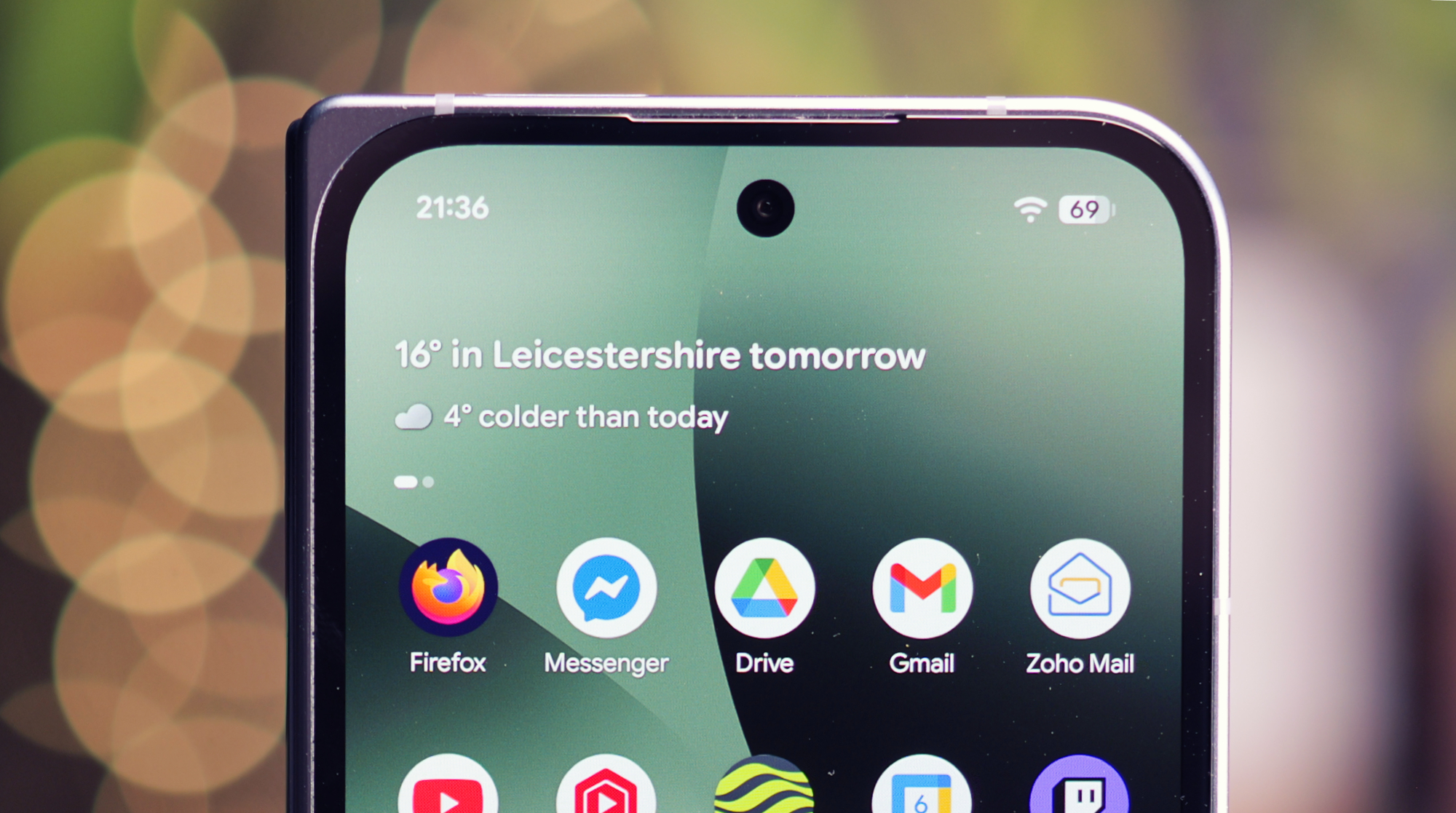
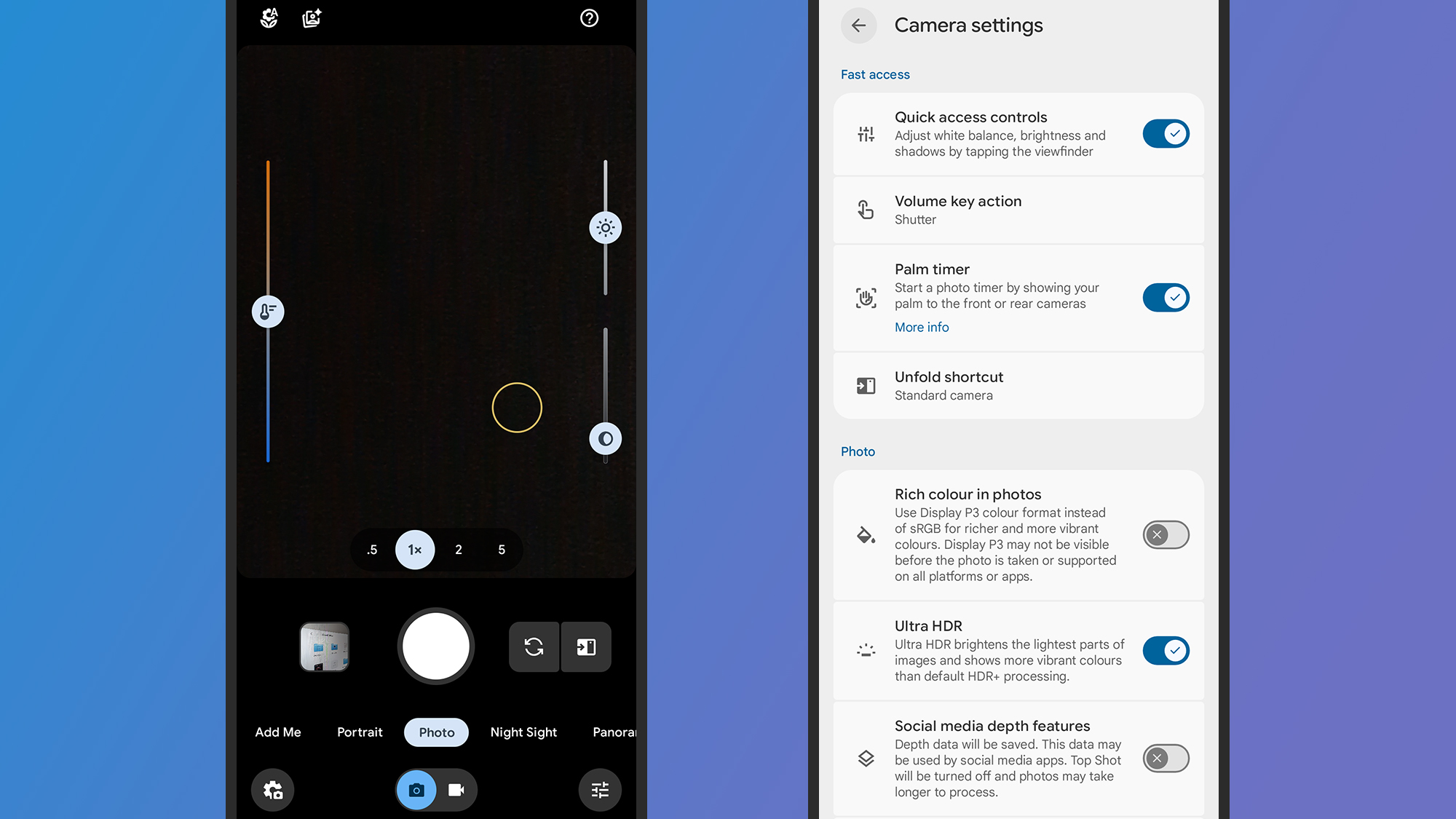
Many users are reporting a disorienting shift in the camera application’s user interface, with familiar modes and settings often rearranged or relocated. This necessitates a period of re-learning, as established muscle memory for navigating the camera app is suddenly rendered obsolete, leading to frustrating moments when trying to quickly capture a shot.
Google Pixel Camera 10.2 Update: Decoding the Confusion Across UK Devices

For those wielding the latest Pixel flagships, the 10.2 update might introduce advanced computational photography features or subtle enhancements to existing tools like Magic Eraser or Photo Unblur. These additions leverage the newest hardware, pushing the boundaries of what a smartphone camera can achieve, but their integration might require users to explore new menus.

Conversely, owners of older Pixel devices, such as the Pixel 6 or earlier models, are more likely to experience updates focused on performance optimisations, stability improvements, or minor UI tweaks. While beneficial for prolonging device longevity, these changes might not feel as impactful, yet can still contribute to the general feeling of disorganisation within the app.

The distinction in feature availability and interface design across the Pixel lineup creates a fragmented user experience, which is amplified by the often-gradual rollout schedule. Not all users receive the update simultaneously, leading to conflicting reports and further muddying the waters when troubleshooting or seeking advice from fellow Pixel enthusiasts.

Specific camera modes, such as the much-lauded Night Sight or Portrait Mode, might have seen their toggles or customisation options subtly moved within the updated interface. While the powerful functionality remains intact, discovering the new pathways to access and fine-tune these popular settings can become a minor treasure hunt for some users.

General camera settings, including options for aspect ratios, video resolutions, and the ever-useful grid lines, could also be part of this reorganisation. Users accustomed to a specific location for these controls might find themselves delving deeper into sub-menus, breaking their usual photographic workflow and adding extra steps to their process.

Google’s overarching vision with these updates is likely to streamline the user experience across its diverse hardware portfolio, potentially laying a unified foundation for future innovations. However, the immediate execution appears to have generated more questions than answers for a significant portion of its dedicated user base.

The adaptive design philosophy, where the camera interface and feature set are tailored to the device’s specific processing power and hardware capabilities, is a logical engineering choice. Yet, for the end-user, this bespoke approach often translates into an inconsistent interaction that demands a new learning curve with each iteration or device upgrade.

This situation underscores the critical need for clearer communication from Google when significant changes are implemented within core applications like the camera. Comprehensive release notes detailing model-specific alterations would undoubtedly help alleviate much of the current user frustration and provide a roadmap for navigating the new layout.

For photography enthusiasts who rely on their Pixel device for consistent, high-quality image capture, any disruption to their established workflow can be particularly jarring. The time spent deciphering new layouts is time diverted from the act of creative expression, which can be a genuine source of annoyance.

Beyond the interface, some users might also perceive subtle shifts in camera performance, such as minor changes in shutter response or image processing times, depending on their specific device and the update’s optimisations. These nuanced alterations, even if small, can influence the overall feel of the shooting experience.

In cases where users are finding themselves particularly disoriented by the 10.2 update, a practical first step involves methodically exploring every corner of the redesigned camera application. This includes checking both the quick-access controls and the deeper configuration menus to re-familiarise oneself with all available options and their new locations.

Engaging with online community forums and support channels can also provide valuable insights, as fellow Pixel owners often share their discoveries and workarounds. Collective knowledge can significantly reduce the learning curve and help demystify some of the more puzzling changes introduced by the update.

While a factory reset is an option for persistent issues, it should generally be considered a last resort. For most users, patience and a willingness to adapt to the new layout will eventually lead to renewed proficiency with their Pixel camera, despite the initial period of adjustment.

As Google continues to refine its software ecosystem, subsequent minor patches or incremental updates are highly likely to address some of the current user pain points and further clarify the camera experience. The evolution of complex software is rarely a perfectly smooth trajectory from one version to the next.

Ultimately, the Pixel Camera 10.2 update represents a complex, albeit intended, evolution for Google’s much-lauded smartphone photography system. While the long-term goal is undoubtedly enhancement and optimisation, the immediate effect for many UK users has been a perplexing re-evaluation of their trusted camera app, an experience heavily influenced by the specific Pixel model they happen to own.


Also Read:  Spartacus: House of Ashur – The Brutal Rebirth of Justice in Episode 2
Google Pixel Studio App Closure: What UK Users Need to Know

A descriptive image of a person using a Pixel phone with Gemini open, showcasing AI-generated images and animations, highlighting the exclusive features available to UK users

Pixels Exclusive App Removal: Understanding the Impact

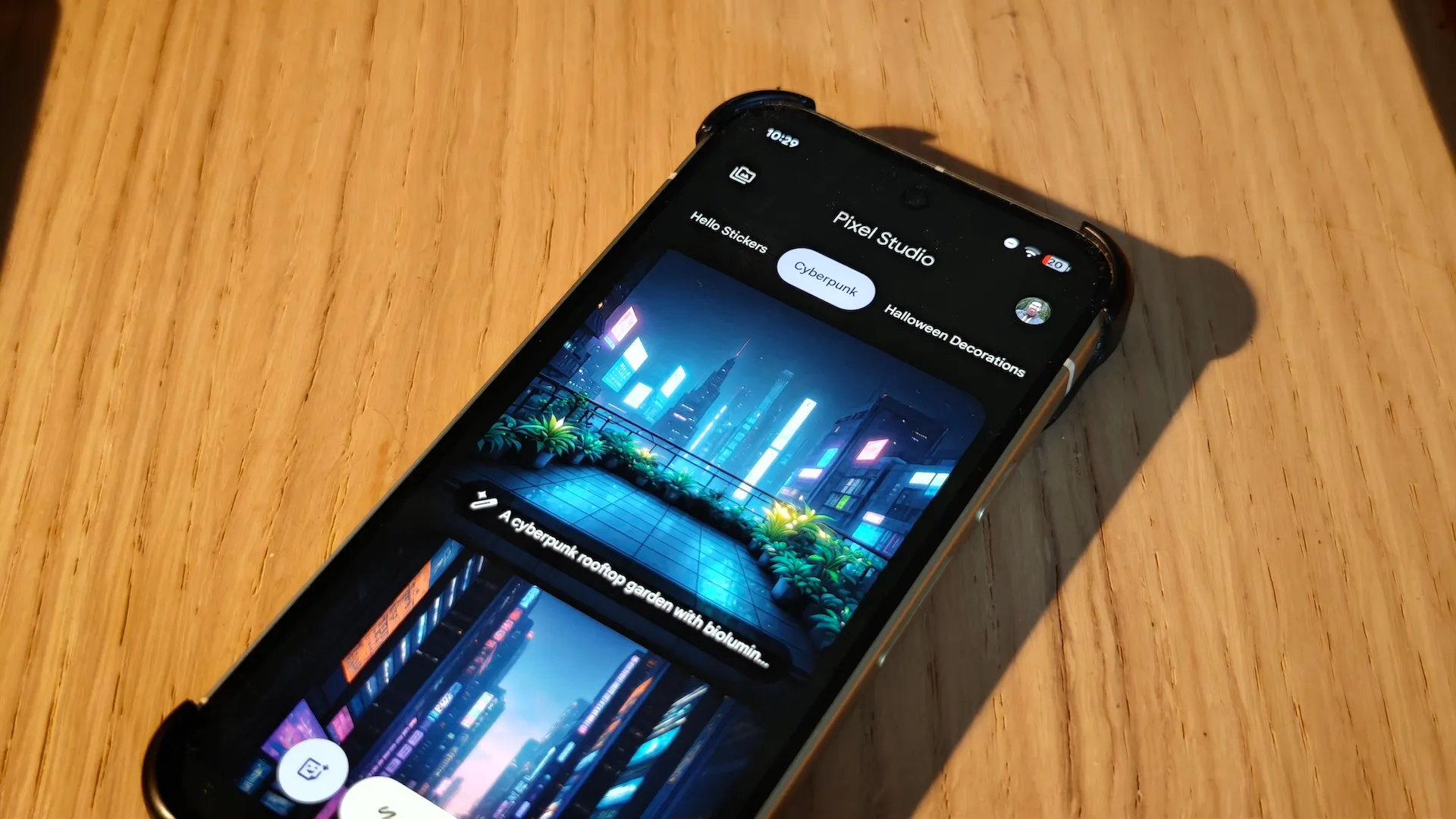
The Pixel Studio app, a beloved exclusive feature for Pixel phone users in the UK, is being removed with the latest software update. This app allowed users to create images using AI with simple text or voice prompts, making it a unique selling point for Pixel devices.

Launched in 2024 with the Pixel 9 series, the app enabled users to generate images and manipulate existing ones, such as those taken with the phone’s camera. Although the latest update renders the app unusable, its features are now integrated into Gemini.

By opening the sunsetted version of Pixel Studio, users will find a button directing them to Gemini, where they can utilise the Nano Banana feature to create images, animations, stickers, and more. This transition ensures that Pixel users can continue to enjoy AI-driven creative tools.

The removal of Pixel Studio does not signify the end of exclusive features for Pixel users in the UK. Google will continue to provide Pixel Drops, which are packed with unique software features designed to enhance the user experience.

For those who relied on Pixel Studio for creative projects, the shift to Gemini offers an expanded set of tools. The Nano Banana feature, for instance, can generate animations and stickers, providing a broader range of creative possibilities.

Google’s decision to integrate Pixel Studio’s features into Gemini reflects the company’s commitment to streamlining its services and offering a more cohesive user experience. As the tech landscape evolves, such strategic moves help in maintaining a competitive edge.

In conclusion, while the removal of Pixel Studio might seem like a loss for Pixel users, it signals a positive step towards a more integrated and feature-rich ecosystem. With Gemini and future Pixel Drops, users in the UK can look forward to a continuous stream of innovative features and enhancements.

Google Pixel Tag Leaked

Google Pixel Tag Bluetooth tracker

Google Pixel Tag: A Rival to Apple AirTag

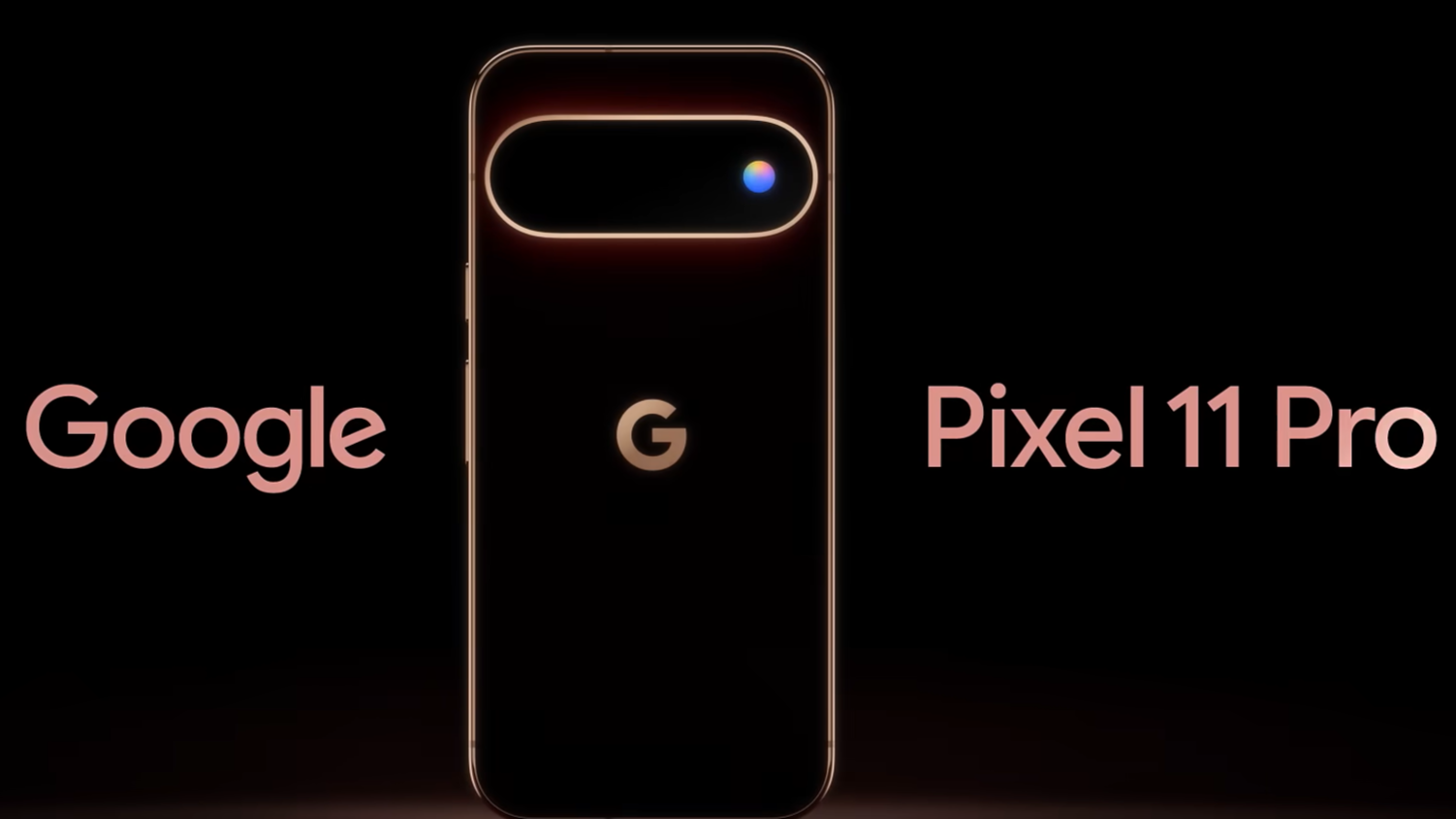
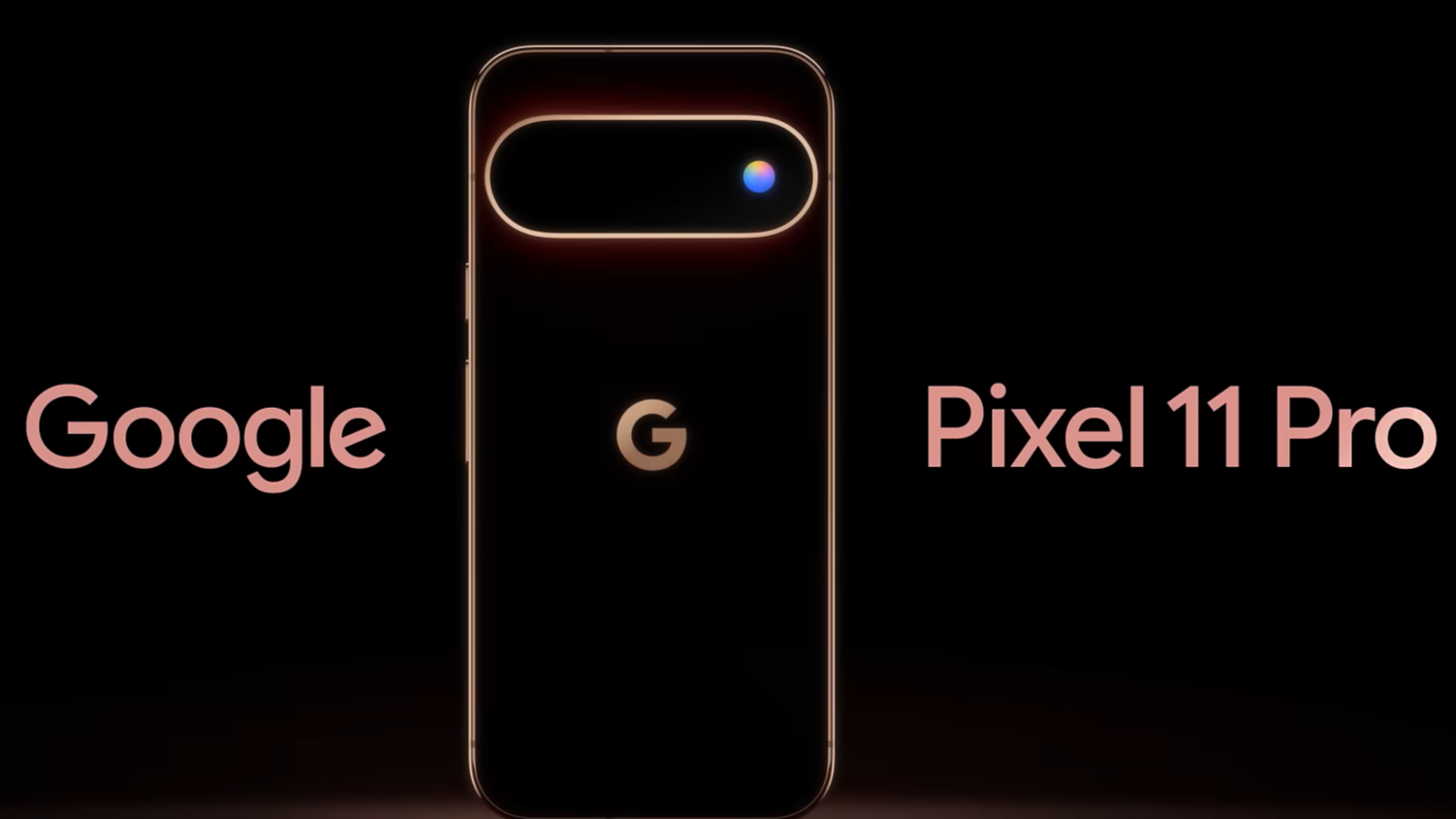
Google is set to unveil its Pixel 11 series of phones on 12 August, and while most details about the devices have been leaked, a new accessory has also been revealed. The Google Pixel Tag, a Bluetooth tracker, has been spotted, and it’s expected to be a rival to the Apple AirTag.

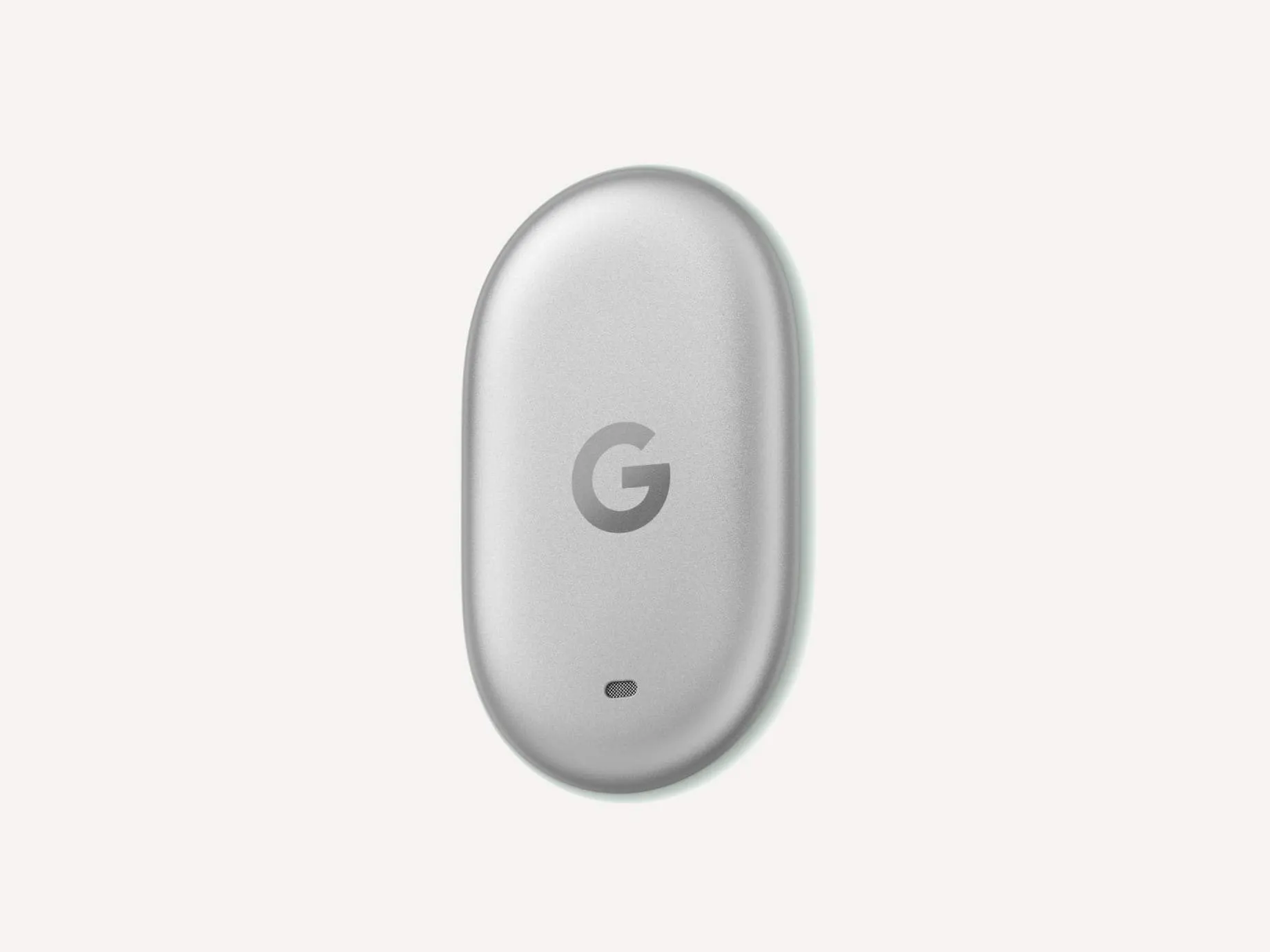
The Pixel Tag has an oblong shape similar to that of the Fitbit Inspire’s main module, and it features a ‘G’ logo and a notification light. The device has the model number GA12506 and comes in a colour called Fog Light. However, it’s unclear if the Pixel Tag will come in other colourways or what its specs are, such as if it features ultra-wideband like the Samsung Galaxy S25’s SmartTag.

Features and Specifications

According to translated marketing material, the Google Pixel Tag smart tracker helps users quickly and reliably locate their lost items using the secure ‘Find My Device’ network. The tracker is compact, lightweight, and durable, and it attaches discreetly to important items. It also features a loud speaker for easy nearby search and is designed with user privacy and personal data in mind, similar to the Apple Watch Series 10’s Find My feature.

While the Pixel Tag doesn’t have a built-in method of attaching to a set of keys or similar, users can presumably buy a case to do that. The price of the Pixel Tag is still unknown, but it’s possible that Google may give away free Pixel Tags with the Pixel 11 phones as an incentive, similar to how Amazon offers discounts on its products during Amazon Prime Day UK.

Comparison to Other Trackers

The Google Pixel Tag is not the only Bluetooth tracker available in the market. The Apple AirTag, for example, features ultra-wideband technology and has a range of accessories available, including a leather smart cover. The Samsung Galaxy S25‘s SmartTag, on the other hand, features a more compact design and comes with a lower price tag. The Google Pixel Tag will have to compete with these devices, as well as other trackers like the Tile Mate, which is compatible with both Android and iOS devices, including the iPad Air M2.

Google may also offer discounts on its Pixel 11 phones and Pixel Tag during the upcoming Black Friday UK sales, similar to how other retailers offer smartphone discounts 2025. However, this is speculation, and we’ll have to wait until the Made by Google launch event to find out more about the Pixel Tag and its pricing.

Google Pixel HiLight Upgrade Brings New Colors and Messaging Alerts

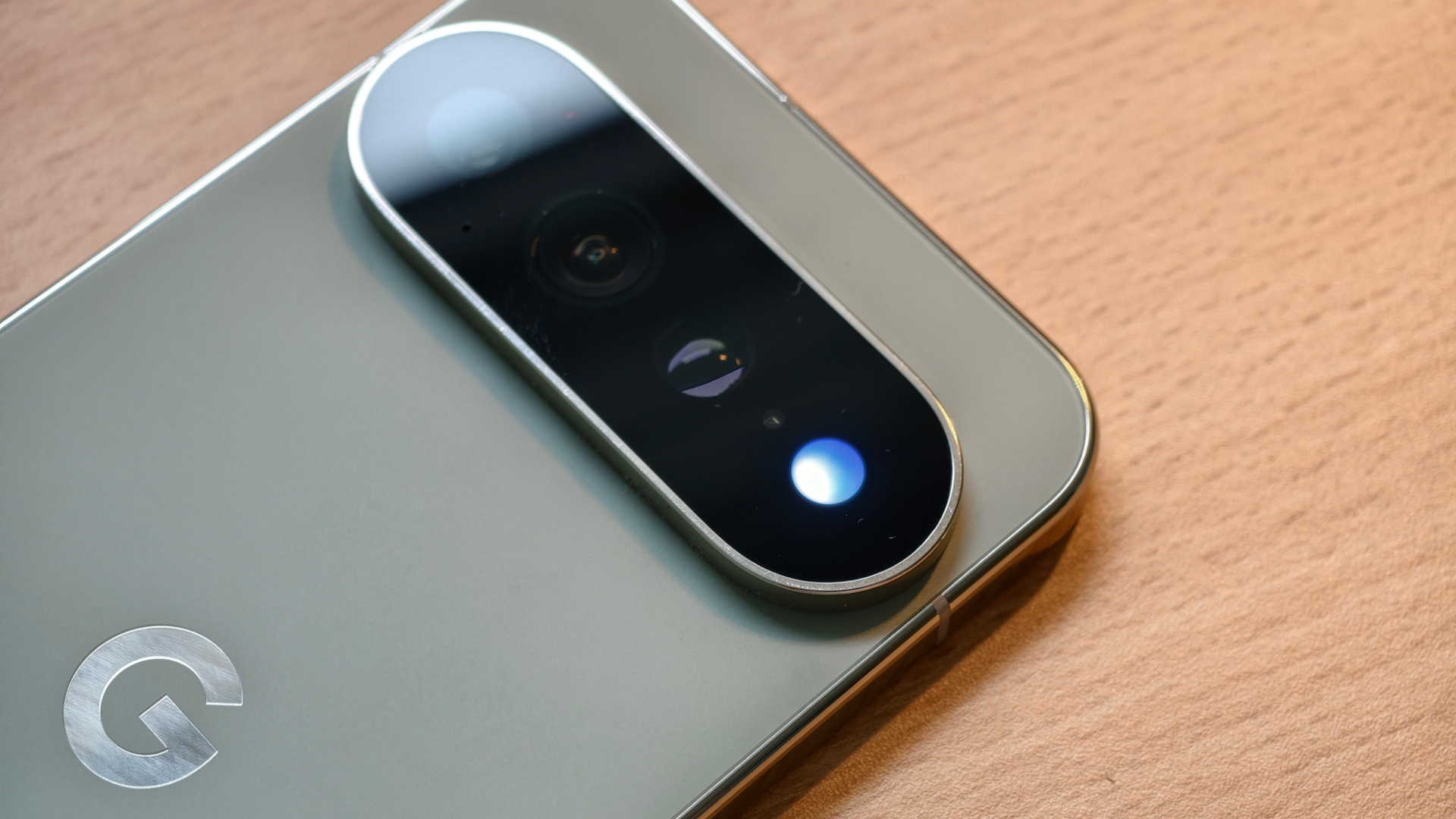
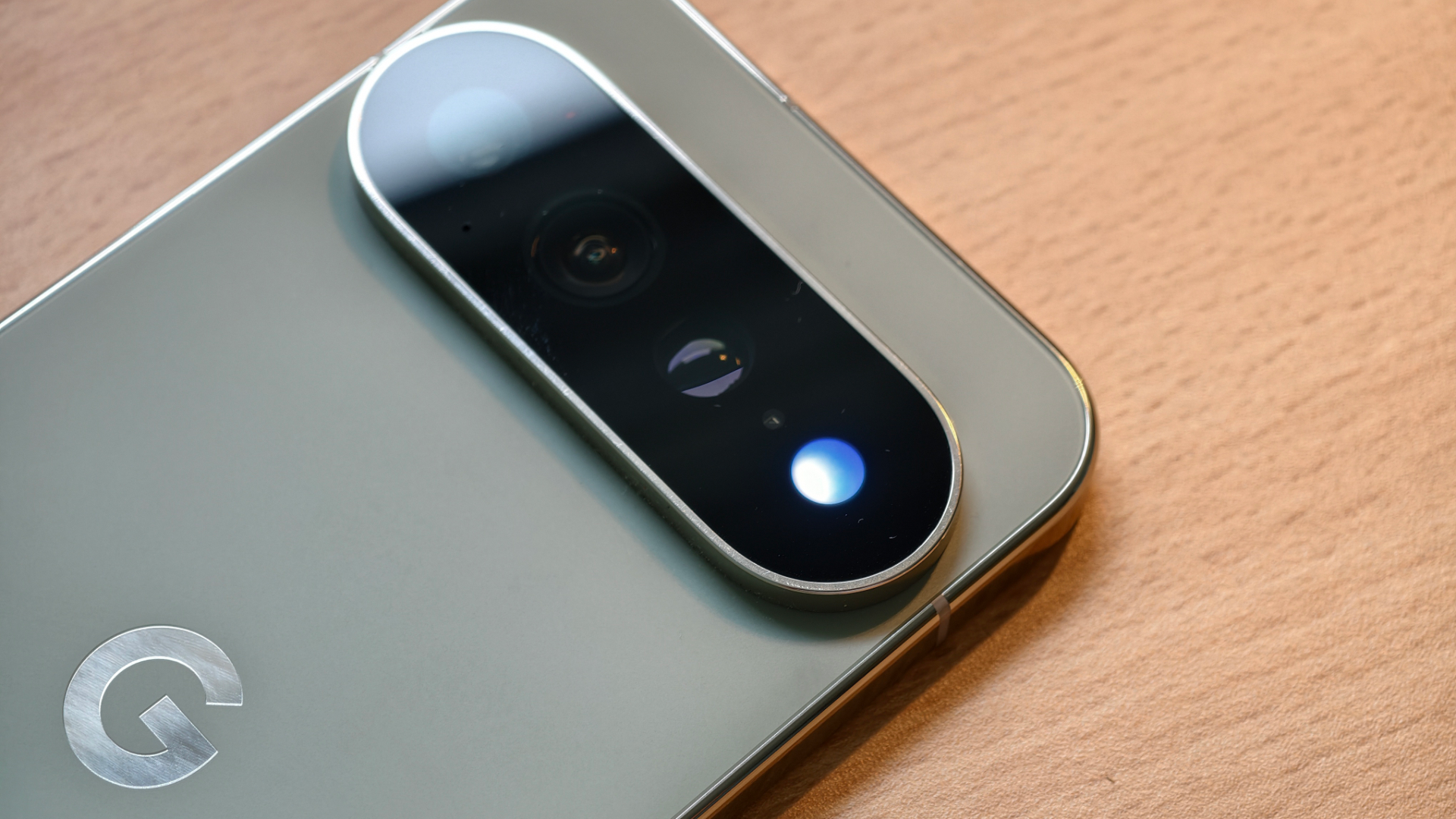
Close-up of Google Pixel 11 Pro back showing camera flash housing the HiLight notification light

What the Pixel HiLight feature does today

The Pixel HiLight light lives inside the camera flash on the back of Google Pixel 11 Pro and Pixel 11 devices. It was introduced as a subtle way to alert users when a favourite contact calls or when Google Gemini is active. At launch the hardware could display five colours, but the software only used a single amber tone for calls and a blue pulse for Gemini interactions.

Why the original implementation felt limited

Early reviewers noted that the feature felt more like a novelty than a practical notification tool. Competitors such as Samsung Galaxy S24 and Apple iPhone 15 Pro rely on always‑on displays or dedicated LEDs that can signal a range of alerts. Without colour variety or app integration, Pixel HiLight struggled to justify its presence on the expensive Pro model.

New colour palette arrives in the Android 17 QPR2 beta

Code spotted in the Android 17 QPR2 Beta 5 reveals that Google plans to unlock four additional colours, bringing the total to nine. The extra hues include green for calendar events, purple for reminders, orange for low‑battery warnings and teal for system updates. This expansion aligns with the hardware’s known capability to produce more than the original five shades.

Messaging notifications get added support

The same beta code also shows that HiLight will react to incoming messages. While Google has not confirmed which apps will be supported, the most likely candidate is Google Messages, given the company’s focus on its own ecosystem. Third‑party integration with apps like WhatsApp or Signal may arrive later, but for now users can expect a brief flash when a text arrives in the native messaging app.

When the update will reach users

Because the changes are still in beta, they will not appear as a standard over‑the‑air update until later in the year. Industry insiders suggest a December rollout as part of a Pixel Drop, coinciding with other software enhancements for the Pixel 11 series. Users who enrol in the Android beta program will be able to test the new colours and messaging alerts ahead of the public release.

How the upgrade stacks up against rivals

With the added colours and messaging support, Pixel HiLight moves closer to the functionality offered by competitors. The OnePlus 12, for example, uses a small LED on the front for similar alerts, while the Apple Watch Series 10 provides haptic cues for messages and calls. Google’s approach remains unique because the light is hidden behind the camera flash, preserving the sleek design of the Pixel 11 Pro while still delivering visual cues.

Overall, the upcoming upgrade transforms HiLight from a gimmick into a useful notification channel. By expanding the colour range and integrating with messaging, Google gives owners of the Pixel 11 Pro a reason to keep the light enabled, especially in low‑light environments where a subtle flash can be more noticeable than a ringtone.

Google Pixel Features

Google Pixel phone with features

Hidden Features of Google Pixel Phones

Google’s Pixel phones have been receiving negative attention lately due to issues with Android 17 and rumours of price rises for the upcoming Pixel 11 series. However, I decided to explore some of the “hidden” features of Pixel phones, as suggested by Reddit users.

I tested 10 features on my Pixel 10 Pro XL, including Live Weather, Clipboard in Gboard, Call Screen, Quick Phrases, Flip to Shh, Now Playing, Quick Tap, Overview Select, Take a Message, and Direct My Call. While some of these features are not exclusive to Pixel phones, such as Call Screen, which is also available on the Samsung Galaxy S25, they are still useful and worth exploring.

One of the most useful features I discovered was Flip to Shh, which enables Do Not Disturb mode when the phone is placed face down. This feature is hidden and exclusive to Pixel phones, making it a valuable asset for those who want to minimize distractions. Another feature that impressed me was Now Playing, which automatically identifies songs playing in the background and adds them to a chronological list. This feature is similar to the Apple Watch Series 10’s music recognition feature, but it works entirely offline and lives on the lock screen.

I also found Quick Tap to be a game-changer, allowing users to access various features, such as the flashlight, screenshots, and notifications, with a double tap on the back of the phone. This feature is not exclusive to Pixel phones, as the iPhone 15 Pro also has a similar feature called Back Tap. However, it is still a useful feature that can enhance the overall user experience.

Overall, my experience with the hidden features of Pixel phones was positive, and I believe that these features can be a great antidote to the anti-Pixel sentiment that is prevalent online. While Pixel phones may not be perfect, they offer a range of unique and useful features that can make them a great choice for those in the market for a new smartphone, especially when compared to other options like the Samsung Galaxy S25 or the Apple iPhone 15 Pro.

Google Pixel Tag Tracker Launches Tomorrow

Google Pixel Tag tracker

Introduction to Google Pixel Tag

Google is set to unveil its Pixel 11 series of phones tomorrow in New York, and while most details about the phones have leaked, a new accessory has also been leaked: the Google Pixel Tag tracker. The Pixel Tag is a Bluetooth tracker that rivals the Apple AirTag, and it has been spotted with the model number GA12506 and a color called Fog Light.

Design and Features

The Google Pixel Tag has an oblong shape similar to that of the Fitbit Air’s main module, with a ‘G’ logo and a notification light. However, there is no image of the other side, so it’s unclear if the device has a button or a removable battery. The tracker does not have a built-in method of attaching to keys or similar items, so a case may be required. The Pixel Tag may come in other colorways, but the specs and price are still unknown.

Marketing Material

Translated marketing material for the tracker gives some information about its features, including a speaker and the ability to locate lost items using the secure ‘Find My Device’ network. The material states that the Google Pixel Tag is a compact, lightweight, and durable smart tracker that attaches discreetly to important items, allowing users to check their location via their smartphone.

Launch Event

The Google Pixel Tag will be officially announced at the Made by Google launch event on August 12, where more details about the tracker will be revealed. It’s possible that Google may give away free Pixel Tags with the Pixel 11 phones as an incentive. The Pixel 11 series is expected to compete with other flagship phones like the Samsung Galaxy S25 and the Apple iPhone 15.

google pixel 9a full review

google pixel 9a

Pixel 9a arrives with a larger screen, a newer chipset, a larger battery and hopefully, better cameras.
Check out our post review about the phone’s top features, build, screen quality, battery life, performance, and camera image quality.


Google Pixel 9a design and build quality


That’s especially considering the upgrades it brings over last year, a larger screen and battery, faster charging, and upgraded cameras. The cameras are flush, lending to a flat, uniform design. The back is again plastic with a matte finish, and it meets the aluminum frame at a sharp angle. One of the differences from the flagship models has been addressed this year. The Pixel 9a has IP68 rated wrist protection just like the other Pixels.


The 9S somehow doesn’t feel like a Pixel phone. Whereas the 8a gets this metallic frames, there’s a plastic back. And other than that, when you hold both the Pixels in hand, the 8a feels heavier than the Pixel 9a, but in reality, the difference between the two is just 2 to 3 g. You also get an IP67 rating, so it can handle all those water abuses. Pixel 8 still gets that wireless charging. It’s slow at 7.5 watt, but it’s there.


Google Pixel 9a Display


A larger screen and battery, faster charging, and upgraded cameras. Instead, the cameras are flush, lending to a flat, uniform design. The back is again plastic with a matte finish, and it meets the aluminum frame at a sharp angle. The design is still unique and relevant in 2025 as well. But the moment you flip the phone front side, it feels as disappointing as Tala’s performance in the IP.


The Pixel 8a has this huge bezels and it is no different than the latest Pixel 9a. The display’s bezels are noticeably thicker than the more expensive Pixels, betraying the phone’s mid-range nature, but otherwise it looks good. The screen is plenty sharp here. display is 6.3 in this year like you see on the Pixel 9. It’s an OLED with a 1080p resolution and Gorilla Glass 3 protection.


google pixel 9 a
google pixel 9 a


This is one of the brightest phone displays around. The displays in the Pixel 8 and 9a are not much different other than Pixel 9a being brighter and bigger. If you see the home screen on both the phones, the Pixel 9 looks brighter. But here’s a weird thing. The same movie on Netflix is playing on both the phones. The brightness is set to full, but there’s no difference at all.


The Pixel 8 display is bright enough. It’s very compact, handy. So, in display, there’s not much difference between both the Pixels. But here’s where it differs a bit software. The Pixel 8A was launched with Android 14. And currently, it is running on the latest Android 15. And just like iPhone


Google Pixel 9a Updates and Performance


The 120 Hz refresh rate and is able to dial down to a minimum of 60 Hz when the screen is idling to save energy. The software features and experience same as their elder flagship brothers. Now, we compare the software in all smartphones, flagship versus budget phone. If you go into Google Photos, both phones have magic editor with the same features. Next, in Gemini, you get Gemini Live on both the phones. For audio, the Pixel 9a has a pair of stereo speakers.


They earned a loudness score of good in our testing, and the quality of the sound is decent with clean mids, but nothing standing out for bass or highs. You can listen for yourself through our comparison tool linked below. For biometric input, there’s an underd display optical fingerprint reader.


People bought Pixel phones for the Pixel experience or Pixel features. But currently with AI and everything rolling out, these Gemini or Google photos feature are not just unique to the Pixel. You get it on Motorola, Xiaomi, CMF. Heck, they come first on Samsung now.


It’s fast and reliable, and the phone can come with 128 or 256 gigs of storage on board, and that isn’t expandable through micro SD. The Pixel 9a comes with Android 15 pre-installed, and like on other Pixel phones, it’s a clean Android experience with a few Pixel exclusive tweaks.


Now when it comes to the Pixel phones also, Pixel 8 comes with 7 years of security updates and 7 years of software updates. That’s quite a lot. So just put it into perspective. This Pixel 8 has already got one update. So you should get Android updates up until Android 21 or Android 22.


Google Pixel 9a Battery and connectivity


You might not be on Android until then. Another segment where I feel the Pixel 8 is average is battery. It’s a lot better than what we saw from the Pixel 8a or even the other Pixel 9 models. The Pixel 9a has a larger 5100 mAh battery this year, and the battery life here is improved.


You remember last time the only major issue Pixel had was the network connectivity because of the modem. The 5G connectivity was not good. The range reception was lesser And the speeds were unstable. There were a lot of call drops. And they have used the same modem in this. And yes, even though it has improved a little bit, you still get to face those kind of network issues like the lower range reception, switching from 4G to 5G, random call drops in between calls, network speed variations, those kind of things are still there.


But yes, you have a lot more antenna bands right now. But if you are in a place which has a very good reception, you don’t feel anything. you might feel a little bit network issues. But other than that, this gets the Wi-Fi 6, Bluetooth 5.3 version. You get an NFC support, 18 pans of 5G, and yes, AC.


Google Pixel 9a Camera and Photos Quality


I had a lot of expectations from a Pixel phone on camera because, you know, that’s what they have been known for. But you know what? I’ve been testing a lot of phones these days. This phone’s photo feels bland. Say in bright sun if you take a photo, this looks absolutely gorgeous. There is no issue in that. Even in crazy dark nights, you get these kind of amazing photos. But the kind of versatality, the clarity, the colors, etc.


Pixel phones do take good portraits, but this time I don’t know. The skin tones are a little bit off. it’s not like the best camera performance that you can get out there. And yes, you are going to miss a telephoto camera. You have a 2x crop in this, but it’s not up to the mark compared to other 50K smartphones. It supports 4K 60fps videos. The videos is fine.


The ultra wide photos is not that great. So, overall, the camera experience might not be a bigger strong point for this smartphone. If you interested in other google smartphones, here you can see google pixel 9 pro fold smartphone. The phone takes good selfies in bright light, but really struggles when the light is down. One highlighting thing that I liked is this add me feature wherein if you are going in a group and you want to take a group photo and you don’t have to ask anyone, just tell one person from the group, let them go stand there and click a photo and then the person who have clicked this photo can go and stand there.


Google Pixel Battery Drain in the UK: What’s Behind the Issue?

A Google Pixel phone with a low battery icon, representing the battery drain issue affecting UK users, with a colour scheme of black and white, highlighting the need to analyse and resolve the problem

Google Pixel Battery Drain: A Growing Concern in the UK

If you’re a Google Pixel user in the UK, you may have noticed your battery draining quickly lately. This issue has been reported by several users since the March Pixel update. Various Google phones, including the Pixel 10 Pro, Pixel 10, and Pixel 7 Pro, have been affected.

The problem seems to stem from a bug introduced in the March update, which prevents some Pixel CPUs from entering Deep Doze mode. This mode is essential for reducing battery consumption by muting background applications and minimizing performance levels.

A Redditor has identified the culprit, noting that affected Pixel phones are getting stuck in an infinitely looping process. This process initiates four times per second, leading to excessive battery drain. Unfortunately, there’s no simple workaround available yet.

Google hasn’t acknowledged the bug, so the best course of action is to upvote the original defect request on the company’s Issue Tracker. The April Pixel update has been rolled out, but it doesn’t address this specific issue. We’ll have to wait patiently for a fix, possibly in the May Pixel update.

In the meantime, UK users can take solace in knowing that they’re not alone in this struggle. The Google Pixel community is actively discussing the issue, and a solution is likely to be found soon. For now, it’s essential to monitor your battery usage and adjust your settings accordingly.

The Google Pixel series is known for its exceptional camera capabilities and sleek design. However, battery life is a critical aspect of any smartphone. Google needs to address this issue promptly to maintain user trust and satisfaction.

As we wait for a resolution, it’s crucial to analyse the behaviour of our phones and identify any patterns that might be contributing to the battery drain. By working together, we can help Google resolve this issue and get our phones back to their optimal performance.

Google Pixel HiLight Gets New Colours and Messaging Support in Upcoming Update

Google Pixel 11 Pro showing the hidden notification light inside the camera flash

What is Pixel HiLight?

Google introduced the Pixel HiLight feature with the Pixel 11 series, placing a tiny notification LED inside the camera flash on the back of the phone. The light is only available on the Pro models such as the Google Pixel 11 Pro and the earlier Google Pixel 7 Pro, and it was initially limited to a handful of colours and simple alerts.

Current limitations

At launch the system could only flash when a favourite contact called or when the user interacted with Google Gemini. The colour palette was restricted to teal, yellow, pink, purple and white, and there was no support for messaging apps beyond the basic call integration with WhatsApp.

New code reveals expanded capabilities

Android 17 QPR2 Beta 5 code, reported by Android Authority, shows that Google plans to add three new colours – blue, red and two shades of green – bringing the total to eight. The hardware was already capable of more than five colours, so the software update simply unlocks the existing potential.

Messaging integration on the horizon

The same beta code suggests that HiLight will also respond to incoming messages. While Google has not confirmed which apps will be supported, the existing call integration works with WhatsApp, so it is reasonable to expect Google Messages to be included at a minimum. Third‑party integration may arrive in later updates.

When will the update arrive?

Because the feature is still in beta, the expanded HiLight functionality will not appear as a regular OTA update until later in the year. Industry insiders predict a December rollout as part of the annual Pixel Drop, which typically bundles new software features with discounted hardware such as the Google Pixel 11 Pro and the Google Pixel 7 Pro.

How does HiLight compare to competitors?

Other flagship phones have used notification LEDs for years. Samsung Galaxy S25, for example, still includes a small LED on the front panel, while Apple iPhone 15 Pro relies on the always‑on display for similar alerts. The hidden placement of HiLight gives the Pixel a unique aesthetic advantage, keeping the front screen free of distractions.

What users can expect

Once the update lands, Pixel owners will be able to customise the colour of the flash for different contacts, set distinct colours for calls versus messages, and potentially assign patterns for specific apps. This level of customisation brings the Pixel HiLight closer to the flexibility offered by older Android devices such as the OnePlus 12 Pro, which allowed users to map LED colours to notification types.

Conclusion

The upcoming software tweak turns a novelty feature into a practical notification tool. By expanding the colour range and adding message support, Google is answering early criticism and giving Pixel 11 Pro users a reason to keep the hidden flash turned on. Keep an eye on the December Pixel Drop for the official release.

Google Pixel 9a camera Macro Photography Challenge

Hey friends, today we’re going to talk about the Google Pixel 9A, which comes packed with a ton of features like ‘Add Me’, portrait mode, and photo options. The Google Camera is something else, as you probably already know, and the software on the Pixel is just top-notch.


So today, we’re going to test out the camera on the Google Pixel 9A. We’re going to show you one by one how the shots are turning out. First up, we’re going to test the feature, where you can include someone in your camera shot or even in selfies. So, let’s check out.


Camera Versatility of Google Pixel 9A


The Google Pixel 9A’s camera, renowned for its software advancements, offers a versatile experience with features catering to various photography styles. This has established it as a strong competitor in the smartphone camera market, appealing particularly to users who prioritize photography. And the sound quality tested during video recording emphasized the need for attentive audio management. By considering external noises and how they blend with the main audio, the Pixel 9A emphasizes its capability to deliver high-quality recordings, which is vital for content creators.


Google Pixel 9a camera


Photo edit in Google Pixel 9A


You can see in these two photos how lovely they turned out after editing. It looks like both of them posed together. You can zoom in and take a closer look. Next up is our black and white testing, where we want to see how black the blacks look and how white the whites look. Honestly, I noticed a slight issue with the whites. Moving on, we have our zoom test with 1x, 2x, and up to 8x; you can check out the photos at maximum zoom. I’ve taken two types of images. This is about cotton trees.


Now, talking about the macro shot, if you take a look, this is a bud from the cotton plant. You can see how cute the shot is here. Guys, we’re getting some really nice photos in macro mode, super easily. You can check it out in the photos too. I’ve included some selfies as well as some in portrait mode. Now, let’s check out the video samples.


Stabilization wise Google Pixel 9A


Hey guys, earlier we locked the stabilization and then started running after a bit. So you can see how stable it is. I’m moving around in stabilization standard mode right now.This feature is essential for vlogging or action capture and may significantly enhance user experience in dynamic recording situations. I’ve turned off speech enhancement, and you might be hearing a lot of birds chirping in the background.


So let me know how the sound is. How much noise is in the recording? There’s quite a bit of chirping from the birds behind me. I’ve got speech enhancement on now, so you should be able to hear how my voice sounds. The video demonstrated strong video stabilization, validating the device’s ability to record smooth videos even during motion. Is there a bird sound coming from behind or not? Is there an airplane flying back there, and can you hear it or not? Let’s talk about the ultra HDR photos that were randomly taken all over the park. So take a look for yourself and judge how the photos turned out.


Google Pixel 9a Portrait Mode’s Natural Challenge


Though the portrait mode produced attractive blurred backgrounds, the host noted a lack of a natural feel in the outputs, suggesting a potential area for improvement. Realism in portrait shots is crucial for user satisfaction and the overall success of camera software. And the feedback regarding sunlight challenges in portrait shots points towards areas for improvement in managing glare and highlights. This insight can help Google refine future camera algorithms.


Macro Photography Performance


The macro shots showcased the camera’s capability to capture minute details, thus appealing to users who are interested in close-up photography. The ability to easily take beautiful pictures in macro mode may serve to attract hobbyist photographers. about the night mode. If you check it out, the night mode on the Google Camera of the Pixel 9A takes some really great shots. Now, let’s talk about portrait mode. You can clearly see the sun flare on your face here, and it’s not correcting it at all.


Night Mode Effectiveness


The night mode was highlighted as a standout feature, illustrating its ability to enhance photo clarity in low-light scenarios. This reflects Google’s focus on optimizing the camera’s performance, making it suitable for users who frequently take evening and night photographs.


In portrait mode, you can see a really nice blur effect, but honestly, Google Pixel 9A seems a little less natural to me. We also tested it with the selfie camera. Now, let’s talk about the sun in the back mode. Imagine the sun is behind you and someone’s taking your picture—how would that look? All these shots are showing that.


Also Read:

Google Pixel 9a vs Apple iPhone 16e

Samsung Galaxy S25 Edge Vs S25 Ultra


Conclusion and other thoughts of Google Pixel 9A


During the black-and-white photography test, the review indicated a problem with the white balance, signaling that future software updates may be required to refine this aspect. the Google Pixel 9A presents an impressive array of features that cater to photography enthusiasts, but user feedback suggests some minor refinements could enhance its performance in certain lighting conditions and portrait modes.


In photography, achieving natural colors is vital, and the Google Pixel 9A may need enhancements in this area. The efforts to push boundaries in photography testify to Google’s commitment to innovation in mobile technology.

Google Pixel Tag Launches in UK First

Google Pixel Tag in Fog colorway

Introduction

Google has announced the launch of its Pixel Tag, a Bluetooth tracker that rivals the Apple AirTag, at its Made by Google event in New York. The Pixel Tag is an important addition to Google’s own-brand hardware range and will launch later in the year, with the UK being the first country to get it.

Launch Details

Although the US store lists the Pixel Tag as ‘Coming November 2026’, a blog post reveals that it will launch on November 11. The UK store also lists it as ‘Coming November 2026’, but Google has confirmed that the UK will get it before the US. The Pixel Tag will cost £29 for a single tag or £99 for a pack of four.

Features

The Pixel Tag will help users find their keys, wallet, luggage, or other items via the Find Hub, similar to the Apple AirTag 2 and other rival trackers from Android phone makers like Samsung and Tile. It comes in a single Fog colorway and has a stainless steel design with an IP67 dust and water resistance rating.

Compatibility

To make use of the Pixel Tag’s advanced features, users will need a recent phone, such as the Google Pixel 11 series, Samsung Galaxy S25, or Apple iPhone 14. The Pixel Tag is compatible with a range of devices, including the Apple Watch Series 10 and iPad Air M2.

Conclusion

In conclusion, the Google Pixel Tag is a exciting new product that will launch in the UK before anywhere else. With its advanced features and competitive pricing, it’s set to rival the Apple AirTag and other trackers on the market. Whether you’re looking for a tracker to keep tabs on your keys or luggage, the Pixel Tag is definitely worth considering.

Google Pixel 9a vs Apple iPhone 16e

Google Pixel 9a vs Apple iPhone 16e

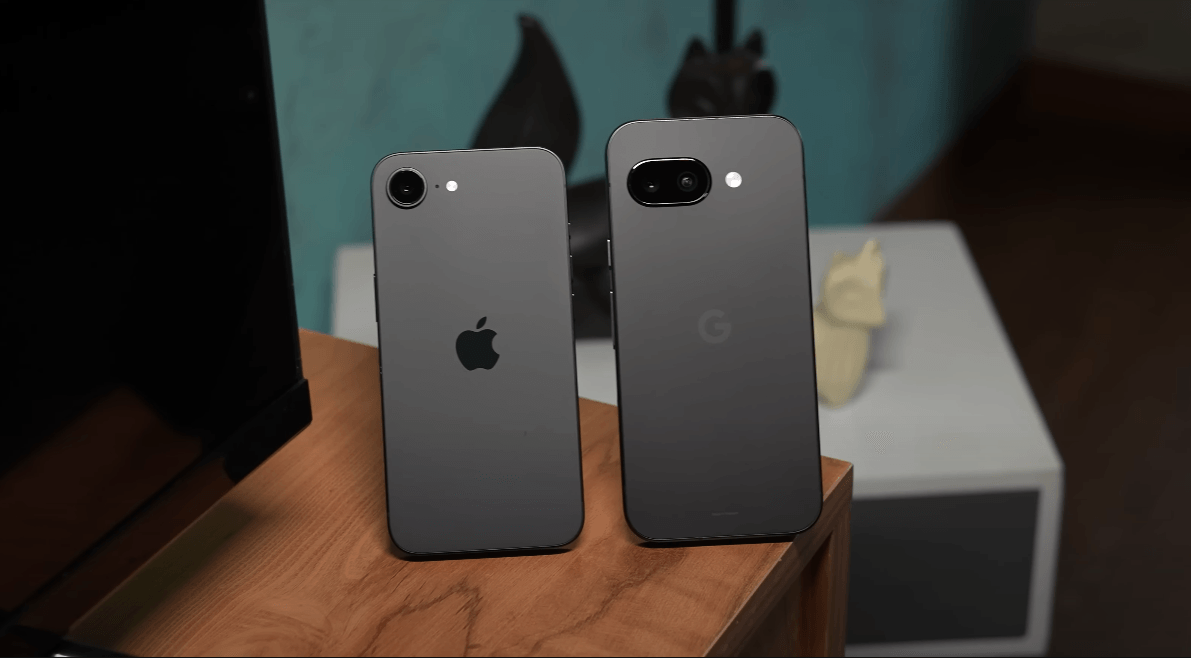
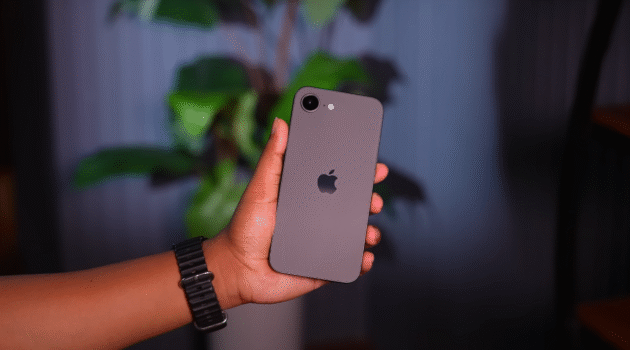
Both are very compact phones and they are almost the same size as the regular base flagships, basically the iPhone 16 and the Pixel 9. And of course, considering the dimminitive size, they’re very comfortable to hold and use. But the interesting thing to note is that iPhone is actually lighter and slimmer compared to Pixel. And to keep costs low, both the brands have actually, you know, indulged in some corner cutting.


Basically, with the iPhone, what you get is a, you know, glass sandwich design with a metal frame, which is nice. But unlike the iPhone 16, which actually comes with ceramic shield on the front and the rear, on the 16e, you only get ceramic shield on the front, but normal glass on the rear. That is still fine considering the fact that the 16e still feels very premium to hold and use.


Material used on Google Pixel 9a and Apple iPhone 16e


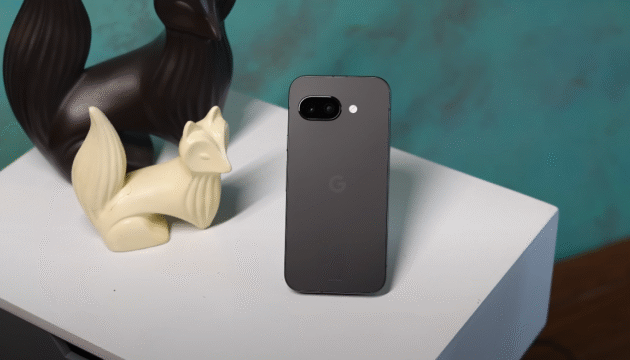
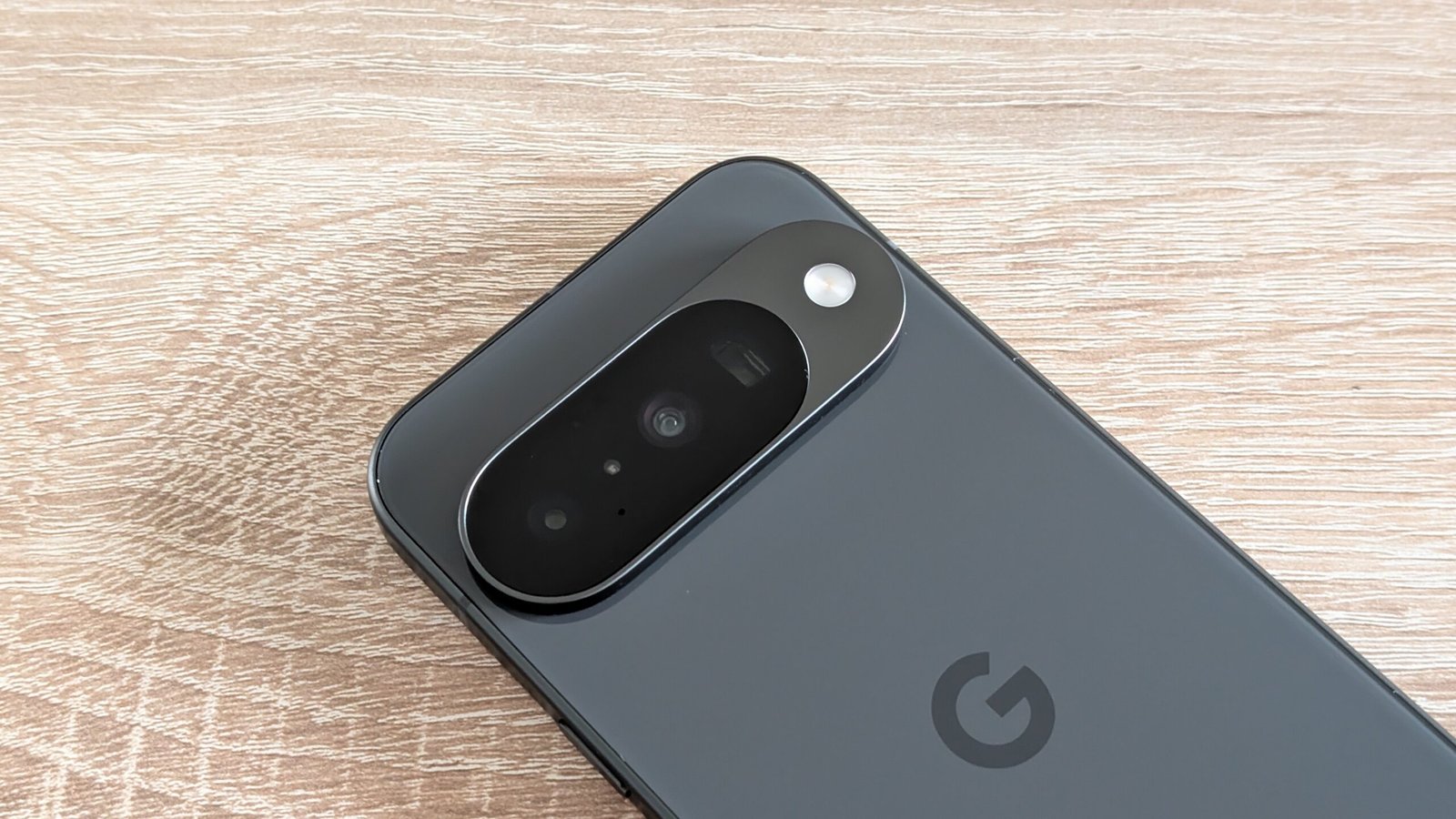
Now, in comparison, the problem with the Pixel 9a is that it uses plastic on the rear. Of course, you get a metal frame, but plastic in 2025, uh, Google could have used better material. That’s not it. That analogy doesn’t make sense because Pixel 9 actually has USB 3.2 which iPhone doesn’t because it has USB 2.0. However, you do get uh you know IP68 rating on both and wireless charging support as well. So, this is what makes them flagship grade. When you look at the camera placement on the rear, obviously, iPhone does it better because it looks symmetrical compared to this very weird placement on the Pixel. I do like the fact that both are, you know, almost flat. I will say flush with the back of the phone, which is a nice thing. Additionally, on the Pixel 9a, you get Corning Gorilla Glass 3 protection for the display on the front and Corning Gorilla Glass 3 in 2025 is like using USB 2.0 on a phone in 2020.


Google Pixel 9a and Apple iPhone 16e Display


Basically what you get is far better performance in Genshin Impact compared to the Pixel 9a. Obviously you can expect anywhere close to 60 fps average FPS whereas with the Pixel 9a it doesn’t even touch 40 fps.The sizes of the bezels on the Pixel 9a and the notch on the iPhone 16. Apple and Google, we are in 2025, not 2019. But that’s not it. With the iPhone 16, it’s not just the notch that’s a problem.


Apple iPhone 16e
iPhone 16e


It’s a panel straight from the iPhone 13, which was launched in 2021. By the way, one thing to note is that on the Pixel 9a, when you take the phone out of the box, it is set to 60 Hz by default. The refresh rate is still 60 Hz, and the high brightness mode nits and the HDR peak brightness are nowhere close to what the Pixel 9a can achieve. You can clearly see that the Pixel 9 at 120 Hz is definitely smoother compared to the iPhone 16. That’s not it. When you’re watching HDR content on YouTube or Netflix, which is supported on both, by the way, you will notice that the display pops on the Pixel 9a. Even when you take it outdoors, the Pixel 9a is brighter compared to the iPhone 16. And if you’re gaming easily, the iPhone 16 should be the phone of choice despite the fact that it has a tiny display.


Bluetooth and speakar of Google Pixel 9a and Apple iPhone 16e


Now, one more advantage on the Pixel 9a is the fact that since it’s an Android phone, you do get support for high-res Bluetooth codecs like LDAC. Apple obviously doesn’t give you that with the 16D. And with respect to the speakers, I’m happy to report that both are proper flagship grade speakers.


However, when you look at the color accuracy of both the displays, they’re very well tuned displays and it’s very difficult to tell the difference in colors between the two. So, what you get is a very rich sound with a good amount of bass as well. But when we compared the two, we felt like the 16E was slightly louder and slightly better in terms of sound quality with the speakers.


Variants of Google Pixel 9a and Apple iPhone 16e


The Pixel 9, what you get is the 8 256GB variant as the only variant that’s available, and it’s LPDDR 5X RAM type and UFS 3.1 storage. In comparison, the iPhone 16 has 8 GB of RAM and 128 GB of storage. and 8 GB of RAM actually enables Apple intelligence which I’ll talk about in a bit. That said, A18 is infinitely superior compared to the tensor G4. It beats it in every single benchmark and in general everyday performance as well. As for the chipsets with the Pixel 9a, you get the same tensor G4 that’s available on the Pixel 9 series. And with the iPhone 16, you get the same A18 uh but with one GPU core less, which is also available on the iPhone 16 series.


In Geekbench, single core and multi-core scores, the iPhone scores higher, much higher compared to the Pixel 9. In fact, we also ran Geekbench’s AI benchmark. This time, again, iPhone beats Pixel. And in 3D Mark Wireless test, the iPhone 16 has higher GPU stability, has a higher best loop score, and higher FPS as well. But it loses the same amount of battery life as the Pixel 9a, which shows that it’s pushing for performance.


Performance wise Google Pixel 9a and Apple iPhone 16e


Even if Android were to get those games the Pixel 9 will definitely not be able to play it. Net performance is largely good on both. You get almost every single network feature that you need. The Pixel’s battery life is also very good. Charging speeds are terrible on both. You guys know it. I don’t even have to mention it. But if you still want to wait to see which one charges up faster, the iPhone 6D will charge up faster. But the interesting thing about the 16e is that you get the new C1 modem. And with that, what happens is that you get better power efficiency.


Despite the fact that the Pixel 9 has a larger battery size compared to the iPhone 16, but yeah, 16’s battery performance is definitely better. But let it be known that if you drop this Pixel down to 60 Hz, you will definitely get better battery life, so it could match up to the iPhone 16 as well. Now, with respect to cameras, the Pixel 9a definitely has an advantage in terms of the hardware because it comes with a dual camera setup on the rear as opposed to the single camera on the iPhone 16.


Camera of Google Pixel 9a and Apple iPhone 16e


Apple thinks it’s absolutely fine to ship a phone with a single camera in 2025. Anyway, camera hardware is one part of the equation. Let’s take a look at the samples. Now, comparing the primary cameras, the iPhone 16 captures more details and sharper textures when you look at the 100% crop. The other thing is with the 16 you do not get photographic styles which is available in the 16 series otherwise which is a bit of a bummer because with photographic styles at least you could change the colors according to what you wanted. And that’s mainly because you get a 24 megap output on the iPhone compared to Pixel’s 12 megapixels.


The same is true for the 2x in sensor crops thanks to the fusion camera tech on the 16e. And even at 4x and 8x, we feel like the iPhone 16 actually takes better looking shots compared to the Pixel. With respect to color reproduction, we felt like the Pixel 9a was actually better than the 16e. While both get the orange color wrong, uh the Pixel gets the pink color of the packet right here.


Now in HDR samples you can see that the pixel controls highlight slightly better but it kind of crushes the shadows completely. I’ve had some problem with pixel skin tones in the past and that continues with the 9a as well. Overall I kind of prefer iPhone’s HDR tuning. When you shoot people against the light you can see that both are doing fairly well here and there is no bloom around the face. That reddish skin issue continues. Now, when it comes to portraits, you can shoot portraits at 1.5x, 2x, and 3x on the Pixel 9a whereas iPhone can do it at 1x and 2x. But if you ask me which one I prefer, I will actually take the iPhone here because you get better semantic segmentation compared to the 9 in. So, both are good.


Google Pixel 9a
Google Pixel 9a


The iPhone’s video is slightly better in terms of details uh in daylight and low light. And I also prefer iPhone’s audio quality over Pixel. But it’s like a slight advantage on the iPhone. So guys, this is a 4K 60 video camera comparison of the iPhone 16 and the Google Pixel 9a.

Considering the fact that Google has a proper ultra wideangle camera, it gets an immediate win obviously. And the ultra wideangle camera actually performs well whether you’re shooting photos in daylight or low light. Obviously, we would have preferred a 48 megapixel ultra wide, but a 13MP is also not too bad. Skin tones are definitely close to neutral on the iPhone. The Pixel 9a can shoot 4K 30 fps videos with the ultra wideangle camera, and it’s good video quality, decent amount of stabilization, good amount of details, no problem there.


Updates of Google Pixel 9a and Apple iPhone 16e


Google is promising 7 plus 7 years of software updates. With iPhone, you generally get about 6 to 7 years of updates as well, and it’s running iOS 18 out of the box. And the experience is very premium on both the phones. I didn’t notice any bugs as such. with the iOS 18 update that is running, the stable update that’s running on the 16e, we were actually happy that there was, you know, very few bugs to contend with because with the iPhone 16 Pro Max that I’m using, there are too many bugs. And when it comes to AI features, you do get


Our finel thoughts who is better Google Pixel 9a or Apple iPhone 16e


With the iPhone 16, you get a better build quality, you get superior performance, you get longer battery life, and Apple’s ecosystem features, too. But there is one more advantage of the Pixel 9a is that for a lower price you actually get a higher base storage variant of 256GB which makes it more value for money