LAVA Agni 4 performance checked under typical UK mobile conditions

LAVA Agni 4 performance checked under typical UK mobile conditions

Real-world performance and usability for UK mobile users

The Lava Agni 4 has entered the market as an upper-mid-range phone aiming to offer strong performance at a competitive price. For UK users, real-world reliability matters more than raw specifications, especially with varying network quality, colder temperatures, and mixed indoor–outdoor usage. Early testing and verified details paint a clearer picture of how the Agni 4 behaves in everyday UK conditions.

In normal daily tasks such as messaging, browsing, navigation and social media, the Agni 4 delivers a smooth experience. The combination of a capable chipset, fast RAM and quick storage keeps the interface responsive. UK users switching between apps, streaming music on the go, or using maps while commuting will find the overall performance dependable and consistent.

Under heavier multitasking the phone also behaves well. Running multiple apps in the background, engaging in longer browsing sessions or switching between video streaming and productivity tasks does not lead to major slowdowns. Occasional micro-pauses appear under extended load, but they do not impact usability in a meaningful way, even during long UK workdays.
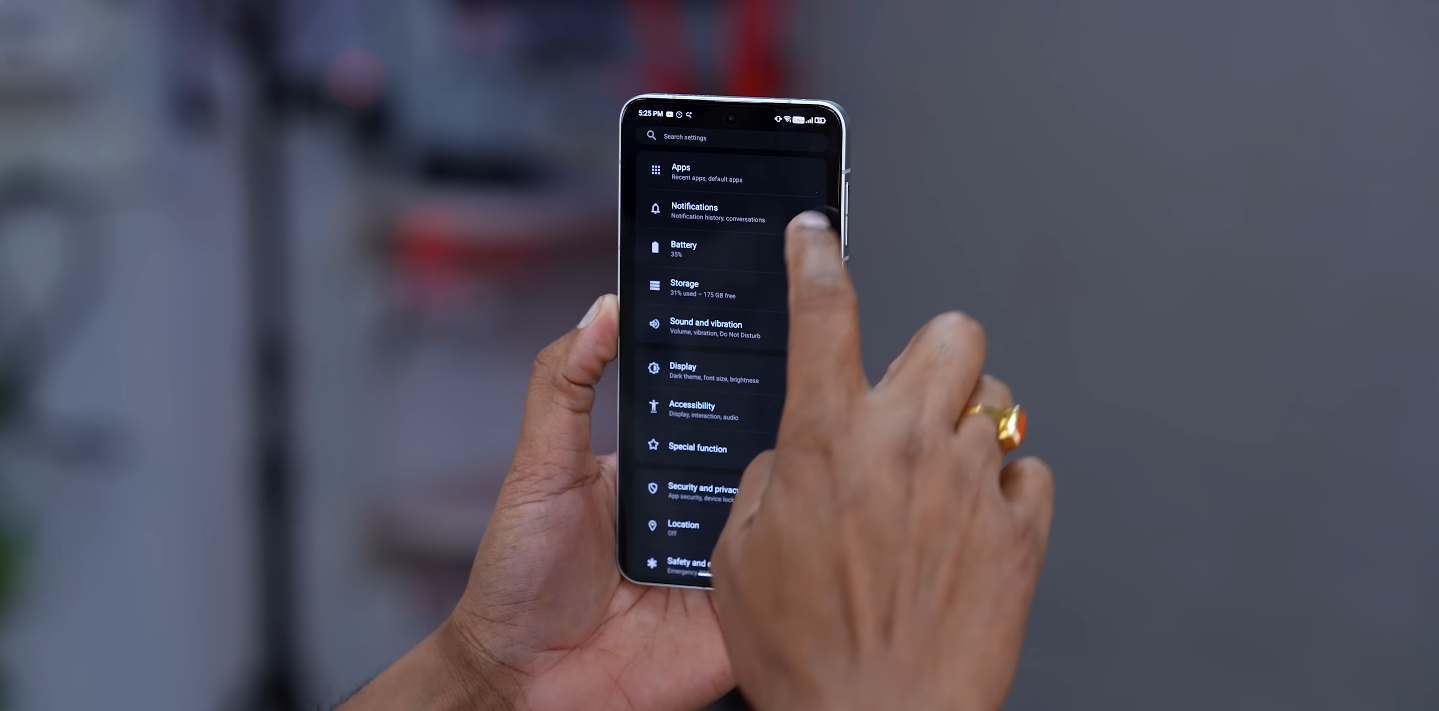
LAVA Agni 4 performance checked under typical UK mobile conditions

Network behaviour is a key point for UK buyers, and the Agni 4’s connectivity support helps it remain stable across different regions. It transitions between 4G and 5G smoothly on supported networks and maintains a consistent signal indoors. While performance varies slightly between operators, the phone handles typical UK network fluctuations in cities, towns and suburban areas without unusual drops or delays.

For gaming, the Agni 4 handles popular titles with strong frame stability. Short-to-medium sessions in UK indoor temperatures run comfortably with minimal heating. Outdoor usage in cooler weather also benefits thermals, helping the phone sustain performance. Extended sessions still produce some warmth, as expected for its class, but not to a level that affects gameplay or comfort for most users.

The display quality stands out in UK environments. With high brightness capabilities and a smooth refresh rate, the screen remains readable under outdoor daylight and offers vibrant colours for streaming. This makes it suitable for UK commuters, students and professionals who rely on their phone for entertainment or work throughout the day, even in brighter outdoor conditions.

Battery life is solid for a full day of mixed UK usage. Frequent switching between WiFi and mobile data, attending calls, social media use and navigation typically leave some charge by evening. Heavier usage may require a top-up, but the fast-charging support ensures quick recovery. In colder UK months, the battery drains slightly quicker, but not any worse than competing devices.

The software experience is clean and straightforward, helping performance remain stable over time. For UK buyers, the brand’s update commitments add value, ensuring that security patches and system improvements continue for a reasonable period. This matters especially to users keeping devices for longer than a single upgrade cycle.

Practical considerations like service support and warranty availability in the UK should be checked before purchase. While the device performs well, buyers should confirm operator-specific network compatibility and accessible support options to ensure smooth long-term use. These checks help avoid potential issues if the phone is imported or purchased outside mainstream UK retail channels.

Overall, the Lava Agni 4 delivers reliable everyday performance under UK mobile conditions. It handles multitasking, displays strong network stability, performs well in gaming, and offers a bright screen suited to varied weather. For UK users seeking a well-rounded smartphone with dependable real-world behaviour, it stands as a competitive option for its segment.

LAVA Agni 4 UK buyer guide what you should know

LAVA Agni 4 UK buyer guide what you should know

UK-focused guide to buying the LAVA Agni 4

If you’re considering the LAVA Agni 4 in the UK market, it’s vital to check key factors like network compatibility, updates, pricing and after-sales support. Here’s what to know before pulling the trigger.

Availability is the first hurdle. The Agni 4 is officially launched in India, but UK stock may be limited or delayed. Imports can circumvent this, but that means checking the exact model is compatible with UK networks and carries a valid warranty. Retail pricing in the UK has not yet been confirmed, so compare carefully to ensure value for money.

Network compatibility and bands are critical. UK carriers use specific 5G and 4G bands, so ensure the version you buy supports those bands and features like VoLTE and VoWiFi. An import unit might lack full carrier support, impacting calls or 5G performance in the UK.

LAVA Agni 4 UK buyer guide what you should know

Hardware specifications look strong on paper: high-resolution AMOLED 1.5K display with 120Hz refresh, high-end storage and a 50MP main camera with OIS. For UK audiences this means a high-quality screen for streaming and everyday use. But real-world performance—especially in low light or indoor UK lighting—should be tested or reviewed before purchase.

Software and support matter more than ever. Check that LAVA includes a clear assurance of updates for UK models—three major Android versions and four years of security patches is ideal. Also confirm service centre access in the UK, spare-parts availability and warranty terms. An import unit might reduce support options.

Build quality and usability contribute to everyday experience. The Agni 4 features aluminium frame and good materials, offering a more premium feel than many mid-range phones. UK buyers should look at ergonomics, speaker quality, display brightness under daylight and whether it has features like IR blaster if you use them frequently.

Battery and charging performance need special attention in UK usage patterns. A 5,000mAh battery and 66W charging are competitive, but UK usage includes long standby periods, mixed indoor/outdoor use and variable daylight. Ensure the charger is UK-plug compatible and check real-world battery endurance for streaming, commuting and general use.

Trade-offs are unavoidable. While the Agni 4 brings high specs, you may sacrifice aspects such as premium camera zooms, ultra-luxury build or ecosystem depth. UK buyers used to slightly better ultra-wide or low-light cameras, or robust brand support, should benchmark against alternatives.

Before purchase, walk through a final checklist: confirm network bands for UK, verify warranty and service in region, check actual hardware version, evaluate whether accessories are readily available, and compare the price with comparable models from established brands in the UK. If all lines check out, the Agni 4 presents attractive value, especially for users prioritising display and camera hardware over brand ecosystem.

LAVA Agni 4 vs Poco X series midrange comparison

LAVA Agni 4 vs Poco X series midrange comparison

Mid-range performance comparison for UK buyers

The LAVA Agni 4 and the POCO X-series target the same mid-range audience but take very different approaches. For UK users who value balanced performance, strong features and long-term usability, both phones deliver solid offerings with some notable differences worth considering.

The Agni 4 focuses heavily on premium-leaning specifications, offering a high-resolution 1.5K AMOLED display, 120Hz refresh and fast UFS storage. In day-to-day use the phone feels smooth, with the chipset handling multitasking comfortably. The POCO X-series models, including the X6 and X7 line, prioritise performance efficiency and software stability, often giving a slightly more refined experience in sustained workloads.

Camera performance separates the two in important ways. The Agni 4 features a 50MP main sensor with OIS, supported by an 8MP ultra-wide lens and a 50MP selfie camera. In good lighting the camera produces sharp images, and stabilisation helps with video recording. POCO’s X-series, on the other hand, tends to offer more mature image processing, resulting in more consistent colours and better balance across its lenses.

LAVA Agni 4 vs Poco X series midrange comparison

Low-light photography shows both strengths and weaknesses. The Agni 4 can capture usable results but often shows more noise, particularly on the ultra-wide camera. POCO’s X-series generally handles shadows and indoor lighting with better tuning, though it still cannot match higher-end phones. UK users who frequently take photos in pubs, restaurants or evening city settings may appreciate POCO’s overall consistency.

Display quality is an area where the Agni 4 holds a noticeable advantage. Its 1.5K panel looks crisp and vibrant, especially when browsing or streaming. Peak brightness levels also make outdoor use comfortable. POCO’s X-series screens remain strong for the price and offer accurate colours, but the Agni 4’s higher resolution gives it a slight edge for sharpness-focused tasks such as reading and content creation.

Battery performance is dependable on both sides. The Agni 4 features a 5,000mAh battery with 66W fast charging, providing enough endurance for a full day even with heavier camera use. POCO X-series devices traditionally maintain excellent battery life with efficient chipsets and competitive fast charging. For UK commuters or travellers, both deliver the reliability needed for full-day use.

Software experience marks another clear difference. The Agni 4 leans toward a cleaner interface with fewer pre-installed apps and a simpler layout. This appeals to users who prefer a straightforward Android experience. POCO’s X-series operates within the larger Xiaomi ecosystem, offering more features, customisation and tighter integration with accessories. Some will appreciate this flexibility, while others may find it busier.

For UK buyers, availability and after-sales support often influence purchasing decisions. POCO enjoys strong visibility in UK online stores, easier warranty handling and wider accessory options. The Agni 4, depending on market availability, may require importing, which can complicate support, although the hardware value remains appealing for those comfortable with that trade-off.

Performance during gaming or extended multitasking remains stable on both devices. The Agni 4’s chipset delivers smooth gameplay in mainstream titles and handles AI features without major slowdowns. POCO’s X-series typically performs slightly better under sustained heavy load due to refined optimisation, making it a strong choice for users who frequently run demanding apps.

Overall the LAVA Agni 4 shines for those who prioritise high-quality display, strong main camera hardware and clean software. POCO’s X-series excels in consistency, ecosystem support and UK-friendly availability, making it a safer all-rounder for most users. The final decision depends on whether you value raw specifications or long-term convenience within the local market.

Lenovo Legion 5i Pro Performance Test

Lenovo Legion 5i Pro Performance Test

The Lenovo Legion 5i Pro has quickly become one of the top choices for gamers and creators who demand serious performance without compromising portability. This powerful laptop combines Intel’s high-end HX-series processors with NVIDIA RTX graphics, offering a desktop-class experience in a laptop body.


In this article, we will look at the real-world performance of the Lenovo Legion 5i Pro and how well it handles gaming, multitasking, video editing, and thermal control.


Lenovo Legion 5i Pro screen Performance

CPU Performance Delivers Excellent Speed


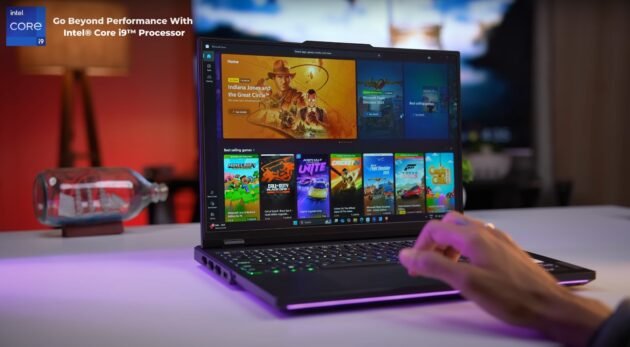
The Legion 5i Pro is equipped with Intel’s HX-series processors, such as the Core i7 14650HX and i7 14700HX. These chips are designed for high-performance laptops and offer excellent multi-core processing.


In Cinebench R23 tests, the laptop delivers impressive scores, with over 14000 in multi-core and around 1900 in single-core performance. This makes it an ideal choice for heavy workloads such as 4K video editing, large file compression, and multitasking with multiple apps open at once. Users report that the laptop runs smooth even when under pressure, making it a strong performer in productivity tasks.


Gaming Performance Is Smooth And Powerful


When it comes to gaming, the Lenovo Legion 5i Pro handles modern AAA titles with ease. With RTX 4060 and RTX 4070 GPU variants available, gamers can expect smooth frame rates even at high or ultra settings. In games like Shadow of the Tomb Raider and Cyberpunk 2077, the RTX 4070 model hits around 100 frames per second at 1080p and 60 to 70 frames at higher resolutions.


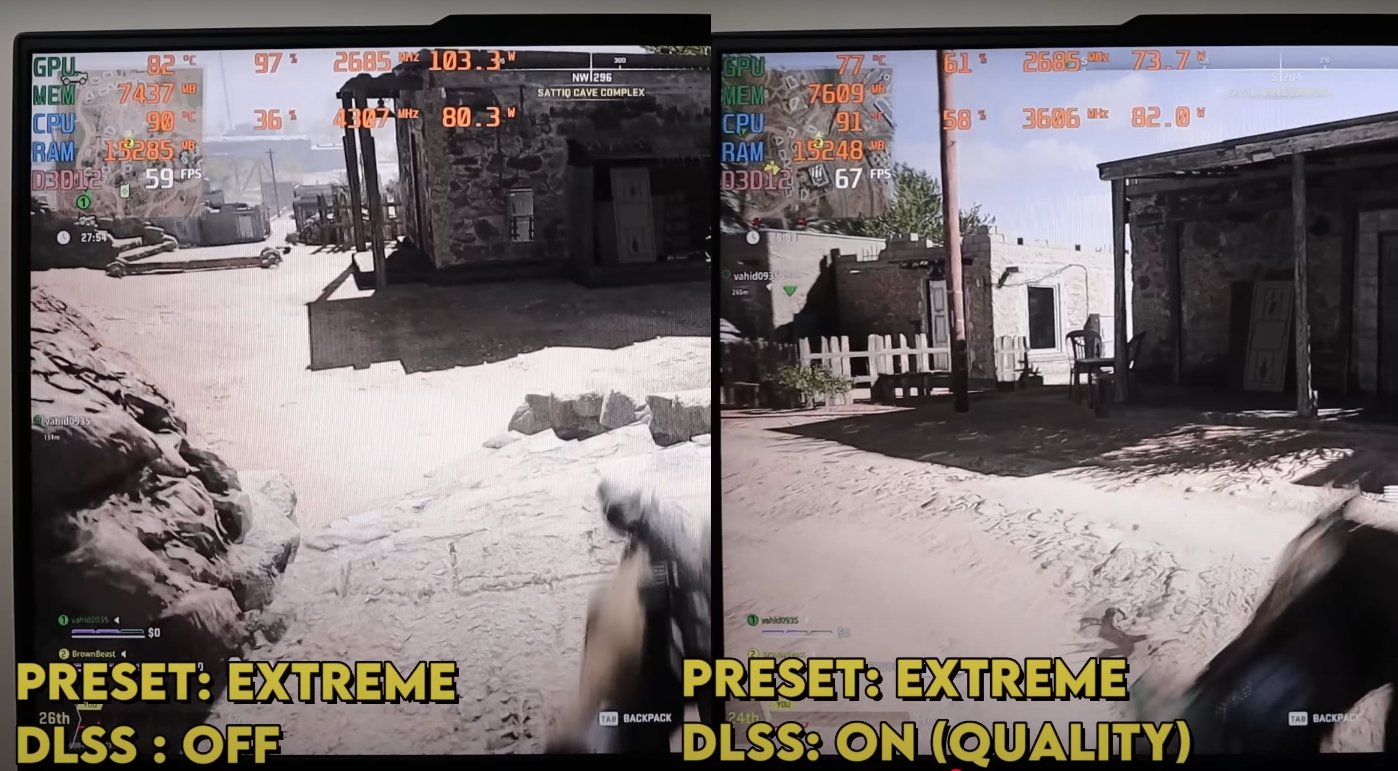
The laptop also supports NVIDIA DLSS, allowing for enhanced graphics without compromising performance. For esports games like Valorant and CS2, the system easily delivers over 200 frames per second, offering a competitive edge.


Thermal Management Is Well Optimized


High performance often generates heat, but the Lenovo Legion 5i Pro manages this well. During extended gaming sessions or rendering workloads, the fans become audible but not too loud. The laptop remains relatively cool on the keyboard surface, and the underside temperature stays in a comfortable range.


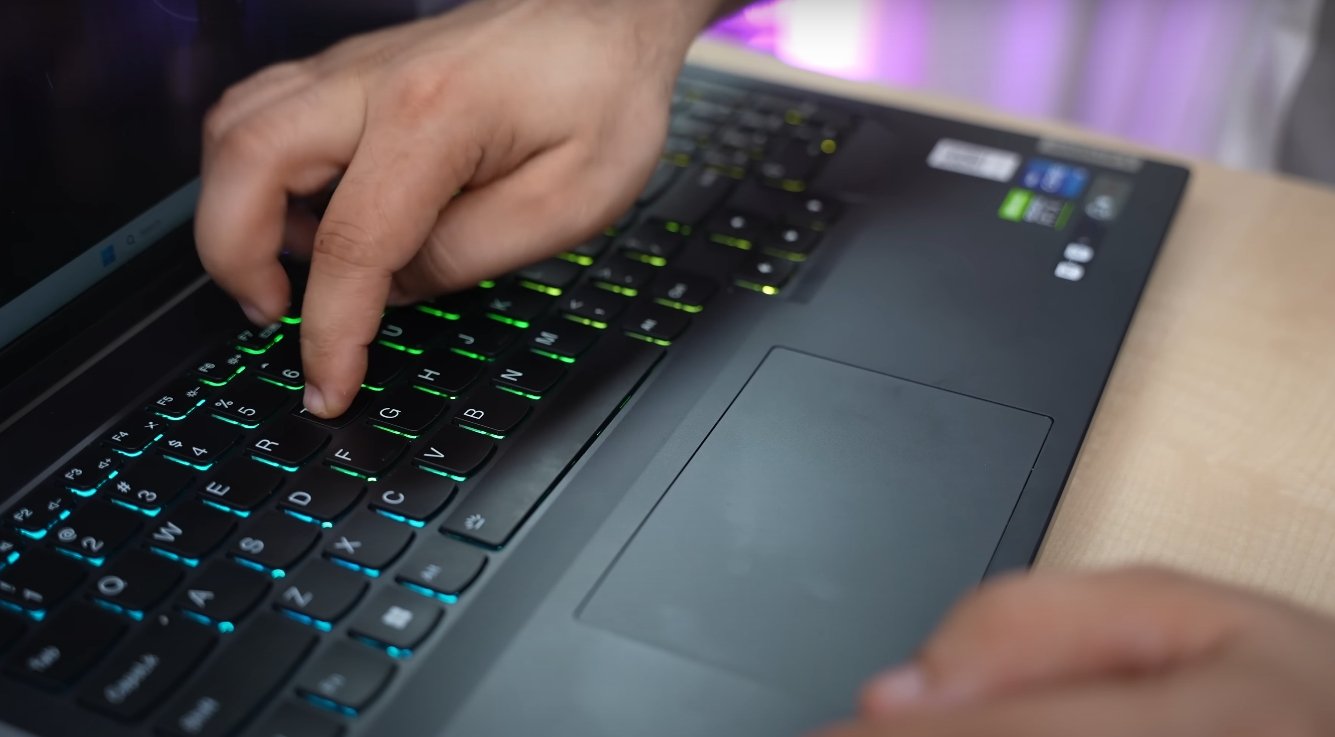
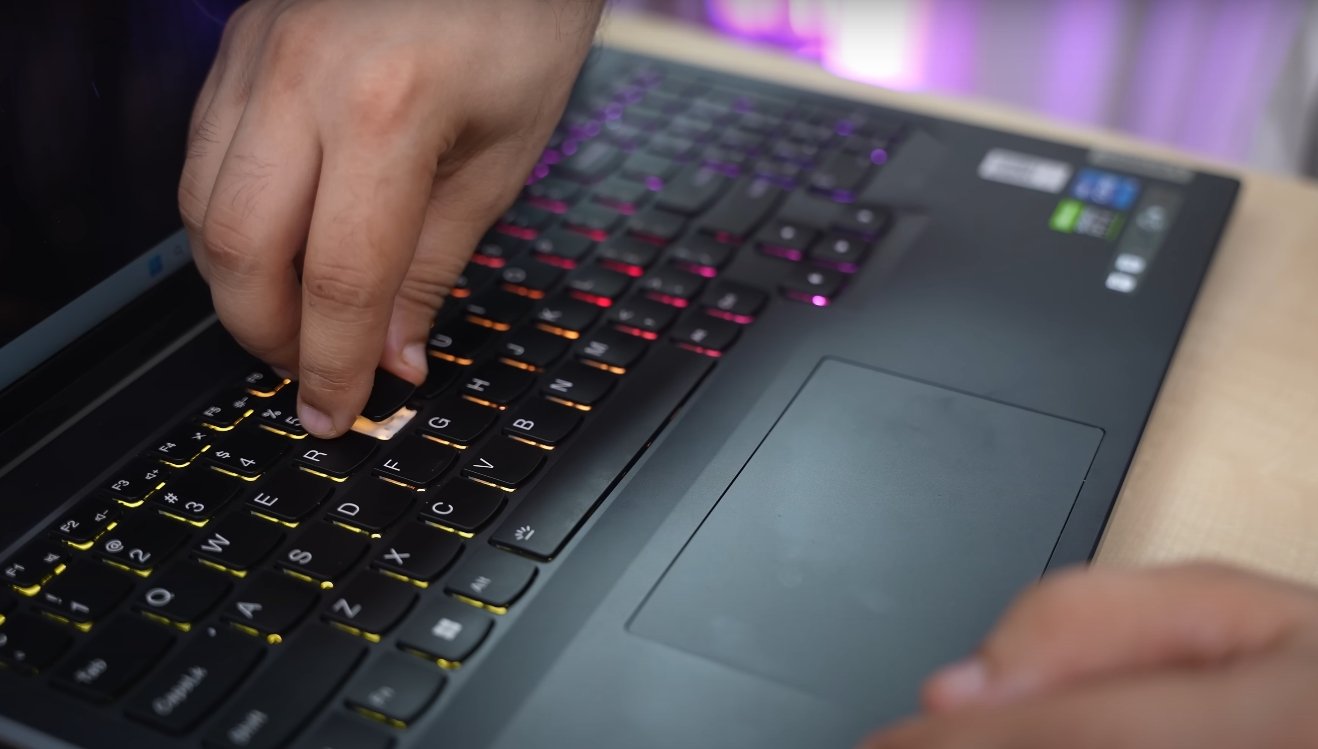
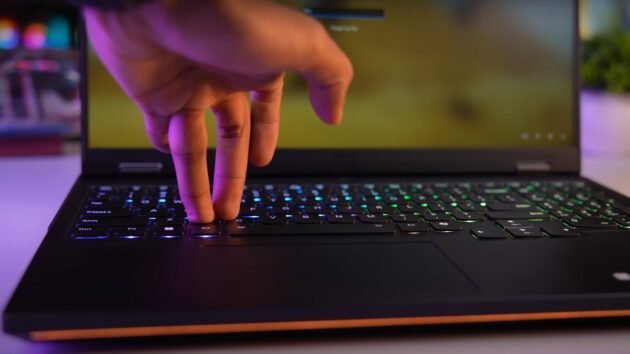
Lenovo Legion 5i Pro keybord Performance Test

In performance mode, the CPU temperature reaches about 80 to 85 degrees Celsius, while the GPU stays around 70 to 75 degrees. In quiet mode, thermals drop further with only minor performance reduction, making the laptop suitable for work and study environments without unnecessary fan noise.


Battery Life And Power Modes Matter


One thing to keep in mind is that the full performance of the Legion 5i Pro is unlocked only when plugged in. On battery, performance drops by about 40 to 50 percent, which is common for gaming laptops. However, Lenovo includes a variety of power modes like Balanced, Performance, and Quiet, allowing users to adjust based on their needs.


Quiet mode reduces fan noise and saves battery, while Performance mode pushes the system to its limits. Users who work on the go or in classrooms may find Quiet mode ideal, while gamers will appreciate the extra boost in Performance mode.


Storage Speed And RAM Configuration


The laptop includes fast NVMe SSDs, usually 512 GB or 1TB, depending on the variant. These drives provide quick boot times and rapid loading for large files and games. The dual-channel DDR5 RAM, often 16GB or 32GB, offers high bandwidth for demanding tasks.


Whether you’re editing high-resolution videos or switching between heavy applications, the memory and storage combination in the Legion 5i Pro ensures a seamless experience. Users also have the option to upgrade the RAM and SSD, which adds flexibility for future use.


Display And Visual Experience


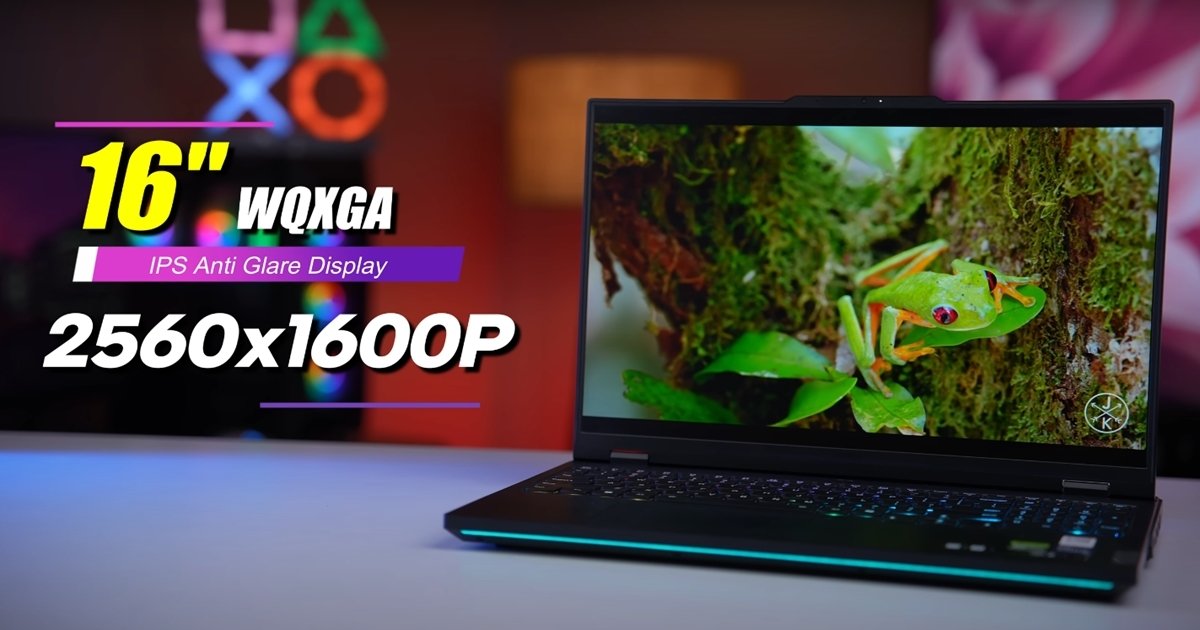
While not a direct part of performance, the display on the Lenovo Legion 5i Pro plays a key role in user experience. It comes with a 16 inch WQXGA screen and 165Hz or 240Hz refresh rate options. The visuals are crisp, colors are accurate, and the high refresh rate improves smoothness during gaming.


The taller 16 by 10 aspect ratio gives more vertical space, making it more productive for tasks like document editing, video timelines, or browsing. Gamers and creators alike will appreciate the detailed and fluid visuals during both play and work.

Also Read:  HP OmniBook 5 Next Gen AI USA Price and Features Overview


Real World Performance And User Feedback


In day to day usage, the Lenovo Legion 5i Pro performs exceptionally well. Opening dozens of tabs, editing in Adobe Premiere Pro, and running background processes simultaneously show no signs of slowing down. Users report that even under heavy multitasking, the system remains fast and responsive.


Benchmarks like Geekbench and 3DMark confirm its top tier performance, but it is the real-world results that truly shine. Whether you are gaming, working, or streaming, the laptop handles it all with ease and reliability.


Final Verdict On Lenovo Legion 5i Pro Performance


The Lenovo Legion 5i Pro is a performance powerhouse that delivers on every front. Its strong CPU and GPU combo, solid thermals, fast memory and storage, and user-tunable modes make it ideal for gamers, streamers, and professionals. While it is heavier than an ultrabook and performance dips on battery, these are common tradeoffs for a machine in this category.


For anyone looking for a reliable and powerful laptop that can handle demanding tasks without compromise, the Lenovo Legion 5i Pro is a top-tier option worth considering.

Lenovo Legion 5i Pro New Lounch Laptop

Lenovo Legion 5i Pro New Lounch Laptop

The Lenovo Legion 5i Pro has made a strong comeback in its new 2025 version, delivering major upgrades in design, performance, and display. With new-generation Intel processors and powerful NVIDIA graphics, this laptop is built for those who want extreme performance for gaming and content creation.


It offers a balance of speed, visuals, and thermal control that makes it one of the top gaming laptops launched this year.

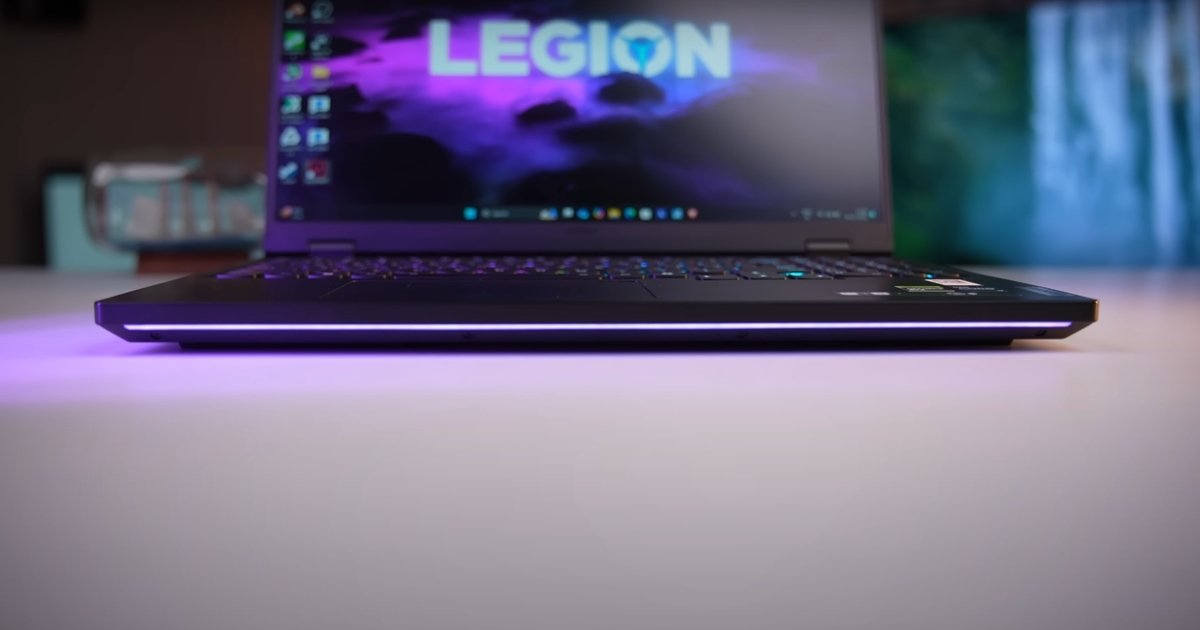
Lenovo Legion 5i Pro New Lounch Laptop look

Powerful Processor With Latest Intel Chipset


The new Lenovo Legion 5i Pro now comes with the latest Intel Core Ultra 9 and Core i7 HX series processors. These are high-end chips specifically designed for powerful gaming and multitasking. Whether you are editing 4K videos or running the latest AAA games, this processor handles it with ease.


With turbo speeds going beyond 5.0GHz and a high core count, the system delivers lag-free performance for both gamers and professionals. The inclusion of hybrid performance cores also improves efficiency during lighter tasks.


Graphics Performance With RTX Series


Lenovo has included the latest NVIDIA RTX 5070 Ti and 4060 options in the new Legion 5i Pro lineup. These graphics cards are capable of delivering top-tier gaming performance at high settings. Users can enjoy high frame rates even in demanding titles like Cyberpunk 2077 and Call of Duty Warzone.


Thanks to ray tracing and DLSS support, games look more realistic while maintaining fluid performance. The laptop also supports AI-based graphics enhancements, making it future-ready for creative professionals as well.


Advanced Thermal System For Better Cooling


The new Legion 5i Pro features an upgraded cooling system called Coldfront Hyper. This setup includes a vapor chamber, larger copper pipes, and improved airflow channels that keep the laptop cool even during long gaming sessions. The fans have been designed to stay quieter, and surface temperatures are well controlled.


Lenovo has also added customizable power modes that allow users to switch between performance, balanced, and quiet modes as needed. These improvements give the user more control over noise and temperature.


Stunning Visuals With OLED Display


One of the standout features in the new Legion 5i Pro is its 16 inch WQXGA OLED display. With a resolution of 2560 by 1600 and a refresh rate up to 240Hz, visuals appear sharp and motion stays smooth. The display supports HDR and 100 percent DCI P3 color accuracy, making it suitable for both gaming and creative work.


Lenovo Legion 5i Pro New Lounch Laptop photo

The screen also features a 16 by 10 aspect ratio, which offers more vertical space for editing and productivity. Whether you are gaming, streaming, or designing, this display enhances the overall experience.


Strong Build And Premium Design


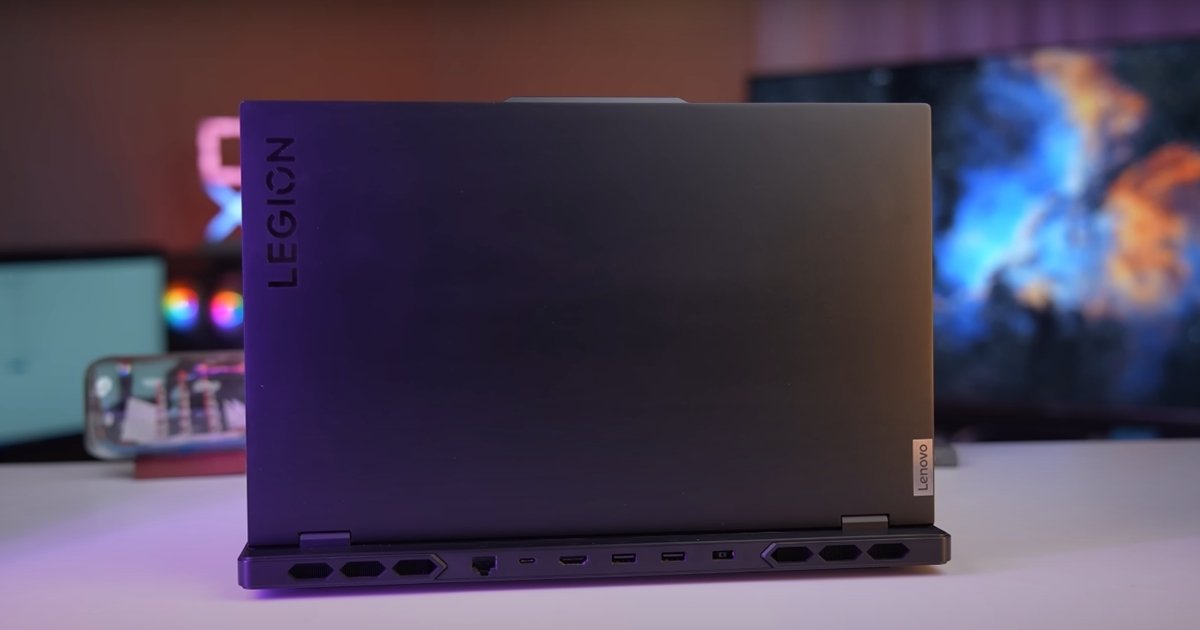
Lenovo has maintained the premium design with a slightly refined chassis. The laptop looks modern and professional, with clean lines and RGB lighting that can be customized. It includes multiple USB Type C ports, HDMI 2.1, Ethernet, and a full-size SD card slot. The keyboard is a full-size layout with soft key presses and per-key RGB control, which is a treat for gamers. Overall, the build quality is solid and offers durability without feeling bulky.


Battery Life And Fast Charging Support


Gaming laptops usually do not offer long battery life, but Lenovo has included an 80Wh battery in this model, along with rapid charge support. On regular usage like browsing and watching videos, users can expect around 4 to 5 hours of usage.


During gaming, battery life drops to about 90 minutes, which is still reasonable for this category. The fast charging feature helps in regaining over 60 percent battery in just under 30 minutes, which is useful for quick recharges.


Pricing And Availability Information


The Lenovo Legion 5i Pro new launch has already started rolling out in global markets, and the price varies depending on configuration. The base model with RTX 4060 and Intel Core i7 starts at around $1499, while higher-end versions with RTX 5070 Ti and Intel Core Ultra 9 can go above $2000.


These models are available through Lenovo’s official store and other leading online retailers. Different regions may offer varying specifications and prices, so buyers should check for availability in their country.

Also Read:  MSI Titan 18HX Ultra 9 Gaming test


Final Thoughts On Lenovo Legion 5i Pro New Launch


The new Lenovo Legion 5i Pro is a complete performance package that excels in every area, whether it’s processing speed, graphic power, display quality, or thermal management.


It is suitable for serious gamers, content creators, and professionals who need top-end hardware in a laptop form. With all the latest upgrades and thoughtful design changes, Lenovo has once again proved why the Legion series is a favorite in the high-performance laptop market.

Lenovo Legion 5i Pro Gaming Test

Lenovo Legion 5i Pro Gaming Test

Lenovo Legion 5i Pro Gaming Test Full Performance Report


The Lenovo Legion 5i Pro has earned its place among the top gaming laptops, and in this gaming test, it proves why. Built with powerful NVIDIA RTX graphics and the latest Intel HX series processors, this laptop delivers strong frame rates and stable performance across modern AAA titles and popular esports games.


Whether you are into story-driven adventures or fast-paced multiplayer matches, the Legion 5i Pro handles them all with ease.

Lenovo Legion 5i Pro Game Test

Smooth Gameplay In AAA Titles


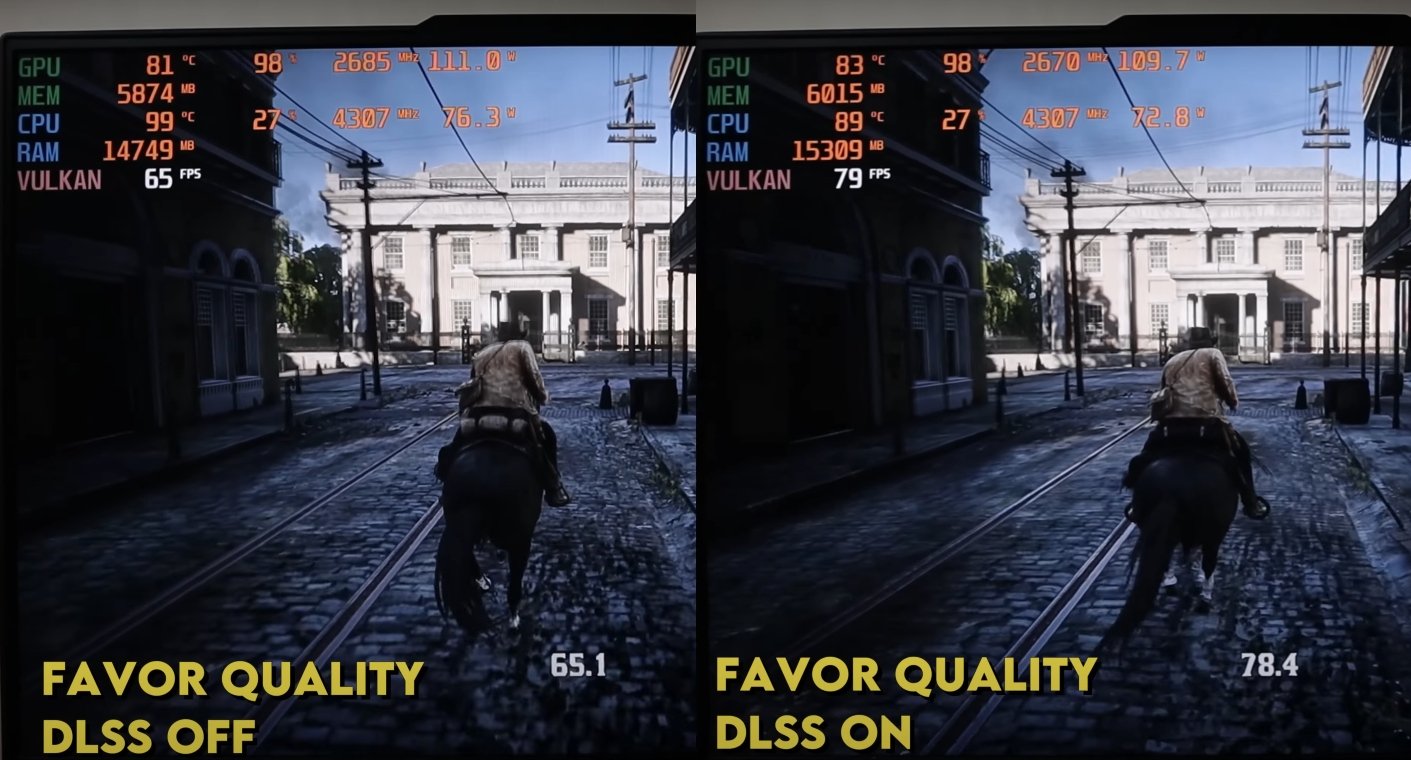
The Legion 5i Pro shines when it comes to demanding games. Titles like Red Dead Redemption 2, Cyberpunk 2077, and Assassin’s Creed Mirage run smoothly at high settings. In testing, Red Dead Redemption 2 averaged around 70 to 75 frames per second at 1080p with ultra settings.


Even in heavier scenes, frame rates stayed consistent without major drops. Cyberpunk 2077, known for its intense graphics, ran at about 60 fps with ray tracing off and DLSS enabled. With ray tracing turned on, performance dipped slightly to 40 fps but remained playable.


Fast Frame Rates In Esports Games


For competitive gamers, frame rates and responsiveness are everything. The Legion 5i Pro offers excellent results in titles like Fortnite, Valorant, Overwatch 2, and CS2. On high settings at 1200p, Fortnite delivered around 130 to 150 fps.


Lenovo Legion 5i Pro Gaming Test

In Overwatch 2, frame rates went as high as 165 fps, hitting the laptop’s refresh rate cap. These numbers show that the Legion 5i Pro is ideal for fast-paced gaming where every frame matters. Players can also reduce settings slightly to get even higher fps for competitive edge.


Excellent Thermal Management Under Load


Gaming performance is not just about raw power, but also about how well a laptop handles heat. The Legion 5i Pro uses Lenovo’s Coldfront cooling system, which includes large heat pipes and dual fans to keep the system cool.


During extended gaming tests like Metro Exodus stress runs, the CPU temperature remained around 85 degrees Celsius while the GPU stayed close to 70 degrees. These temperatures are well within safe limits and allow the system to sustain high performance without thermal throttling.


Display Delivers Sharp And Smooth Visuals


The Legion 5i Pro features a high-resolution WQXGA display with a fast refresh rate of up to 240Hz. During gaming, this makes movements look smooth and fluid, which is especially helpful in fast-moving games. The response time is quick, and visuals remain sharp even during rapid camera movement.


In single-player games, the high contrast and color accuracy of the screen bring out details and visual effects, creating an immersive experience that few laptops in this price range can match.

Lenovo Legion 5i Pro Gaming keybord Test


Real World Gameplay Experience


In real-world testing, the Legion 5i Pro proves to be more than just a spec sheet champion. Games load quickly thanks to its NVMe SSD, and frame rates remain stable even when multitasking or streaming in the background.


The laptop handles long sessions well, and even after multiple hours of gameplay, it maintains its performance without heating up the keyboard or palm rest. Players report smooth gameplay across various genres, from first-person shooters to open-world RPGs, showing the system’s versatility.

Also Read;  Lenovo Legion 5i Pro Performance Test


Final Verdict On Gaming Test Results


After multiple rounds of gaming tests, the Lenovo Legion 5i Pro stands out as one of the best all-round gaming laptops. Its performance in both AAA and esports titles is excellent, with high frame rates and minimal drops. The thermal system does a great job keeping the laptop cool, while the high-refresh-rate display ensures a top-notch visual experience.


Whether you are a casual gamer or a serious competitor, this laptop delivers consistent and powerful performance that makes every game more enjoyable.

Lenovo Legion 5i Pro Features

Lenovo Legion 5i Pro Features

Lenovo Legion 5i Pro Features Full Overview


The Lenovo Legion 5i Pro stands as a powerhouse in the gaming and high-performance laptop category. Designed with gamers, creators, and power users in mind, it combines top-tier hardware, intelligent cooling, and stunning visuals to deliver a seamless experience. In this feature-focused article, we explore everything the Legion 5i Pro brings to the table.

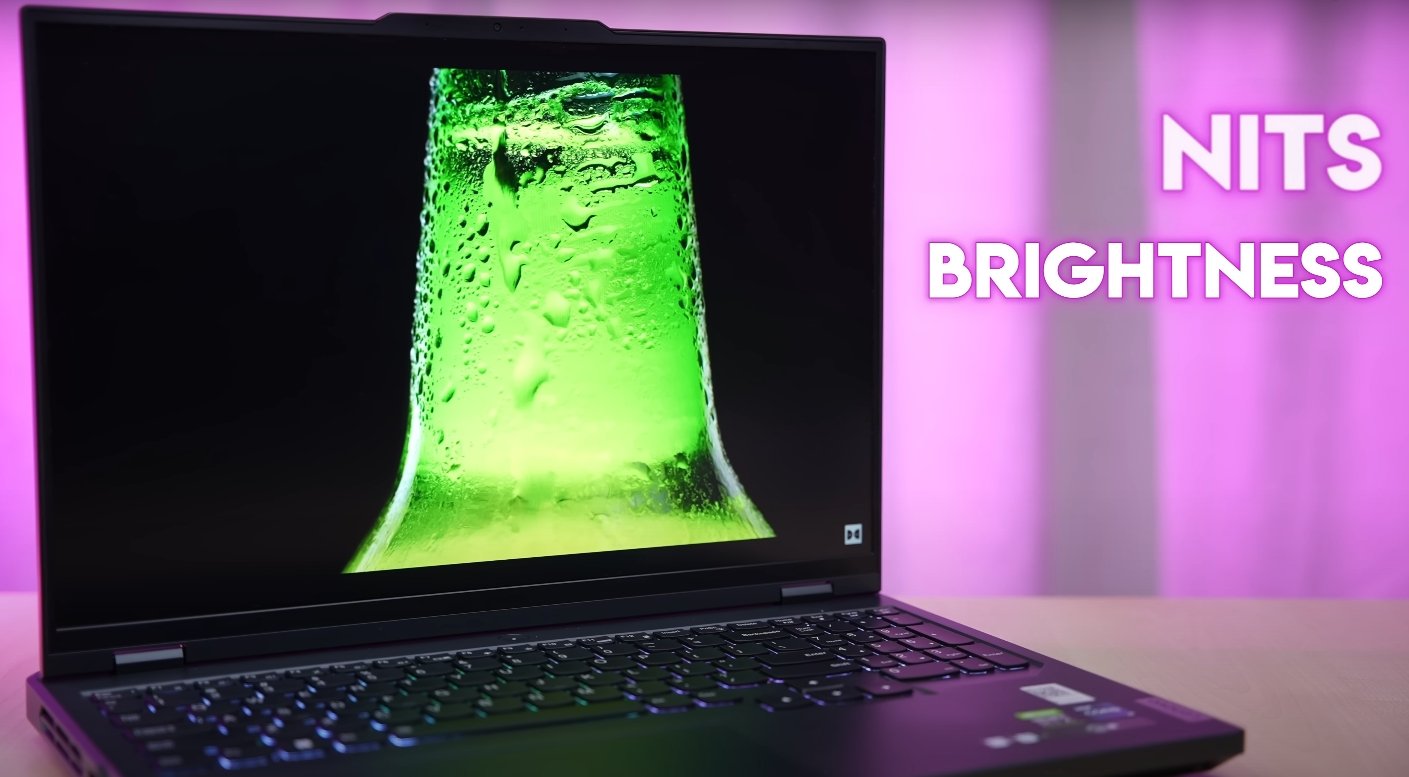
Lenovo Legion 5i Pro brightness


Latest Intel Processors For Top Speed


One of the standout features of the Lenovo Legion 5i Pro is its use of Intel’s latest HX series processors. With options like the Intel Core i7 14700HX and even higher in newer models, the laptop delivers desktop-level performance.


These chips offer high core counts and excellent multi-threading, making them perfect for gaming, content creation, and demanding software. Whether you’re editing videos, compiling code, or playing the latest AAA titles, this processor handles everything with ease.


Powerful Graphics With RTX Series GPU


Another major highlight is the inclusion of NVIDIA RTX graphics. Depending on the configuration, the Legion 5i Pro comes with GPUs like the RTX 4060, RTX 4070, or the newer RTX 5070 Ti.


These GPUs support advanced features like ray tracing and DLSS, allowing for realistic lighting and higher frame rates. Whether you want smooth 1080p gameplay or need power for 1440p gaming and rendering, the graphics options in the Legion 5i Pro meet all expectations.


Coldfront Hyper Cooling System


Gaming laptops tend to generate heat, but Lenovo has equipped this machine with a highly effective cooling system called Coldfront Hyper. This system includes a vapor chamber, large heat pipes, and dual fans that efficiently push out heat from the chassis.


During intense gaming sessions or heavy workloads, the laptop maintains steady temperatures and performance. Users can switch between performance and quiet modes to balance speed and noise according to their needs.


High Refresh Rate Display For Smooth Visuals


The Legion 5i Pro features a stunning 16 inch WQXGA display with up to 240Hz refresh rate. The screen offers sharp resolution, excellent color accuracy, and smooth motion that benefits both gamers and creative professionals.


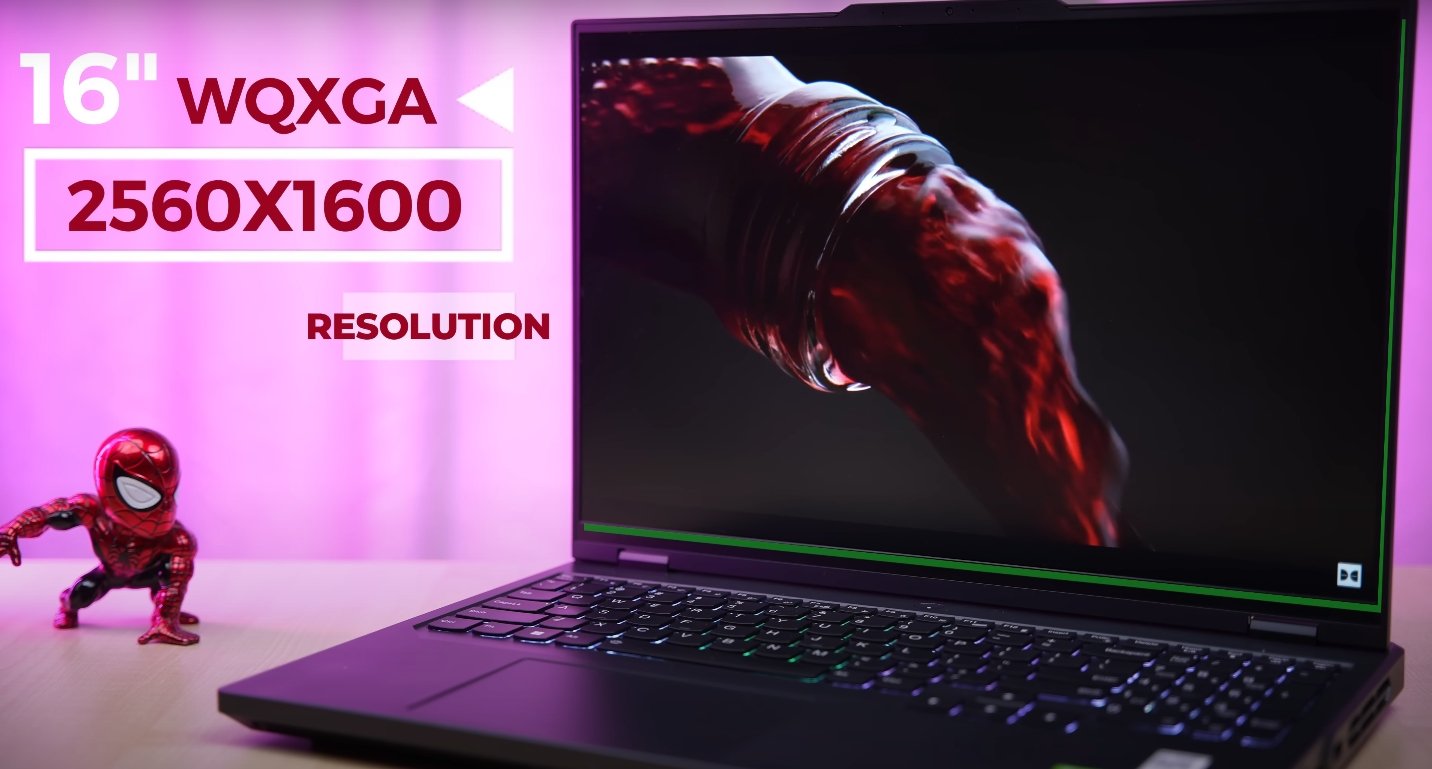
Lenovo Legion 5i Pro resolution

The taller 16 by 10 aspect ratio gives more vertical screen space, which is useful for editing, writing, and browsing. The display also supports HDR and high brightness, making it ideal for both indoor and outdoor use.


RGB Backlit Keyboard And Premium Design


Aesthetically, the Lenovo Legion 5i Pro stands out with its clean and modern design. It features a full-size RGB backlit keyboard with deep key travel and good tactile feedback.


The per-key lighting allows users to customize colors and patterns based on their preference. The aluminum body feels sturdy and professional, and the overall build quality is excellent. Despite its powerful internals, the laptop manages to maintain a relatively slim and portable profile for its category.


Advanced Connectivity Options


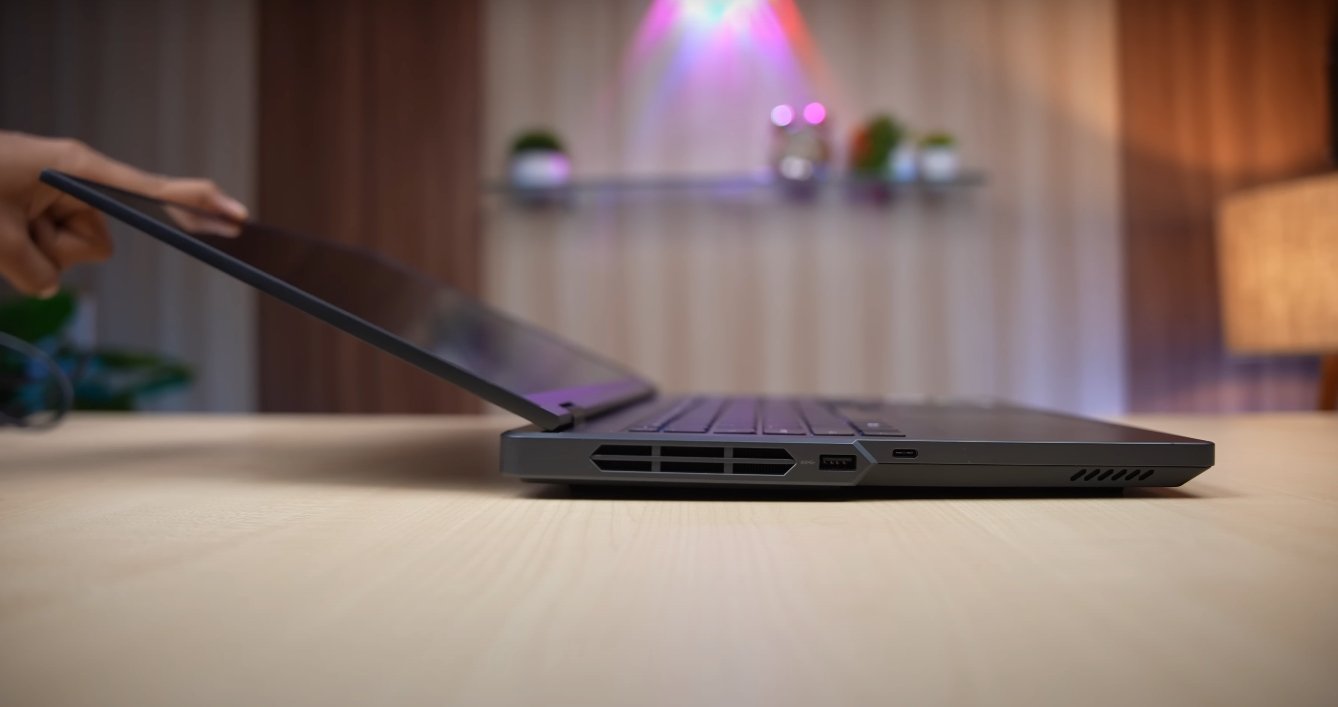
This laptop is packed with multiple I/O options to suit modern needs. It includes USB Type C ports, USB Type A ports, HDMI 2.1, Ethernet, and a headphone jack. Some variants also support Thunderbolt and Wi-Fi 6E or Wi-Fi 7, ensuring fast wireless connectivity. These ports and features make it easy to connect external monitors, gaming accessories, or high-speed storage devices.


Strong Battery With Rapid Charging


Gaming laptops usually do not offer long battery life, but the Legion 5i Pro makes up for it with rapid charging. The device features a large battery capacity, often up to 80Wh, which gives several hours of usage for productivity tasks.


While gaming on battery drains faster, the included fast charger helps restore power quickly. In just under 30 minutes, users can regain up to 50 percent battery, which is convenient for those on the move.

Also Read:  Lenovo Legion 5i Pro New Lounch Laptop


Software Optimization With Lenovo Vantage


Lenovo bundles the laptop with its Vantage software, allowing users to monitor system performance, adjust fan speeds, update drivers, and enable AI-based enhancements. It gives easy access to power modes and performance tuning without needing technical expertise. This software improves the user experience by letting gamers and professionals get the most out of the hardware.


Final Thoughts On Lenovo Legion 5i Pro Features


The Lenovo Legion 5i Pro packs an impressive set of features designed for power, performance, and usability. From its high-end CPU and GPU options to its thermal design, vibrant display, and customization tools, it checks every box for modern users.


Whether you are a competitive gamer, a streamer, or a professional working with graphics and video, this laptop is equipped to deliver. Its balanced design and top-tier components make it one of the most complete laptops in its class.

Lenovo Legion 5i Pro For Gamers

Lenovo Legion 5i Pro For Gamers

Lenovo Legion 5i Pro For Gamers Full Gaming Laptop Review


The Lenovo Legion 5i Pro is designed with gamers in mind. From its powerful specs to its stunning visuals and robust cooling, this laptop is built to deliver top-tier performance in every gaming session.


Whether you’re into fast-paced competitive shooters or immersive open-world adventures, the Legion 5i Pro offers the performance, speed, and visuals that serious gamers demand.

Lenovo Legion 5i Pro Gamers keybord

Gaming Power With Latest Intel And NVIDIA Combo


At the heart of the Legion 5i Pro lies the power of Intel’s latest HX series processors. Paired with NVIDIA’s RTX 4060, RTX 4070, or even the RTX 5070 Ti in newer models, the laptop handles modern games with ease.


This combination delivers high frame rates at ultra settings in popular titles like Call of Duty, Cyberpunk 2077, and Far Cry 6. For gamers who stream or multitask while playing, the CPU’s multiple cores and high clock speeds ensure nothing slows you down.


Smooth Frame Rates In Competitive Games


For esports players, frame rate and responsiveness are everything. The Legion 5i Pro can push frame rates well beyond 120 fps in titles like Valorant, Fortnite, Overwatch 2, and CS2.


With the option of a 240Hz refresh rate display, gameplay feels fluid and instant, reducing input lag and giving players the edge they need in fast-paced matches. It is a true performance machine for competitive gaming, offering consistency and low latency every time.


Advanced Cooling Keeps Performance Stable


Gaming laptops generate heat, but the Legion 5i Pro is equipped to handle it. Lenovo’s Coldfront Hyper cooling system includes large heat pipes, a vapor chamber, and efficient airflow design to manage high thermal loads.


Lenovo Legion 5i Pro Gamers laptop

Even during long gaming sessions, the laptop maintains stable performance without overheating. Fans may get loud under full load, but the temperature stays in control, protecting the hardware and maintaining a steady gaming experience.


Immersive Visuals With High Refresh Display


The Legion 5i Pro features a 16 inch WQXGA screen with a 16 by 10 aspect ratio and up to 240Hz refresh rate. The display provides sharp resolution and fast visuals, perfect for gaming and watching high-quality content. Color accuracy and brightness are impressive, adding depth and detail to every scene.


Whether you are exploring large game worlds or focusing on tiny details in a first-person shooter, the screen keeps up with every move.


Customizable RGB Keyboard And Gamer Friendly Build


The keyboard on the Legion 5i Pro is built for gaming. It offers deep key travel, fast response, and full RGB backlighting. Gamers can customize lighting patterns, create macros, and use the full number pad for in-game controls. The overall design is clean yet aggressive, with a premium finish that looks professional and stylish. The chassis feels solid and durable, making it ready for regular transport to tournaments or LAN parties.

Also Read;  MSI Titan 18HX Ultra 9 285HX Must Guide


Ready For Streaming And Content Creation


Many gamers today are also streamers and content creators. The Legion 5i Pro supports this lifestyle with fast RAM, high-speed SSDs, and multiple ports for connecting webcams, microphones, and external monitors.


It handles video editing and live streaming software with ease, thanks to its powerful processor and graphics capabilities. Whether you’re broadcasting gameplay or editing highlight reels, this laptop is up to the task.


Game Anywhere With Portability And Fast Charging


While performance is the focus, the Legion 5i Pro also offers decent portability. It’s not ultra-light, but it’s compact enough for travel. The battery life during gaming is limited, as expected, but it supports rapid charging.


Within just 30 minutes, it can reach more than half charge, making it convenient for gaming sessions on the go. It is ideal for gamers who attend events or need a powerful setup outside of home.


Final Verdict For Gamers


The Lenovo Legion 5i Pro is one of the most gamer-friendly laptops available today. With top-tier processing power, excellent graphics performance, advanced cooling, and a display made for fast action, it checks all the boxes for gaming enthusiasts. Whether you are climbing the competitive ranks or enjoying single-player adventures, this laptop enhances your experience and gives you the tools to play at your best.

Lenovo Legion 5i Pro review

Lenovo Legion 5i Pro review

Lenovo Legion 5i Pro Review Complete Analysis


The Lenovo Legion 5i Pro has quickly become a favorite among gamers, content creators, and performance enthusiasts. It stands out for offering premium specs, solid design, and strong thermal control at a price point that remains competitive in its class.


This review takes a complete look at the performance, display quality, gaming experience, build, and real-world usability of the Legion 5i Pro.

Lenovo Legion 5i Pro Review Complete Analysis

Performance Built For Power Users


Under the hood, the Lenovo Legion 5i Pro features Intel’s powerful HX series processors, including options like the Intel Core i7 and i9 variants. These chips are designed for high-demand tasks such as 4K video editing, AAA gaming, and multitasking with heavy applications.


Paired with NVIDIA RTX 4060 or RTX 4070 graphics, the laptop can easily handle high-resolution gaming and complex rendering tasks. It delivers smooth performance without stutters, even when running modern games or productivity software side by side.


High Refresh Display For Smooth Visuals


The Legion 5i Pro includes a sharp 16 inch WQXGA display with a refresh rate that goes up to 240Hz. The 2560 by 1600 resolution delivers sharp visuals with vibrant color accuracy, making it ideal for gaming and content creation alike.


Whether you’re watching movies, playing fast-paced shooters, or editing high-res images, the screen provides crisp and fluid visuals. The taller 16 by 10 aspect ratio is also useful for productivity tasks like document editing and coding.


Gaming Experience That Feels Premium


Gaming on the Legion 5i Pro feels responsive and smooth, especially in popular titles like Fortnite, Call of Duty, Elden Ring, and Cyberpunk 2077. With support for high frame rates and ray tracing, the experience is visually immersive and lag-free. In tests, most games run above 90 frames per second at high settings, while ray-traced games maintain 60 fps with DLSS enabled.


The keyboard also helps with gaming, offering per-key RGB lighting, excellent tactile feedback, and a full layout for custom controls.

Gaming Experience That Feels Premium

Intelligent Cooling System Handles Heavy Load


Thermal performance is critical in high-performance laptops, and Lenovo handles it well with the Coldfront Hyper cooling system. This setup includes a vapor chamber, dual fans, and intelligent airflow that keeps temperatures stable during long gaming or rendering sessions.


CPU temperatures hover around 85 degrees Celsius under full load, while the GPU stays cooler, allowing sustained performance without throttling. The fans ramp up when needed but stay quiet during general use.


Battery Life And Portability


Battery life is typical for a gaming laptop. You can expect around 4 to 5 hours of regular use, such as browsing or streaming, but gaming on battery reduces that to 1.5 hours or less. However, Lenovo includes rapid charging, allowing the laptop to regain around 50 percent battery in just 30 minutes.


While not ultra-light, the Legion 5i Pro remains portable enough for travel or LAN events, especially with its sturdy chassis and compact power adapter.

Also Read:  MSI Titan 18HX Ultra 9 benchmark of Cross Mark


Build Quality And Connectivity


The Legion 5i Pro has a professional yet stylish look with a durable metal finish. It includes a good range of ports, such as USB Type C, HDMI, Ethernet, and a full-sized SD card slot. The keyboard is backlit and built for gaming, while the touchpad is responsive enough for everyday use. The overall build feels strong, and the laptop doesn’t flex or creak under pressure. It’s made to handle daily wear, making it suitable for both personal and professional environments.


Final Verdict On Lenovo Legion 5i Pro


The Lenovo Legion 5i Pro offers one of the most balanced experiences in the performance laptop market. It combines speed, visuals, and usability in a way that appeals to both gamers and creators.


With its high refresh display, strong CPU and GPU options, effective thermal control, and premium build, it delivers solid value in every area. While battery life and audio could be better, the overall package makes it a reliable and high-performing laptop for anyone who demands power and stability.

Lenovo Legion Pro 7i specification

Lenovo Legion Pro 7i specification

That the wattage has reduced a bit. CPU temperature has reduced. Apart from that the gaming performance is absolutely awesome.


Here the watts are being pushed well You must be seeing the rest of the battery percentage from the beginning We started with gta 5 it was 94 in it then we were testing so the battery was getting charged it was going up to 98 99 then in between while playing the game there was a slight drop of 1-2% percent But then it was getting charged.


Black Myth Wukong cinematic on raw performance


So as such there is no issue of battery drop Because the laptop is drawing so much power so the battery percentage drops a little sometimes But it is not like it is falling to below 90 or below 80. Then we also tested God Of War in this too you can see that Our FPS is very good what is the use of taking numbers Because if story games run above 60 FPS. Then it is good In this all we’re going 100-130 plus. Then we did the Hell Blade on high settings and here in raw performance also it gave 55 FPS After applying frame generation it is even better.


Then Black Myth Wukong cinematic on raw performance here it is good 50 FPS And after applying frame generation 100+ Then after that i also set the ray tracing to very high But still there was no difference Absolutely amazing FPS. I tested Alan Wake 2 on high settings and there were good FPS in raw performance What can I say about frame generation I also applied ray tracing And on Ray tracing high settings raw performance 25-30 FPS It is a very high consuming game GPU wattage is going to 170 plus 175-176.


Lenovo Legion Pro 7i review
Lenovo Legion Pro 7i


Apart from that you can see the VRAM consumption of GPU is 12GB+ So you can understand how demanding the game is You will be able to play this easily on this laptop on the highest possible settings Now i thought that it is already giving such a good performance.


4k We ran Black Myth Wukong on cinematic that is the highest possible settings Our GPU went up to 180W and you can see that in 4k The entire load came more on the GPU and good FPS were not coming on raw performance After applying frame generation, we are getting decent FPS 35-40 And even if we turn on rate racing The scenario comes out to be the same So here you can get good FPS on very high settings or high settings at 4k From this laptop.


Play Cyberpunk in 4K and High setting


If you want to play it on a big screen Then we tested Cyberpunk in 4K, Good FPS came in it That means raw Performance is also playable and even after applying frame generation The performance is good Then we also put it on Ray tracing ultra the raw Performance did not come out good in it.


but yes by applying frame generation you can play a title at 60+ FPS on 4K Then we also tested Hell Blade This is also very GPU intensive We kept all the GPU intensive games in 4k It is giving good FPS brother You can play this game in 4k as well Then we also tried Ghost of Tsushima this is a very optimized game And it is great in 4k on very high settings.


It is performing really good Then we did Alan Wake 2 test Here Also the results were very good in 4k And yes let me tell you that this is recorded from the capture card.


Set its ray tracing to high


When we set its ray tracing to high and when we ran the game Here you can see that up to 14 GB of VRAM was being consumed by our GPU And obviously the raw performance is not playable But if you apply frame generation Then you can play and really this laptop can provide good gaming in 4k AAA titles And I conclude this laptop in terms of gaming In its native resolution.


If you turn off the DGPU put it on the best power efficiency mode Like we were using it, We did day-to-day tasks we did multitasking and we turned off the backlight of the keyboard We put quiet mode in the Vantage.


it will definitely provide good gaming for 5-10 years GTA 6 ready if you ask, Yes you will be able to play GTA 6 on it When it comes on PC and this laptop has a flagship battery of 99.9 Whr You will know why it is not 100, more than that it is not allowed in flights etc Here you can get a full-on strong battery backup from it Because this comes with a MUX switch.


We get the best power efficiency in the power settings of windows And this Vantage one is different. So I am talking about both Which means our CPU runs on the lowest power and in that it will give a battery backup of 6–7 hours meaning getting so much backup from a gaming laptop is a big deal The only thing is that Nvidia’s GPU should be off The advantage of the MUX switch is that We can shift our display output to IGPU and DGPU for performance And if you want to get more battery backup you can also turn off the DGPU.


Battery gets fully charged in 40 to 50 minutes


its MUX switch is available in vantage And the 330W battery charges very fast Its battery gets fully charged in 40 to 50 minutes Then there are ports there is no disappointment in that too Here on the right side we will get a combo of headphone mic jack We will get a USB 3.2 gen 1 type of port We will get a physical camera shutter button for privacy if you feel that there is no problem then keep it closed your camera gets completely detached from the motherboard itself.


Then on the left side we get another USB 3.2 gen 1 type of port And this Type C port is thunderbolt 4 there is a thunderbolt 4 port in it And this thunder 4 port supports display output it supports RTX through 4090 only And along with that fast speed data transfer will be possible But there is no support for any power delivery on this port. We checked it with multiple chargers it does not support any PD etc The rest of the ports are available on the back side.


We will get a power input port There are two ports of USB 3.2 GEN 1 Type A 1 is for power off charging if the laptop is off as well if you want to charge something Or take power output.


Also Read: Lenovo Legion Pro 7i Game parformance


Meaning it will charge at a slow speed but it gets done So instead of using the heavy 330w charger You can run it with a smaller charger too But yes you can not do any productive task or gaming etc in it Or else battery will drain Because that charger will not be able to push that much power 330W and 140-100W are very different.


You must know this much and the keyboard is good You get lenovo’s true strike keyboard you get a great experience from the keyboard whether you are gaming or typing And yes per key RGB option is available in the keyboard.


You can take it from here and there is a port of HDMI 2.1 its output is from RTX 4090 If you want to do gaming by connecting a big screen like 4k gaming as i showed you Then on this laptop you will get output from the GPU Type C And HDMI And lastly USB 3.2 Gen 2 Type C port is available. This port supports display output through 4090 there is fast speed data transfer And it supports PD 140W. If you use a PD charger of higher wattage like 100 or 140 it is not like that you have to put 140 in 140 100 is also fine in laptops.


Lenovo Legion Pro 7i Game parformance

Lenovo Legion Pro 7i Game parformance

Look at the numbers of benchmarks. Scores of CineBench R23 are around 27000 for multi-core and around 2100 for single-core. Then here is CineBench 2024 in front of you. We took out PCMark 10 which crossed 7600.


After that Geekbench 6 OpenCL which is for our GPU is 19000. Imagine the power of GPU brother. After that you can see the score of multi-core single-core CPU of GB6 here.


It is the benchmark of AI


The numbers are coming out very good. And here is the benchmark of Crossmark in front of you. And after that we also took out the benchmark of Blender. It has come out to be 7340. That means you have to do any task of 3D modeling rendering of any level. Game development as well, benchmarks are for the power of GPU. Oh brother how great. It throwed render result within 10 months.


i also tried it on CPU. It did not take much time around 1 minute 30 seconds because CPU is also quite powerful. And here is our benchmark of 3DMark TimeSpy. 21000 score. And the CPU GPU numbers are also very good here. And I took out the benchmark of VRMark. By the way there is a review of Meta QuestVR on our channel. Watch it. It is very interesting. When it comes to productivity you must have understood by looking at the specs.


Lenovo Legion Pro 7i Game parformance
Lenovo Legion Pro 7i


And to test the GPU we took out the render of BMW which normally takes 1 minute-2 minutes. In some laptops This laptop did it in 10 seconds. If you want to do VR gaming the score is 15000 easily. You can play VR games by installing any VR. It is a great powerful PC.


But still we did the Puget benchmark of Photoshop. Brother 10000 plus. After that Premier Pro brother 11600 plus. Then after that da Vinci Resolve 8600 plus. So here I conclude the performance. There is no need to go into too much depth.


You close your eyes and do whatever productivity task is coming in your mind on this laptop. It will say I am with you. And not just 1 or 2 or 3 years. I am with you for at least 10 years. This is such a future-proof machinery. And we were also testing its stability.


Look at the wattage of the CPU


We ran Prime95 for 1 hour. The maximum temperature went up to 98 degrees. The average was around 75 degrees. And the clock speeds touched a maximum of 5.1 GHz. And the average came out to be 2.7 GHz. That depends on when the temperature is going high. And how is it managing it. But the system did not crash. Obviously its thermal system is very heavy. Such a powerful CPU has been fitted. It peaked at a maximum of 143 W. And the average was 112 W. We hardly see this wattage even on computers.


How can this laptop have so much wattage? Then we also tested the GPU. We ran Furmark for 1 hour. And the maximum temperature of the GPU was up to 84 degrees. The average is also fine, around 69 degrees. But the power of the GPU is 175 W. But the dynamic boost means that by sharing power, more power is generated.


It went up to 232 watts but gave an average of 144 watts. Which means that the GPU is good. Rest, you will come to know in gaming and the laptop was running properly. Even after that it is very smooth and fluid.


The money is also very fluid and I get a lot of comments etc. That brother these laptops are so expensive. Many people take Windows for productivity, game development. It is very user-friendly. A lot of software etc. run on it.


At this price a very good PC build will come. MacBook will come at this price. See everything is fine in its place. Some people are happy to buy a PC. 360,000 definitely a very good PC will be made. You can buy MacBook Pro. That too will definitely come but it is a thing to target every type of user.


powerful CPU GPU in such a small form factor


It costs money. Otherwise get a big PC made like the 4090 we have got made in our channel. Take it and roam around. It has a screen, keyboard, trackpad. Everything is great. So whoever wants to buy it will buy it. Whoever wants to build a PC will build a PC. Whoever wants to get a Mac will get a Mac. Everyone has a different audience. So don’t fight with each other in the comment section. And just watch the game test.You will enjoy seeing the FPS. Then we will talk further.


As always in the beginning we are testing Valorant. And here you can see that we are getting good 400, 420, 450 FPS. Because the processor is very powerful. And the processor is powerful. The wattage consumption is very high. So the temperature you are going to get is 90 or above 90 all the time. Because in all the laptops we have tested earlier from Lenovo.


Read Also:  Asus TUF Gaming A15 review


The temperature keeps going on the higher side. Then after that we did the CS2 test. In this also we are getting good 200+ FPS on very high settings. And then we tested GTA 5 on very high ultra. And here also we are getting great FPS. I mean what is there to talk about FPS. I mean it is such a strong GPU brother. As you can see in Elden Ring brother it is stable 60 on maximum settings.


Meaning we did everything as high as possible. And here all the games are being tested at 1600p which is the native resolution of the laptop. Because 60 FPS is a locked game. So it means it has peaked.


Cyberpunk and other game performance


Then after that Cyberpunk here good FPS in raw performance. And ultra settings DLSS frame generation. So brother you can apply it as per your wish if you buy this laptop. After that we also made ray tracing ultra. In raw performance brother 40 to 45 FPS. And here after applying frame generation. It is performing even better.


Whether it is in raw experience or by applying frame generation. We are getting amazing FPS here. And after that we checked Last of Us. Brother we are getting amazing FPS at 1600P on ultra settings. And their 175W 4090 is pushing up to proper 165 – 175W.


And personally I am also using Legion. There is no problem. It has been 3 years for me now while using different Legions it gives a good gaming experience. There is no edge or FPS drop etc. After that Hogwarts legacy ultra settings and FPS are really good.


And yes you must have seen the temperature going a little higher side. Brother in all the Legion flagships we have tested. There is no throttling anywhere. You can check the clock speeds in the upcoming games. And you must have seen it earlier as well.


And all the other stats are in front of you. RAM is good. There is no problem with 32GB. And the GPU RAM is 16GB. So there is no problem here. There is full consumption. After that Horizon for Forbidden West. Brother in this game I am seeing these much FPS for the first time inside a laptop. And here you can see the rest of the things like Stats etc in front of you. And you will get the temperature of CPU between 85-95 only. Because brother it is an Intel processor. More wattage is pushed. For more detail review read here.

Lenovo Legion Pro 7i review

Lenovo Legion Pro 7i review

Lenovo Legion is in the house and brother, The full flagship case i9 1490H RTX 4090 16GB. So brother, there is no tension of budget at all. So brother, this is the second flagship laptop of 2024.


Before this, we had Asus ROGE STX CAR 16. That too was with the same specs. And the whole year we did not get a chance to test a flagship case.


Performance is absolutely gaming


We have tested it even for 4K gaming. This is a different level thing. So, we are not opening the box here. You will get some such laptop from the box. And 330W power adapter. It is such a strong machine. So 330W adapter is required. I will tell you the pricing. It starts from 2,98,000 rupees. The variant that we have is for 358,000 rupees. And if you go to Lenovo’s website, you can customize it. There is no processor option in it.


You can customize the GPU. You can get 4080 and 4090 and MS office. You can change the RAM in it to 16 or 32. You can add on 1TB SSD. That means different pricing will be available with it. And brother, this laptop will be of 3,50,000 to 3,60,000. Exactly, it means any royal brother. Tell us by commenting and if you come for the first time, subscribe.


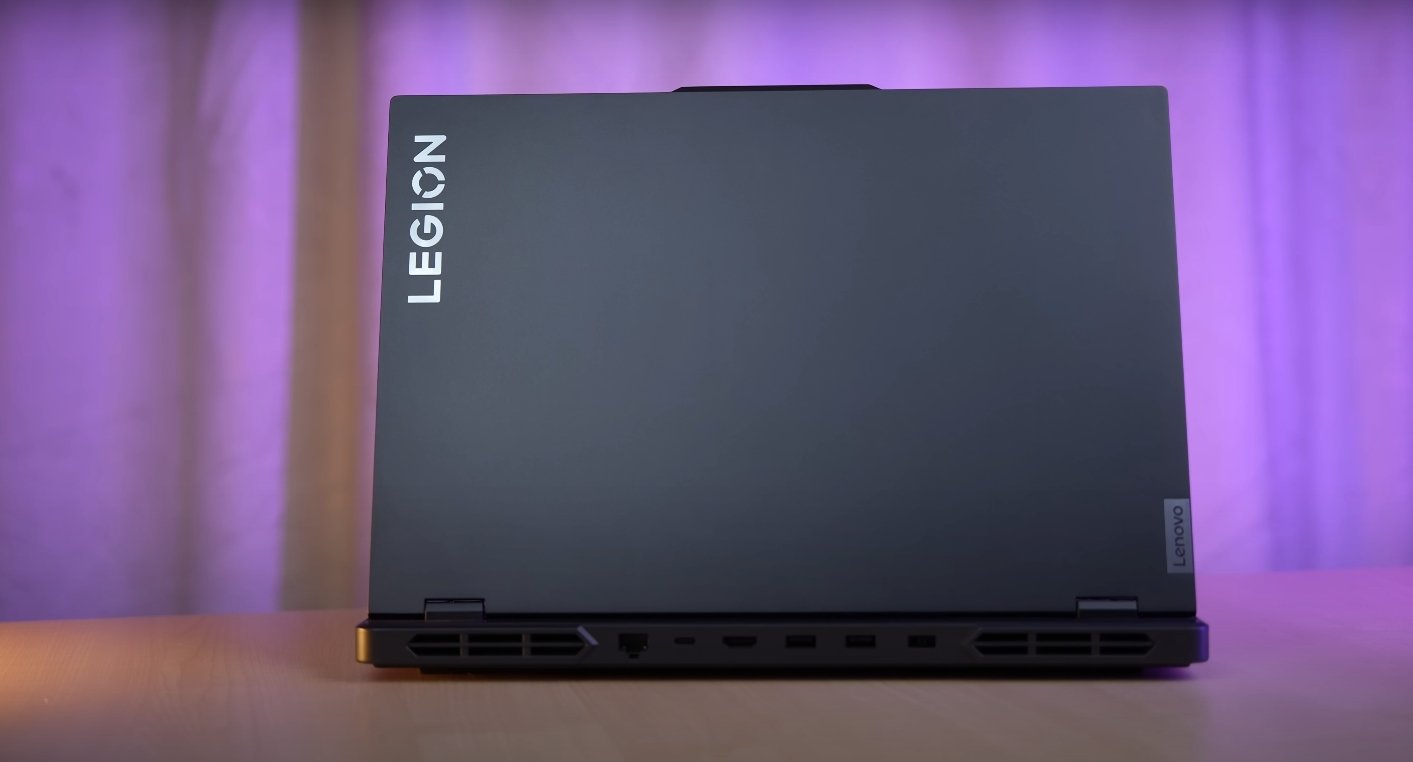
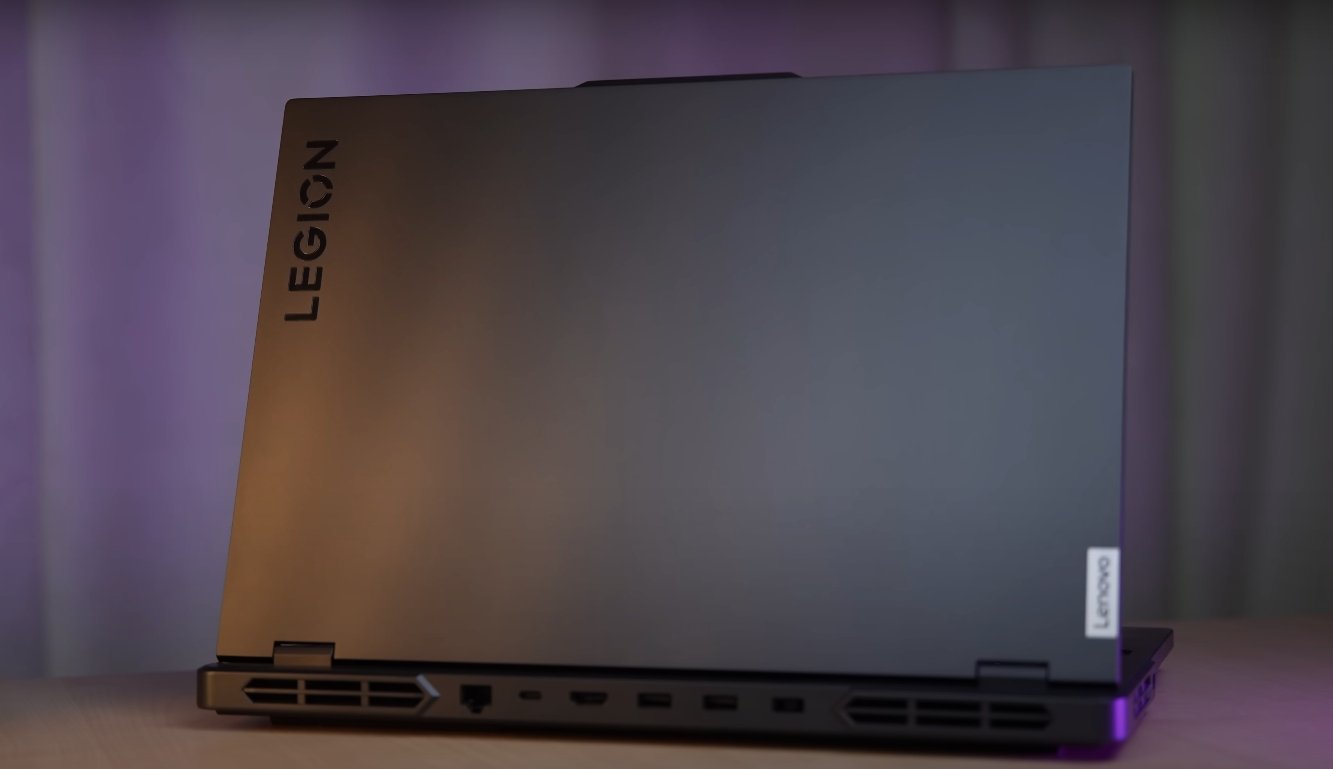
Let’s talk about the beauty. Brother, we will get the looks of a Lenovo Legion. There is Legion branding on the top. And our top lead is made of aluminum.


You will get it with a very good build quality. Even after spending so much money, Won’t you get the build quality. What are you talking about brother? And we will get ports and exhaust vents etc on the left, right and back.


The bottom is also made of aluminum. The keyboard area is polycarbonate. And overall the build is very solid. If you want to open the lid with one hand, it goes up to 180 degrees. And there is no such issue of flex. That means the top lead is good. The keyboard flex is almost negligible here. And there is absolutely no screen wobble either.


Despite having such flagship specifications


The weight of this laptop is 2.6 kilogram. And if you include its heavy charger, then it reaches 3.66 kilogram. So that means you are carrying a whole PC in the bag and it will be 3.5 kilograms. And if you open it anywhere, tell me at what FPS you want to play the game.


People are getting scared seeing this. And brother, you get the full fun of gaming in the RGB keyboard. You will find the RGB bar in front, which is a 6 zone bar which you can customize in Lenovo’s vantage software. There is Intel Core i9-14900HX processor inside it, which is our 24-core 32-thread processor.


You can apply different effects on it. And if you want, you can apply effects on the keys simultaneously And it creates a good aura if it is kept on the table, Then such a vibe comes in front Sitting in the dark. So if you are gaming sitting in the dark, then it will be fun to see. Gaming should be done anyway. Sitting in the dark. Are you understanding? Are you understanding? Now let’s talk about the technology.


Lenovo Legion Pro 7i review
Lenovo Legion Pro 7i


There are 8 P-cores. There are 16 E-cores inside it. So the performance is absolutely amazing, brother. And the max turbo frequency can go up to 5.8 gigahertz. These processors are installed in laptops. There was a time, we did not get such performance on PCs. How is it running inside such a thin machine? And this processor is also based on Intel’s hybrid architecture. That is, you get P-cores and E cores. P-core for performance and E-core for efficiency. Your cores will be automatically assigned to the type of task you have.


Intel’s threat director helps in that thing. Who is doing what work? In which task is he an expert? Send the core there. And brother, AI is everywhere and you must be thinking that this is not NPU. Can AI tasks etc not be done inside it? It is not so. It is a strong processor and strong GPU combination. You can do any level of AI tasks on this laptop. Like, you have to use generative fill in Photoshop. You have to use stable diffusion or you have to do image generation or anything in Copilot.


Also read:  Macbook Air M4 Top Features


All these tasks can be done easily on this laptop. There is no problem. And the graphics card is RTX 4090 175W TGP with 16GB VRAM GPU. Just close your eyes and run any game. That means GTA 6 as well, It is future ready brother, you don’t need to think much. And the variant we have has 32GB RAM. It can easily do 5600 mega transfer per second and maximum 64GB in dual channel. If you want to get it done then get it done. And you will get 1TB SSD with it whose speeds are absolutely maximum here. And 2 SSD slots are available. But you will expand the slot to 2TB.


There is no problem in storage


4TB storage. And in connectivity there is Wi-Fi 6 and Bluetooth version 5.3. According to me, for the price of the flagship, there should have been Wi-Fi 7 and Bluetooth version 5.4.


You get it for 2000 rupees from their website if you buy after customizing. And yes you also get 3 months of Xbox Game Pass. Probability may be above the release date also because Wi-Fi 7 came later. It may be launched before that. Meaning this is a possibility. And it is up to you to buy MS Office with Lenovo.


That is not only with this laptop. You will get it with every Lenovo laptop. And here you also get AI chip inside it. The LA2 Q chip which was earlier LA 1 has been upgraded. Basically what does this chip do? How are you using the laptop? What type of tasks are being done? Gaming is going on. Productivity is happening. It tweaks the laptop accordingly. It’s cooling. It’s performance. It’s thermals and gives you optimum performance. Meaning you don’t need to think much. The laptop will itself understand what the person is asking from me and it will deliver that.