OxygenOS 16 full features revealed before official launch

OxygenOS 16 full features revealed before official launch

OnePlus Introduces Smarter, Faster, and More Connected OxygenOS 16

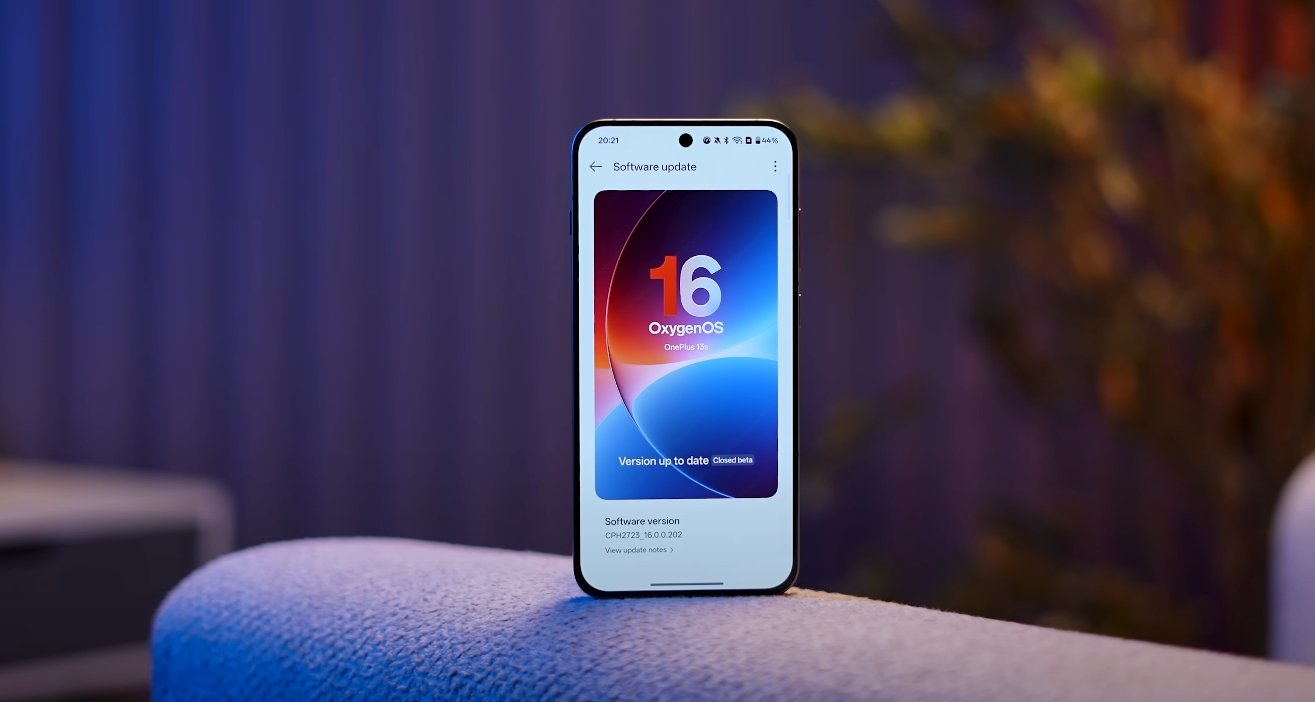
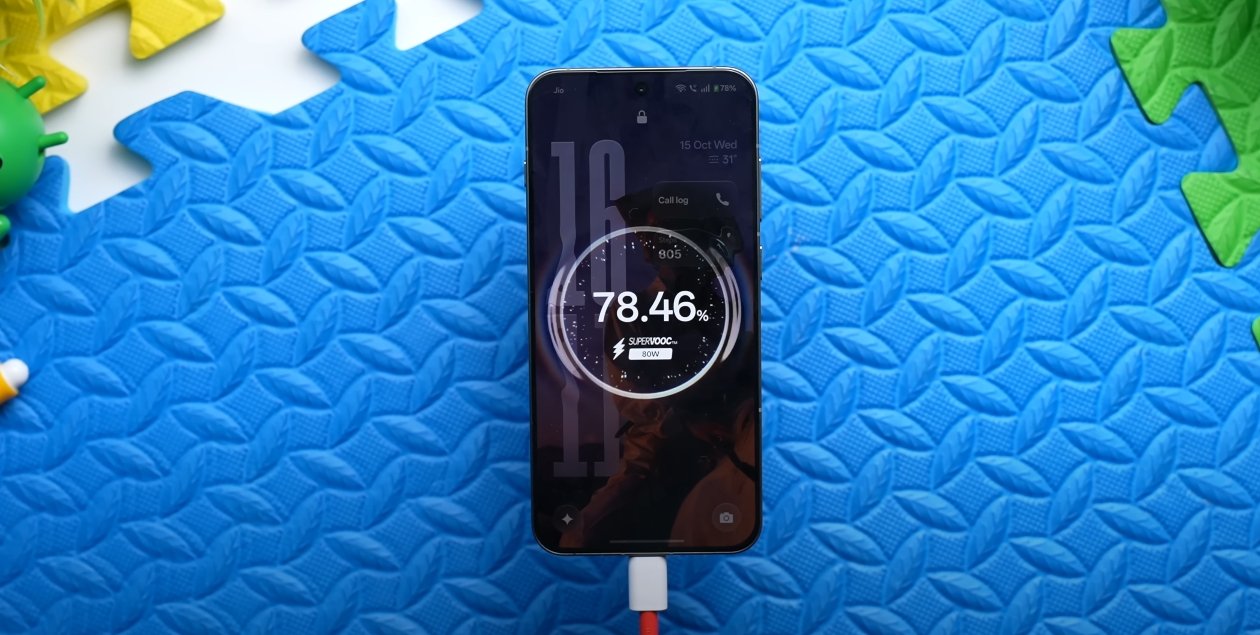
OnePlus has officially confirmed the launch of OxygenOS 16, the next major update to its Android-based operating system, arriving on October 16, 2025. Built on Android 16, this version represents a significant leap forward in design, performance, and artificial intelligence integration. The company’s new slogan, “Intelligently Yours,” reflects its aim to make user experience more personal, responsive, and connected across all devices.

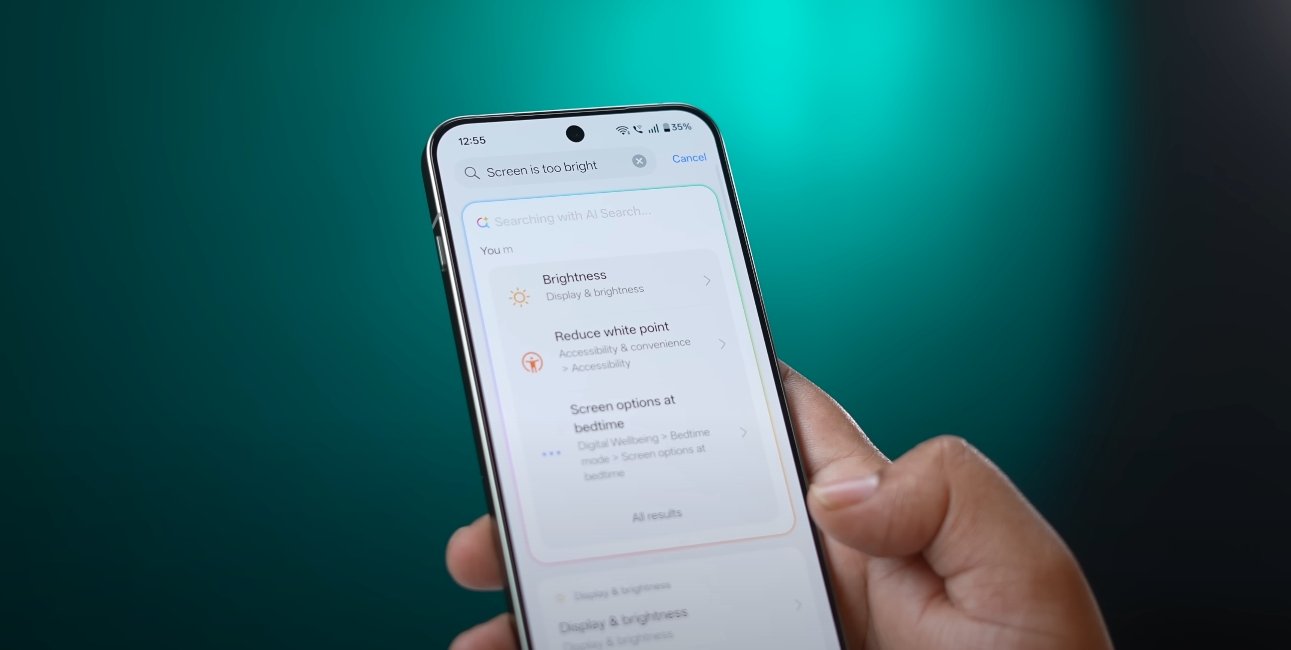
The most talked-about addition in OxygenOS 16 is its deep integration with Google’s Gemini AI platform. OnePlus has built new AI spaces such as Mind Space and Plus Mind, where users can organize photos, notes, and screenshots in one intelligent hub. These features not only store content but also analyze it to offer reminders, summarize notes, and assist in productivity. Gemini will also power contextual suggestions across the system, including messaging, image searches, and quick replies.

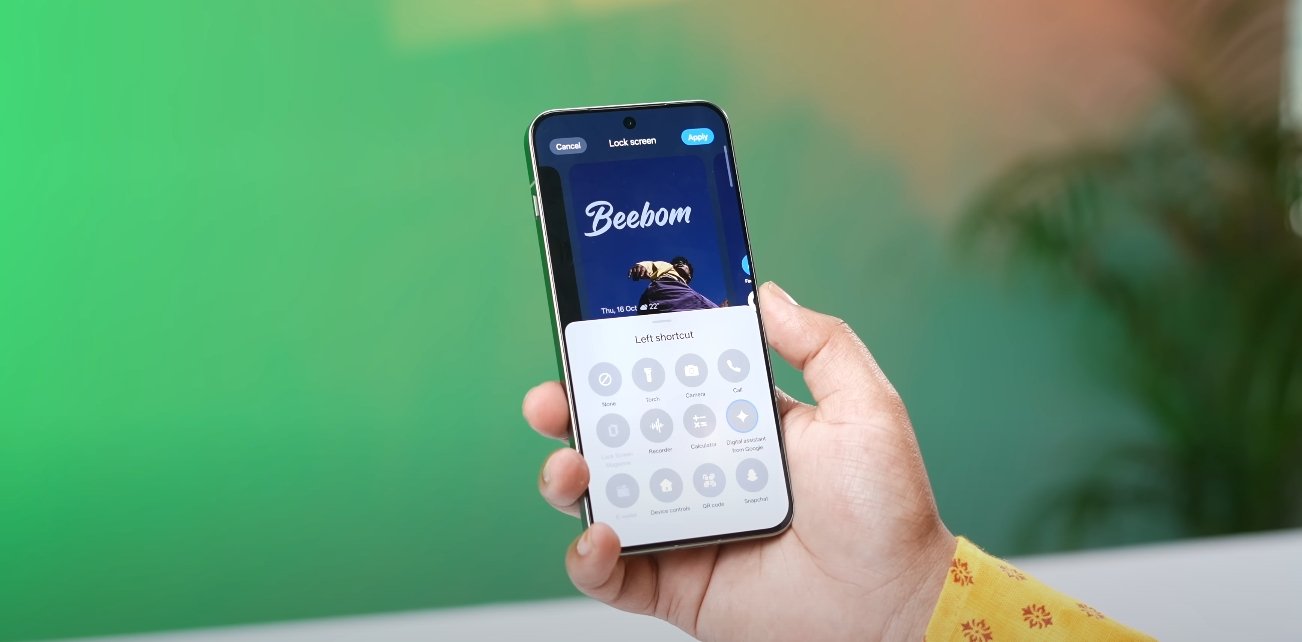
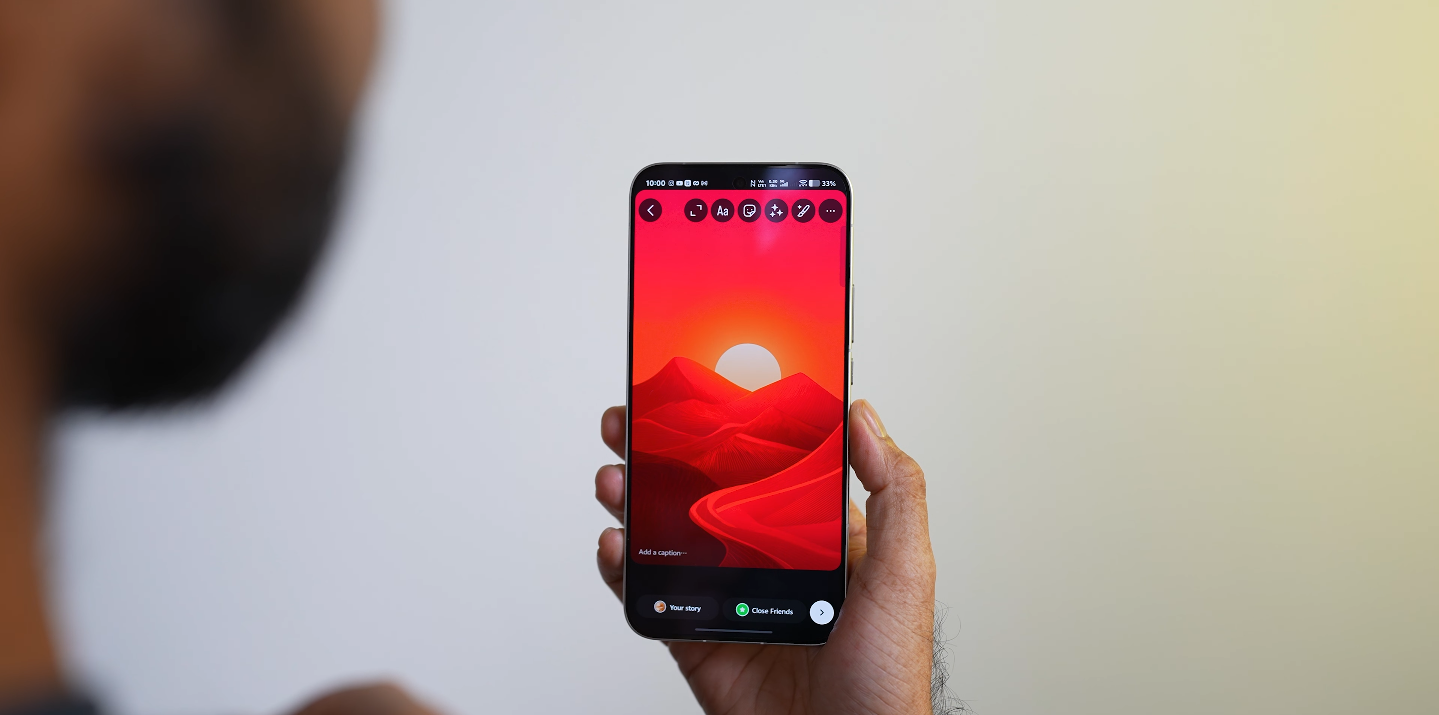
Design has always been a key strength of OxygenOS, and version 16 takes it to another level. The interface now features a more fluid look inspired by what OnePlus calls “Liquid Glass.” Panels are semi-transparent, icons are softer and rounder, and transitions have been refined to create a more seamless flow between screens. The lock screen gains fresh clock styles, translucent backgrounds, and dynamic wallpapers that adapt to time and weather conditions. Together, these updates create a visually immersive experience that feels modern yet familiar.
OxygenOS 16 full features revealed before official launch

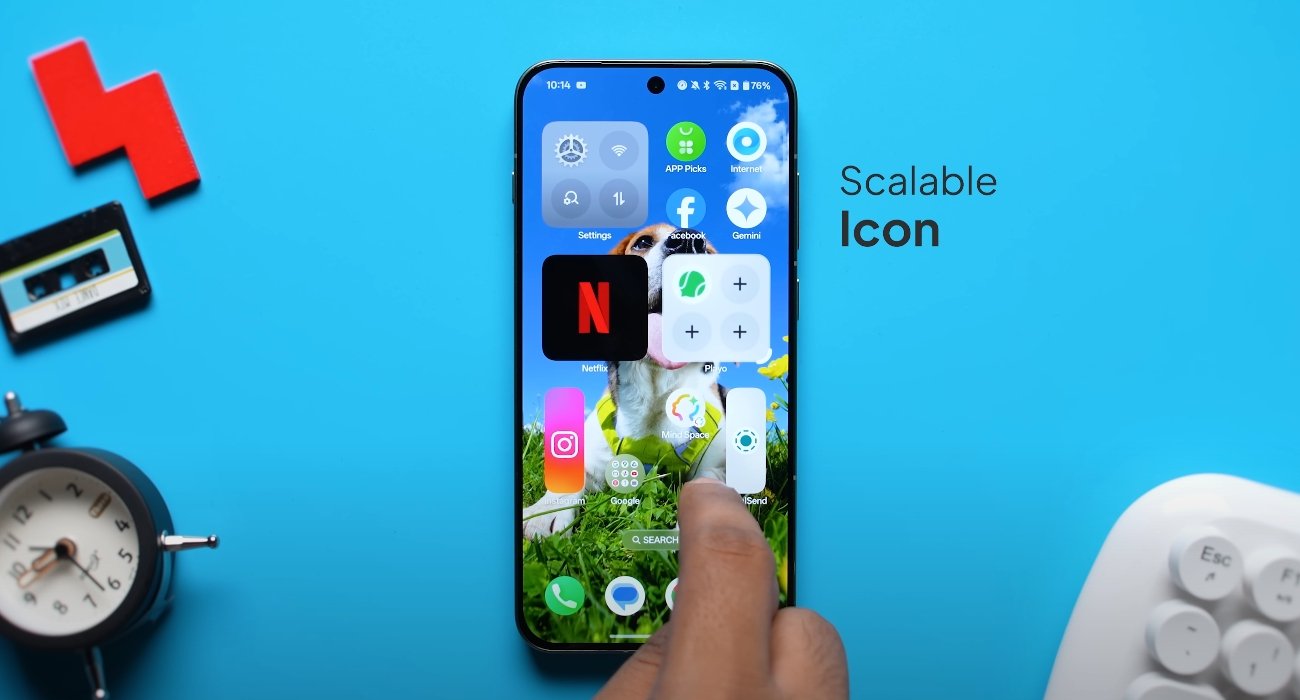
OxygenOS 16 also introduces new personalization tools, giving users more control over themes, icons, and widgets. The customization center now allows real-time previews, ensuring users can design their interface exactly how they want before applying changes. In addition, the always-on display has been expanded with new templates that can show fitness progress, calendar events, and notifications in an elegant, battery-efficient format.

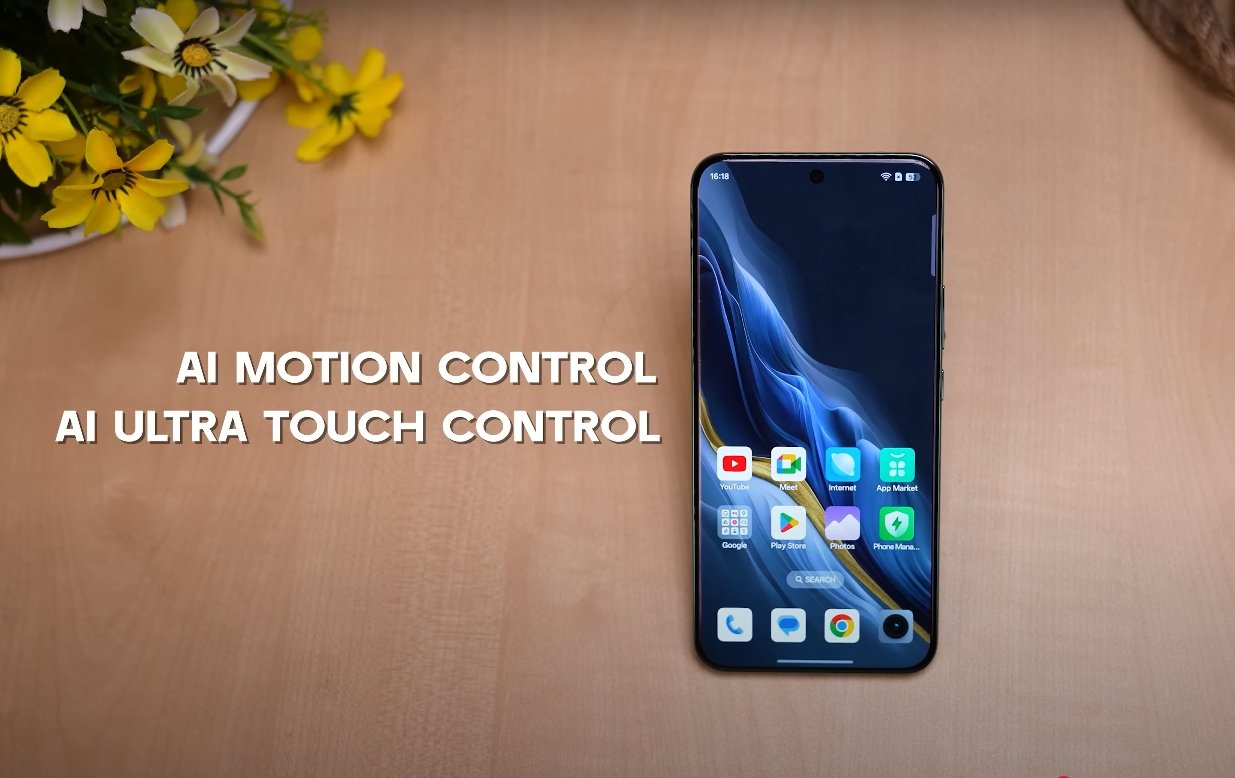
Performance has been fine-tuned to deliver what OnePlus calls “Zero-Lag Multitasking.” Users can run multiple apps simultaneously in split-screen or floating windows without any noticeable slowdown. The company claims smoother animations, faster app switching, and improved system resource allocation that makes gaming and multitasking faster than ever. This performance boost comes along with improved thermal management and battery optimization to extend device life during heavy usage.

Connectivity has received a major overhaul as well. OxygenOS 16 allows effortless file transfers between smartphones and computers through drag-and-drop functionality. It also supports syncing notifications and messages across Android, Windows, and iOS devices. Users will be able to control their phones remotely, mirror screens, and even sync with Apple Watches for notifications—an unexpected but welcome cross-platform capability. OnePlus is positioning this update as a step toward a fully interconnected ecosystem.

Security and privacy continue to be top priorities. The update includes new privacy dashboards that show exactly how apps access permissions and data. Users can revoke access instantly or set time-based permissions. A redesigned app locker, improved encryption, and faster biometric authentication all ensure that sensitive information stays protected.

OxygenOS 16 will debut on the upcoming OnePlus 15 series, which ships with the new software out of the box. Eligible older devices—including the OnePlus 13, 13R, 13S, and OnePlus Pad 3—will begin receiving the update in November 2025 through an over-the-air rollout. OnePlus has also confirmed that tablets and foldables in its lineup will gain optimized versions of the new interface designed for larger screens.

The company has emphasized that OxygenOS 16 represents not just another software update, but a complete rethinking of how users interact with their devices. By combining smooth visuals, efficient performance, and meaningful AI features, OnePlus aims to create an ecosystem where technology works intelligently in the background to make daily life easier. As anticipation builds for the official launch, OxygenOS 16 appears ready to set a new benchmark for Android experiences in 2025.

Also Read:  Motorola Edge 70 vs OnePlus 13R detailed comparison
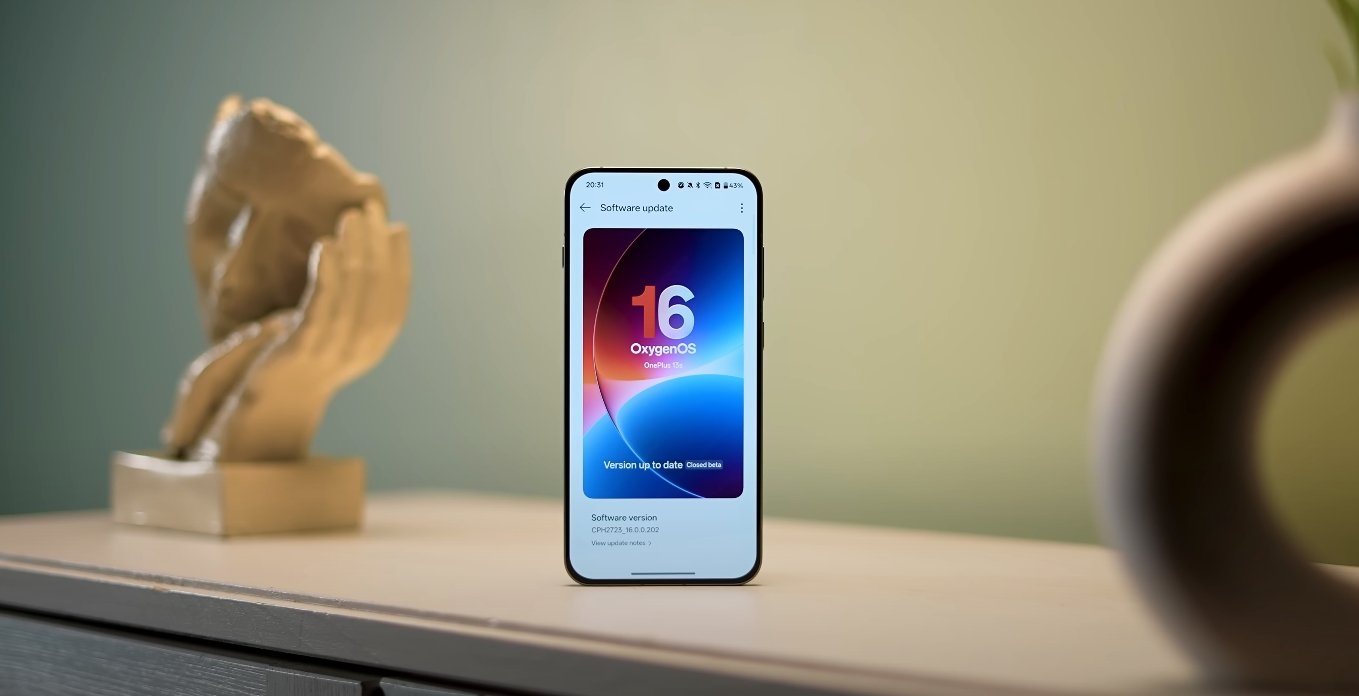
OxygenOS 16 AI features tested in real world use

OxygenOS 16 AI features tested in real world use

Real-World Testing Shows OxygenOS 16 AI Features in Action

OxygenOS 16, the latest update from OnePlus based on Android 16, introduces a range of AI-driven features designed to enhance productivity, creativity, and overall user experience. Real-world tests show that these features are not just gimmicks but provide tangible benefits for daily smartphone use. From intelligent note-taking to smarter multitasking, OxygenOS 16 demonstrates how AI can seamlessly integrate into everyday mobile tasks.

At the core of OxygenOS 16 is Mind Space, an AI-powered hub that organizes user data and facilitates easy access to frequently used content. Mind Space can analyze saved screenshots, voice notes, and documents, allowing the AI to generate suggestions or summaries based on context. For example, users can save notes about travel plans, and the system can help create a structured itinerary or reminders. This intelligent organization reduces the time spent searching for information and streamlines daily planning tasks.

AI productivity tools in OxygenOS 16 further enhance the user experience. The AI Writer helps create mind maps, charts, and social media content, simplifying routine creative tasks. AI Scan converts physical documents, whiteboards, or receipts into clear, editable digital files, making it easier to manage work or study-related material. The VoiceScribe feature transcribes voice notes in real time and summarizes key points, allowing users to review important information without manually going through lengthy recordings. These tools are particularly valuable for students, professionals, and content creators who rely on efficient documentation.

OxygenOS 16 AI features tested in real world use

The update also includes AI-powered camera enhancements. AI Portrait Glow improves portrait lighting, ensuring subjects are well-lit in challenging conditions. Meanwhile, AI Perfect Shot analyzes scenes and recommends optimal camera settings to capture high-quality images effortlessly. These features allow users to take professional-looking photos without needing extensive photography knowledge, making it easier to share visually appealing content on social media or for personal use.

Another innovative feature is the AI PlayLab, which introduces experimental tools like YumSee. This feature translates foreign menus in real time, helping users understand and select dishes when dining out. Such context-aware applications highlight how AI in OxygenOS 16 goes beyond the screen to assist in everyday life, making the smartphone a more practical tool in real-world scenarios.

Performance and efficiency are also improved through AI integration. OxygenOS 16 optimizes system resources to ensure smooth operation, even under heavy workloads. Adaptive battery management learns user habits and adjusts power usage accordingly, extending battery life while maintaining performance. Users testing the update have reported that the phone remains responsive during multitasking, gaming, and media consumption, demonstrating that AI-driven optimization does not come at the expense of speed or reliability.

Real-world testing reveals that the AI features are intuitive and contextually relevant. Suggestions from Mind Space, AI-powered notifications, and task automation appear when needed, rather than being intrusive. Users can interact with AI-generated content effortlessly, whether it’s summarizing notes, generating social media posts, or planning a schedule. The integration of AI into core system functions creates a more seamless, personalized, and productive smartphone experience.

Overall, OxygenOS 16 demonstrates the practical potential of AI in mobile operating systems. By combining intelligent data management, productivity enhancements, creative tools, and system optimizations, OnePlus has created a platform that adapts to the user rather than forcing the user to adapt to the system. Real-world tests confirm that these features make daily smartphone use faster, smarter, and more efficient, highlighting OnePlus’s commitment to integrating AI into meaningful, user-centered innovations.

OxygenOS 16 sets a new benchmark for AI integration in Android smartphones, showing that artificial intelligence can go beyond novelty and genuinely improve everyday tasks. From intelligent organization and automated workflows to enhanced photography and contextual assistance, the update proves that AI, when thoughtfully implemented, can significantly enhance the user experience, making the smartphone a more capable and intuitive companion in daily life.

Also Read:  Oppo Find X8 Ultra vs iPhone 15 Pro camera results

OxygenOS 16 vs Pixel UI Android 16 feature comparison

OxygenOS 16 vs Pixel UI Android 16 feature comparison

Comparing Features: OxygenOS 16 and Pixel UI on Android 16

With the release of Android 16, smartphone manufacturers have introduced custom skins that build upon Google’s base operating system. OxygenOS 16 by OnePlus and Pixel UI represent two distinct approaches to Android 16, each with unique features, design philosophies, and user experiences. Comparing these operating systems helps users understand their differences in customization, AI integration, multitasking, and overall usability.

Design and User Interface is one of the key differentiators between OxygenOS 16 and Pixel UI. OxygenOS 16 introduces the “Breathe With You” design philosophy, incorporating soft corners, semi-transparent panels, and fluid animations. These visual enhancements aim to create an immersive and dynamic experience. Pixel UI, on the other hand, follows Google’s Material 3 Expressive design language, emphasizing consistency, dynamic themes, and smooth transitions across the system. While both interfaces prioritize aesthetics, OxygenOS 16 leans toward personalization and expressiveness, whereas Pixel UI maintains a clean, cohesive look that feels familiar and intuitive.

AI Integration and Productivity is another area where the two systems diverge. OxygenOS 16 integrates Google Gemini AI into its Mind Space feature. This allows users to organize screenshots, voice memos, and links, generating summaries, reminders, or suggested actions. The AI can also provide contextual recommendations, helping users perform routine tasks faster and more efficiently. Pixel UI also incorporates Gemini AI, but its focus is on enhanced voice interactions and context-aware suggestions across the system. Users benefit from smarter notifications, predictive actions, and improved digital assistance, which streamlines daily operations. While both systems leverage AI, OxygenOS emphasizes personal content organization, whereas Pixel UI focuses on system-wide intelligent assistance.

OxygenOS 16 vs Pixel UI Android 16 feature comparison

Multitasking and Performance have seen notable improvements in OxygenOS 16. Features like Flow Motion ensure zero-lag app switching, while floating window support and split-screen functionality allow users to run multiple apps simultaneously. Cross-platform connectivity is also enhanced, enabling photo sharing with iPhones, syncing with Apple Watches, and remote desktop access to Mac and Windows PCs via O Plus Connect. Pixel UI enhances multitasking through Live Updates for real-time notifications and resizable app windows for external displays, offering desktop-like functionality. While both OSes improve multitasking, OxygenOS 16 provides additional tools for cross-device workflows, making it ideal for users who engage in multiple simultaneous tasks.

Customization and Personalization are key strengths of OxygenOS 16. The system offers dynamic lock screens, customizable widgets, Flux Themes, and the Optical Light UI effect, allowing users to tailor the interface extensively. Animations, themes, and widget arrangements can be adjusted to suit individual preferences without affecting performance. Pixel UI prioritizes a streamlined user experience with fewer customization options. Users can adjust themes, wallpaper colors, and basic interface elements, but the system maintains a clean and consistent design. OxygenOS appeals to users who enjoy personalizing their devices extensively, while Pixel UI focuses on simplicity and intuitive navigation.

Battery and Performance Optimization in OxygenOS 16 ensures smooth operation even during intensive tasks. Adaptive battery management intelligently allocates resources for apps running in the background, while AI optimizes performance during gaming, video streaming, and multitasking. Pixel UI also manages power efficiently, offering longer battery life through intelligent background task management, but its optimizations are more standardized, focusing on stability and consistency rather than customization-based enhancements.

User Experience on both systems is highly polished, yet distinct. OxygenOS 16 delivers a responsive, feature-rich environment with advanced tools for productivity, personalization, and cross-device interaction. Pixel UI provides a seamless, minimalist experience with smooth animations, intuitive gestures, and tight integration with Google services. Users who prefer a visually dynamic, customizable environment with advanced AI tools will likely favor OxygenOS 16. Those who value simplicity, consistency, and a clean interface may find Pixel UI more appealing.

In conclusion, OxygenOS 16 and Pixel UI on Android 16 each offer unique advantages. OxygenOS 16 emphasizes customization, AI-assisted productivity, enhanced multitasking, and cross-device functionality, creating a feature-rich and expressive environment. Pixel UI focuses on a streamlined, consistent interface with intelligent system-wide assistance and smooth performance. The choice between the two ultimately depends on individual preferences for design, AI integration, multitasking, and overall usability. Both operating systems showcase the potential of Android 16, delivering polished experiences tailored to different user needs.

Also Read:  Redmi Pad 2 Pro entertainment and OTT experience

Philips Hue App Update: AI Assistant Now Available to More Users

Philips Hue smart lighting system with AI assistant, featuring a range of colourful lights and a smart speaker with a screen displaying the Philips Hue app

Philips Hue App Update: Expanding AI Assistant Capabilities

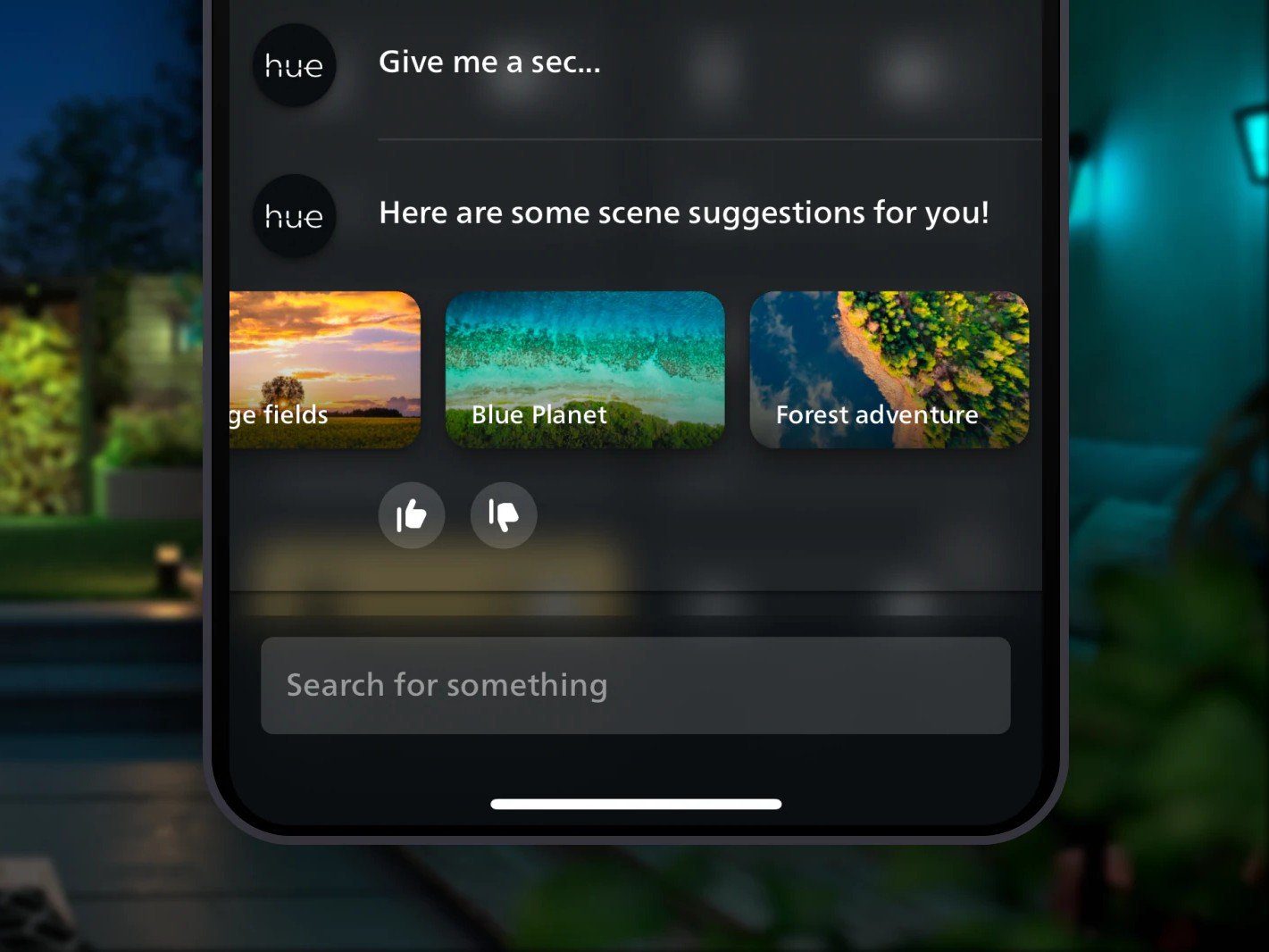
The latest Philips Hue app update, version 5.60.1, has been released for both iOS and Android devices. This new version brings the brand’s AI assistant to a wider audience, thanks to the addition of three more languages. As a result, users who were previously unable to access this feature can now enjoy the benefits of AI-powered automation.

The update also introduces new features for owners of Philips Hue Secure cameras and video doorbells, enhancing the overall smart home experience. With these updates, Philips Hue continues to demonstrate its commitment to innovation and customer satisfaction. The AI assistant, in particular, has been a significant factor in the brand’s success, allowing users to control their smart devices with ease.

The expansion of the AI assistant to more languages is a significant development, as it opens up the Philips Hue ecosystem to a broader range of users. This move is likely to increase the brand’s global appeal, making it a more attractive option for those looking to invest in smart home technology. As the smart home market continues to grow, Philips Hue is well-positioned to remain a leading player.

The new features for Philips Hue Secure cameras and video doorbells are also noteworthy, as they provide users with enhanced security and convenience. With the ability to monitor their homes remotely, users can enjoy greater peace of mind and flexibility. The update is a testament to Philips Hue’s dedication to delivering high-quality products and services that meet the evolving needs of its customers.

The Philips Hue app update is now available for download, and users can expect a seamless and intuitive experience. The app’s user-friendly interface makes it easy to navigate and access the various features, including the AI assistant and security camera controls. As the smart home landscape continues to evolve, Philips Hue is poised to remain at the forefront, driving innovation and excellence.

The latest update is a significant step forward for Philips Hue, and users can expect even more exciting developments in the future. With its commitment to AI-powered automation and smart home security, the brand is well-positioned to meet the changing needs of its customers. As the demand for smart home technology continues to grow, Philips Hue is likely to remain a leading choice for those seeking innovative and reliable solutions.

The Philips Hue app update is a must-download for anyone looking to enhance their smart home experience. With its expanded language support and new features, the update offers something for everyone. Whether you’re a longtime Philips Hue user or just starting to explore the world of smart home technology, this update is sure to impress. So why not download the latest version today and discover the benefits of Philips Hue for yourself?

Peaky Blinders: The Immortal Man – Netflix Film Release and Cast Revealed

Peaky Blinders: The Immortal Man featured image - Cillian Murphy as Tommy Shelby, set against a backdrop of war-torn Birmingham, with a hint of 1940s fashion and gangster flair, featuring a mix of drama, action, and style, with a touch of hedonism and fatalism, as the Peaky Blinders gang navigates the treacherous landscape of World War II

Peaky Blinders: The Immortal Man – A New Chapter Unfolds

The Birmingham gangsters are making a comeback, courtesy of Netflix, with a feature film that delves into the next chapter of Tommy Shelby’s life. The Peaky Blinders series, created by the BBC, was a massive hit that catapulted Cillian Murphy to stardom. The show’s unique blend of style, drama, and gangster politics captivated audiences worldwide.

The series boasted a talented ensemble cast, including Helen McCrory, Paul Anderson, and Tom Hardy, among others. The show’s influence extended beyond the screen, with its 1920s-inspired fashion trends becoming a cultural phenomenon. The iconic gangster outfits, complete with tailored suits, overcoats, and flat caps, continue to inspire fashion lovers to this day.

Netflix’s decision to create a movie spin-off was a natural progression, given the show’s immense popularity. The film’s script, penned by Steven Knight, promises to recreate the magic of the series. Tom Harper has been brought on board to direct the film, ensuring that the movie stays true to the show’s essence.

Peaky Blinders: The Immortal Man is set to hit selected movie theatres on Friday, 6 March 2026, with a Netflix premiere scheduled for Friday, 20 March 2026. Filming commenced in September 2024 in Digbeth, central Birmingham, and wrapped up in December 2024. The movie’s plot is shrouded in mystery, but it’s confirmed to take place in 1940, amidst the chaos of World War II.

Steven Knight, the screenwriter, has revealed that the film will explore themes of hedonism, fatalism, and existential crisis, as Tommy Shelby navigates the treacherous landscape of war-torn Birmingham. The stakes are higher, the budget is bigger, and the cast is phenomenal, featuring the best of British talent.

The series ended in 2022 with a cliffhanger, as Tommy Shelby, suffering from a tumour, contemplated suicide. However, the ghost of his deceased daughter, Ruby, intervened, and Tommy chose to start anew. The final scene saw him riding off into the hills on a white horse, leaving his burning wagon behind.

The film boasts an impressive cast, including Cillian Murphy, Rebecca Ferguson, and Barry Keoghan. Sophie Rundle, Stephen Graham, and Ned Dennehy will reprise their roles from the series. Sadly, Helen McCrory, who played Aunt Polly, will not be returning, having passed away in 2021.

As the release date approaches, fans are eagerly anticipating the next chapter in the Peaky Blinders saga. With its talented cast, gripping storyline, and historical backdrop, Peaky Blinders: The Immortal Man is poised to be a cinematic masterpiece.

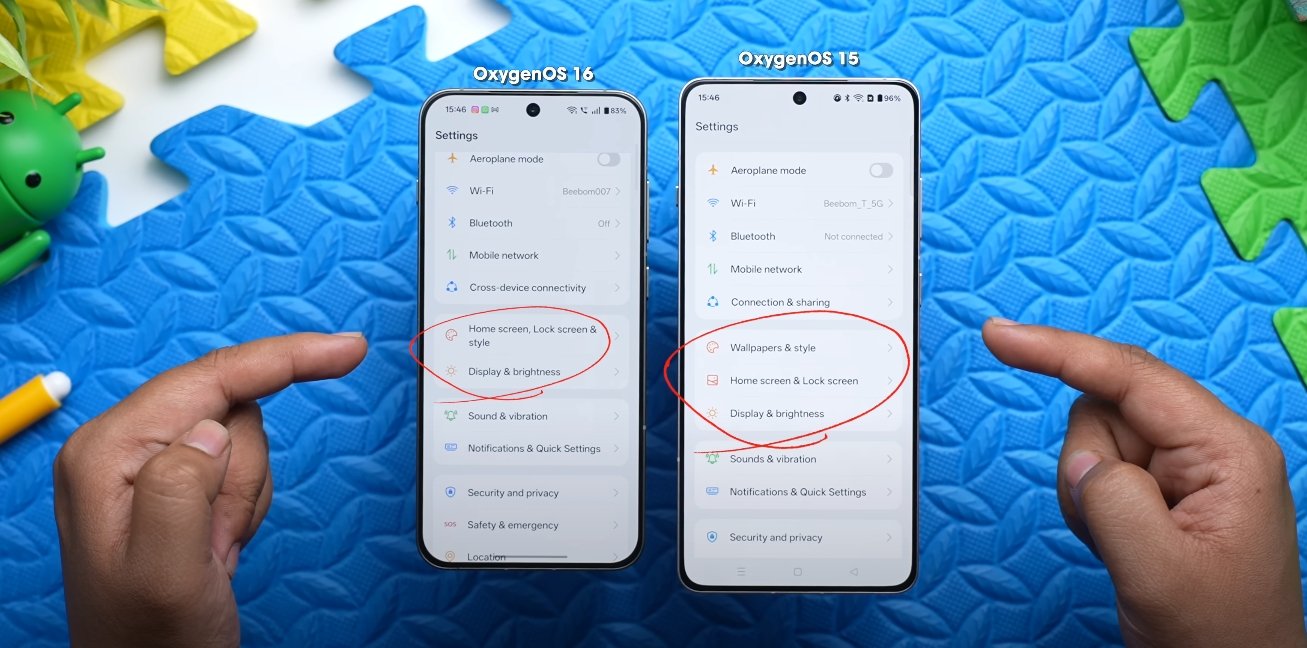
OxygenOS 16 vs OxygenOS 15 design evolution

OxygenOS 16 vs OxygenOS 15 design evolution

OnePlus refines interface with smoother visuals and modern aesthetics

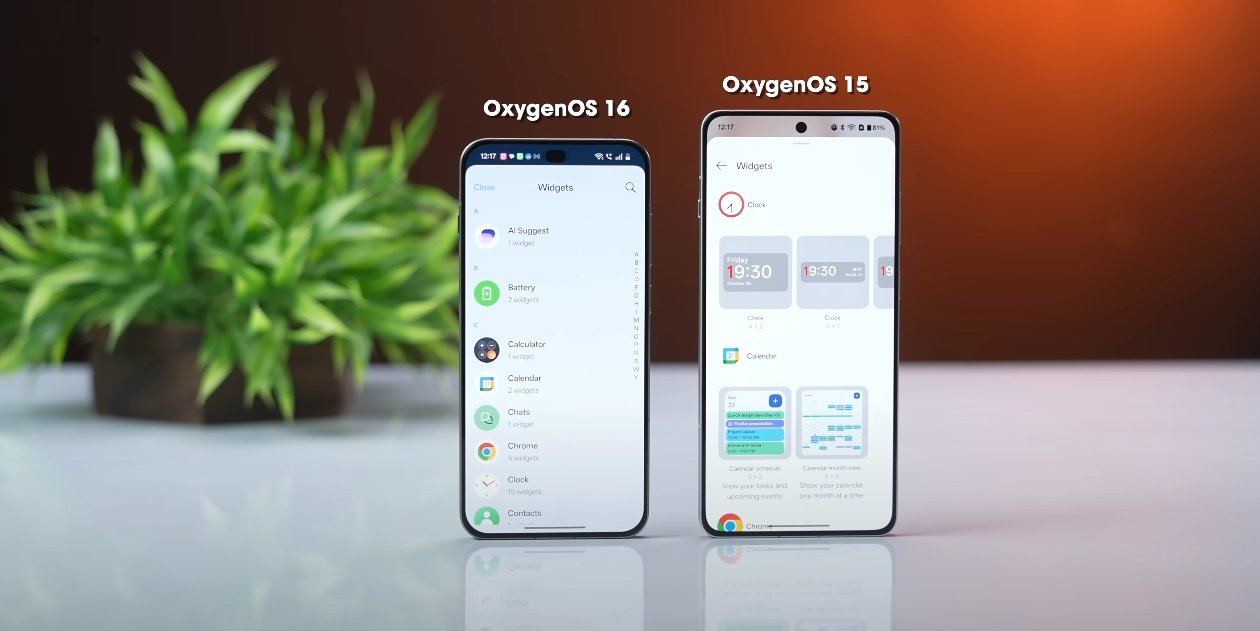
OxygenOS 16 represents a significant evolution from OxygenOS 15, introducing a refreshed design language, smoother animations, and improved system interactions. While OxygenOS 15 established a clean and functional interface, OxygenOS 16 takes a more polished approach, focusing on fluidity, customization, and modern visual appeal. Early U.S. user feedback highlights the ways in which OnePlus has refined both aesthetics and usability.

One of the most noticeable changes is in animations and transitions. OxygenOS 16 introduces Flow Motion, a system-wide feature that makes app launches, screen swipes, and menu transitions feel more natural and responsive. In comparison, OxygenOS 15 offered smooth animations, but some users reported minor stutters during multitasking or fast scrolling. The new motion engine in OxygenOS 16 ensures that gestures and transitions feel continuous, contributing to a more immersive experience.

The visual design has also been modernized. OxygenOS 16 features softer iconography, updated color gradients, and a cleaner layout for system apps and menus. Elements such as the notification shade, quick settings, and home screen widgets have been redesigned to reduce clutter and improve readability. OxygenOS 15 relied on simpler, flatter visuals, whereas the new version introduces subtle depth and layering effects that enhance the overall aesthetic without overwhelming the user.

OxygenOS 16 vs OxygenOS 15 design evolution

Customization options have been expanded in OxygenOS 16. Users can now adjust icon styles, widget layouts, lock screen themes, and Always-On Display settings with more flexibility than in OxygenOS 15. The integration of Material You elements allows colors, widgets, and accents to dynamically adapt to wallpapers and system themes, giving the interface a cohesive and personalized look. In contrast, OxygenOS 15 offered basic theming and limited widget adjustments.

System responsiveness and multitasking have been improved as well. OxygenOS 16 optimizes background processes and gesture detection, allowing apps to launch faster and transitions to remain smooth even when multiple apps are active. While OxygenOS 15 provided solid performance, U.S. testers note that the newer version feels faster and more polished during daily tasks, particularly on high-refresh-rate displays.

The lock screen and Always-On Display have also evolved. OxygenOS 16 offers more clock styles, interactive widgets, and theme-adaptive options, making it easier for users to personalize their device at a glance. OxygenOS 15’s lock screen and AOD features were functional but lacked the same depth of customization and visual refinement. These changes reflect OnePlus’s focus on combining style with usability in the latest update.

Overall, the design evolution from OxygenOS 15 to OxygenOS 16 shows a clear focus on smoother animations, modern aesthetics, and enhanced personalization. By improving gesture fluidity, refining visual elements, and expanding customization options, OnePlus has created an interface that feels more premium, responsive, and adaptable to individual user preferences. U.S. users testing the update report that the overall experience is more cohesive, visually appealing, and enjoyable compared to the previous version, marking a significant step forward in OxygenOS’s design philosophy.

Also Read:  Oppo Find X8 Ultra vs Pixel 9 Pro XL early comparison

Origin OS speeds up system animations for UK users

Origin OS speeds up system animations for UK users

Faster motion and smoother navigation impress British smartphone owners

UK smartphone users trying Origin OS on Vivo devices are noticing that the system’s animations feel faster and smoother than many other Android skins. This improvement in motion design has become a frequent point of praise among British tech fans who enjoy responsive navigation. While Origin OS is still mainly found on imported Vivo smartphones in the UK, users say its refined animations help the software feel more polished and modern in everyday use.

One reason for the speed boost is Vivo’s focus on reducing lag between taps and visual feedback. UK testers report that screens open quickly and gestures trigger motions without delays. This makes browsing apps, scrolling menus, and switching tasks feel natural and uninterrupted. The responsiveness is especially noticeable for users upgrading from older Vivo devices running previous software versions, where animations were slower and heavier.

The software also adjusts animation speeds based on task type. UK users say simple actions like opening the app drawer or returning to the home screen appear almost instant. More complex transitions, such as launching the camera or multitasking interface, run smoothly without stutter. This balance gives the phone a fast flow while keeping visual clarity strong. The design choice helps the system avoid the rushed or abrupt movements sometimes seen on other Android devices.

Origin OS speeds up system animations for UK users

Foldable Vivo models further highlight these animation improvements. When UK owners unfold the screen on devices like the Vivo X Fold series, the interface expands quickly to fill the larger display. Apps and widgets shift into place smoothly, maintaining a consistent viewing experience. This lets British users enjoy multitasking and productivity apps with fewer interruptions, which is valuable for people using their phone for work on the go.

Gaming and performance-focused users also appreciate how well animations work during heavy tasks. UK testers say the system keeps menus and overlays fluid even when processing demanding content. Game tools open faster and remain responsive, helping maintain control without lag. This ability to handle performance changes smoothly contributes to the feeling that the software is carefully tuned, not just visually enhanced.

Animation improvements also help Origin OS appear cleaner. UK reviewers point out that motion design is not only faster but more refined, with less visual clutter. Windows close neatly, icons respond with gentle movement, and transitions do not distract from the task at hand. This supports a professional look that appeals to British users who prefer simple, organised UI behaviour instead of exaggerated effects.

Battery-friendly optimisation is another part of the experience. Even with improved animations, the system maintains strong power efficiency by managing background processes carefully. UK users report that faster visuals do not result in faster battery drain. Instead, the phone feels both quick and long-lasting, offering a smooth experience throughout the day. This balance between style and endurance helps Origin OS stand out from heavier Android skins.

Some UK users still need to adjust settings after importing devices. Permissions must be configured so apps remain responsive and notifications stay reliable. Network compatibility varies by model, and updates arrive at different times depending on the region. But once those details are handled, the software’s animation quality remains one of its biggest strengths. British early adopters say these motion improvements make Vivo devices feel premium even before exploring deeper features.

Overall, UK smartphone owners agree that faster and cleaner animations help Origin OS deliver a more fluid Android experience. The combination of swift transitions, smooth gestures, foldable support, and visual consistency creates a polished feel that appeals to users who expect top performance from their phones. As Vivo expands further into Europe, these design advantages could help Origin OS grow into a recognised and respected option for UK buyers seeking both speed and sophistication in their mobile software.

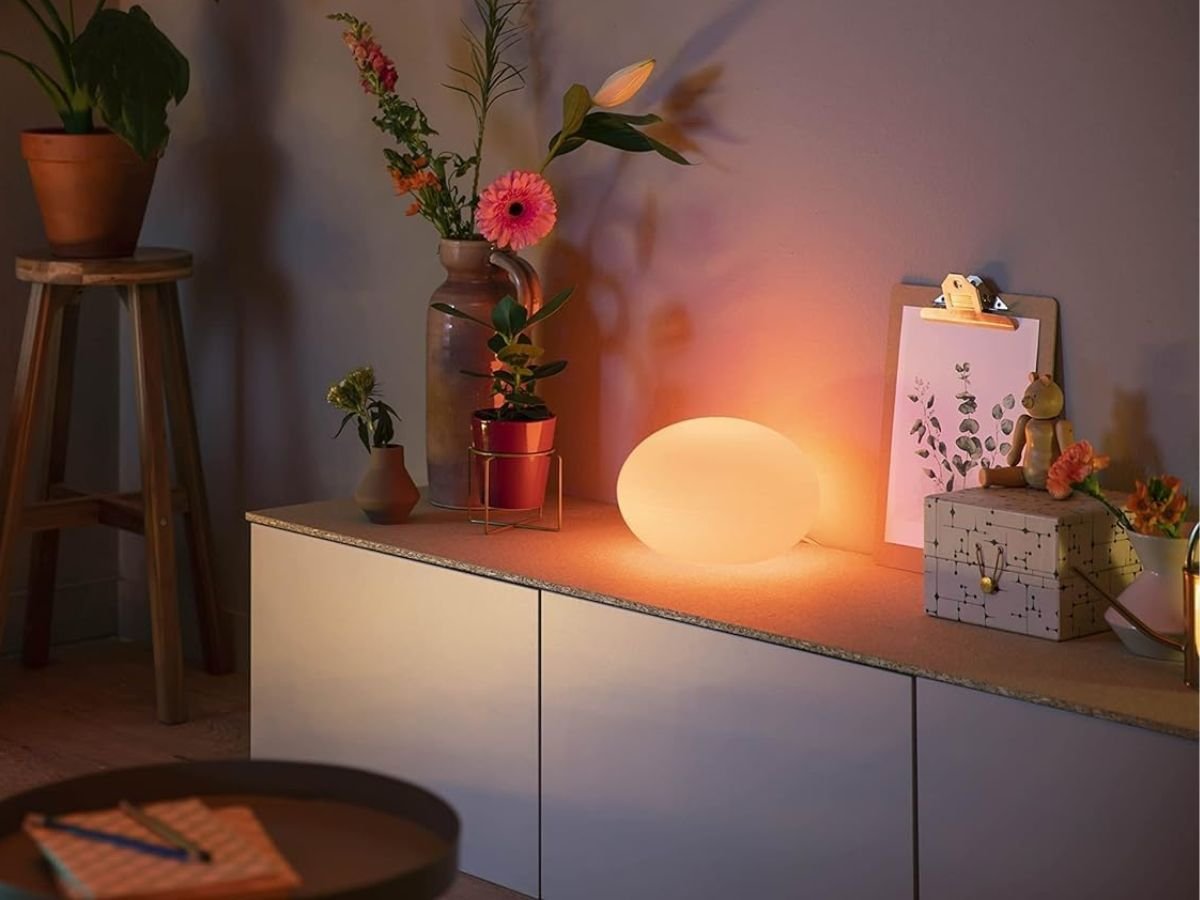
Philips Hue Unveils Enhanced Flourish Table Lamp with Handcrafted Shade

The Philips Hue Flourish Table lamp features a stunning, handcrafted glass shade and offers a range of white and coloured lighting effects, perfect for creating a unique and immersive ambiance in any room, with the primary keyword being smart lighting

Experience the Future of Smart Lighting with Philips Hue’s Upgraded Flourish Table Lamp

Philips Hue has officially launched an upgraded version of its Flourish Table lamp, boasting enhanced brightness and a wider range of white and coloured lighting effects. The refreshed model features a stunning, handcrafted glass shade. This innovative smart home product is set to revolutionise the way we interact with light. The new Flourish Table lamp is perfect for those seeking a stylish and functional addition to their home.

The upgraded Flourish Table lamp offers a unique blend of style and functionality, making it an excellent choice for anyone looking to elevate their home decor. With its sleek design and advanced features, this smart lamp is sure to impress. The handcrafted glass shade adds a touch of elegance, while the coloured lighting effects create a immersive ambiance.

The Philips Hue Flourish Table lamp is designed to provide users with a seamless and intuitive experience. The smart home product is compatible with a range of devices, allowing users to control the lighting with ease. Whether you’re looking to create a relaxing atmosphere or a vibrant ambiance, the Flourish Table lamp is the perfect solution. The upgraded model is brighter than its predecessor, making it ideal for a variety of settings.

In addition to its advanced features, the Flourish Table lamp is also energy-efficient, making it an excellent choice for those looking to reduce their environmental impact. The smart lamp is designed to provide users with a unique and personalised experience, allowing them to adjust the lighting to suit their mood and preferences. With its handcrafted glass shade and coloured lighting effects, the Flourish Table lamp is a must-have for anyone seeking a stylish and functional addition to their home.

The launch of the upgraded Flourish Table lamp is a significant milestone for Philips Hue, demonstrating the company’s commitment to innovation and customer satisfaction. The smart home product is set to revolutionise the way we interact with light, providing users with a unique and immersive experience. The Flourish Table lamp is perfect for those seeking a stylish and functional addition to their home, and its advanced features make it an excellent choice for anyone looking to elevate their home decor.

With its sleek design and advanced features, the Philips Hue Flourish Table lamp is an excellent choice for anyone looking to add a touch of elegance to their home. The handcrafted glass shade and coloured lighting effects create a unique and immersive ambiance, making it perfect for a variety of settings. The smart lamp is designed to provide users with a seamless and intuitive experience, allowing them to control the lighting with ease.

The upgraded Flourish Table lamp is a testament to Philips Hue’s commitment to innovation and customer satisfaction. The smart home product is set to revolutionise the way we interact with light, providing users with a unique and personalised experience. With its advanced features and stylish design, the Flourish Table lamp is a must-have for anyone seeking a stylish and functional addition to their home. The launch of the upgraded model is a significant milestone for Philips Hue, and it’s expected to be a huge success.

In conclusion, the Philips Hue Flourish Table lamp is an excellent choice for anyone looking to add a touch of elegance to their home. The smart lamp is designed to provide users with a seamless and intuitive experience, allowing them to control the lighting with ease. With its handcrafted glass shade and coloured lighting effects, the Flourish Table lamp is perfect for creating a unique and immersive ambiance. The upgraded model is brighter than its predecessor, making it ideal for a variety of settings.

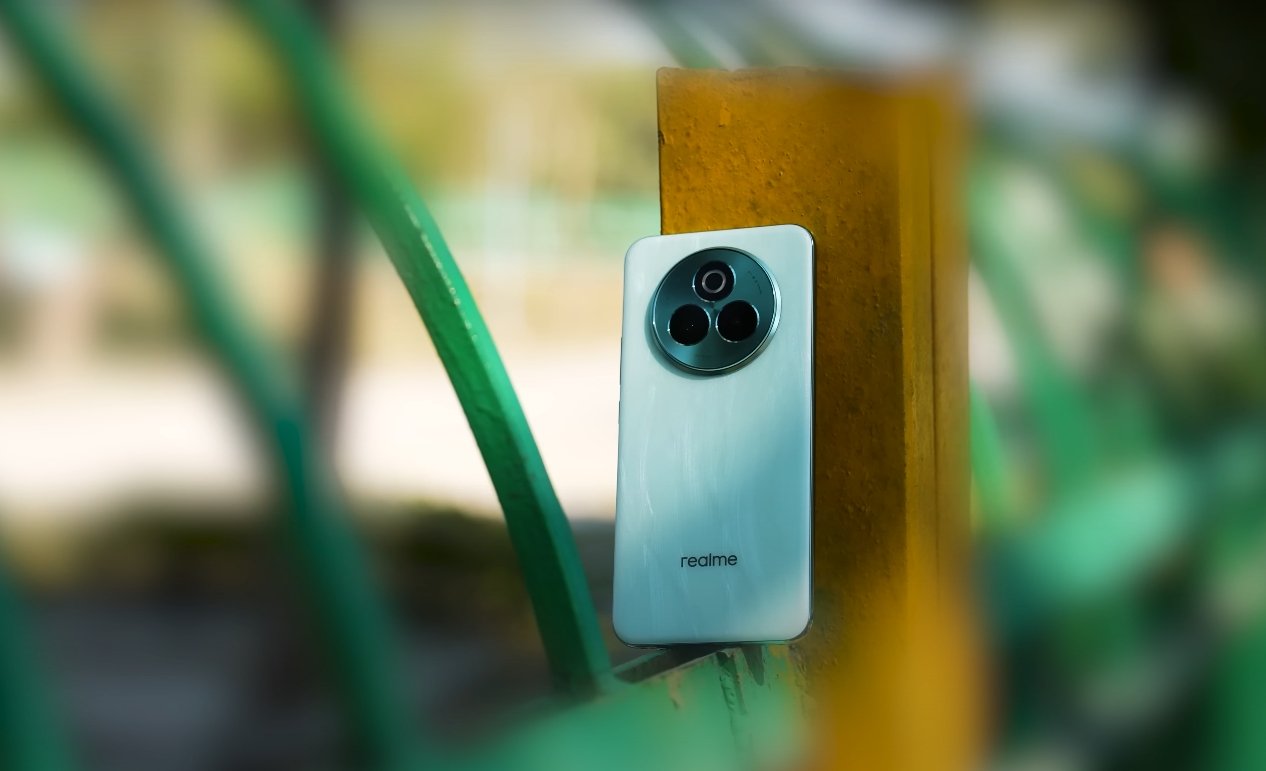
People In UK Start Switching To Realme P3 Pro

People In UK Start Switching To Realme P3 Pro

UK Buyers Are Choosing Realme P3 Pro For Balanced Performance and Value


Buyers in the UK are increasingly opting for the Realme P3 Pro, citing its strong mid-range performance, long battery life, and smart design as key reasons. The phone is quietly gaining traction among users tired of paying high prices for features they rarely need. For many, the P3 Pro hits the sweet spot between affordability and reliability.

Many users report the phone handles everyday tasks without a hitch—social media browsing, video streaming, and multitasking feel smooth and responsive. For a device in its price range, the Realme P3 Pro offers surprisingly fast performance, with minimal lag even after extended use. This level of consistency is helping build a loyal user base in the UK.

Another major selling point is battery endurance. With a 6000 mAh battery and smart power management, the phone lasts comfortably through a full day of mixed usage. Users say they can go almost two days on lighter activity levels without needing a recharge. This kind of longevity is a rare find at this price point and reflects well on Realme’s optimization efforts.

Realme P3 Pro Ai control

UK buyers are also praising its ergonomic design. The curved edges and light profile give it a refined feel, and the display quality stands out among competitors at similar prices. While not packed with high-end specs, the phone still delivers satisfactory results for everyday photography and video viewing.

Word-of-mouth recommendations are driving renewed interest as more users share positive feedback on forums and social channels. Many buyers say they switched from older budget phones or devices with weaker battery life, and the difference has been noticeable—and appreciated.

The combination of solid performance, durable battery, clean design, and competitive pricing is making the Realme P3 Pro a serious contender in the UK mid-range category. That’s why more people are making the switch now, confident they’ve picked a phone that delivers dependability without overspending.

OxygenOS 16 USA rollout schedule and update timeline

OxygenOS 16 USA rollout schedule and update timeline

OnePlus confirms OxygenOS 16 update plan for U.S. users

OnePlus has officially unveiled its latest software version, OxygenOS 16, bringing new features, performance enhancements, and a more intelligent system experience to its smartphone lineup. The rollout plan for the U.S. has been outlined following the global announcement, setting clear expectations for users awaiting the upgrade. The company aims to deliver the update in several phases to ensure stability and smooth performance across different devices and carriers.

The rollout officially begins with flagship devices. The OnePlus 15 series will ship with OxygenOS 16 preinstalled, making it the first set of phones to run the new system out of the box. This marks the start of a new software cycle aligned with Android 16. OnePlus confirmed that stable updates for the OnePlus 13 series, OnePlus 12, and OnePlus Open will start rolling out in the U.S. in November 2025. These models will be prioritized as they feature the latest hardware optimized for the new OS.

Following the flagship rollout, the next phase will focus on premium and upper mid-range devices. OnePlus plans to deliver the update to the OnePlus 11 series and select Nord models in December 2025. This includes both unlocked and carrier-locked versions, though carrier approval may cause slight delays. Devices like the OnePlus Pad 3 and Pad 2 will also receive their updates during this time frame. OnePlus aims to complete most of this wave by the end of the year, ensuring a wide reach before moving on to older hardware.

OxygenOS 16 USA rollout schedule and update timeline

Older devices will see the update in early 2026. This includes the OnePlus 10 Pro, OnePlus 10T, and several Nord series models released in previous years. These devices typically face longer certification and optimization cycles, especially when tied to U.S. carriers. OnePlus has stated that it will release the update gradually to avoid server overload and ensure a stable experience for all users. The phased rollout will help minimize bugs and compatibility issues during the upgrade.

The company also highlighted the importance of its beta program for early access. U.S. users who wish to test OxygenOS 16 before the stable release can enroll in the open beta starting October 17, 2025. This allows eligible users to experience new features like improved multitasking, smarter battery optimization, enhanced customization options, and a cleaner user interface. Feedback collected during the beta stage will help refine the final stable build before it reaches the general public.

Regional factors can affect rollout timelines, and this is especially true in the United States. OnePlus has clarified that while the global update begins in November, U.S. users may see slight delays due to carrier testing and approvals. Major carriers like Verizon, T-Mobile, and AT&T often perform their own checks to ensure compatibility with network features such as 5G bands, VoLTE, and emergency services. As a result, unlocked models typically receive updates earlier than carrier-locked ones.

The complete rollout in the U.S. is expected to continue into the first quarter of 2026. By this time, OnePlus intends to have OxygenOS 16 running on all eligible devices, including its tablets and Nord series smartphones. The gradual release strategy is designed to maintain system stability, avoid large-scale software bugs, and ensure that each device gets the best possible performance from the new OS. Users will be able to check for updates manually through the settings menu once the rollout begins for their specific device.

For OnePlus users in the U.S., this update marks a significant milestone as the company continues to evolve its software experience. With enhanced performance, smarter AI-driven features, and tighter integration with Android 16, OxygenOS 16 is positioned to deliver a faster and more reliable smartphone experience. The structured rollout plan offers clarity and ensures that both new and existing OnePlus users know when to expect their upgrades in the coming months.

Also Read:  OxygenOS 16 based on Android 16 confirmed for OnePlus users

OxygenOS 16 gestures and quick settings redesign

OxygenOS 16 gestures and quick settings redesign

OxygenOS 16 Introduces Smarter Gestures and Redesigned Quick Settings

OxygenOS 16 brings a fresh approach to navigation and system controls on OnePlus devices, focusing on gestures and quick settings. These updates are designed to improve usability, efficiency, and overall user experience. With more intuitive gestures and a streamlined quick settings interface, OxygenOS 16 allows users to interact with their devices more naturally while providing faster access to frequently used controls.

A key improvement in OxygenOS 16 is the enhanced gesture navigation system. The update refines existing gestures, making swipes, taps, and long-press actions more responsive and consistent. Users can now navigate between apps, return to the home screen, access multitasking, and trigger system actions with greater accuracy. The new gesture system is particularly effective during multitasking and full-screen app usage, eliminating accidental inputs and providing a smoother overall navigation experience.

Customizable gestures are another highlight. OxygenOS 16 allows users to assign specific actions to different gesture patterns, such as opening the camera, launching a preferred app, or activating the AI assistant. This personalization ensures that users can interact with their devices in ways that fit their routines and preferences. The improved gesture recognition reduces latency, creating a fluid and natural feel when performing daily tasks.

OxygenOS 16 gestures and quick settings redesign

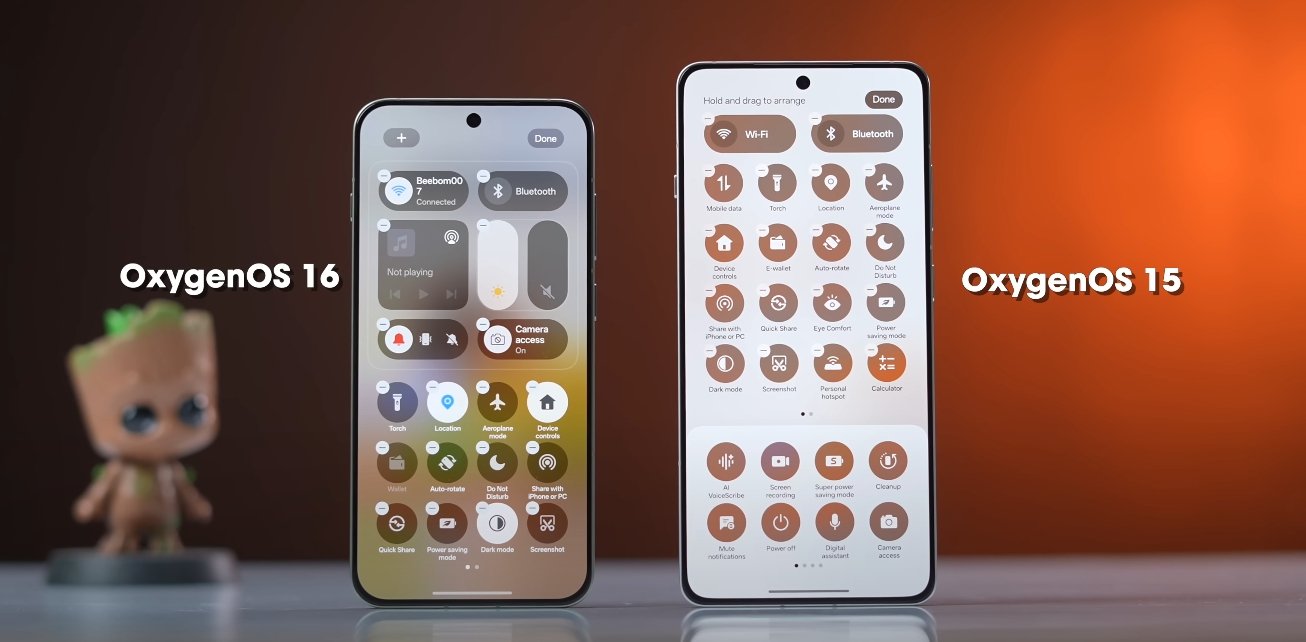
The quick settings panel has also been redesigned for OxygenOS 16. The interface is cleaner, more organized, and easier to navigate. Users can access frequently used toggles like Wi-Fi, Bluetooth, flashlight, and mobile data more efficiently, with larger, more responsive buttons that reduce mis-taps. The redesigned layout groups related settings together, making it easier to locate specific controls without scrolling through multiple pages.

One notable addition is the dynamic customization of quick settings. Users can now rearrange tiles, add new shortcuts, or remove unused ones directly from the panel. This flexibility allows individuals to tailor the quick settings to their needs, ensuring that the most important functions are always within easy reach. The ability to personalize quick settings contributes to both convenience and productivity.

OxygenOS 16 also introduces context-aware quick actions. The system can suggest relevant settings or shortcuts based on usage patterns. For example, it may highlight battery saver mode during low battery conditions or suggest activating focus mode during work hours. These intelligent suggestions reduce the need for manual adjustments and streamline device management.

Performance and responsiveness have been enhanced alongside the redesign. Both gestures and quick settings respond smoothly without lag, even on devices running multiple apps or under heavy multitasking conditions. The update ensures that navigation remains fluid, contributing to a more satisfying and efficient user experience.

Real-world usage shows that the combination of smarter gestures and a streamlined quick settings interface significantly improves device usability. Tasks that previously required multiple taps or menu navigation can now be completed with simple gestures or a single swipe. Users report faster access to key settings and a more intuitive feel when interacting with their devices throughout the day.

In conclusion, OxygenOS 16’s gesture enhancements and quick settings redesign provide a more natural, efficient, and user-friendly experience. Customizable gestures, a reorganized quick settings panel, and context-aware suggestions make navigation smoother and controls more accessible. These updates demonstrate OnePlus’s commitment to refining user interaction, combining practical improvements with intuitive design to enhance daily device use.

Also Read:  Nothing Phone 3A Lite user feedback after one week

Origin OS stands out in the UK for design and stability

Origin OS stands out in the UK for design and stability

A More Polished and Reliable Experience for British Users

Origin OS is gaining strong recognition across the UK for its blend of polished design and dependable stability. Many British smartphone users have noted that the software offers a more cohesive and refined visual experience than earlier versions, while also delivering reliable day-to-day performance. The interface feels smooth, organized, and thoughtfully structured, supporting a comfortable rhythm of use. These improvements reflect a deliberate effort to align Vivo’s software with the expectations of UK consumers who value clarity, consistency, and long-term reliability from their devices.

The design language of Origin OS has attracted attention for its visual balance and simplicity. The layout avoids unnecessary clutter, using clean lines, unified icon shapes, and well-proportioned spacing across the interface. This approach makes apps and system menus easier to navigate, reducing the need for repeated searching or layered menu browsing. For UK users who rely heavily on their phones throughout the day, this clarity supports a smoother experience overall. The emphasis is not only on aesthetics but on promoting a calmer and more intuitive interaction style.

Origin OS stands out in the UK for design and stability

Animation and motion design also contribute to the sense of polish. Origin OS includes refined transitions that make screen movements feel consistent and controlled. Swiping between apps, scrolling through feeds, and opening system panels feels predictable and smooth, without jitter or abrupt motion. UK users describe the interface as steady rather than flashy, with animation that enhances flow rather than drawing attention to itself. This restrained approach helps reduce visual strain and contributes to the perception that the software is carefully crafted.

Stability is another reason Origin OS has been well-received across the UK. The system is designed to maintain performance even during periods of heavy use, managing background activity efficiently to reduce unnecessary strain. Users report fewer app reloads and less lag when switching between tasks, making the device feel reliable throughout the day. This is especially important for people who depend on their smartphones for work communication, online research, navigation, and media consumption. The software’s focus on steadiness supports a dependable experience that holds up over time.

Battery performance plays a role in Origin OS’s reputation for stability. The system uses adaptive power management to identify active apps and direct resources accordingly, limiting background drain. This means that the device can handle long usage periods without sudden performance drops or overheating. UK commuters and remote workers have noted that their devices last consistently throughout the day even when switching between mobile data, calls, and app-based workflows. This long-duration reliability helps build trust in the system across varied daily routines.

Origin OS stands out in the UK for design and stability

Customization options add another layer of appeal without compromising system stability. Origin OS allows users to personalize themes, icons, and home screen structure, yet it maintains visual coherence across system menus and built-in applications. This means users can express personal style without creating a fragmented or inconsistent interface. For UK users who like to adapt the look of their device to match mood or identity, this balance of flexibility and structure is seen as a highlight. The customization features enhance individuality while keeping the interface neat and functional.

Connectivity and task management features also contribute to the software’s strong profile. The system responds smoothly when switching between Wi-Fi and mobile networks, which is useful for users traveling throughout cities and public transportation systems. Call quality, video playback, and messaging tasks remain stable even when signal conditions fluctuate. The multitasking tools allow for efficient workflows, enabling users to handle multiple apps without interruption. These functional strengths support the overall goal of providing a stable experience that fits easily into daily life.

Taken together, the design and stability improvements in Origin OS have strengthened Vivo’s position in the UK smartphone market. The interface feels mature and thoughtfully shaped, supporting both aesthetic appreciation and practical everyday performance. The software maintains fluid motion, clear structure, reliable power handling, and consistent multitasking behavior. For British users seeking a smartphone experience that feels both polished and dependable, Origin OS stands out as a system that delivers comfort, confidence, and long-term usability.

Also Read:  Origin OS feels more intuitive to UK Android users