OxygenOS 16 early beta bugs and fixes overview

OxygenOS 16 early beta bugs and fixes overview

Understanding Early Beta Bugs and Fixes in OxygenOS 16

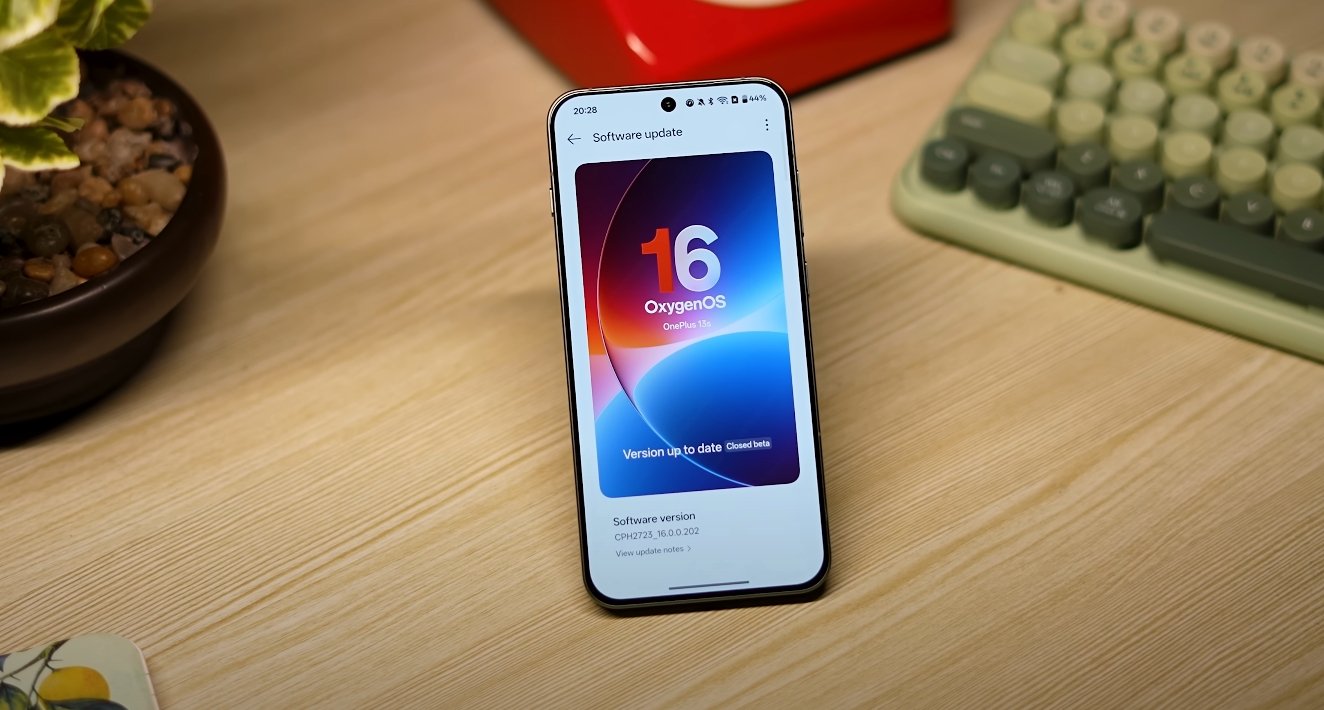
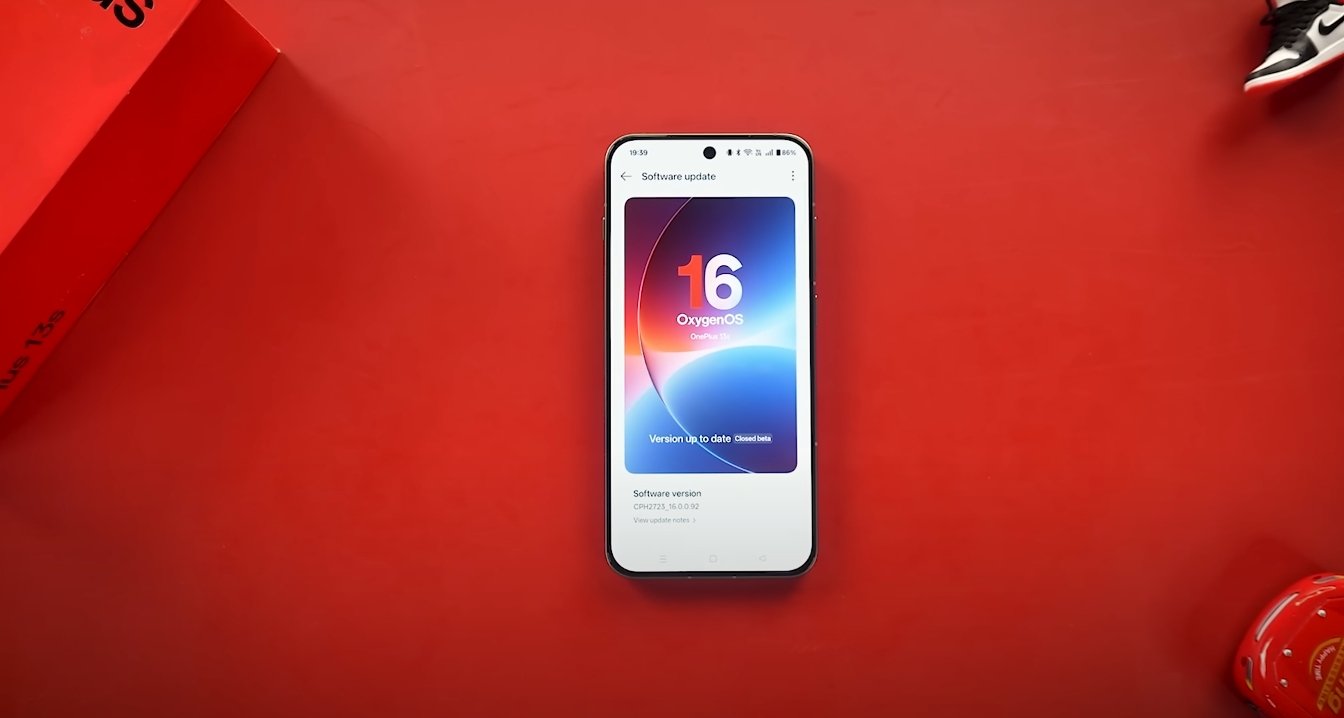
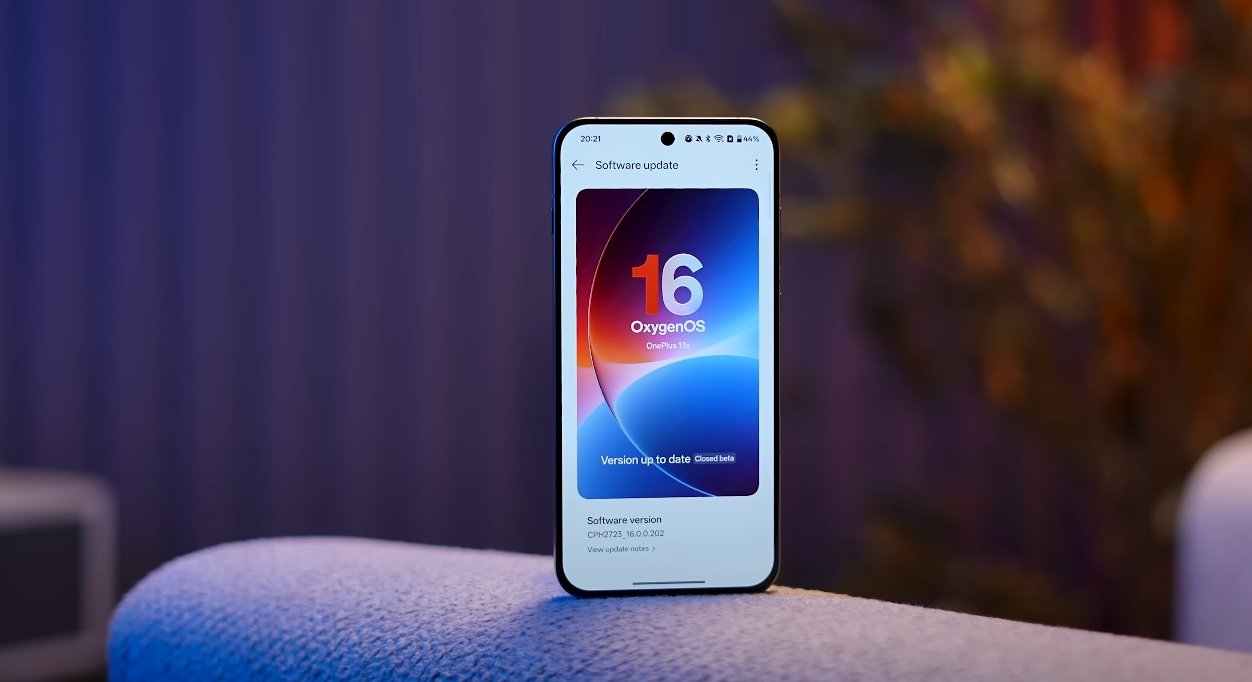
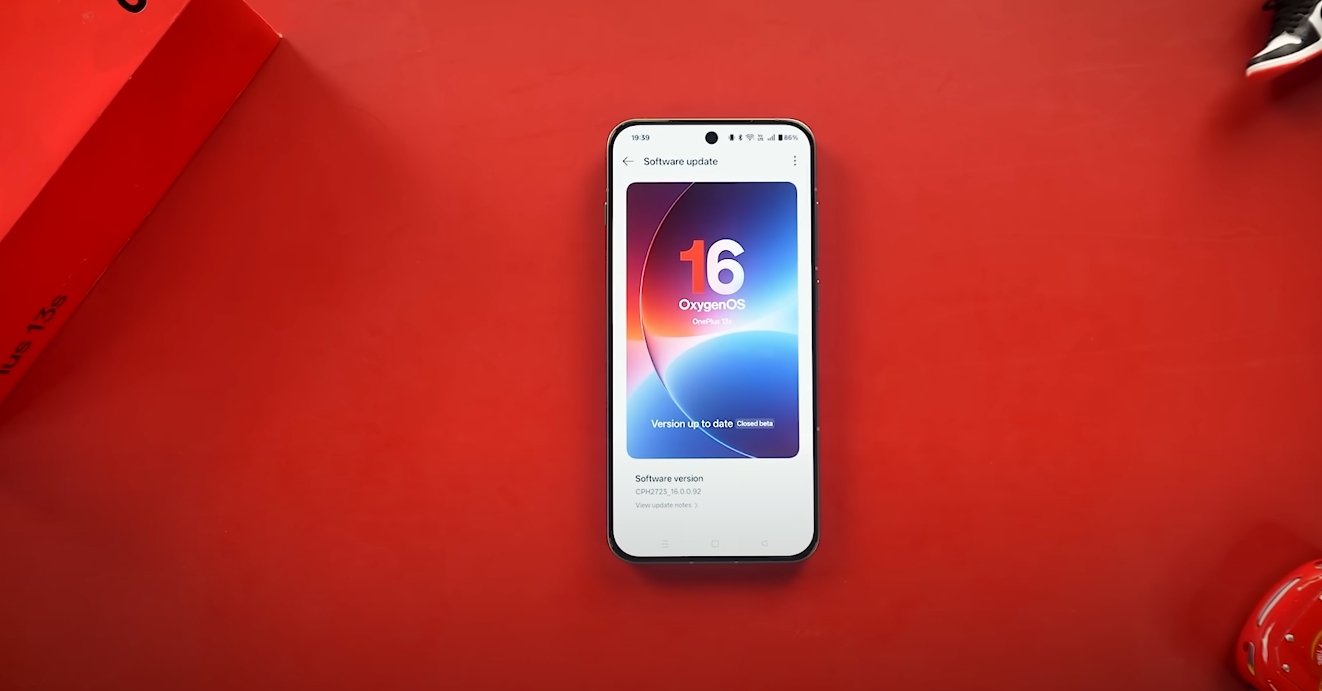
OnePlus has recently launched the early beta version of OxygenOS 16, bringing a host of new features, performance improvements, and design enhancements. While the update promises a smoother and more intelligent user experience, early beta testers have reported several bugs that affect usability, performance, and system stability. This overview highlights the most common issues, their impact on user experience, and the fixes or workarounds provided by OnePlus so far.

One of the primary issues reported in the early beta is system overheating during intensive tasks. Users performing long gaming sessions, multitasking, or streaming high-resolution video noticed that the device tends to heat up more than expected. This can affect comfort during use and may lead to throttling, where performance temporarily drops to manage temperature. OnePlus has acknowledged this and is optimizing CPU and GPU management to reduce heat generation in upcoming beta updates.

Performance lag post-upgrade is another significant concern. Some users noticed slower app launches, delayed animations, and occasional stuttering after updating to the beta version. This is particularly apparent on older devices or models with limited memory resources. To address this, OnePlus is implementing optimizations for memory allocation and background process management, which are expected to improve app responsiveness and overall system fluidity.
OxygenOS 16 early beta bugs and fixes overview

Battery drain has also been highlighted as a problem. During the early beta, background apps consumed more power than usual, even when the device was idle. This rapid battery consumption can hinder prolonged use and reduce convenience for users who rely on their device throughout the day. OnePlus is actively working on battery management improvements, which include better scheduling of background tasks and intelligent resource allocation to ensure longer battery life without compromising performance.

Notification delays in Always-On Display mode have been reported as another common issue. Users found that some notifications failed to appear promptly or were delayed when the device screen was off. This bug affects timely communication and can disrupt workflows. OnePlus is refining notification handling in the Always-On Display feature to ensure alerts are delivered instantly, restoring reliable communication functionality.

File transfer and connectivity issues are also being addressed. Users attempting to share files between OnePlus devices or with external platforms like Windows PCs, Macs, or iPhones experienced slow transfer speeds and occasional disconnections. OnePlus plans to enhance cross-device connectivity, improving stability and speed for file sharing, ensuring that devices interact seamlessly within the ecosystem.

App crashes and compatibility issues have been reported with certain third-party applications. Productivity apps, media apps, and some social media tools occasionally stopped working or caused the system to freeze. OnePlus is working with developers and implementing system-level fixes to improve compatibility, ensuring that popular apps function reliably within OxygenOS 16.

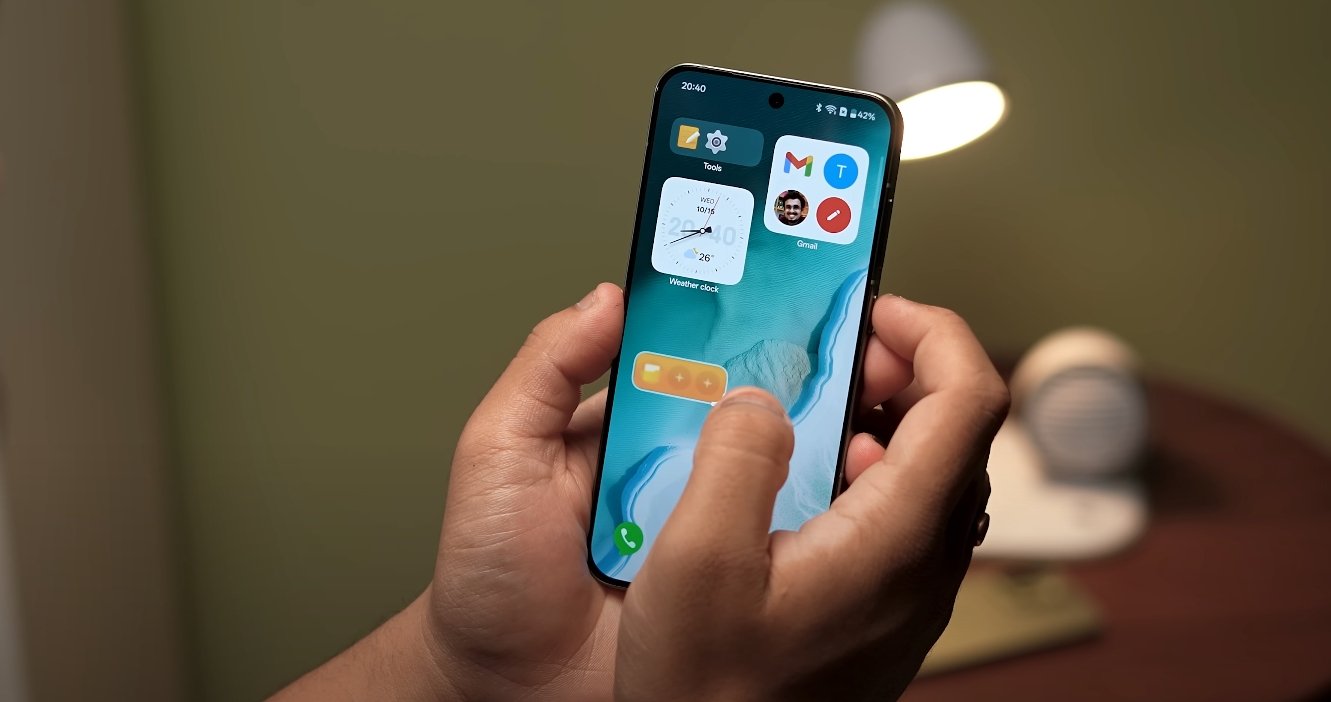
Minor UI glitches and animation flickering have been observed, particularly in Fluid Glass elements and transitions introduced in OxygenOS 16. These visual inconsistencies can make the interface feel less polished. OnePlus is optimizing graphical rendering and animation sequences to eliminate flickering and provide a smoother, more visually appealing experience.

Gesture controls for multitasking, such as split-screen or floating window management, were sometimes unresponsive. Users experienced delays or failures when invoking gestures, which can reduce the efficiency of multitasking. Future beta updates are expected to improve gesture recognition and responsiveness, ensuring that multitasking remains fluid and intuitive.

Lastly, some users encountered issues with the privacy dashboard. Permission prompts and security notifications did not always appear correctly, causing confusion about app access to sensitive data. OnePlus is refining the privacy dashboard to ensure accurate, timely notifications and better transparency, enhancing user trust and device security.

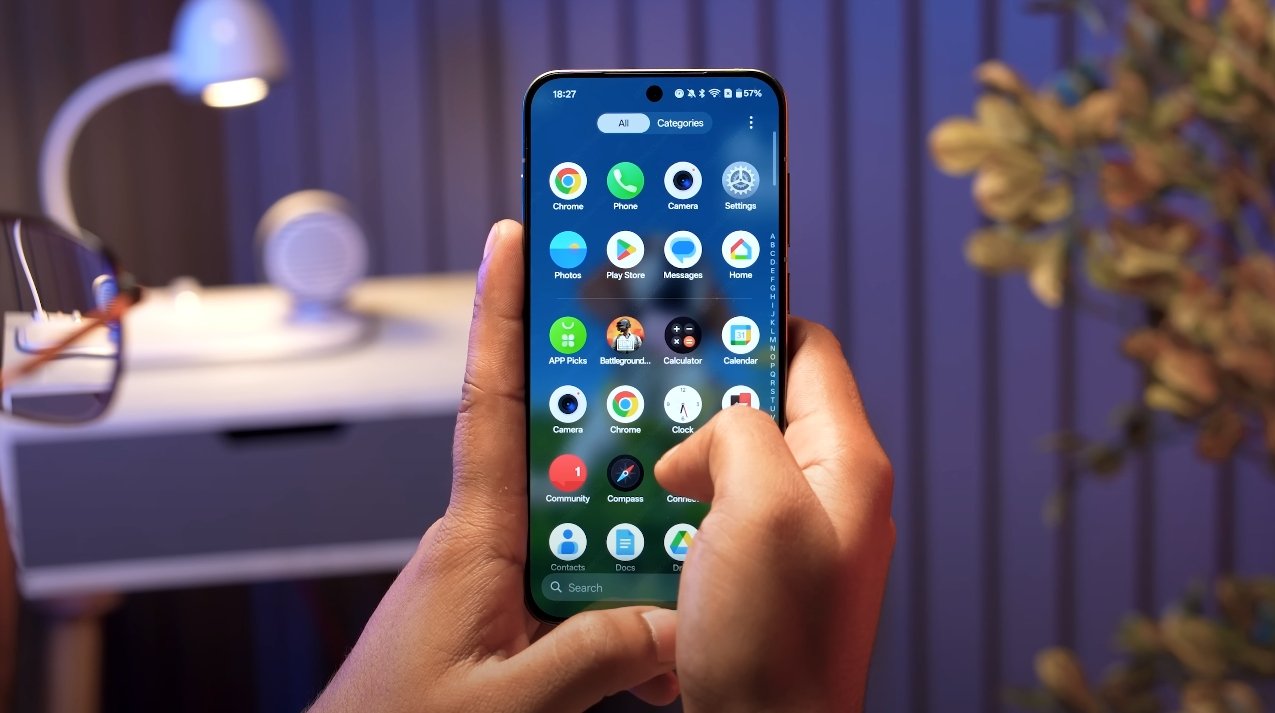
OnePlus encourages beta testers to actively report bugs through the OnePlus Community App. Detailed reports, including logs and steps to reproduce issues, help the development team identify and resolve problems quickly. These reports are critical for ensuring that the stable release of OxygenOS 16 delivers a polished, reliable experience.

In conclusion, the early beta of OxygenOS 16 offers exciting new features, AI integration, and performance improvements, but users should be aware of existing bugs. OnePlus is committed to fixing overheating, performance, battery, connectivity, UI, and gesture-related issues through continuous beta updates. By participating in the beta program and providing feedback, users play an essential role in refining the operating system. Once these fixes are implemented, OxygenOS 16 is expected to deliver a smoother, more stable, and feature-rich experience for all OnePlus devices.

Overall, the OxygenOS 16 early beta highlights both the potential of the new software and the importance of user testing in identifying issues. The ongoing fixes and optimizations aim to ensure that the final stable release meets the expectations of performance, reliability, and user satisfaction that OnePlus is known for.

Also Read:  Oppo Find X8 Ultra vs Pixel 9a early feature leaks
OxygenOS 16 camera app improvements tested in USA

OxygenOS 16 camera app improvements tested in USA

OnePlus Revamps Camera Experience with OxygenOS 16

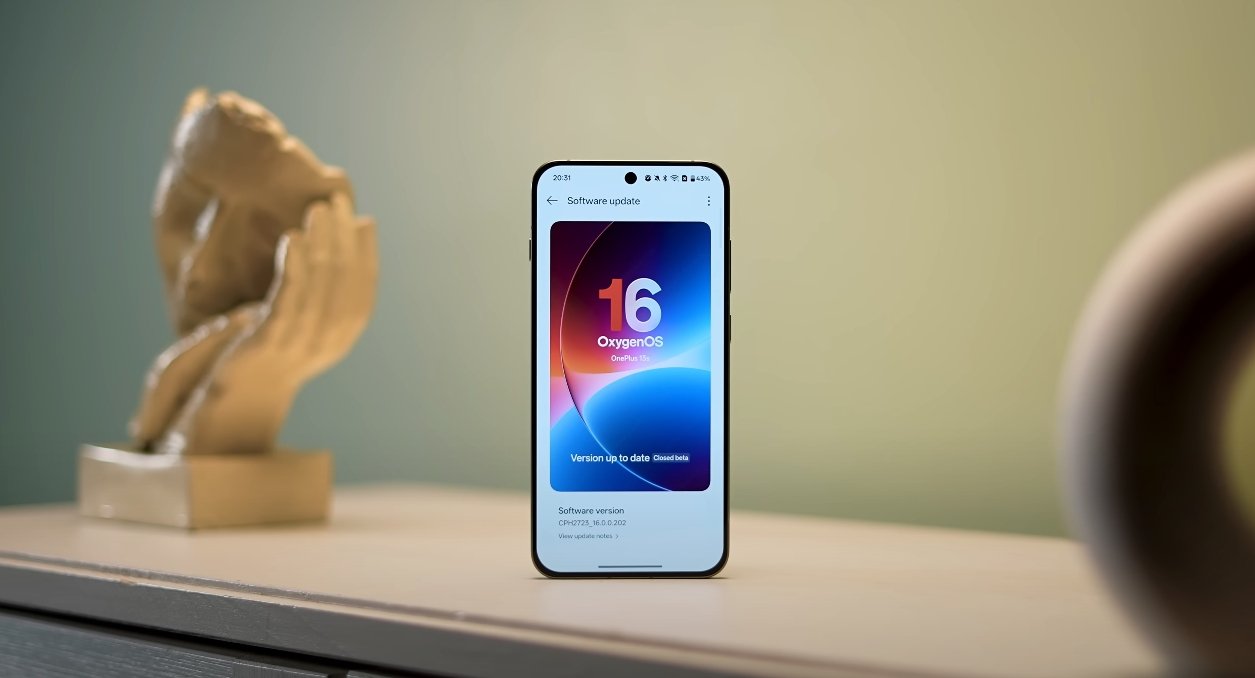
OnePlus has rolled out significant updates to the camera app in OxygenOS 16, enhancing both functionality and performance. The update is designed to improve photography capabilities, streamline the user interface, and integrate AI features, making it easier for users to capture, edit, and share high-quality images and videos. These improvements have been tested in the USA and show noticeable enhancements over the previous version.

A major highlight of OxygenOS 16 is the introduction of AI-powered photography tools. The new AI Perfect Shot feature automatically analyzes scenes and adjusts key settings such as exposure, focus, and white balance. This ensures that photos are well-balanced and vibrant without requiring manual intervention. Users can capture professional-looking images in a variety of lighting conditions, whether indoors, outdoors, or in challenging environments. Additionally, the AI Eraser tool allows users to remove unwanted objects from images. The tool intelligently fills in the background, producing clean and polished photos, which is particularly useful for social media content and everyday photography.

The camera app interface has been redesigned for ease of use. OxygenOS 16 introduces a customizable toolbar, allowing users to place their most frequently used features within easy reach. This personalization streamlines navigation and reduces the time spent searching through menus, giving users more focus on composing shots. Real-time live filters have also been added, enabling users to preview effects on the screen before taking a photo. This encourages experimentation with different styles and moods, helping users achieve the exact aesthetic they want.

OxygenOS 16 camera app improvements tested in USA

Performance improvements are another key aspect of the OxygenOS 16 camera update. The app now benefits from Parallel Processing 2.0, which allows images and videos to be processed faster, even in high-resolution modes. Launch times for the camera app are shorter, and overall responsiveness has been improved. These enhancements ensure that users can capture spontaneous moments without missing important details due to lag or delays. Stability has also been addressed, reducing crashes and glitches that were occasionally present in previous versions, making the camera more reliable for daily use.

Floating windows and multitasking compatibility within the camera app have been enhanced as well. Users can now open the camera in a floating window while using other apps, allowing them to take photos or record videos without interrupting other tasks. This feature is particularly useful for content creators who need to multitask or monitor multiple apps while capturing media. The floating window can be resized and repositioned, providing flexibility in how users interact with their device while still having full access to camera functions.

Another significant improvement is cross-device integration. With OxygenOS 16, users can easily share photos and videos between OnePlus devices, tablets, and PCs through the O+ Connect feature. This streamlines workflows for users who engage in editing or content creation across multiple devices. Additionally, the update introduces basic integration with Apple devices, allowing notification syncing with Apple Watch and remote camera control from Mac and Windows PCs. These features create a more connected ecosystem, enabling users to manage and share media effortlessly.

Battery and resource management have also been optimized to ensure the camera app operates efficiently. Heavy usage, such as shooting high-resolution video or prolonged photography sessions, no longer leads to significant overheating or rapid battery drain. The system intelligently prioritizes resources for the camera app while maintaining overall device performance, which is particularly beneficial for users who rely on their phones for extended shooting sessions.

The OxygenOS 16 camera update is available globally for eligible OnePlus devices. Users can check their device settings for the latest update and follow the on-screen instructions to install it. Once installed, all the new AI features, interface enhancements, and performance improvements become available immediately. OnePlus has emphasized that these updates are designed to be accessible to both casual users and photography enthusiasts, providing advanced functionality without compromising usability.

In conclusion, the camera app improvements in OxygenOS 16 represent a major step forward for OnePlus users. AI-powered features, a redesigned interface, faster performance, and improved stability make photography more intuitive, flexible, and enjoyable. Cross-device integration and floating window support further enhance the overall experience, enabling users to capture, edit, and share media more efficiently. OxygenOS 16 solidifies OnePlus’s position as a brand focused on innovative, high-quality smartphone photography and provides users in the USA and around the world with powerful tools to elevate their creative potential.

Also Read:  Apple iPhone Air official accessories lineup unveiled

OxygenOS 16 Gemini AI features explained for beginners

OxygenOS 16 Gemini AI features explained for beginners

Understanding the New Gemini AI in OxygenOS 16

OnePlus has unveiled OxygenOS 16, its most advanced software version to date, powered by Google’s Gemini AI. This integration marks a major step toward creating a more intelligent, personalized smartphone experience for users. For beginners, the idea of an AI-driven phone might sound complex, but OnePlus has designed Gemini features to be easy to use, practical, and deeply integrated into daily tasks.

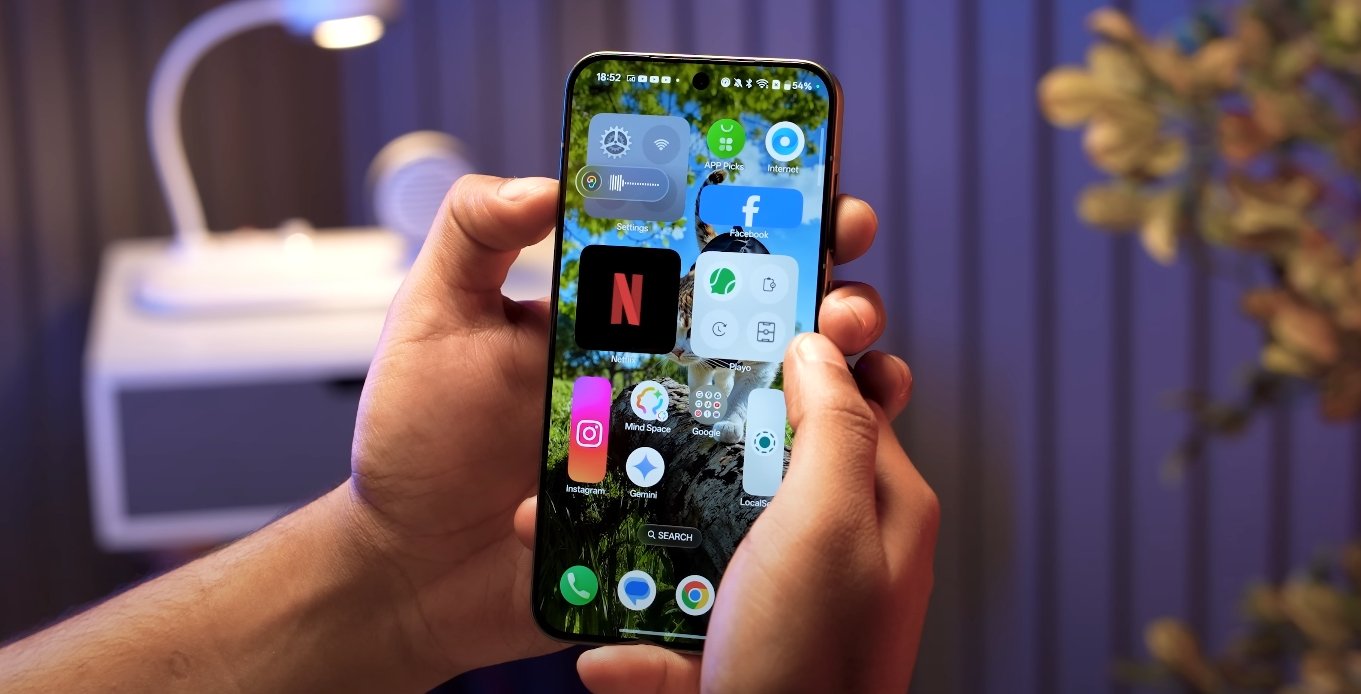
At the center of this new system is Mind Space, a smart hub built into OxygenOS 16. Think of Mind Space as a digital memory that collects your photos, notes, screenshots, links, and even voice memos. Instead of scattered information across multiple apps, everything stays organized in one intelligent place. Gemini AI then uses this data—securely and privately—to help you recall details, summarize notes, or plan events based on what’s already stored on your device. For instance, if you saved pictures and notes from a trip, Gemini can automatically create an itinerary or suggest similar places to visit nearby.

The Gemini AI also introduces a new way of saving and accessing content. With the Plus Key or a simple gesture, like swiping with three fingers, users can quickly add anything they see on screen to Mind Space. Voice memos are now more versatile, allowing up to 60 seconds of recording that can be instantly transcribed and summarized. Gemini keeps this information ready for use, making it easier to find, manage, and reuse without manually searching through folders or apps.

OxygenOS 16 Gemini AI features explained for beginners

OnePlus has made sure that Gemini isn’t just for organization—it’s also a creative and productivity assistant. The AI Writer feature can generate or refine text for messages, captions, or notes. It can even build structured outlines for presentations or essays. The AI Scan tool simplifies document management by automatically cleaning scanned pages, detecting edges, and creating professional-looking PDFs. The Recorder app has gained new intelligence, too, offering live transcription and summaries of meetings, lectures, or interviews, while filtering out background noise for clear playback.

Gemini’s integration also enhances personalization throughout the OxygenOS 16 interface. The AI learns how users interact with their phones, adjusting system suggestions, home screen recommendations, and shortcuts accordingly. If you often use certain apps at specific times of day, Gemini can automatically prepare them in the background for faster launch. It can also suggest contextual actions, such as creating reminders after a phone call, generating a grocery list after a shopping message, or summarizing long chats and emails into quick highlights.

For new users worried about privacy, OnePlus has emphasized full control over what Gemini can access. Mind Space is encrypted, and only the data users choose to share with Gemini will be analyzed. You can review and revoke access at any time through a new privacy dashboard. Gemini works locally whenever possible, minimizing the need to send information to the cloud. This ensures that the system remains both smart and secure, aligning with OnePlus’s long-standing commitment to user trust.

Another advantage of Gemini AI is its seamless connection across devices. With OxygenOS 16, OnePlus has improved cross-platform syncing so that notes, reminders, and AI suggestions can be accessed on laptops and tablets using the same account. Users can start writing on their phone and finish it on another device without losing progress. This ecosystem approach makes productivity smoother and more consistent, especially for people juggling work and personal tasks across multiple screens.

OxygenOS 16, with Gemini AI at its core, represents OnePlus’s most ambitious software vision yet. By blending intelligence, personalization, and ease of use, the company aims to redefine what an Android experience can be. Beginners don’t need to learn complex commands or settings—Gemini quietly assists in the background, learning from everyday actions and offering help only when needed. It’s not about replacing human effort, but about making smartphones more responsive and intuitive than ever before.

The update will debut on the new OnePlus 15 series and gradually roll out to other eligible devices in the coming months. With its combination of powerful AI tools, enhanced privacy, and user-friendly design, OxygenOS 16 sets a new benchmark for what users can expect from intelligent mobile software in 2025.

Also Read:  Oppo Find X8 Ultra vs Vivo X300 Ultra low light test

Philips Hue Bridge Update

Philips Hue Bridge Pro update

Philips Hue Bridge Pro Update Paves Way for New Feature

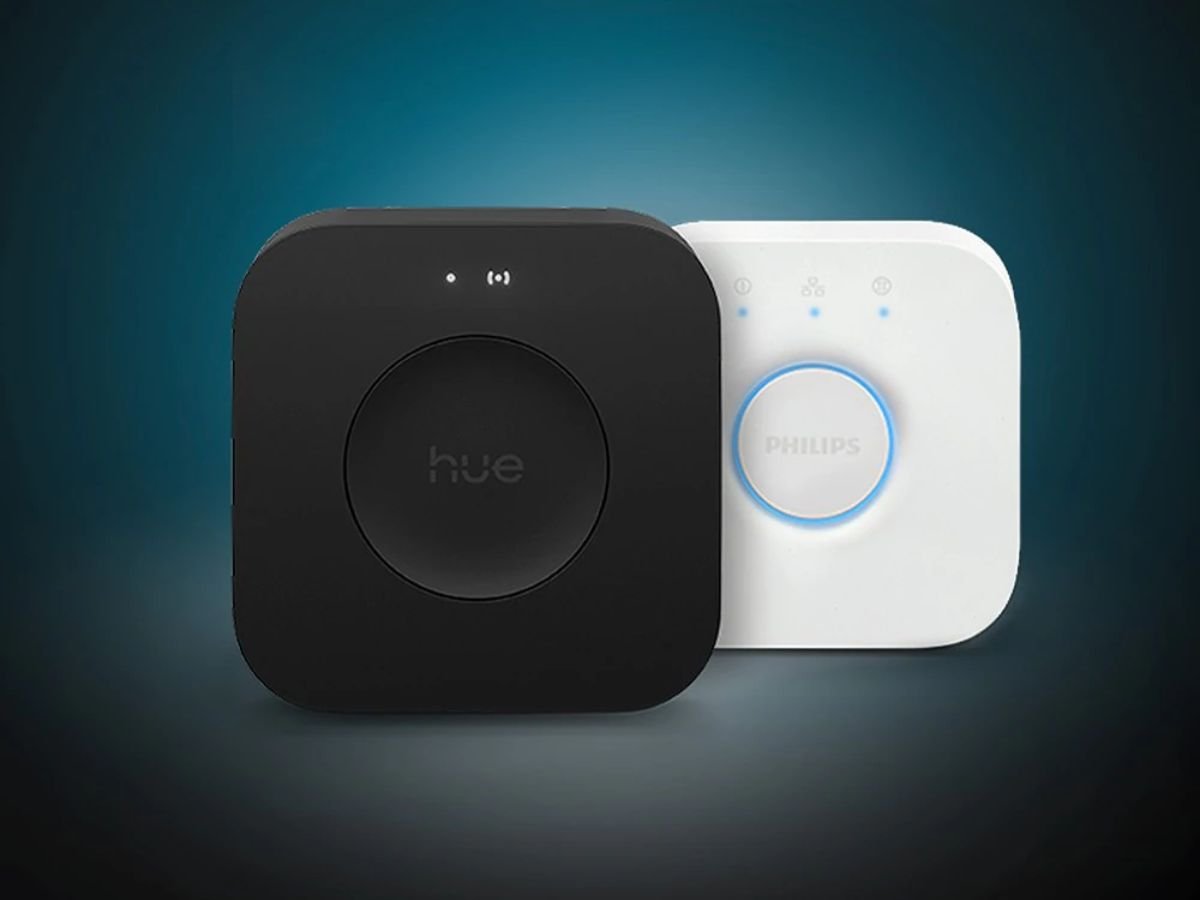
The Philips Hue Bridge Pro and Hue Bridge v2 are set to receive two new updates, with software versions 2071193000 and 1975104000 bringing minor improvements to the smart hubs.

According to the release notes, these updates will make the devices compatible with a new feature that will soon be added to the brand’s app, enhancing user experience.

The updates are expected to lay the groundwork for a new feature, which will likely be introduced in a future app update, allowing users to explore new possibilities with their smart lighting systems.

The Philips Hue Bridge Pro and Hue Bridge v2 are central to the brand’s smart lighting ecosystem, enabling users to control their lights remotely and access various features such as scheduling and colour control.

With the new feature on the horizon, users can expect to see improved functionality and more seamless integration with other smart devices, further solidifying Philips Hue’s position in the smart home market.

The updates demonstrate the company’s commitment to continually improving and expanding its smart lighting offerings, providing users with the latest technology and innovative features.

As the smart home market continues to evolve, Philips Hue remains at the forefront, with its Bridge updates and new feature developments setting the stage for a more connected and convenient user experience.

The new feature is expected to be introduced in the coming months, with the exact release date and details yet to be confirmed by the company.

In the meantime, users can look forward to the updated Bridge software, which will provide a solid foundation for the upcoming feature and continued innovation in the smart lighting space.

Philips Hue’s dedication to innovation and customer satisfaction is evident in its regular updates and feature additions, making it a leader in the smart lighting industry.

The company’s focus on user experience and behaviour analysis has enabled it to develop intuitive and user-friendly products that cater to the needs of its customers.

As the demand for smart home devices continues to grow, Philips Hue is well-positioned to meet the needs of consumers, with its Bridge updates and new features playing a crucial role in shaping the future of smart lighting.

The smart lighting market is becoming increasingly competitive, with various brands vying for market share, but Philips Hue’s commitment to quality and innovation sets it apart from the competition.

With its strong reputation and loyal customer base, Philips Hue is expected to continue to drive growth and expansion in the smart lighting sector, with its Bridge updates and new features at the forefront of its strategy.

The updates to the Philips Hue Bridge Pro and Hue Bridge v2 demonstrate the company’s ability to analyse market trends and adjust its strategy accordingly, ensuring it remains a major player in the smart home market.

Pluribus Season 1, Episode 7: Unravelling the Turmoil for Carol and Manousos on Apple TV+

Pluribus Season 1, Episode 7: Unravelling the Turmoil for Carol and Manousos on Apple TV+

Pluribus Episode 7: The Harrowing Ordeal Unveiled for Carol and Manousos

The antepenultimate episode of Pluribus season one plunges its two central figures, Carol and Manousos, into an unprecedented vortex of physical peril and emotional despair. This pivotal instalment ratchets up the tension considerably, stripping away layers of facade and forcing both characters to confront their deepest fears and the brutal realities of their world. Viewers are left reeling as their individual journeys converge in a truly harrowing fashion.

Carol’s journey through this episode is nothing short of a gruelling test of endurance and resolve. Having uncovered a devastating betrayal within the very organisation she served, she finds herself isolated and on the run. The episode opens with her in a desperate sprint through the rain-slicked streets of a foreign city, pursued relentlessly by shadowy figures whose allegiances remain ambiguous, adding to her profound sense of paranoia.

Physically, Carol is pushed to her absolute limits, narrowly escaping capture in a heart-stopping sequence that sees her navigating treacherous rooftops and crowded markets. Every shadow seems to hold a threat, every stranger a potential enemy. The constant threat of exposure takes a visible toll, etched onto her face, reflecting the sheer exhaustion and mounting terror she endures with each passing moment.

Emotionally, the wringer is even more unforgiving. Carol grapples with the crushing weight of deceit, not just from her adversaries but from those she once trusted implicitly. The revelation that her closest confidante was compromised shatters her sense of reality, leaving her questioning every decision and every alliance she has ever made. This emotional fallout forces her to rely solely on her instincts, hardening her resolve yet leaving her profoundly vulnerable.

Meanwhile, Manousos faces an equally tormenting ordeal, albeit one rooted in a different kind of moral quagmire. Entangled in a web of political intrigue and familial duty, he is forced to make an impossible choice that compromises his integrity. His physical suffering manifests as he performs a brutal interrogation, designed to extract crucial information about a clandestine operation, testing the very limits of his resilience and pain threshold.

Pluribus Season 1, Episode 7: Unravelling the Turmoil for Carol and Manousos on Apple TV+

The emotional toll on Manousos is palpable as he wrestles with the consequences of his actions and inactions. He witnesses the direct impact of his choices on innocent lives, deepening his internal conflict and guilt. The episode meticulously explores his tormented psyche, revealing a man pushed to the brink, haunted by the spectre of what he must sacrifice to protect those he holds dear, even if it means betraying his own principles.

The narratives of Carol and Manousos dramatically converge in a dilapidated warehouse on the city’s outskirts, a scene charged with desperation and unexpected alliance. Both arrive there seeking answers to different pieces of the same complex puzzle, only to find themselves cornered by a combined force of their respective pursuers. Their initial mistrust gives way to a fragile, desperate cooperation as they realise their shared peril.

This tense confrontation forces them into a desperate, hand-to-hand struggle for survival against overwhelming odds. The fight sequence is visceral and relentless, showcasing their raw determination but also their injuries and fatigue. It’s a stark portrayal of two individuals, physically battered and emotionally scarred, fighting not just for their lives, but for a semblance of control in a world spiralling into chaos around them.

The “wringer” truly tightens as they face a seemingly insurmountable obstacle: the revelation that the mastermind behind their torment is someone they both know and, in one instance, deeply respected. This twist adds a profound layer of emotional betrayal to their already precarious situation, shattering any remaining illusions of justice or loyalty within their shadowy world. The emotional gut-punch is almost as damaging as the physical threats they endure.

By the episode’s harrowing climax, Carol and Manousos manage a narrow, albeit costly, escape. They are left wounded, both physically and psychologically, their trust in the world irrevocably broken. The final moments see them huddled together in a hidden sanctuary, bruised but not defeated, their shared ordeal forging an unlikely bond that will undoubtedly shape the remainder of the season. Their future, however, remains dangerously uncertain, hanging by a thread as the credits roll, setting the stage for an explosive conclusion.


Also Read:  Unlock the Icon: Kim Kardashian Set to Grace Fortnite, Here’s How to Get Her Skins Early

Pebble Teases Mysterious Smartwatch: Anticipation Builds for Latest Wearable

Pebble Teases Mysterious Smartwatch: Anticipation Builds for Latest Wearable

=

Pebble’s Mysterious New Smartwatch Teaser Sparks Excitement

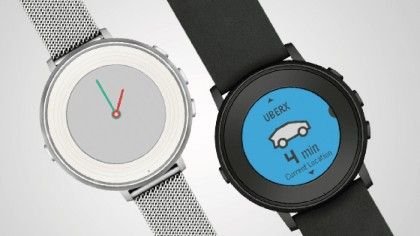
Pebble has recently ignited a wave of anticipation across the tech community, dropping a tantalising hint about an upcoming smartwatch. This cryptic tease has sent ripples of speculation, with many enthusiasts believing it points towards a refreshed iteration of their much-loved Pebble Time Round.

The prospect of a new device from the innovative wearable company is undoubtedly exciting, especially considering Pebble’s history of introducing unique and user-centric features. Fans are eagerly dissecting every detail of the hint, hoping to glean more information about what improvements and groundbreaking functionalities might be unveiled in this mysterious new gadget.

The original Pebble Time Round carved out a significant niche in the burgeoning smartwatch market upon its release. It was widely praised for its incredibly sleek and lightweight design, a welcome contrast to many bulkier competitors at the time. Its elegant, always-on colour e-paper display offered excellent readability in various lighting conditions.

A key differentiator for the Time Round, and indeed many Pebble devices, was its remarkable battery life, often extending for several days on a single charge. This freed users from the daily charging anxiety associated with other smartwatches, making it a highly practical and reliable companion for everyday use. Its subtle notification system was also a significant draw.

Speculation naturally turns to what an “updated” Time Round could bring to the table in today’s fast-evolving wearable landscape. A highly anticipated addition would likely be the integration of an NFC chip, finally enabling contactless payment functionality. This feature has become standard on many rival devices, offering enhanced convenience for users on the go.

Furthermore, a built-in optical heart rate monitor is another logical and much-demanded enhancement. With health and fitness tracking increasingly central to smartwatch appeal, incorporating this capability would bring the new Pebble device in line with contemporary expectations. It would greatly expand its utility for fitness-conscious individuals.

Beyond hardware upgrades, improvements to Pebble’s acclaimed operating system would also be keenly observed. Known for its elegant simplicity and efficiency, potential software enhancements could include more robust app support, refined notification management options, and perhaps new, sophisticated health and wellness tracking algorithms.

A crisper, higher-resolution display could further elevate the user experience, enhancing readability for text and improving the visual fidelity of watch faces and applications. Such an upgrade would make the device feel more premium and modern, appealing to a broader demographic seeking refined aesthetics and functionality.

The smartwatch market remains fiercely competitive, dominated by tech giants like Apple with its Watch series and various devices running Google’s Wear OS. Pebble historically distinguished itself by prioritising core smartwatch functions – notifications, time, and discreet utility – over power-hungry, smartphone-mirroring features.

This distinct philosophy, coupled with an unwavering commitment to impressive battery longevity and universally compatible, always-on displays, allowed Pebble to cultivate a loyal user base. Their cross-platform approach, ensuring seamless operation with both iOS and Android smartphones, was also a powerful unique selling proposition.

Pebble consistently demonstrated a remarkable capacity for innovation, often leveraging highly successful crowdfunding campaigns to bring its ground-breaking products to market. These campaigns not only funded development but also fostered an incredibly vibrant and engaged community around the brand, a testament to its appeal.

Their dedication to nurturing a robust developer ecosystem resulted in a rich and diverse app store, offering a plethora of watch faces and third-party applications. This extensibility significantly broadened the utility and personalisation options for Pebble owners, further solidifying its reputation as a user-first wearable company.

An updated Pebble Time Round could signify a strategic move to regain prominence within the wearable tech arena. By refining an already popular form factor and infusing it with modern functionalities, Pebble could reinforce its original vision of smartwatches as practical, enduring companions rather than power-hungry mini-phones.

The enduring appeal of the Time Round’s design, its comfortable wearability, and its discreet nature were massive drawcards for many users. Reimagining these elements with contemporary internal specifications would undoubtedly resonate with both long-time fans and prospective new adopters seeking a balanced wearable experience.

While the excitement surrounding this teaser is palpable, the company would undoubtedly face the intricate challenge of balancing new feature integration with maintaining its core identity. Crucially, any advancements must not compromise the signature long battery life or the much-loved always-on display functionality.

Success for this new device would hinge entirely on delivering meaningful and perceptible upgrades without sacrificing the fundamental characteristics that initially endeared the original Time Round to so many. It needs to feel like an authentic evolution, not a radical departure from its celebrated heritage.

The potential for a revitalised developer community and an expanded app ecosystem also presents a significant opportunity. Continued support for independent creators would ensure a rich tapestry of watch faces and useful applications, further extending the device’s utility beyond basic notifications and time-telling capabilities.

Ultimately, Pebble’s latest teaser suggests a fascinating new chapter for the company and the broader wearable technology sector. Whether it culminates in a direct successor to the Time Round or introduces an entirely new device concept, the prospect of an innovative new Pebble smartwatch is certainly enough to capture global attention.

The wait to uncover the full technical specifications and design choices will undoubtedly be an eager one for tech enthusiasts worldwide. This reveal promises to be a pivotal moment for a brand celebrated for its pioneering spirit in the world of smart, wearable devices. The future of Pebble looks genuinely exciting.


Also Read:  Scykei Movis: The Smartwatch with Vibrant AMOLED and Long-Lasting Power

PlayStation Plus UK Catalog Confirms New December Titles

PlayStation Plus UK Catalog Confirms New December Titles

December update brings a rare day-one launch and major catalogue changes

PlayStation has confirmed a fresh wave of titles joining the PS Plus Game Catalogue for UK subscribers this December, headlined by a notable day-one release. The update brings new additions for Extra and Premium members alongside several high-profile games scheduled to leave later in the month.

One of the biggest December highlights is the arrival of Skate Story, a highly anticipated indie title launching directly into the PS Plus catalogue on its release day. Day-one launches remain relatively uncommon on the platform, and the move signals Sony’s growing interest in bolstering subscription value with new releases rather than relying solely on back-catalogue offerings.

Skate Story introduces players to a surreal skating adventure centred on a demon tasked with rolling through a shimmering underworld. The game blends grinds, tricks and flowing traversal with atmospheric visuals, making it one of the month’s standout additions for Extra and Premium members.

PlayStation Plus UK Catalog Confirms New December Titles

Alongside new arrivals, December also marks an important rotation point for the service. Several major games are expected to leave the catalogue on 16 December, including Battlefield 2042, GTA III: The Definitive Edition, Sonic Frontiers and Forspoken. Subscribers hoping to complete or sample these titles will need to act before they disappear.

This mix of incoming and outgoing content reflects the evolving nature of the Game Catalogue. Sony continues to balance indie highlights, third-party releases and blockbuster titles, aiming to offer variety while encouraging subscribers to explore a wide range of genres.

Industry observers note that the addition of day-one games is likely to appeal to players seeking fresh content without upfront purchase costs. It may also help the service compete more closely with rival subscription platforms that regularly feature new launches as part of their offering.

The December lineup reinforces the importance of staying aware of catalogue rotations. Games leaving the service can no longer be accessed once removed, even if previously downloaded, so time-sensitive play remains a part of the subscription experience. Sony typically updates its listings through the PlayStation Store and system notifications.

While the full December roster may continue to expand, the confirmed titles highlight a strong close to the year for PS Plus subscribers. The blend of new releases, unique indie projects and major departures ensures December remains an active period for UK players reviewing their backlog.

Looking ahead, subscribers can expect further announcements as Sony reveals additional titles. With a growing emphasis on premium catalogue updates, the December rollout sets the pace for how PlayStation intends to shape its subscription service going into the new year.

POCO F8 Pro best accessories at launch: chargers, lenses & cases

POCO F8 Pro best accessories at launch chargers, lenses & cases

Essential accessories to elevate your POCO F8 Pro from day one

The POCO F8 Pro is shaping up to be a standout launch, and the accessories you choose at the start can dramatically enhance your experience. Whether you’re focused on protection, performance or creativity, selecting the right add-ons ensures your new device stays fast, safe and fully equipped for everyday use.

A fast, reliable charger is one of the first accessories you should consider. If the phone launches without a charger in the box, a high-wattage USB-C GaN charger becomes essential. These provide quick, efficient charging while keeping temperatures manageable, making them ideal for regular daily use.

Protective cases are another must-have at launch. A hybrid case with reinforced corners offers excellent durability for students, commuters or anyone prone to accidental drops. Models with ring holders are especially useful for watching videos, improved grip and stable one-handed use. For those who prefer a cleaner look, slim clear cases allow the design of the device to stand out while still offering practical protection.

POCO F8 Pro best accessories at launch chargers, lenses & cases

A tempered glass screen protector should be applied immediately after unboxing. This simple accessory provides critical defence against scratches, small drops and daily wear. It’s one of the most cost-effective ways to extend the phone’s lifespan without altering how it feels in the hand.

If mobile photography or content creation is a priority, clip-on lenses can expand what the POCO F8 Pro’s camera already does well. Wide-angle, macro and portrait lenses designed to fit modern camera modules add creative flexibility for travel, social media content or student projects. It’s important to choose kits that align well with the camera layout to avoid distortion or misalignment.

For launch-day buyers, acting early is key. The most popular cases and screen protectors tend to sell out quickly, and fast chargers—especially high-wattage GaN models—often see limited stock. Preparing your accessory list ahead of time gives you the best chance of securing everything you need in one go.

Bundled promotions may also appear at launch. These can include discounted chargers, free cases or reward points that add even more value to your purchase. Checking these offers before placing your order can save money and provide bonus gear you might have bought anyway.

Always ensure any accessory you purchase is compatible with the UK version of the POCO F8 Pro. Accessories from unreliable sources can lead to performance issues, reduced charging efficiency or even damage. Choosing products from reputable retailers or known brands ensures proper fit, safety and long-term reliability.

Ultimately, pairing your POCO F8 Pro with the right accessories at launch is the best way to protect your investment and get the most from your new device. With a quality charger, a suitable protective case, a reliable screen protector and optional creative add-ons, your phone will be well-prepared for whatever you need it to handle from the very first day.

Pixel or Galaxy: Choosing the Best Flagship Phone in the UK

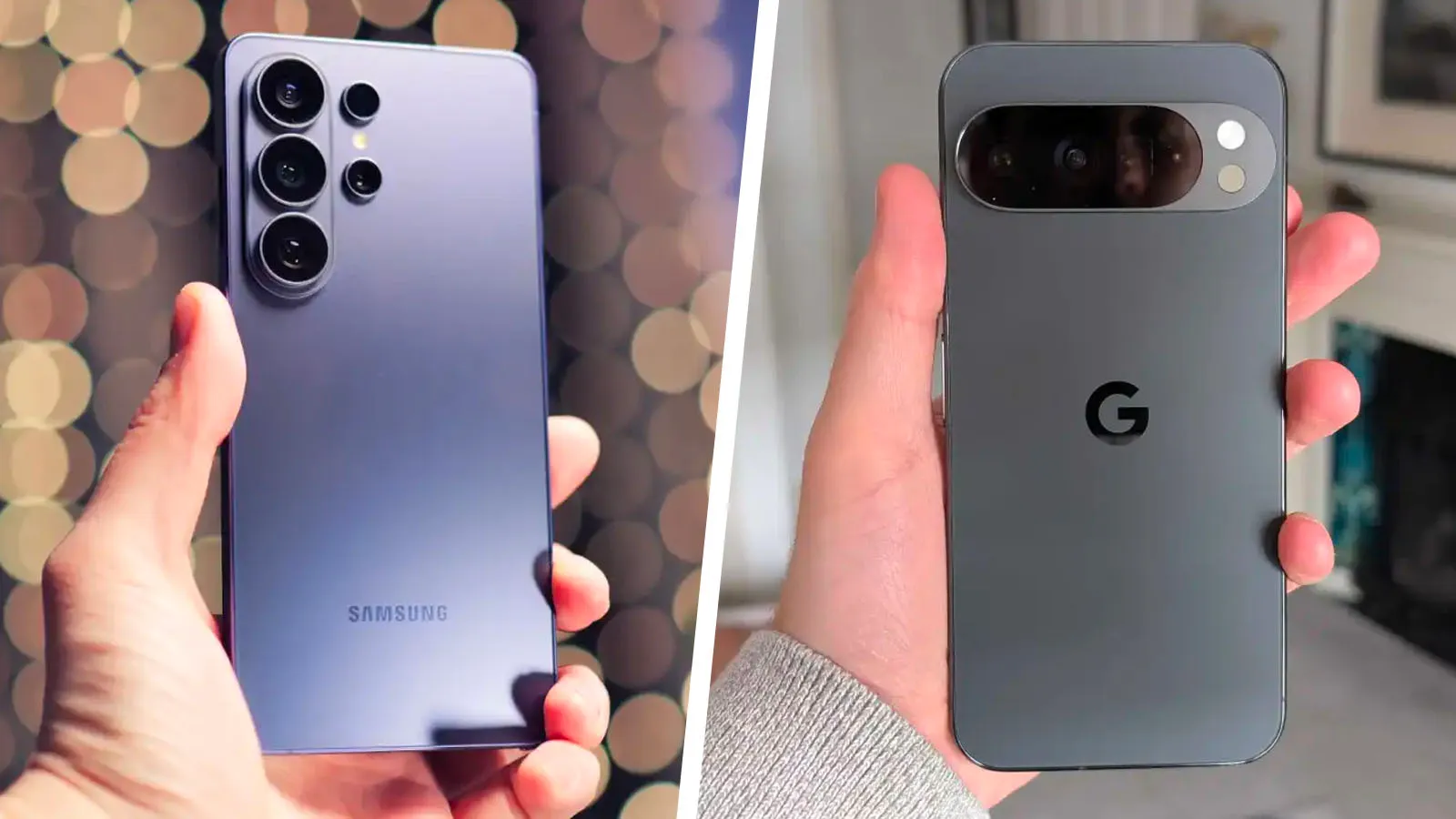
A side-by-side comparison of the Pixel and Galaxy phones, showcasing their unique features and designs, with a focus on the primary keyword phrase 'flagship phone'

Picking the Perfect Flagship: Pixel vs Galaxy in the UK

The battle for the best flagship phone in the UK is heating up, with both Pixel and Galaxy offering impressive features and capabilities. When it comes to choosing between these two giants, it ultimately comes down to what matters most to you.

For those seeking a clean and intuitive interface, the Pixel is often the better choice. With its stock Android operating system and lack of bloatware, it provides a seamless user experience. On the other hand, Samsung’s One UI offers a more customized skin with built-in features, making it ideal for those who want more control over their phone.

In terms of camera capabilities, both brands have their strengths. The Pixel has consistently delivered superior computational photography, while Samsung’s zoom capabilities and advanced night mode photography are hard to beat. The Pixel 10 Pro XL, for example, boasts a 50Mp main sensor, a 48Mp ultrawide, and a 48Mp 5x telephoto, making it a top choice for everyday shooting.

Performance-wise, Google’s Tensor chip is optimized for AI features, voice processing, and everyday use, while Samsung’s high-end Snapdragon processors offer stronger raw performance. However, in daily use, the difference is hardly noticeable, and most users won’t feel the need for extreme processing power.

Display quality is another area where both brands excel. Samsung’s S series is known for its vivid and punchy screens, while the Pixel focuses on color accuracy and a clean viewing experience. The S26 screen, with its 2,600 nits peak brightness, is particularly impressive, and the Privacy Display feature is a useful addition.

Battery life and charging speeds vary depending on the model, but Samsung’s Ultra tier has historically had faster charging capabilities. The Pixel 10 Pro XL, however, packs a 5,200 mAh battery with faster charging speeds, making it a strong contender.

Ultimately, the choice between Pixel and Galaxy comes down to your individual needs and preferences. If you prioritize simplicity, camera consistency, and seamless integration with Google services, the Pixel is an excellent choice. However, if you’re looking for a more customized experience, impressive display, and feature-rich ecosystem, the Samsung Galaxy S series is the way to go.

POCO F8 Pro best camera settings for Instagram and TikTok creators

POCO F8 Pro best camera settings for Instagram and TikTok creators

Optimising the POCO F8 Pro camera for social media content

The POCO F8 Pro has been positioned as a creator-friendly smartphone, and its camera system is designed to meet modern production demands. Featuring a high-resolution primary sensor with optical image stabilisation and enhanced video modes, it offers the technical foundation required for sharp and engaging social media output. With the right settings applied, the device can deliver results that stand out on Instagram Reels and TikTok.

For video content, creators get the best performance by recording in 4K. This allows high levels of detail that remain crisp even after social media compression. Setting the frame rate to 60fps is ideal for fast-moving scenes, while 30fps suits more relaxed talking-style footage. Keeping footage vertically framed ensures that videos fill the screen of smartphone users, which typically improves engagement.

Stabilisation is essential when recording handheld clips. The POCO F8 Pro supports stabilisation that smooths motion and minimises shaking. Creators can take advantage of this feature to avoid the need for additional equipment in most situations, making it convenient for shooting while travelling or in outdoor environments. When more dynamic shots are needed, using a tripod or gimbal elevates visual smoothness even further.

POCO F8 Pro best camera settings for Instagram and TikTok creators

Lighting remains one of the most decisive factors in content quality. The camera system performs best when the subject is well lit, whether that is outdoors or under artificial lighting. Adding a ring light or LED panel during indoor shoots helps maintain colour accuracy and facial detail. With brighter conditions, creators can keep ISO low, reducing visual noise and improving clarity.

For still photography, especially when shooting portraits or lifestyle content for Instagram feeds, the highest resolution mode provides the most flexibility. This ensures that detail is retained even after cropping or reframing. Portrait mode can be used to create a subtle depth-of-field effect, helping the subject stand out from the background. Feed-friendly aspect ratios such as 4:5 typically achieve better visual impact when posted.

Colour profile settings also play an important role in the final look of content. Choosing a natural colour profile produces neutral tones that can later be enhanced through editing without introducing oversaturation. Many creators prefer this approach because it allows consistent colour themes across their profiles. It also reduces the risk of tonal shifts that sometimes occur from in-app filters.

HDR mode is particularly useful in high-contrast lighting, such as daylight scenes with bright highlights and dark shadows. When enabled, it enhances dynamic range so the camera retains detail across different brightness levels. This is beneficial for outdoor shoots in locations where lighting cannot be fully controlled, and it prevents loss of detail that could otherwise make photos appear flat.

For best results during uploads, creators should ensure that social media applications are configured to use high-quality upload settings. High-resolution files can degrade quickly when compressed, so preserving the original sharpness is vital. Exporting content at the highest available quality before posting ensures that colours, edges and motion remain smooth once the platform processes the file.

Content planning also contributes to overall quality. Recording a few extra seconds before and after the main clip helps with seamless trimming during editing. Keeping backgrounds clean and balanced draws attention to the subject and avoids distractions. Clear audio enhances overall viewer experience, so placing the phone microphone closer to the subject or using an external mic can significantly improve results.

With these practices, the POCO F8 Pro becomes a highly capable tool for today’s short-form content landscape. Its imaging hardware delivers strong output across both photography and videography, and when paired with optimised settings, it supports a polished creator workflow. Instagram and TikTok users looking to elevate their presence can rely on the device to achieve professional-looking visuals with consistency.

OxygenOS 16 vs OxygenOS 14 battery life test

OxygenOS 16 vs OxygenOS 14 battery life test

Comparing Battery Life: OxygenOS 16 vs OxygenOS 14

Battery performance is a crucial factor for smartphone users, affecting daily usability and overall satisfaction. With the release of OxygenOS 16, OnePlus introduced several optimizations aimed at improving battery life over its predecessor, OxygenOS 14. Real-world testing and user experiences show that the newer OS brings noticeable improvements in endurance, efficiency, and power management.

OxygenOS 14, upon its release, faced criticism for inconsistent battery performance. Users often reported significant drain overnight and limited screen-on time during the day. In practical use, devices running OxygenOS 14 typically lasted fewer hours than expected, especially under moderate to heavy usage. Activities such as browsing, video streaming, and gaming tended to consume more power than anticipated, resulting in shorter usage sessions and frequent charging interruptions. This was particularly noticeable in models like the OnePlus 8T and OnePlus 10 Pro, where users reported both higher power consumption and occasional system stuttering, likely due to background processes not being efficiently managed.

In contrast, OxygenOS 16 has introduced several features to address these battery concerns. A key improvement is the adaptive battery management system, which learns user habits over time and allocates resources intelligently. Power-hungry apps are monitored and prioritized only when necessary, while background apps receive minimal attention unless actively in use. This optimization reduces unnecessary battery consumption and extends overall device longevity throughout the day. Many users have reported that after updating to OxygenOS 16, their devices could last significantly longer, with some experiencing an extra half-day of usage compared to OxygenOS 14.

OxygenOS 16 vs OxygenOS 14 battery life test

Another factor contributing to better battery performance is the refined resource allocation for system processes. OxygenOS 16 ensures that system animations, app launches, and multitasking do not draw excessive power. By optimizing CPU and GPU usage dynamically based on the task at hand, the system maintains a balance between smooth performance and battery efficiency. This is particularly beneficial for users who engage in long sessions of video streaming, gaming, or multitasking, as the device remains responsive without compromising power consumption.

Real-world user feedback confirms the benefits of these changes. Many OnePlus 11 and 12 users have reported longer screen-on times, sometimes exceeding nine hours during a full day of moderate to heavy use. Overnight battery drain has also been noticeably reduced, allowing users to wake up with more remaining charge than they would have under OxygenOS 14. These improvements indicate that OxygenOS 16’s intelligent battery optimizations are effective across different models and usage patterns.

Additionally, OxygenOS 16 incorporates adaptive charging and power management features. The system adjusts charging speeds and battery usage based on user routines and device temperature. This not only extends daily battery life but also contributes to long-term battery health, reducing the risk of premature degradation. In contrast, OxygenOS 14 offered less granular control over these aspects, resulting in faster drain during intensive tasks and less efficient overnight charging.

Gaming and multimedia performance under OxygenOS 16 also shows a marked improvement in battery efficiency. While OxygenOS 14 often saw devices heating quickly during extended gaming sessions, the updated thermal and power management in OxygenOS 16 ensures that battery drain is mitigated without reducing performance. Users report sustained frame rates and smoother gameplay while maintaining longer session times, highlighting the effectiveness of the system’s optimization.

Overall, the comparison between OxygenOS 16 and OxygenOS 14 demonstrates that OnePlus has made substantial strides in enhancing battery life and efficiency. OxygenOS 16’s combination of adaptive battery management, optimized system resources, and intelligent charging features ensures that devices last longer on a single charge and remain more reliable throughout the day. Users upgrading from OxygenOS 14 experience improved endurance, reduced drain, and a more consistent performance under heavy usage.

In conclusion, OxygenOS 16 represents a significant improvement over OxygenOS 14 in terms of battery life and power management. By intelligently allocating resources, optimizing background processes, and incorporating adaptive charging, the update provides users with a more reliable and longer-lasting experience. For OnePlus users seeking better endurance, enhanced performance, and smarter battery management, OxygenOS 16 delivers tangible benefits that address many of the shortcomings observed in OxygenOS 14.

Also Read:  Oppo Find X8 Ultra vs iPhone 15 Pro camera results

OxygenOS 16 lock screen and AOD customization review

OxygenOS 16 lock screen and AOD customization review

OnePlus enhances personalization with new lock screen and Always-On Display options

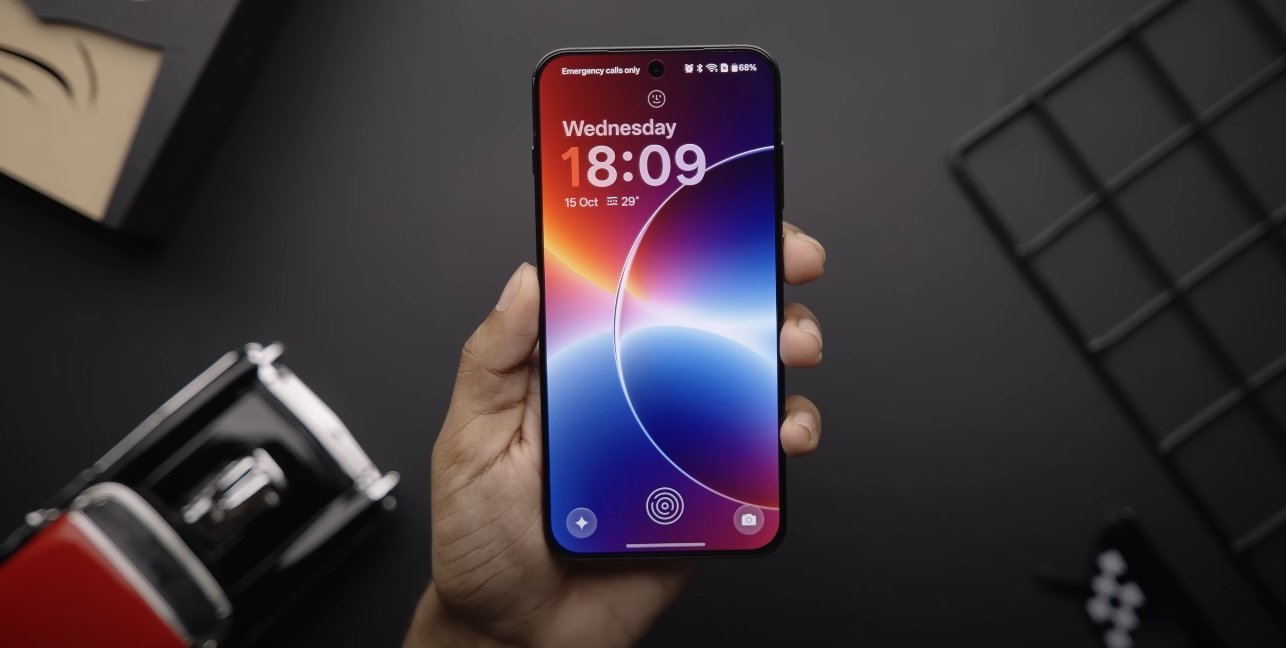
OxygenOS 16 introduces a revamped lock screen and Always-On Display (AOD) system, giving users more control over personalization and functionality. OnePlus has focused on making these features not only visually appealing but also practical, allowing users to express style while accessing essential information at a glance. Early feedback highlights the balance between aesthetics, usability, and system performance in these updates.

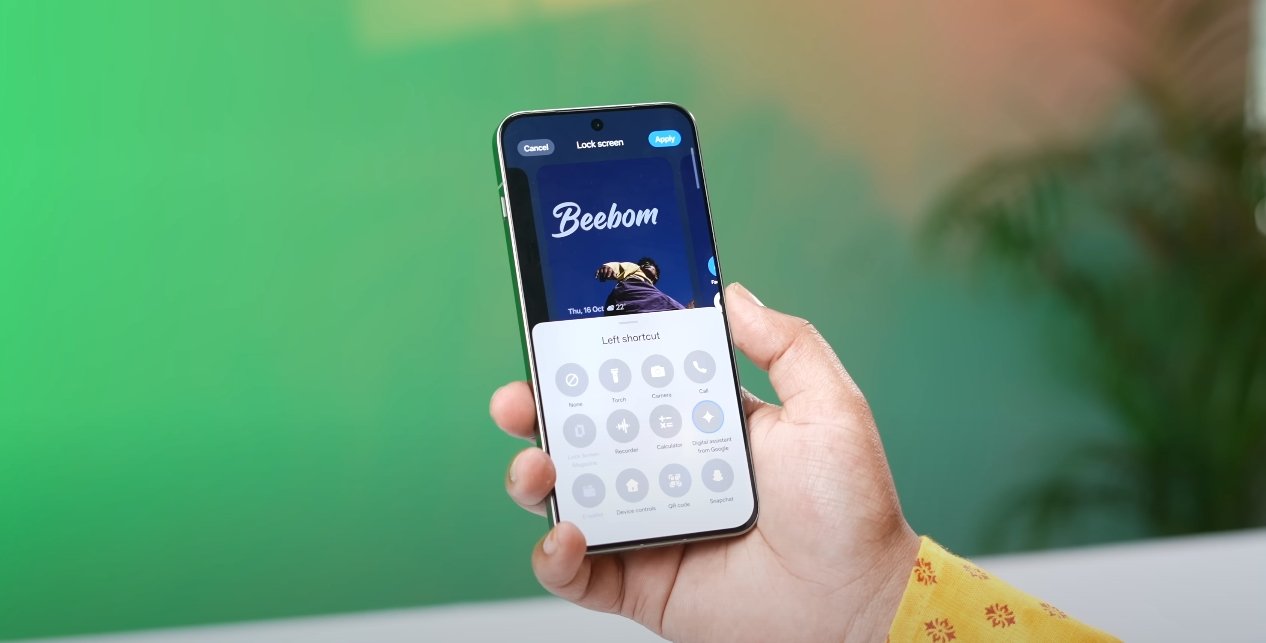
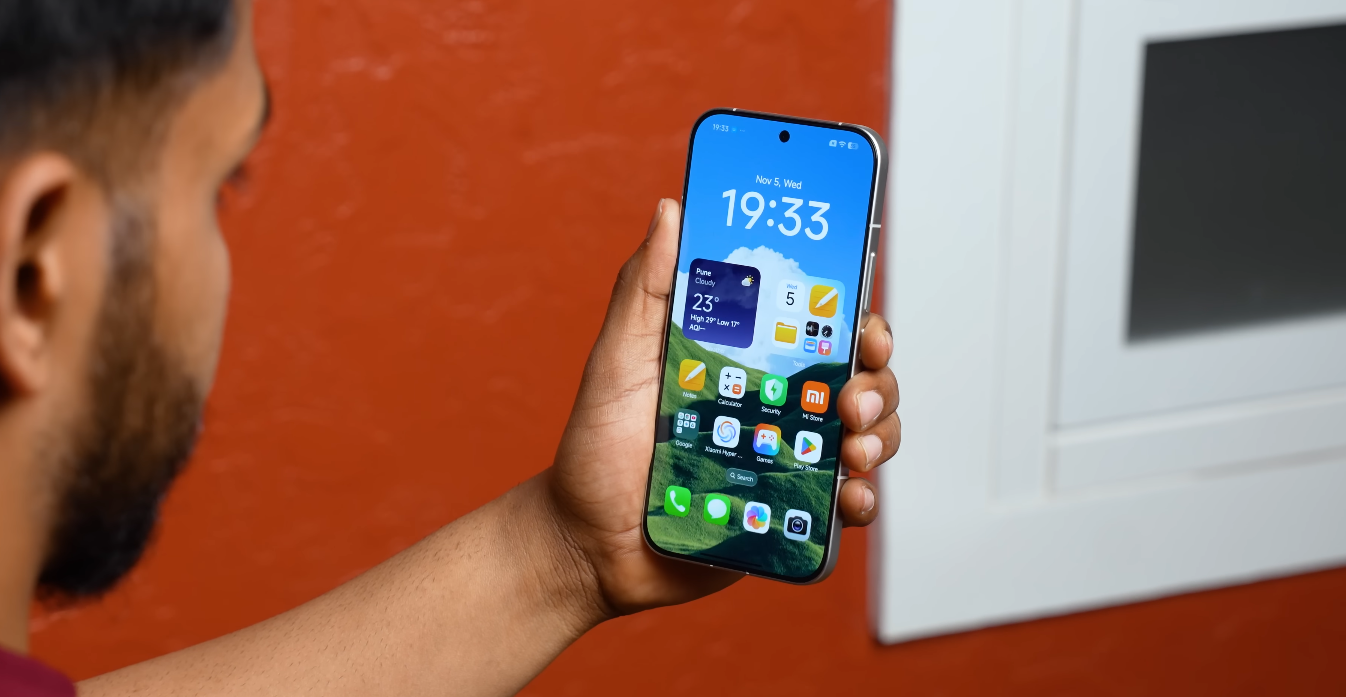
The lock screen has received a significant design overhaul. Users can now choose from multiple clock styles, layouts, and notification arrangements. Text and icon placement is adjustable, and subtle animation effects create a dynamic yet unobtrusive appearance. OnePlus has also enhanced fingerprint and facial recognition integration, making unlocking faster while maintaining smooth transition animations that feel fluid and premium.

Always-On Display customization has expanded considerably in OxygenOS 16. Users can select from a range of clock designs, background patterns, and notification display options. AOD now supports interactive elements like calendar previews and music controls, enabling quick access without unlocking the device. The visual effects have been optimized to reduce battery drain, ensuring that the feature can run continuously without significant impact on device longevity.

OxygenOS 16 lock screen and AOD customization review

Themes and personalization are a strong focus for both the lock screen and AOD. OnePlus allows users to sync colors and widgets with their chosen system theme or wallpaper, creating a consistent visual experience. Users can also schedule different lock screen or AOD styles based on time of day, giving morning and night modes distinct looks. This level of customization is designed to cater to individual preferences while keeping interactions simple and intuitive.

Performance and responsiveness are key improvements in this update. U.S. testers have noted that the lock screen and AOD animations feel smooth, even on devices with high refresh-rate displays. The transition between the always-on state and the active screen is seamless, and notifications update in real-time without noticeable lag. OnePlus has also ensured that the fingerprint and face unlock processes integrate cleanly with the new visual effects, maintaining fast access while enhancing the aesthetic experience.

The update also emphasizes minimal distraction and usability. Notification previews on both the lock screen and AOD can be adjusted for privacy, allowing users to hide sensitive content until the device is unlocked. This feature is particularly useful for those who receive frequent messages or emails, balancing convenience with security. Combined with the enhanced visual customization, this makes the lock screen and AOD both practical and stylish.

Overall, OxygenOS 16’s lock screen and Always-On Display customization reflect OnePlus’s focus on personalization, smooth performance, and modern design. Users can enjoy a more expressive and functional interface, with faster access to information, visually appealing animations, and intelligent integration with system features. These enhancements make the device feel more personal, responsive, and visually polished, delivering a premium experience for U.S. OnePlus users.