My 7 Days Experience with CMF Phone 2 Pro

My 7 Days Experience with CMF Phone 2 Pro

Using the CMF Phone 2 Pro for the past 7 days has been a refreshing change. The phone instantly feels different from other budget devices. Its slim frame, matte finish, and the signature magnetic back give it a premium touch that you don’t expect at this price. From the first unboxing to a full week of daily usage, the experience has stayed smooth and surprisingly satisfying.


The phone is light in the hand and easy to carry. It never felt bulky in pockets or uncomfortable during calls. The design definitely grabs attention, but the experience goes beyond just looks. Every interaction — from unlocking the screen to switching between apps — has been clean and quick. It feels like a thoughtfully made phone that delivers more than what it promises on paper.


Clean and Smooth UI That Makes Everyday Use Better


One of the most enjoyable parts of this experience has been Nothing OS. It’s fast, simple, and easy to get used to. Over the 7 days, not once did I see a lag or any unwanted ad or notification. The system animations feel polished, and basic tasks like scrolling, opening apps, or multitasking are all snappy.
 

My 7 Days Experience with CMF Phone 2 Pro

It makes the phone feel lighter and more premium than most phones in this range. The minimal interface kept things distraction-free. I didn’t have to uninstall any bloatware or tweak anything. From day one, it was just clean, ready-to-go software. That made using the phone every day feel smooth and reliable. It’s the kind of experience where you forget the price because nothing feels cheap or compromised.


Display Experience in Real Life Conditions


Watching videos, browsing social media, or just reading in low light — the AMOLED screen handled everything effortlessly. The display remained bright outdoors and soft at night. Whether I was lying down watching YouTube or scrolling through Instagram during a commute, the 120Hz refresh rate made every interaction feel fluid. The screen colors are rich, and nothing looked dull or washed out.


Even while using the phone for long periods, there was no strain. The touch response was instant, and the display never felt sluggish. It gave a consistent, reliable experience that made everyday use feel natural and smooth.


Performance Experience Without Any Frustration


The Dimensity 7300 Pro chip kept things running quietly and efficiently. During these 7 days, I didn’t once have to clear RAM or restart the phone. Apps stayed in memory, and games like Call of Duty ran at decent settings without drops or overheating. Switching between camera, browser, and messaging was instant, and background tasks ran without slowing things down.


Even with long sessions of use, the phone never became warm to the point of discomfort. That kind of stability makes a big difference in daily life. It doesn’t try to show off, but it also never makes you wait.
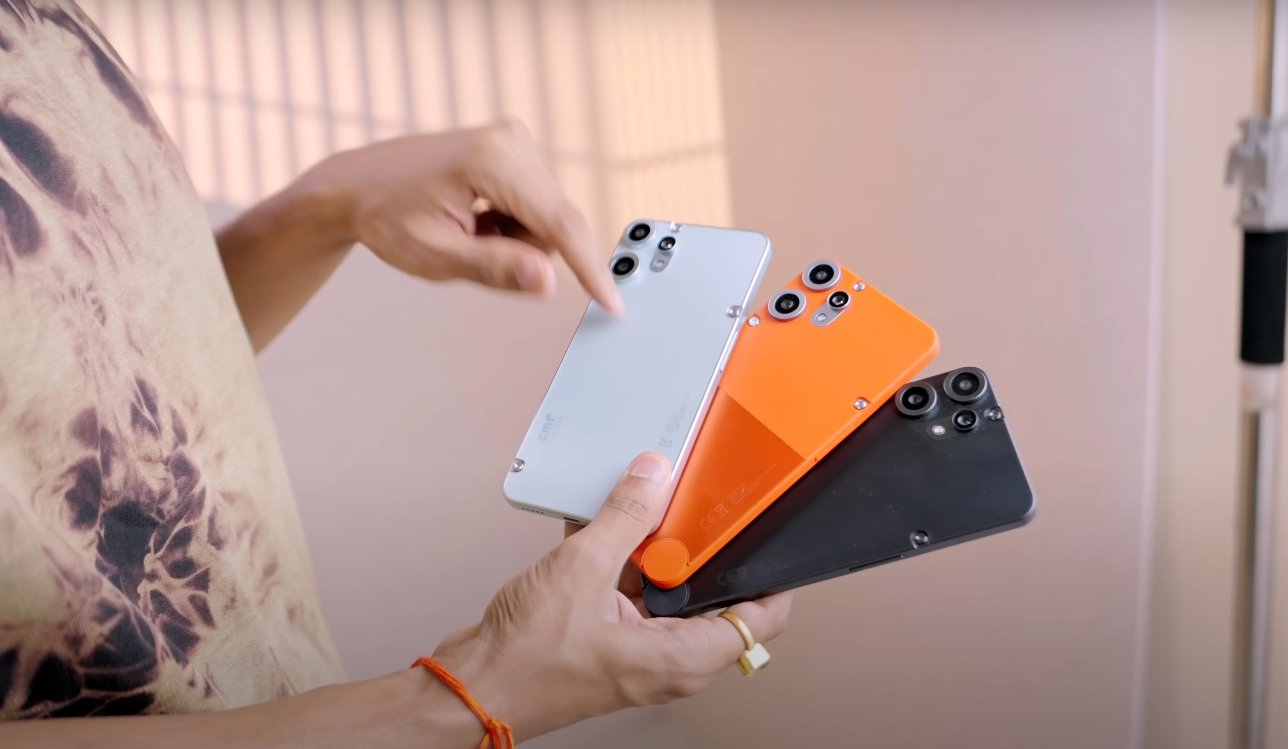
 

CMF Phone 2 Pro all colour

Battery Experience That Feels Reliable Every Day


The battery life over the last 7 days has been dependable. I used the phone for calls, browsing, camera testing, and video streaming every single day — and it always lasted till bedtime. Sometimes, with light use, it even had enough charge to go halfway into the next day. Charging once in 24 hours became a routine, not a worry.


Charging speed felt fast enough for my daily schedule. Even when I forgot to charge at night, a quick top-up in the morning gave enough juice for most of the day. That kind of trust in battery performance is rare at this price, and it made the experience stress-free.


Camera Experience in Daily Use Situations


The camera on the CMF Phone 2 Pro may not be the best on paper, but it felt reliable in real life. During the week, I used it for casual photography, food shots, outdoor pictures, and selfies. The main sensor delivered clear, detailed images in daylight. Portrait mode from the telephoto lens surprised me the most — the edge detection looked clean, and background blur felt natural.


Night shots were not flagship level, but good enough for social media. The selfie camera gave consistent results in both bright and indoor conditions. I didn’t have to take multiple shots to get something usable. It’s the kind of camera experience that does its job quietly and never gets in the way.


In Hand Experience and Everyday Carry Feel


Holding the phone for calls or watching content for long hours never felt tiring. The curved back and balanced weight make it very comfortable to hold. Even while using it with one hand, the phone stayed grippy and never slipped. I didn’t need to worry about fingerprint smudges or scratches thanks to the matte finish.


The side buttons feel tactile and well-placed, and the phone easily fits in small pockets or tight jeans. During these 7 days, I never once felt the need to use a case, and the phone still looked and felt like new.

Also Read:  Samsung S25 Ultra VS iPhone 16 Pro Max Top Features


My Final Thoughts After 7 Days of Use


After a full week of using the CMF Phone 2 Pro, I can say this is not just a good-looking phone. It actually works well, feels stable, and delivers a smooth, clean experience every single day. There were no annoying surprises, no crashes, and no frustrating delays. It felt like a phone made for regular people who want simplicity without compromise.


If you care about display quality, UI smoothness, battery reliability, and a unique design that doesn’t feel cheap, then this phone will not disappoint. My 7-day experience has been satisfying in every area that matters.

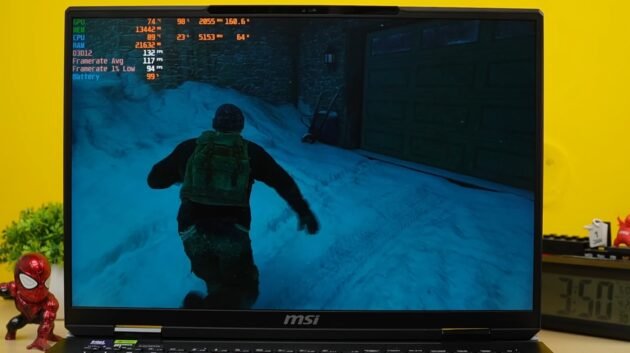
MSI Titan 18HX Ultra 9 Gaming test

MSI Titan 18HX Ultra 9 Gaming test

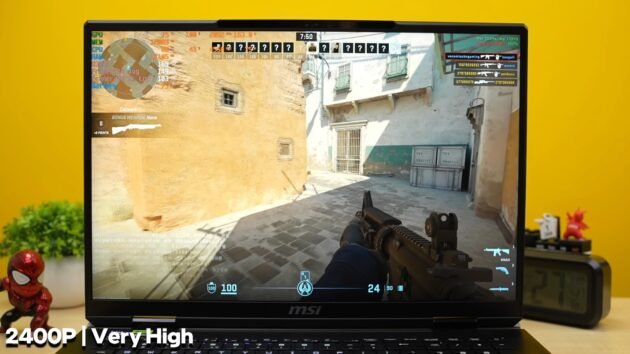
If it is a 4K display, then we will extract full juice of 590. Then we will talk further. So first of all, Valorant is a very flashy CPU, so we easily get an average of 400-550 FPS in it. So, being able to play a game at this resolution at a playable FPS on a laptop level is a big thing. Like CS2. And I want to make one thing clear regarding the resolution.


All these games will be tested at 2300p. Here in very high settings we are getting an average of 150, 140, 160 fps. If you want more fps than this, you have so much space to reduce the resolution that you can easily play at 1100p or 1500p as per your wish. But this is like a flash display. Then we ran GTA 5.


BGMI playing on ultra settings


In this, we had preset the maximum RT. And you can also see that 10 GB VAM of our GPU is being consumed and we are barely able to get an average of 55 FPS. And brother, what was visible inside this, what a game, brother, it was fun by keeping the textures resolution so high, brother. After that I played Elder Ring, this is our 60 FPS locked game. Then you will easily get 85 FPS, this frame generation is normal 2x frame generation which is also available in 40 series.


MSI Titan 18HX Ultra 9 Gaming test
MSI Titan 18HX Ultra 9 Game play


I will show you multiframe generation separately.and the same 556 keeps going up and down, then RDR to favor quality, that is, highest possible settings. And 7080 normally here without DLAs, and if you apply DLAs on quality also, then 80 plus FPS, then BGMI here ultra settings without rate racing, here we are getting 50-60 average fps, but if you apply frame generation.


The raw performance is playable inside this


Now here, we have also put the rate racing on ultra. So, I could not take it out in raw performance, 14GB RAM is being consumed. And TGB is consuming upto 170 W. But there is no playable FPS. But again the resolution is too high. Similarly, if you apply frame generation, you will get a good performance. And within that, the tadka of 50 series is multiframe generation. Here you can see that good frame rates like rate racing are also ultra. It is 2400 PV. Despite everything being on ultra, we are getting 100-120 fps in both the scenarios. Then Hawkwards legacy ultra possible settings 50-60 average fps playable on rate racing ultra but by applying frame generation you can get more fps if you want but if you are visual hungry then play in raw, it is a lot of fun and this laptop also gives playable fps. After that, if we apply multiframe generation, then we get unsustainable frame rates. And I have already talked about the 50 series in my review.


The visual impact comes because of the frame generation in it. The textures in 3x 4x are sometimes visible badly. But if you look closely, then we tested shadows very high and red racing was also kept on very high. We could not get 30-40 FPS in raw performance but as soon as we applied frame generation. We were able to get good frame rates. Don’t forget 2400p, this is a very good resolution. And this is the laptop’s 5090. Then The Last of Us 2 and in this, on very high settings, we are easily getting playable frame rates in raw performance. But if you want to apply frame generation for a smoother experience, then 2x frame generation is good. There is no such problem. After that Forbidden West is a very demanding game.


MSI Titan 18HX Ultra 9 Gaming test
MSI Titan 18HX Ultra 9 Game play 2


The raw performance is also playable inside this. By applying frame generation, you can double your frame rate. After that, Ghost of Tsushima gives good FPS in raw performance in very high settings. Like 60 average is coming out at 4K plus resolution and by applying frame generation, it reaches 120. Now the visuals in it, which I was talking about, are these visuals. You can see it comes on the side because it is AI generated frames. Like there are some blocks type. Then Free Fire is a very demanding game. It is very GPU intensive. Even in high settings, you can get 60 FPS. But by applying frame generation, you can get good frame rates. After that, 3x and 4x multiframe generation has a tremendous frame rate.


Getting an average of 4950 fps on very high settings in raw performance


So if you are playing the game and if you are looking very carefully, then you will see these in between. We can’t say whether it will be fine in the future or not. Then in Spiderman 2, we were getting an average of 4950 fps on very high settings in raw performance without rate racing. If we apply frame generation there, we get good fps like around 120-130. And if we set rate racing to very high then the raw performance is not playable. Now this game is not that optimized. We use cinematic with highest possible settings and buy this game. It means it was like cyber punk earlier but now in the current generation.


We will comment on it after some updates come. But by applying frame generation there, you can get good frame rates even in rate racing. This game takes the life of every GPU. And in raw performance, it is still giving around 30fps. If you apply frame generation there, you get good frame rates. And if we set the frame rate to very high, then you can see that 15.4GB RAM is being consumed. If it has slipped your mind that this is not 1080p, this is not 1440p, this is not actual 4K, this is 4K plus 2400p running on a laptop.

MSI Titan 18HX Ultra 9 benchmark of Cross Mark

MSI Titan 18HX Ultra 9 benchmark of Cross Mark

Any high end task related to data science or engineering simulation, music production because it is CPU intensive. No matter how big the libraries are, extensions, whatever you want to do, basically there is no need to take tension. Close your eyes and run it.


Machine learning related models have to be trained


Watch with open eyes because how will you watch with closed eyes? Common sense. And Geek Bunch released the benchmark of AI. Obviously we are seeing such big numbers on GPU in laptop for the first time. If you do any task related to AI. We ran both Stable Diffusion 3.5 Large Turbo and Stable Diffuse 3.5 Large in it. They were working well for basic task. And the speeds depend on your process. Then after that we ran the summary model of Deep Seek R1 using LM Studio. And here is its process. This laptop threw its output in 1 minute 20 seconds. So you can imagine that, there will be no problem in AI.


Machine learning related models have to be trained. Whatever you want to do, whatever is a money making party in this field, you will have to understand everything.


When there is a load on it then it will push itself by dynamic boost to give better performance. And when I was checking MSI’s website, they had mentioned the total power push as 270 W. So in our testing we did the total and saw that it was going upto 270 W. That means what was said is being delivered. Promises are fulfilled.


We have talked so much about the performance. Display of this laptop is an 18 inch 4K display. It is basically 16:10. So it becomes UHD Plus. Slightly above 3800 by 2400 native 4K. And this is a mini LED panel. It has a 120 Hz refresh rate. Visa display is HDR 1000 certified. Also HDR support is available. HDR tuning is very good.


The benchmark of Cross Mark


Then for overall productivity and preference, the benchmark of Cross Mark, whose numbers you can see are quite ok. And PC Mark 10 is very fast, there is nothing to worry about. Meaning if you spend so much money on multitasking tab product then you can do good work on 500 rupees laptop. After that blender benchmark for GPU performance is 8000 number which means till now one of the highest on laptop and 3D times.


CPU score is very good, GPU score is very good brother and if you want to do VR gaming then you will be able to do the best level of VR gaming on this laptop. Just because in the benchmark of VR mark we got 25,000 plus score. That means brother there is no tension at all. And we made a render of iphon in Blender. And How much time would it have taken? Think once. Thought about it? 7 seconds. So basically you want to do any GPU and CPU related task.


MSI Titan 18HX Ultra 9 benchmark of Cross Mark
MSI Titan 18HX Ultra 9


If you want to run After Effects, Blender, 3D modeling, rendering and game development, Unreal Engine 5, then this is the desktop replacement for you. Put the 5 kg desktop in the bag. Run here and there. Then for productivity, PJT Bench for Photoshop scores 9500 plus. PZ Bench for After Effects 16,000 plus and PZ Bench for PME Pro 15,000 plus cores. So for productivity, any project, 4K 60 fps, 10 bit footage, multi layer effects, no attention, run whatever you want.


Then we were checking its stability like thermals. Here we ran Prime 95. The CPU goes on 100% load, the temperature was pushed up to maximum 96 degrees, within which our room temperature was around 32-35 degrees. Then I felt that the temperature is high. Then I looked at the wattage. The wattage was 103 W and the average was 91 degrees. Because it became stable till 95 W. So, the phone is able to maintain properly according to its power push. No crashing, washing off or anything else happened here with our system. And we did it for the same GPU. The GPU went up to a maximum of 82. It maintained 80°. And for one time it went up to 193 W. But as the brand said 175 W, it was lasting till 165.


White color gamemate is completely strong


We tested the Color Gamemate. 100% sRGB, 100% OB RGB, 100% DCI. Today everything was 100 NTSC 85 but when our white color gamemate is completely strong then you will be able to easily do tasks requiring color accuracy, if you want to do professional level color grading related to editing, there is no problem, it does not disappoint in brightness also, here the all time brightness comes out to be 79 nits and it can push the peak up to 1000, on HDR content.


It gets pushed a bit in the specific window, it is of 1000 nits but the display is fun, be it multimedia gaming or anything else, apart from that if it had got the certification of dolby vision also. They are charging too much money, they should have paid. And under this we get more variants of display as well. HD Plus which is basically 1700 p with 240 Hz refresh rate and Ultra HD Plus also has a display with 220 Hz refresh rate. If you don’t get it online from where you want to buy it, then you will have to tell the store people that you will have to book it by paying in advance.


MSI Titan 18HX Ultra 9 285HX Must Guide

MSI Titan 18HX Ultra 9 285HX Must Guide

The burden of the whole world is on your shoulders, brother. And the thickness of the laptop is also quite good. The laptop is 32 mm thick. So overall you will know that it is not normally for any user who is forced to carry 5 kg on his shoulders.


That is what it will take and at the bottom we get intake and the exhaust is on the left and right side at the back. And the thermal system, you will see here you get a slot for Gen Five SSD. So there is an extra pipe for SSD cooling.


There is full on chamber type cooling inside it


I will show you how the thermals etc. are later. The power draw is so high in such a small machine, so we have to work on cooling. And now let’s talk about the technicalities. It has Intel Core Ultra 9 285 HX processor which is our 24 core 24 thread processor. There are as many threads as there are cores. Work has been done on power efficiency. But you will see the processor in terms of power efficiency, Bhaiya, I will tell you later. Max Turbo Frequency up to 5.5 GHz. Yes, this is Intel’s Core Ultra Series 2 HX processor.


Earlier Intel Core Ultra Series 2 V processors were launched which were for thin light laptops. These are our gaming laptop Series 2 processors which you will see in all the laptops that will be released in the future. And these are the latest Aeroc processors. There is no hyper threading in it. And it has 8 P cores.


There are 16 E cores. So if you do more power efficient work then it gets assigned to E core. And if it is a performance centric task then P core is basically for power efficiency. You get more battery backup. And this processor supports the latest connectivity solution. There is also support for Thunderbolt 5. And there is also a dedicated NPU with this processor. But it is not the one with 45 TOPS. You get a 13 TOPS NPU which was also there in Intel Core Ultra series one.


File transfer per second speed


Basically the work of NPU is to take on low power DI tasks. CPU does not put the entire work load on GPU. Unnecessary battery backup is consumed. So NPU handles it there. Otherwise the real AI performance is done by GPU only, brother. And by GPU RTX 5090 with 24GB RAM with up to 175W TGP, And this laptop has 64GB RAM in dual channel with DDR5 6400 mega transfer per second speed and you can upgrade up to 96GB to the next level.


storage is one TTB or two TTB or 6TB storage in 6TB J4 J5 combo, basically three storages are installed inside it. And it is configured in raid zero. Whose read and write speed, brother, is around 17,000 read speed and 10,000 plus Mbps write speed. Who needs such speed? Who is watching such fast study material? And raid zero is basically a method.


MSI Titan 18HX Ultra 9 285HX Must Guide


So raid zero is configured by going into bias. And connectivity is latest Wi-Fi 7 and Bluetooth version 5.4 along with 1 month Xbox Game Pass. You should have given at least 3 months. Two or more high speed storages are combined to make a more high speed storage.


Brother, you will buy such an expensive laptop. Assume all the money will be spent on this. Who will buy the game? And we get Windows 11 Home in it. According to me, the brand should have also given the option of Windows 11 Pro. Meaning some people want Pro. So there is no option of Pro in this. You will only get Home. And brother, there is no MS Office. MS Office should have been given in such an expensive laptop. Obviously, whoever has so much money will buy MS Office. But even if so much money is paid, it should have been given with it.


Also Read: MSI Titan 18HX Ultra 9 Gaming test


Compare this processor with the competitive processor


if we compare this processor with the competitive processor in Cinemach R23, then you can see that it is almost the highest performing. The Ryzon 9955 HX above it is performing 3% more than this. But the single core performance of 9955 HX seemed a little better and there is also a 9955 HX 3D processor which is a gaming processor, this has also come in some laptops. So I was also checking its score online.


It is the highest performing. Meaning a strong benchmark but this processor is also not far behind. And mainly for the talk about efficiency, brother, we will have to test multiple processors as well. When we will collect some data, then I will be able to tell something in real time. The inauguration has just happened. Prepare for the festival.


Let’s take a look at the synthetic benchmark. You can see Cinema R23. Good numbers are coming out here. You can see the numbers of Cinemach 2024, brother, 2000 in multi core plus 129 in single core and GB6 CPU benchmark is amazing.

MSI Titan 18HX Ultra 9 285HX Laptop

MSI Titan 18HX Ultra 9 285HX Laptop

MSI GT Titan Intel Core Ultra 9 HX case with RTX 5090 24 GB graphics card. By the way, the last GT Tan we had bought was with 1490 with 13980 HX, then it also came with 14th generation but that was just the difference in the processor.


The black box has come out


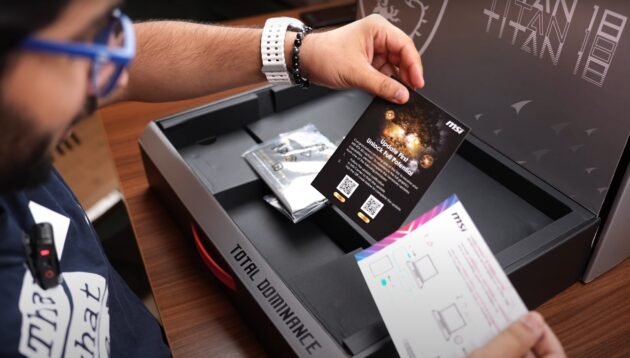
The rest of the laptop was almost the same and that is a different thing. It was not in India for review. I don’t buy such cheap laptops. So I thought let’s directly buy the Core Ultra 9 latest case. The black box has come out. This is Titan 18, the 18-inch one. Such a heavy laptop, a little bookish conversation, Is saying update unlock full potential. I said okay then connect to power. Well, if he had not told us, I don’t know whether I would have done it or not.


400 watt laptop charging no, if you want to fight, then tell me. If you want to tear someone’s head, then tell me. Oho there is a lot in it, Tthese are amazing things. So here you get a power cord as well and look at this, you must have guessed from the port in front that this is not the Indian variant. Apart from that, there is a lucky key chain inside it, which is the dragon of MSi.


MSI Titan 18HX Ultra 9 285HX Laptop


A monitor, a table, someone at home for personal guidance who will teach us how to use it, unbox it. And let’s remove the well. What a beast item it is. So big and wide. Its velvet cloth is also very expensive.


Apart from that, they have given a dual drive, here they have given a Type C 256 GB pendrive. And I think there will be a mouse inside it. And here you get a mouse. Oho, this is a wireless one, whose model is M18. So, look this is a US laptop. I don’t know if we will get the same packaging in India as well. We will get all the same stuff or it is possible that we will get a laptop in India. By the way, what is such an expensive purchase?


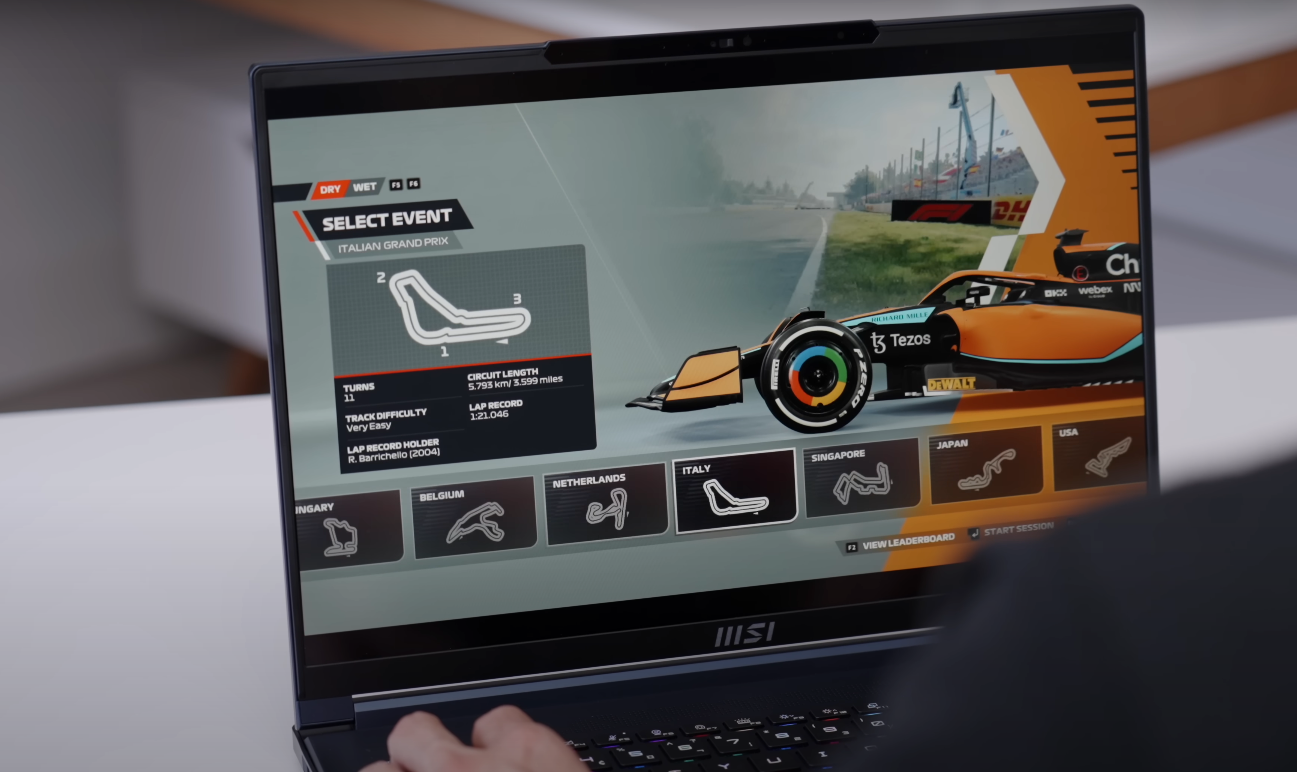
I can’t even see the trackpad. There is nothing to it. It looks like an airplane, as if it will fly even if you put it on. What all do I keep saying now. Oh, what type of display is this? Mini LED. It looks very strong. Let me do one thing. I will play a little game on it. See you in the next shot. This laptop is one of a beast. Meaning full on desktop replacement 5090 gaming by pressing. Productive task by pressing.


The entire laptop comes with full on premium looks


I will get everything done but the pricing is ₹ 6,20,000. Now at this price point, I still felt some shortcomings in this laptop, which according to me could have been better as a most flagship laptop in the market. And for whom is this laptop? And still people will say in the comment section that at this price point, a great PC build will be made.


I will answer all these questions. I will explain in every way, what is this laptop? Who does it target? Who should buy it? So first let’s start with the beauty. The entire laptop comes with full on premium looks. The top lid is made of magnesium aluminum alloy and the keyboard area here is made of high quality poly carbonate, laptops are beautiful from the top and front. This laptop is beautiful from the back. Now Titan branding is done here and what a nice silver grey finish with blue rubber grips. It looks cute at a different level from the back. This thing is not even visible.


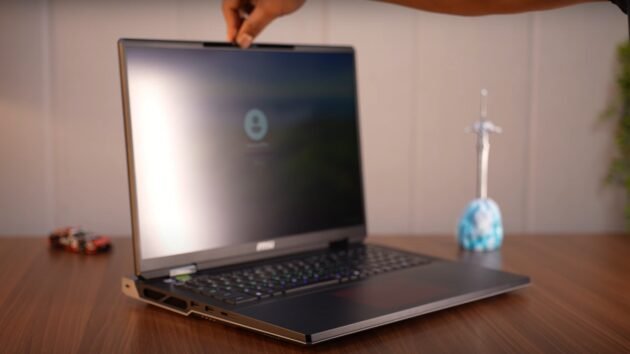
It has a tank type build. Holding it, you can tell that the laptop is very strong. And here obviously the weight distribution is good. The lid opens with one hand. The maximum goes up to 120-130°. And here the hinges are quite stable. The screen wobble is almost negligible and there is no keyboard flex. There is no top plate flex. What all will you expect from it? And it is a gaming item. In the early morning of RGB, you get full on RGB in the keyboard. There is RGB in the MSI logo at the back.


Also Read: MSI Titan 18HX Ultra 9 benchmark of Cross Mark


RGB of the keyboard and trackpad


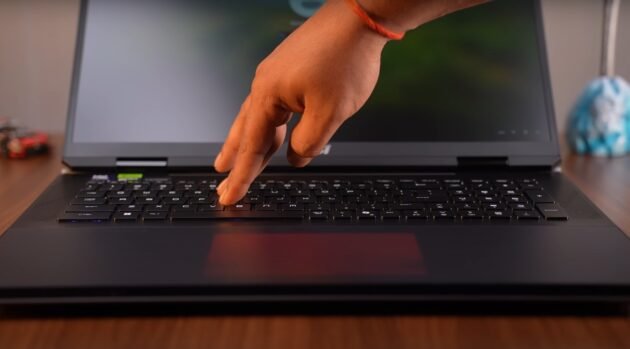
There was no place for it. They put RGB in the trackpad. We last saw this type of RGB in the Alien Wear laptop. And you can customize it fully by going to the Steel Series software in which we get presets etc. Customization will be done as per your requirement.


RGB of the keyboard, of the logo and even of your trackpad and if you want, you can also turn them off as per your requirement. Lights consume battery. Lights do not give much FPS. This is a joke going on here. And overall if someone sees this laptop from a distance and you are using it, it is kept on the table and lights are burning in it. Gaming is going on. It gives a very strong feeling. On seeing it, one feels like what is this? And this is a big, wide laptop with 18 inch screen, its weight is 3.65 kg only for the laptop. Apart from that, if you include the 400 watt brick, then it weighs around 4.85 kg. So you will not travel normally carrying this laptop.


Msi stealth A16 Ryzen Ai 9 laptop gaming test

Msi stealth A16 Ryzen Ai 9 laptop gaming

Main aspects of the laptop and start off with the display

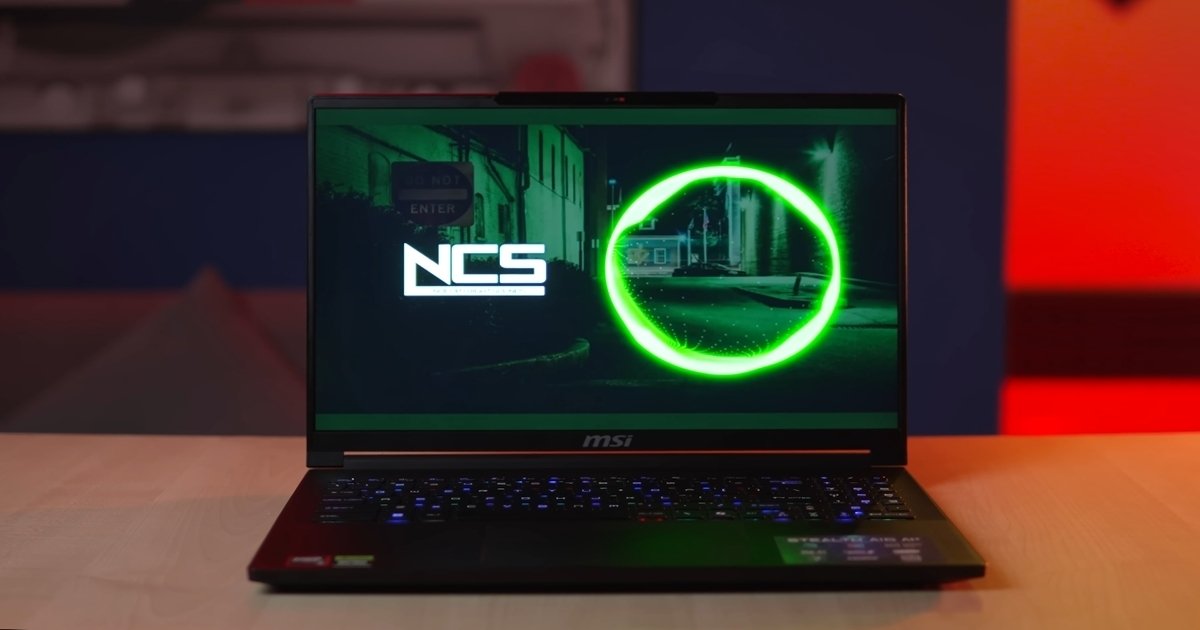
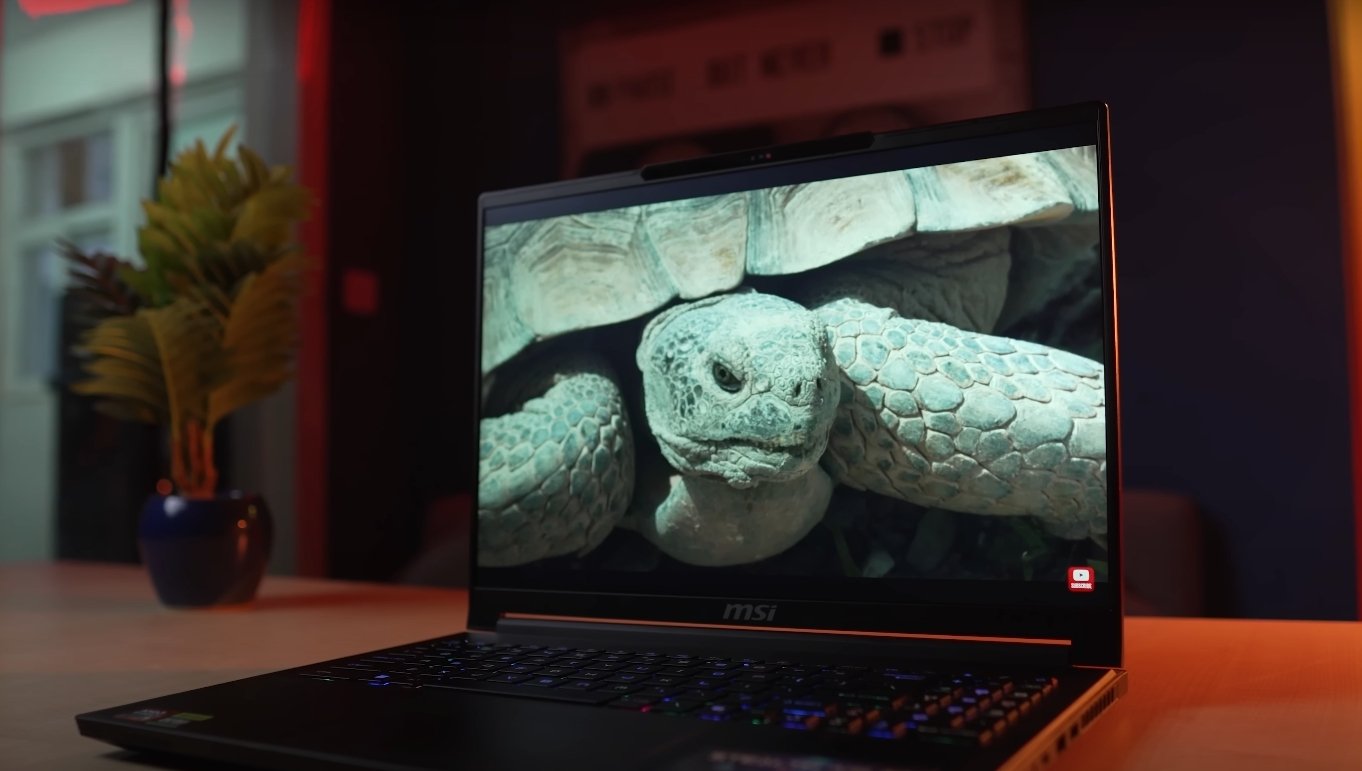
So this laptop is actually available in like multiple display variants. You get IPS edition, OLED panel variant is also there. Today in the home, our laptop features a 16 in 16×10 aspect ratio quad HD plus 240 Hz high refresh rate IPS level panel. And as I’ve told you, I’ve been using the laptop for the last couple of days and not just for my day-to-day casual sort of work. I’ve even binged watched plenty of movies and web series as well on OTT platforms and did a bit of gaming as well. And honestly speaking, display quality is fabulous for the price tag.

Black levels are also decent. And coming to colors, color quality, color reproduction. Everything was on point, guys. All thanks to its high quality IPS panel. Look at these RGB values over here. If you’re a content creator, right, and you do a bit of photo editing, video editing, nothing to worry about. Laptop is great for AI and content creation sort of applications. And moving on to the brightness, brightness of the panel is also nice. You can easily expect around like 300 350 nits, not an issue at all.

I’m telling you, right, for the price that you’re paying, you’ll be like plenty happy and satisfied with the display quality on this model. There’s good amount of detail. Quad HD plus resolution at 16 in. Text looks crisp and clear and very easily readable. Contrast ratio is nice.


Audio quality and speaker of Msi stealth A16 Ryzen Ai 9

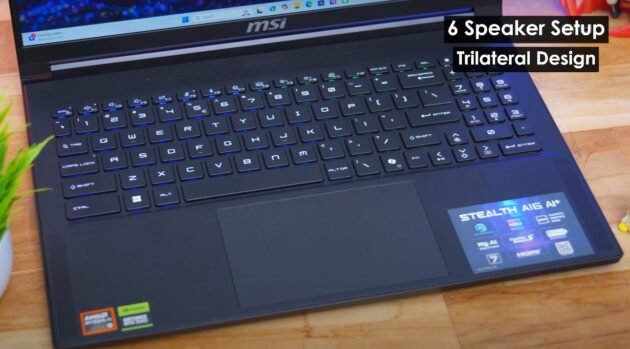
Now, coming to the overall audio performance. Now, sound on this laptop is special, guys. You’re getting six speaker setup that two with a brand new trilateral design. So basically, you’re getting two speakers and four woofers. Totally can produce around like 12 watts of audio output. See guys, usually I’m not that happy with the built-in speakers on a gaming laptop. I’ve seen so many models, but over here now when I actually opened YouTube and played some music videos, right, I was literally blown away by the sound, guys. Excellent quality audio.


Msi stealth A16 Ryzen Ai 9 CPU & NPU Peformance

All the dialogues like crisp, clear, audible, and treble performance was also nice. I’m telling you right, it’s great for entertainment purpose. I know you guys have been waiting for this part, right? How is the overall laptop’s performance in day-to-day sort of usage? So, before we get to the gaming test and benchmarks, right? First of all, let me tell you about the hardware specs and configuration.

This laptop is available in like various CPU variants. Today, our model is powered by AMD’s all new Ryzen AI 9365 CPU. This is based on their all new 4nome Zen 5 architecture and features 10 cores 20 threads with a max boost clock frequency of up to 5 GHz. Not to miss out, you’re also getting integrated GPU as well that is based on RDNA 3.5 architecture. Plus, main highlight as I’ve told you guys, you’re getting one of the fastest NPUs available in the market for Windows platform.

AMD’s XDNA 2 NPU that can offer up to like 50 tops of AI performance. Now pair this brand new CPU with RTX 4070 or 4060 variant is also there. So our particular variant features RTX 4070 GPU with up to 8 gigs of GDDDR6 memory. Max switch support is also there. And if you ask about the TGP, right? So it is rated at 105 watt with dynamic boost 2.0. Plus, we’re also getting 32 gigs of LPDDR5X RAM clocked at 7500 MHz. And yes, the RAM is also easily upgradeable. Not an issue at all. And pair that with one TB PCI Gen 4 SSD. You’re getting two slots available, guys. So yes, the storage is also expandable up to 2TB. So I’ve been using the laptop for the last couple of days for my day-to-day related works, office related stuff, you know, like photo editing, text editing.


4k photo editing and gaming test

I’ve also ran like a dozen Chrome tabs in the background and nothing seemed to slow it down. Overall performance has been great for my day-to-day usage. What Photoshop or text editing? You can even do like 4K video editing on Premiere Pro. Let’s finally get to the gaming benchmarks and see what sort of performance we’ll get. So, I was a bit curious how do these new AMD Ryzen AI 300 series CPUs perform when paired with RTX40 series GPUs. No sweat at all. I mean, look at this.

Especially if you’re like a creator, right, and you do a lot of AI related workloads or maybe like content creation, you’ll be like quite happy and satisfied with overall performance over here. Just have a look at the scores. First of all, let me tell you our particular variant features RTX 4070 with 8 gigs of VRAM, right? And the TGP is rated at 105 watt with dynamic boost 2.0. So this sort of configuration is great for doing a high frame rate 1080p gaming or you can even do like smooth 1440p gaming.

So, we’ll be playing a couple of A title games at different resolutions and also at different graphics preset as well. And I’ll give you like a detailed overview what sort of results you’ll get over here. And yes, the configuration does support Nvidia technologies like rateracing, DLSS 3.5 and frame generation as well. I’ve also ran some benchmarks like Cinebench, Geekbench. Here you can enjoy more information regarding this Click.

MSI Stealth A16 Ryzen AI 9 Review

MSI Stealth A16 Ryzen AI 9

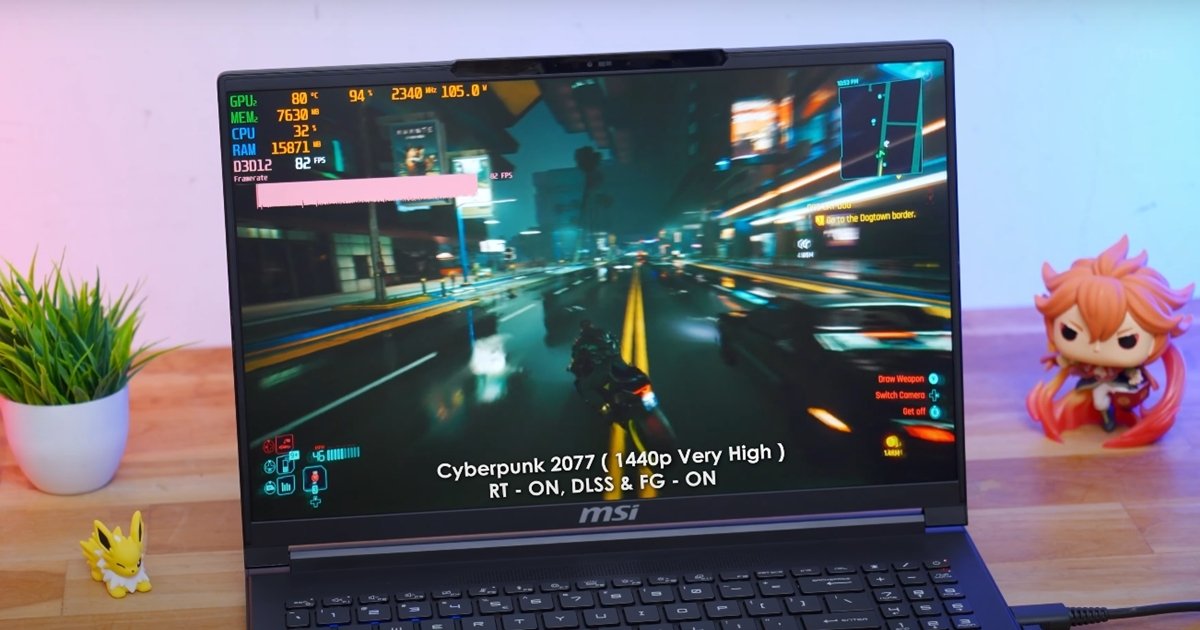
Cyberpunk 2077 is pretty graphic intensive and puts a lot of load on the hardware. If you look at the top corner of the display, you’ll check out all the CPU GPU stats. So just have a look at that whenever I’m doing this benchmarks.


So in this first clip, we’re playing the game at 1080p resolution, graphics set to very high preset, and we are not using any sort of Nvidia technologies, no rate tracing, no DLSS, not even frame generation.


Perfomance when you play a heavy game


I want to show you the raw rasterization performance of this hardware. So there you go boys. As you people can see on an average we were getting around like 60 to 65 fps guys at very high graphics preset. But wait until I actually enable DLSS and frame generation. So quickly enabling both of them at 1080p very high and keeping rate tracing off. Bam. Now this is the kind of magic I’m talking about. Let’s actually do that. I’ve enabled rate tracing keeping all the graphics preset same as the previous clip. And yes, obviously DLSS and frame generation are also enabled.


Look at the difference guys. Straight from 6065. Now the game is running at around like 145 to 150 fps on this system. Now that is the kind of performance I’m talking about. Muscar AAA gaming over here. The next question you might ask is can the laptop also handle rate tracing at 1080p. Okay, as you people can see enabling rate tracing has definitely reduced the frame rate because it obviously puts a lot of load on the hardware, right?


Now at 1080p very high with the rate tracing enabled we were getting around like 90 to 95 fps. Not bad guys actually quite impressive is what I can say. I mean look at the graphics over here. So till now we’ve been doing all these benchmarks at 1080p resolution. Right now let’s actually try running the game at the laptop’s native display resolution. Again, I’ve told you right Spider-Man 2 is like pretty graphic intensive. So, these were the results.


MSI Stealth A16 Ryzen AI 9 Review
MSI Stealth A16 Ryzen AI 9


Basically quad HD plus 1440p resolution keeping all the graphics same as before very high and also rate tracing DLSS frame generation everything turned on. Okay, there you go. Even at 1440p quad HD plus resolution, right, we were still getting around like 75 to 80 fps, guys. So, just like this, I’ve also tried variety of other AAA games as well and was getting like very similar sort of results. Moving on, let’s also play one more game which is Spider-Man 2.


This is also a pretty graphic intensive game guys and even powerful PCs also sometimes struggle run in this game. So, we’re playing this game at 1080p resolution, very high graphics preset, and just like before in this first clip, we’re not using any Nvidia technologies. I want to show you the rawization performance. Okay, so with these sort of settings, on an average, we were getting around like 50 to 55 fps. Not bad, I would say. Quickly enabling DLSS and frame generation at 1080p greatly improves the results.


After enable DLSS frame


Now we were getting almost like 85 to 90 FPS. Sometimes even goes above 100 also. Okay. So that was at 1080p. Now what about at 1440p quad HD plus resolution. So let’s quickly bump up the resolution to quad HD plus. And these are the results. We were getting around like 45 to 50 fps with all Nvidia technologies on guys. DLSS frame generation is also enabled. See if you want to play these sort of new gen games at maximum graphics and also high frame rates.


I would suggest you to go for a 1080p resolution guys. you’ll get best and optimal results. Also guys, remember at the beginning I’ve told you that this is a co-pilot plus AIPC. And by clicking over here, you can access all the other sections and features. You’re getting full-on co-pilot integration along with a dedicated co-pilot key on the keyboard and not to miss out MSI AI engine on board. You can easily access all of these features using MSI center. Let me quickly give you like a walk around and show you all of that. On the home screen, the app gives you like a detailed hardware monitoring data that to in real time.


In the user scenario mode, you have like five different system profiles to choose from like balanced mode, silent mode, extreme performance mode, and a special AI mode as well, which when set, MSI’s AI engine automatically sets the proper system profile depending on the current workload and scenario. You don’t need to do anything. MSI’s AI engine will automatically do everything for you. So, that is pretty much it.


Battery backup and fast charging


This laptop is powered by a 99.9w 4 cell lithium-ion battery and battery life was kind of decent is what I can see. No, just like any other gaming laptops on a moderate sort of usage with the brightness set to around like 50 to 60%, you’re doing casual day-to-day sort of work, a bit of productivity, AI work as well, right? Roughly, Then the laptop will only last for like 1 one and a half hour max. But not to worry, you’re getting a big 240 watt power adapter, right? So that quickly tops up the battery life. you can expect around like 4 and 1/2 to 5 hours of battery life. But if you’re a hardcore gamer, you’re playing games on battery which usually nobody does, right?


MSI Stealth A16 Ryzen AI 9 Gaming laptop

MSI Stealth A16 Ryzen AI 9 Gaming laptop photo

This is one of the very first gaming laptop that is powered by AMD’s Ryzen AI300 series CPUs. Today I’m like super super excited because I just got my hands on an exclusive AI gaming laptop from MSI.


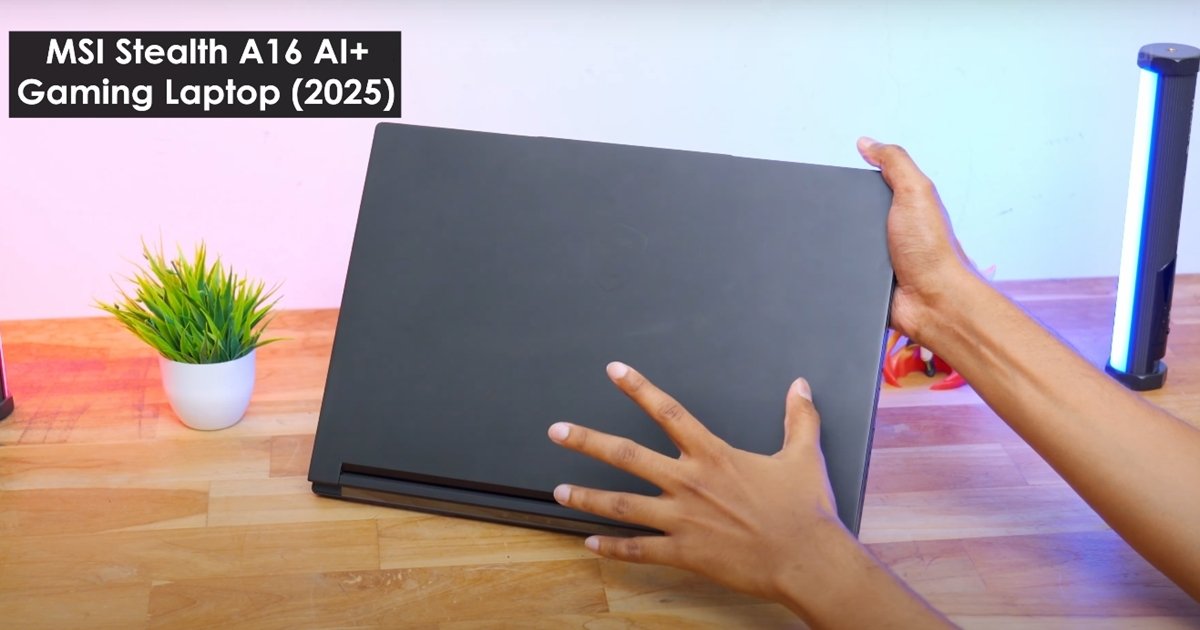
In fact, as I’ve told you, this is one of the very first AI gaming laptop to feature AMD’s Ryzen AI 300 series mobile processors, guys. So, this is MSI’s all new Stealth A16 AI Plus. And today. It’s got some killer specs and features. First of all, you’re getting like 16 in quad HD plus 240 Hz high refresh rate IPS panel. Pair that with like AMD’s Ryzen 9 AI 365 CPU which is 10 core 20 threads onboard. You’re getting RTX 40 series GPUs.


Multiple variants are there. And not to miss out, the laptop also features one of the fastest NPUs available right now for Windows platform in the market and can offer up to like 50 tops of AI performance, guys. So if you’re a guy looking for a laptop for all rounder purpose, maybe for a bit of content creation, gaming, AI workloads and applications as well, right? This might actually be like quite useful for you.


Performance, benchmarks and gaming test in high setting


We’re going to unbox it, do variety of benchmarks, performance test, gaming tests as well. Now, honestly speaking, there is nothing much to unbox over here. In the package, you get MSI’s all new Stealth A16 AI Plus gaming laptop. Along with that, you get a 240 watt power adapter and a main slot for the charger. That’s it. So, let me give you like a closer look at the laptop and first talk about the design and build quality part. So, there you go, boys.


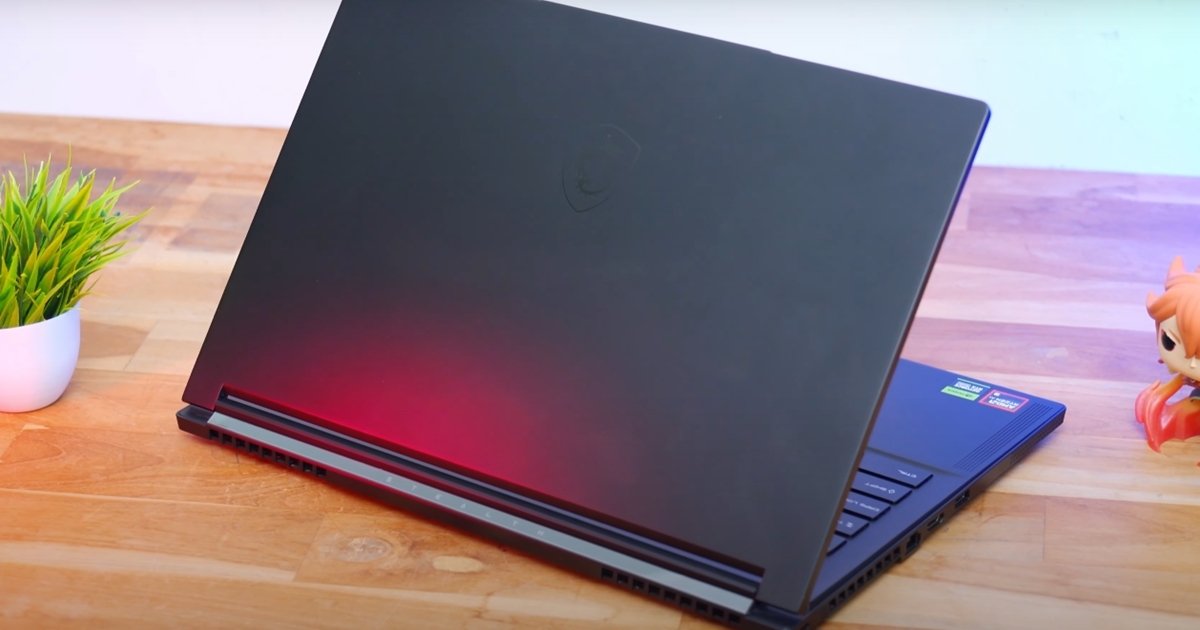
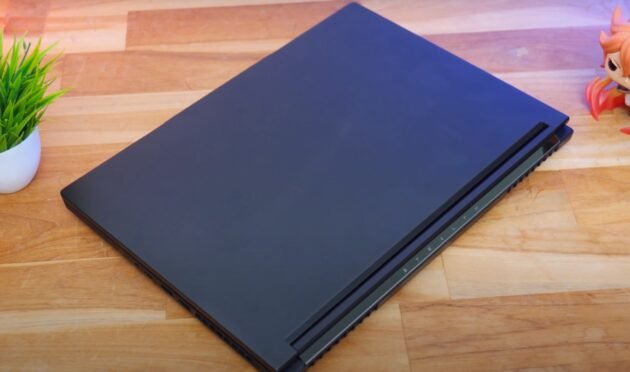
This is how our brand new MSI Stealth A16 AI Plus gaming laptop looks like. And initial impressions, I have to say that is a beautiful looking gaming laptop. You’re getting an all black stealth look. There is nothing on the top lid, guys. just a stealthy finished MSI Dragon logo. And talking about the build quality, build quality of the laptop is also pretty nice. Entire body is actually made of magnesium aluminum alloy material guys. So that definitely gives you like a solid look and feel. And look at the whole profile as well.


It is actually quite thin considering it’s a gaming category laptop. The thickness of this laptop is only around 19.9 mm and roughly weighs around 2.1 kg. You can easily throw it in your backpack and carry it anywhere. There is nothing on the top lid as I’ve told you guys. You’re getting a clean, minimal looking design. No RGB, no fancy lighting, nothing like that. But on the bottom, you do have a beautiful glass finished element with the stealth branding on it. Despite being like an AI gaming laptop, right?


What I’ll do is I’ll give you like a closer look and show you all the available IO connectivity ports on this model. Starting off from the left profile here, you’re getting an exhaust vent. And that is pretty much it. Now going to the other side here you’ll find rest of the IO connectivity ports which include a status LED indicator 3.5 mm headphone jack is also there a USBC port. Basically this is a super fast USB 4.0 port guys that even supports like DP Thunderbolt 4.0 and PD fast charging as well. One more USB 3.2 type A port is available. You’re also getting a Kensington lock. Uh this one is your Ethernet LA port. HDMI 2.1 port is also available. USB 3.2 type A port is also there.


Specification and top features of MSI Stealth A16 Ryzen AI 9


This one is your DC port to basically charge the laptop. And that is pretty much it. Here’s how the bottom profile of the Stealth A16 looks like. plenty of cutouts and vents basically to keep the laptop running cool even under heavy loads. The audio system on this laptop is a bit special guys. You’re getting six speaker trilateral speaker design. On board you’re getting dual fan exhaust system with up to five heat pipes. We’ll talk about all the thermal performance and everything during the testing and benchmarks part.


MSI Stealth A16 Ryzen AI 9
MSI Stealth A16 Ryzen AI 9 Gaming laptop


So basically four speakers, two on the left, two on the right on the bottom profile and two are like front to firing. Very convenient, right? And there you go, boys. Here’s how MSI Stealth A16 AI Plus gaming laptop looks like. So that is pretty much it. Our complete overview on the exteriors. Let me quickly open up the laptop and talk about the interiors as well. The first thing you’ll notice over here is you can open the lid of the laptop using a single hand just like this.


Also Read:  ASUS Vivobook S14 Gaming and performance test


Display glass and smoothness


You’re getting a massive 16 in quad HD plus 240 Hz IPS level display. And look at the bezels as well. Very slim bezels on the left and right. At the top and bottom, you do have a little bit of chain. Let me actually give you a closer look and talk about the keyboard and the touchpad. Stealth A16 comes with a premium quality per key RGB lighting keyboard that two from Steeler and quality of the keyboard is also very nice.


Going to the top side here, you’re getting a full HD plus IR webcam along with 3D noise reduction plus technology plus a privacy manual shutter is also included. Look at the key caps, the lettering, even the quality of the keys is nice. Feel tactile and clicky. So, that’s it about the upper half section. Going to the lower half section. I’ve been using this laptop for the last couple of days, right? had a great experience.


Best part, as I’ve told you guys, you’re getting per key RGB lighting, fully customizable using MSI software. Coming down to the touchpad, you’re getting a premium quality large size touchpad that feels very comfortable while using. I mean, there’s plenty of space, right? You can conveniently use the touchpad. Easily recognizes all my inputs and gestures. Didn’t face any sorts of dead zones also. And quality of the integrated buttons is also nice. All right, moving on. On the bottom, there’s nothing over here, just the MSI branding. for more information visit here.

My Go-To Kit: 9 Indispensable Cameras and Accessories for Flawless TikTok Content, All in One Sling Bag

My Go-To Kit: 9 Indispensable Cameras and Accessories for Flawless TikTok Content All in One Sling Bag

=

Mastering Mobile TikTok Content Creation with My Essential Gear

In the fast-paced world of TikTok, capturing engaging content on the fly is paramount for any aspiring creator. Producing high-quality videos without cumbersome equipment is a game-changer. I’ve refined my portable setup, discovering nine indispensable cameras and accessories that allow me to create stunning TikToks with ease.

The beauty of this specific kit lies in its incredible portability. Every item discussed fits snugly into a small sling bag, meaning I can grab it and go at a moment’s notice. Whether capturing spontaneous moments or documenting daily adventures, this compact arsenal ensures I’m always prepared to shoot.

My trusty smartphone is the bedrock of my TikTok production. Modern flagships, particularly the latest iPhone models, boast incredible camera capabilities – often rivaling dedicated video cameras for everyday use. Its convenience for immediate editing and direct uploading cannot be overstated, making it a must-have for mobile creators.

While my phone is excellent, a dedicated compact vlogging camera like the Sony ZV-1F provides superior image quality and advanced features in a tiny package. Its larger sensor excels in various lighting conditions, offering a step up in visual fidelity for close-ups or cinematic shots. Designed for creators, it proves invaluable.

A small, versatile tripod or grip is absolutely non-negotiable for stable footage. I rely on a Joby Gorillapod Mobile Rig; its flexible legs allow for creative angles and secure mounting on almost any surface. This ensures my shots are always smooth and professional, whether recording hands-free or using it as a comfortable handheld grip.

Crystal-clear audio is just as important as crisp video, especially on TikTok where sound often carries the narrative. A compact wireless lavalier microphone system, such as the Rode Wireless GO II, delivers exceptional sound quality without annoying cables. It’s incredibly easy to use and makes a huge difference to audience engagement.

Good lighting can transform mediocre footage into something truly captivating. A small, portable LED light panel, like the Lume Cube Panel Mini, is perfect for illuminating subjects in dimly lit environments. Its adjustable brightness and colour temperature ensure flattering light, even when natural light is scarce.

Running out of battery during a crucial shoot is a content creator’s worst nightmare. A high-capacity power bank is an essential component of my kit, keeping all devices charged and ready. It ensures uninterrupted filming, providing peace of mind knowing I won’t miss potential viral moments due to a flat battery.

Recording lots of high-quality video footage quickly consumes internal storage. Carrying an extra SD card or a small portable SSD ensures I never have to delete valuable content to make space. It’s a simple solution providing ample room for extended shooting periods, allowing me to capture everything I need.

For my smartphone, a wide-angle lens attachment offers incredible versatility, especially when I need to fit more into the frame. Whether capturing expansive landscapes, showing off an entire outfit, or including multiple people in a shot, this small accessory expands my creative options. It simply clips on, transforming my phone’s perspective.

Maintaining clean lenses and screens is vital for producing sharp, unblemished footage. A miniature cleaning kit, comprising a microfibre cloth and a small air blower, fits easily into the sling bag. It helps to quickly remove dust, smudges, and fingerprints, ensuring every shot is pristine and free from distracting imperfections.

Together, these nine items form a powerful yet incredibly compact setup that empowers me to create professional-grade TikTok content wherever I go. Each selection balances performance with extreme portability, ensuring I never compromise on quality or convenience.

Investing in a well-curated, portable kit not only streamlines the content creation process but also encourages more spontaneous and authentic storytelling. It proves you don’t need a massive, expensive rig to make an impact on TikTok. With these essentials tucked into a small sling bag, the world truly becomes your studio.


Also Read:  PC Gaming Under Siege: Dell and Lenovo Price Hikes Set to Hit UK Hardware Market

MSI Stealth 16 AMG Gaming Laptop Top Features

Inside the MSI Center software, you get Hybrid mode, IGP only mode and Discrete mode, which you can change. Better performance in display output discrete. In hybrid, it will push the GPU when needed. And inside the iGPU only mode, you get the best battery backup because the dedicated GPU is turned off inside it.


MSI Center Software and MSI AI Engine which basically optimizes your system in real time


Its MSI Center software also has full on third of Mercedes UMG Motor Sport. So here you get hardware monitoring. Inside then features, you get MSI AI engine. According to your load. And apart from that, User Scenarios in which there is Ai engine. And Sport Comfort Eco, so in Sport means full on best performance is available.


Below we will get different modes, GPU ones. Then we have general settings, apart from that Ambient Link in which we get light effects etc. Basically this is not for laptops. If you are using any MSI device with ambient link support, then if you want to control their lighting etc., then it can be done directly from this software. Then we have Ai noise cancelation pro in which you can turn on speaker noise cancellation, microphone noise cancellation.


One thing I felt is that its RGB-related looks very good in the dark.


Here we get a full size keyboard. Numpad is included. But the keys of the numpad are a little small. The key on the end is an RGB keyboard. You can customize its RGB. There is a software called Steel Series GG, inside it you will get all the customizations. There are also presets etc. inside it. If you want to do your own customization, you can do that as well.


One thing I felt is that its RGB-related looks very good in the dark. But if you are looking at it in a bright environment then its RGB does not look so special. And overall typing experience is good. The keyboard is good to use. It is smooth to use. The size is also good. And it also supports multi gestures and is a fully clickable trackpad. And on the right side of the trackpad, that is, below the arrow keys, we also get a fingerprint scanner. That means there is support for Windows Hello. You unlock the laptop instantly, brother. Just by placing your finger like this, you are a VIP.


The most popular part of this laptop is its display


Here we get a 16-inch O LED display whose resolution is 2560/1 1600, that is, it is a Quad HD Plus display with a refresh rate of 240 Hz and the color game is amazing, brother, here our 98% P3 came out, consider it 100%, it is 100% sRGB. And the brightness is 391 nits all time brightness. Compared to IPS panel, 250-300 nits brightness of OLD is also a lot. Still, it is 391 so there is no problem in using it comfortably. It is a glossy panel, so if any direct light falls on the display, then you may face problems in bright environment, which comes with O LED display.


And yes Visa Display HDR True Black 600 certified. That means it can push brightness up to 600 nits in HDR content. That too a specific window, not the entire display. Look at HDR content on YouTube, we run Caustica Bhai Saheb for testing. Aha, the animals look so bright.


It is a color accurate display, so you can do color grading etc. easily. And there is an application inside it called MSI True Color, inside which you can change different color spaces. There are modes like AOB RGB, Display P3 and SRGB, anti-blue gaming and many more. So you can change it according to your content. Just your HDR should be off.

Also Read: How MSI Stealth 16 AMG Delivers Next Level Gaming

MSI Stealth 16 AMG Gaming Laptop FPS Review of Different Games

MSI Stealth 16 AMG Gaming Laptop FPS Review of Different Games

We played many games like bgmi, free fire, call of duty, gta 5 on this laptop. We tried to play many games here in low and high settings and the result we got is what we are going to cover in this blog today.


First of all we tried BGMI, FREE FIRE


We tested BGMI on ultra settings. We were getting okay FPS in raw performance, around 3540. But if you apply frame generation there, then you get an average of 80 FPS. Then FREE FIRE is a very demanding game. Even after applying frame generation, I could not get good frame rates here in this laptop and I did not find anything good in raw performance, but raytracing is very hyped here.


MSI Stealth 16 AMG Gaming Laptop FPS Review of Different Games


If you tweak the settings, you will definitely be able to play. I am telling you the maximum, which we keep in every laptop. Scenario so that you do not have any problem in comparing. Then The Last of Us to Raw performance is not so good playable. Average 40fps was coming out. Meaning you can play. But if you want good frame rate then you can easily get 70, 80, 90 FPS by applying frame generation.


Horizon Forbidden, Spiderman to game khelne ke bad is laptop ke FPS


Tested Horizon Forbidden on West Very Icings, applying DLAs frame generation, it is able to get up to 60 FPS. Normally also it is 40 45. After that Ghost of Tsushima gives good frame rate. Like in raw performance also we are getting playable 45 50 fpfs. By applying frame generation, it is up to 90. Helple 2 is a very demanding game. And here the raw performance is 30 FPS. The playable frame rate was not that good. But as soon as frame generation was applied, good FPS were obtained, like around 80.


Then Blackout working test was done on Cinematic i.e. highest possible settings. In this, playable FPS was obtained by applying frame generation. Raw performance was not playable. Even if we apply rate setting on very high, the raw performance is poor. Here you can play only by applying frame generation. And that too is being tested on 1600p. If you want, you can also get good frame rate by reducing the resolution.


After that, Spiderman 2 was tested.


Raw performance was not good. I was able to get 30 FPS. But by applying frame generation, we were easily getting our average of 55 60 70 FPS. And if we put the rate racing on very high, then the raw performance is completely gone. And here in Alan Wake 2, the raw performance was not good on high settings.


By applying frame generation, we got playable FPS but with rate racing off. If we put rate racing on ultra, then raw is also gone and even after applying frame generation, it is gone. So here if I conclude the gaming performance of the laptop, if you actually think that I should buy it for gaming, then no. It is not targeting gamers. It targets the portable factor in which you can also do gaming casually. So hopefully you must have understood.


Although the laptop is full of ports, but I felt a small lack


Here we will get a combo of headphone mic jack on the right side. There is a Thunderbolt Four port which also supports 100 watt PD. You can also take fast speed data transfer and DP 1.4 i.e. display output. But from the iGPU you will get output from Intel Arc graphics. Not from Nvidia graphics.


Then we have USB 3.2 Type A. The A port is a power input port. And this is a reversible charger. You don’t need to think how to plug it. Just plug it and it plugs in from both sides. What did you say? In the charger jack. And on the left side is a USB 3.2 J2 Type C port. And with this you can get display output from the dedicated GPU. But if your laptop is on hybrid mode or discrete mode then only you get output.


MSI Stealth 16 AMG Gaming Laptop FPS Review of Different Games


If the iGPU is on only mode then obviously the GPU is off, so you don’t get output from that Type C port. And there is no power delivery support from this Type C port. But data transfer is done at a fast speed. You also get a micro SD card reader. We tried using a card up to 1 TB and it was working smoothly. Apart from that, you get an HDMI 2.1 port. RJ45 LAN port and Canginton lock.


Now you will say that brother, if there are so many ports then what is missing? There should have been one more Type A port. Because when we were using it, we found that there was only one Type A port and then it gets filled up, so you will have to either buy a Type C hub or you will miss one Type A port.

Also Read: MSI Titan 18HX Ultra 9 Gaming test

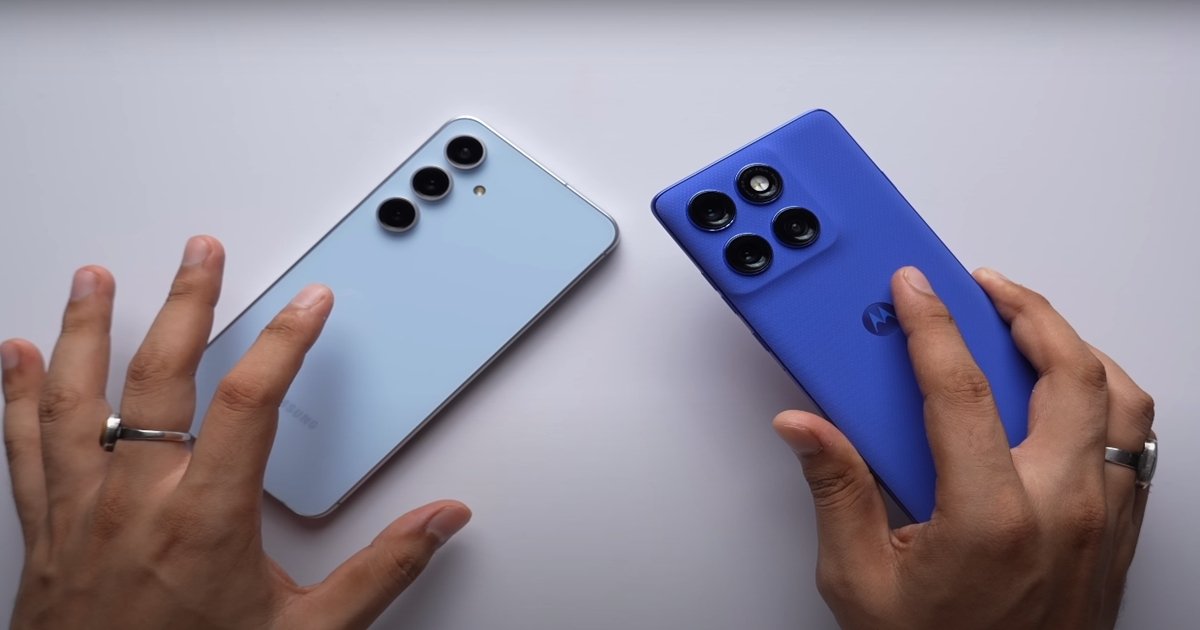
Motorola’s vs samsung’s ultra wide camera auto focus review

Motorola's vs samsung's ultra wide camera auto focus review

In which you also get support for videos up to 4K 30. Now even after being on 1X, Samsung is able to go very close. But if you want to go very close to the subject, shoot a big video, then that thing is possible only in S60 Pro.


Video record on 4k 30 FPS

So right now I am shooting 4K 30 FPS video from the selfie camera of both the phones. You get support for maximum resolution frame rate in S60 Pro. Whereas Samsung can shoot up to 4K 60. So here how are both the phones able to manage the dynamic range in opposite lighting. Now in videos, you get much better mic quality in Motorola compared to Samsung.

This is 1080p 60 fps videos from the selfie camera of both the phones. So first we will talk about 4K 60, 4K30, 1080p 60. In every mode, you will find Samsung’s video better. In fact, here in Motorola’s video, face having a forced shine. It is not able to control the exposure properly on my face. Guys, trust me, the difference in quality here is quite good. And in Samsung’s photo, the shape of my face is completely distorted. In fact, the difference here in portrait photos is even more. Like in colors, sharpness, noise levels. Motorola is performing much better in everything. Now Samsung can shoot up to 4K 120 which is a big deal. And Motorola’s is 1080p 120 FPS.


Motorola's vs samsung's
Motorola vs samsung

Now there is no comparison here. Samsung’s video is much better. Yes, Motorola’s video is also good if not compared to Samsung. Kind of decent. And this is the dual video recording mode of both the phones in which you can shoot video simultaneously from both the front and back camera. In fact, see the difference in 3X, how much sharper is Motorola’s photo. How low are the noise levels.

You can see the rest of the low light selfies. Whose photo do you like more, I leave it totally to you. Now, just like daytime, in night time also, you will find the ultrawide camera video sharper in Motorola. On the other hand, see how much better Motorola’s photo looks. And in Samsung’s photo, my face looks exactly like an oil painting.


HDR performance and stabilization

Now here I think you get better stabilization in Samsung. Along with this, exposure control, HDR performance is also better in Samsung’s video. But trust me, here I have to say that Motorola has given a very good competition to Samsung. And as soon as we talk about low light photos. So here Samsung is not able to perform very well in terms of quality. Like at 1X, 2X. It is not able to preserve the details at all.

Samsung’s video is soft but you get more noise levels in Motorola’s video. Due to auto focus in this, you also get to see some focus hunting issues in extreme low light. Still, Motorola is recommended here due to better sharpness. And as soon as we talk about 1X, you will find Samsung’s performance slightly better here. And at 1x, somewhere Motorola loses details and sharpness in videos in low light.

In fact, even at 3X Moto is performing better like colors, skin tones, everything. So Samsung has set an approach here that keep the face more bright in the photo. It will look good. But obviously brightening the face is not everything. As for the rest, if we talk about 2X, 3X, then in that case you will not find much difference.


Shooting videos in low light with the selfie camera of both the phones

In Samsung, you will see that it seems like the entire frame is completely engulfed in smoke. Motorola has balanced everything very well here. So, especially here, the light control in low light, in photos and videos, I find Motorola S60 Pro better. Along with this, here you can see that even in opposite lighting, the S60 Pro is able to manage skin tones, colors and exposure in the background very well.

After moving a little away from the light, you will see that here in Motorola’s video, the noise levels in the sky are a little high. But Samsung has loosened its sharpness to a great extent. So both the videos are not perfect. But here you will get better quality of S60 Pro in low light.

Now, no one is going to shoot a video in such darkness. But I was testing. Here you can see in Samsung’s video. This scene is really very scary. I don’t know what kind of weird effect has come here in Samsung’s video. So in extreme low light in videos, Motorola performs better here.