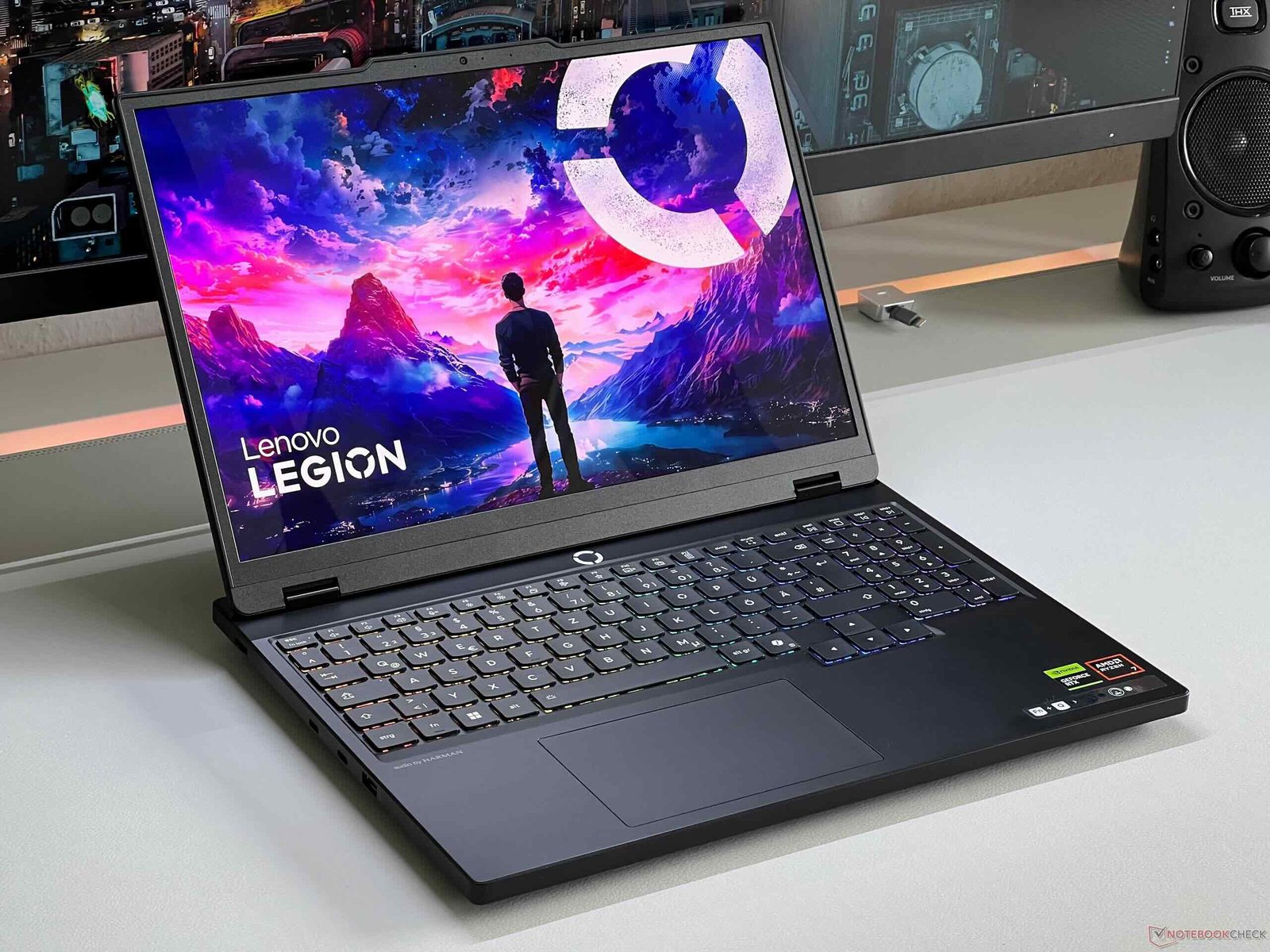
Lenovo Legion Pro 7i Game parformance

Lenovo Legion Pro 7i Game parformance

Look at the numbers of benchmarks. Scores of CineBench R23 are around 27000 for multi-core and around 2100 for single-core. Then here is CineBench 2024 in front of you. We took out PCMark 10 which crossed 7600.


After that Geekbench 6 OpenCL which is for our GPU is 19000. Imagine the power of GPU brother. After that you can see the score of multi-core single-core CPU of GB6 here.


It is the benchmark of AI


The numbers are coming out very good. And here is the benchmark of Crossmark in front of you. And after that we also took out the benchmark of Blender. It has come out to be 7340. That means you have to do any task of 3D modeling rendering of any level. Game development as well, benchmarks are for the power of GPU. Oh brother how great. It throwed render result within 10 months.


i also tried it on CPU. It did not take much time around 1 minute 30 seconds because CPU is also quite powerful. And here is our benchmark of 3DMark TimeSpy. 21000 score. And the CPU GPU numbers are also very good here. And I took out the benchmark of VRMark. By the way there is a review of Meta QuestVR on our channel. Watch it. It is very interesting. When it comes to productivity you must have understood by looking at the specs.

 

Lenovo Legion Pro 7i Game parformance
Lenovo Legion Pro 7i


And to test the GPU we took out the render of BMW which normally takes 1 minute-2 minutes. In some laptops This laptop did it in 10 seconds. If you want to do VR gaming the score is 15000 easily. You can play VR games by installing any VR. It is a great powerful PC.


But still we did the Puget benchmark of Photoshop. Brother 10000 plus. After that Premier Pro brother 11600 plus. Then after that da Vinci Resolve 8600 plus. So here I conclude the performance. There is no need to go into too much depth.


You close your eyes and do whatever productivity task is coming in your mind on this laptop. It will say I am with you. And not just 1 or 2 or 3 years. I am with you for at least 10 years. This is such a future-proof machinery. And we were also testing its stability.


Look at the wattage of the CPU


We ran Prime95 for 1 hour. The maximum temperature went up to 98 degrees. The average was around 75 degrees. And the clock speeds touched a maximum of 5.1 GHz. And the average came out to be 2.7 GHz. That depends on when the temperature is going high. And how is it managing it. But the system did not crash. Obviously its thermal system is very heavy. Such a powerful CPU has been fitted. It peaked at a maximum of 143 W. And the average was 112 W. We hardly see this wattage even on computers.


How can this laptop have so much wattage? Then we also tested the GPU. We ran Furmark for 1 hour. And the maximum temperature of the GPU was up to 84 degrees. The average is also fine, around 69 degrees. But the power of the GPU is 175 W. But the dynamic boost means that by sharing power, more power is generated.


It went up to 232 watts but gave an average of 144 watts. Which means that the GPU is good. Rest, you will come to know in gaming and the laptop was running properly. Even after that it is very smooth and fluid.


The money is also very fluid and I get a lot of comments etc. That brother these laptops are so expensive. Many people take Windows for productivity, game development. It is very user-friendly. A lot of software etc. run on it.


At this price a very good PC build will come. MacBook will come at this price. See everything is fine in its place. Some people are happy to buy a PC. 360,000 definitely a very good PC will be made. You can buy MacBook Pro. That too will definitely come but it is a thing to target every type of user.


powerful CPU GPU in such a small form factor


It costs money. Otherwise get a big PC made like the 4090 we have got made in our channel. Take it and roam around. It has a screen, keyboard, trackpad. Everything is great. So whoever wants to buy it will buy it. Whoever wants to build a PC will build a PC. Whoever wants to get a Mac will get a Mac. Everyone has a different audience. So don’t fight with each other in the comment section. And just watch the game test.You will enjoy seeing the FPS. Then we will talk further.


As always in the beginning we are testing Valorant. And here you can see that we are getting good 400, 420, 450 FPS. Because the processor is very powerful. And the processor is powerful. The wattage consumption is very high. So the temperature you are going to get is 90 or above 90 all the time. Because in all the laptops we have tested earlier from Lenovo.


Read Also:  Asus TUF Gaming A15 review


The temperature keeps going on the higher side. Then after that we did the CS2 test. In this also we are getting good 200+ FPS on very high settings. And then we tested GTA 5 on very high ultra. And here also we are getting great FPS. I mean what is there to talk about FPS. I mean it is such a strong GPU brother. As you can see in Elden Ring brother it is stable 60 on maximum settings.


Meaning we did everything as high as possible. And here all the games are being tested at 1600p which is the native resolution of the laptop. Because 60 FPS is a locked game. So it means it has peaked.


Cyberpunk and other game performance


Then after that Cyberpunk here good FPS in raw performance. And ultra settings DLSS frame generation. So brother you can apply it as per your wish if you buy this laptop. After that we also made ray tracing ultra. In raw performance brother 40 to 45 FPS. And here after applying frame generation. It is performing even better.


Whether it is in raw experience or by applying frame generation. We are getting amazing FPS here. And after that we checked Last of Us. Brother we are getting amazing FPS at 1600P on ultra settings. And their 175W 4090 is pushing up to proper 165 – 175W.


And personally I am also using Legion. There is no problem. It has been 3 years for me now while using different Legions it gives a good gaming experience. There is no edge or FPS drop etc. After that Hogwarts legacy ultra settings and FPS are really good.


And yes you must have seen the temperature going a little higher side. Brother in all the Legion flagships we have tested. There is no throttling anywhere. You can check the clock speeds in the upcoming games. And you must have seen it earlier as well.


And all the other stats are in front of you. RAM is good. There is no problem with 32GB. And the GPU RAM is 16GB. So there is no problem here. There is full consumption. After that Horizon for Forbidden West. Brother in this game I am seeing these much FPS for the first time inside a laptop. And here you can see the rest of the things like Stats etc in front of you. And you will get the temperature of CPU between 85-95 only. Because brother it is an Intel processor. More wattage is pushed. For more detail review read here.


LAVA Agni 4 vs Realme Narzo which should you choose

LAVA Agni 4 vs Realme Narzo which should you choose

Comparing Performance, Value and Everyday Use

The Lava Agni 4 and the Realme Narzo series target very different priorities, making the choice between them depend largely on how you plan to use your phone. The Agni 4 positions itself as a more premium option in the mid-range category, while Narzo devices focus on affordability and balanced features. Understanding these distinctions helps you determine which delivers better value for your needs.

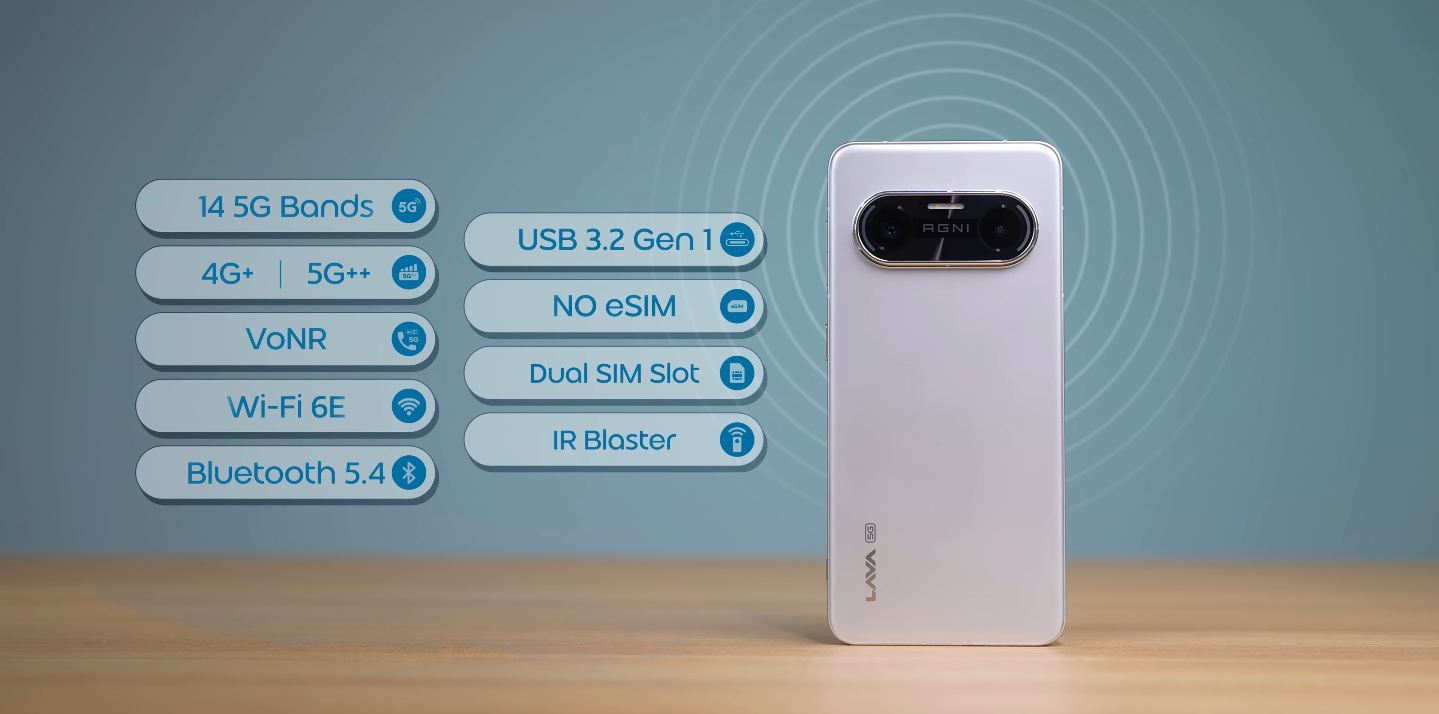
The Agni 4 offers a higher-end hardware package built around a 4 nm chipset, fast memory standards and a 1.5K AMOLED display with a 120 Hz refresh rate. These elements contribute to a smoother interface, quicker app launches and greater long-term performance stability. For users who rely heavily on speed and responsiveness, this combination becomes an immediate advantage.

In contrast, Realme’s Narzo lineup prioritises cost-efficiency, delivering reliable day-to-day performance without focusing on the highest possible specifications. Many Narzo models offer 120 Hz displays, large batteries and capable mid-tier processors, making them suitable for everyday use. They do not match the Agni 4 in raw power, but they achieve a strong balance for their price segment.

LAVA Agni 4 vs Realme Narzo which should you choose

Camera capabilities also differ significantly. The Agni 4 features a 50 MP main camera supported by Optical Image Stabilisation, which helps improve clarity and stability in various lighting conditions. This gives the Agni 4 an edge in photography and video recording, particularly for users who capture motion or shoot in low-light situations. Narzo devices typically include capable sensors but often lack stabilisation support.

Storage and memory further separate the two categories. The Agni 4 uses LPDDR5X RAM and UFS 4.0 storage, ensuring fast read and write speeds that improve multitasking and reduce waiting times. Narzo phones generally use slower storage types suited to budget devices, which remain functional for everyday use but offer less head room for demanding tasks over time.

Battery life on both devices is strong, though the Narzo range often prioritises larger capacities or more aggressive power management to appeal to value-focused users. The Agni 4’s battery remains dependable, and its fast-charging capabilities help it recharge quickly during busy days. The difference becomes noticeable mainly during prolonged gaming or heavy multitasking sessions.

In real-world use, the Agni 4 delivers a more fluid and premium experience, thanks to its stronger hardware and high-refresh AMOLED display. Multitasking, switching apps and browsing feel consistently smooth, even under load. Narzo devices provide a stable experience for casual usage, though occasional slowdowns may appear when pushing multiple apps or running more intensive tasks.

Software design plays a role in daily comfort as well. The Agni 4 offers a cleaner and more minimal interface with fewer pre-installed apps, resulting in a more streamlined user experience. Narzo devices use Realme’s customised interface, which includes additional features and visual elements but also more bundled software that some users may not prefer.

Ultimately, the choice between the two depends on the user’s priorities. The Agni 4 suits those who expect their phone to handle demanding tasks such as high-frame-rate gaming, video editing or long-term multitasking. It also appeals to buyers who want a premium screen and a more refined camera system. The extra investment translates into more performance head room and better longevity.

On the other hand, Realme Narzo models are ideal for users who prioritise affordability while still wanting a responsive smartphone for everyday needs. They handle social media, messaging, video streaming and light gaming with ease. For users not requiring top-tier hardware, the lower cost and solid reliability make Narzo devices practical choices.

In summary, choose the Lava Agni 4 if you value long-term performance, superior display quality and a stronger camera package. Choose a Realme Narzo device if you want dependable performance at a more budget-friendly price and your daily use doesn’t require premium specifications. Both serve different user groups effectively, and understanding your usage helps determine which one is right for you.

Lenovo Legion 5 Gaming Laptop Deal: Save £839 on RTX 5070 Model

Lenovo Legion 5 gaming laptop with RTX 5070 GPU and 165 Hz OLED display, featuring a vibrant colour screen and robust hardware, ideal for gaming and multimedia applications, with a primary focus on the RTX 5070 GPU

Unbeatable Gaming Performance: Lenovo Legion 5 Laptop with RTX 5070 GPU

The Lenovo Legion 5 gaming laptop boasts an impressive Nvidia GeForce RTX 5070 Laptop GPU and a powerful 8-core Zen 5-based AMD Krakan Point APU. This exceptional 15-inch gaming device is now available with a substantial discount. The limited-time offer provides an opportunity to experience unparalleled gaming performance.

The Lenovo Legion 5 features a stunning 165 Hz OLED display, perfect for fast-paced games that require quick reflexes and sharp visuals. With its robust hardware and vibrant colour display, this laptop is ideal for gamers seeking an immersive experience.

The current sale on the official Lenovo store allows customers to purchase the 15-inch OLED gaming laptop with a massive $839 discount. This incredible deal is only available for a limited time, making it an opportune moment to invest in a high-performance gaming laptop.

To take advantage of this offer, visit the Lenovo website and explore the available options for the Legion 5 laptop. With its remarkable specifications and discounted price, this device is an attractive choice for gamers and enthusiasts alike.

The Lenovo Legion 5 laptop’s behaviour is characterized by its exceptional processing power, courtesy of the AMD Krakan Point APU. This, combined with the Nvidia GeForce RTX 5070 Laptop GPU, enables seamless gameplay and efficient multitasking.

When analysing the market for gaming laptops, the Lenovo Legion 5 stands out due to its unique blend of performance, display quality, and affordability. The addition of a 165 Hz OLED display further enhances the overall gaming experience, making it an excellent choice for those seeking a high-quality laptop.

In conclusion, the Lenovo Legion 5 gaming laptop with RTX 5070 GPU and 165 Hz OLED display is an outstanding device that offers unparalleled gaming performance. With the current discount of $839, it is an opportune time to invest in this exceptional laptop and elevate your gaming experience.

Lenovo Idea Tab Pro: Unbeatable UK Deals on 144Hz Tablets

Lenovo Idea Tab Pro tablet with 12.7-inch 144Hz display and Dimensity 8300 SoC, available in the UK with a 39% price cut, ideal for casual workloads and entertainment with its powerful processor and high-refresh-rate display

Discover the Power of Lenovo Idea Tab Pro

The Lenovo Idea Tab Pro has just received a staggering 39% price cut, making it an absolute steal for anyone in the UK looking for a high-performance tablet. With its impressive 12.7-inch 144Hz display, this device is perfect for casual workloads and entertainment. The Dimensity 8300 SoC provides the necessary power to handle everyday tasks with ease.

For those seeking an affordable yet feature-rich tablet, the Lenovo Idea Tab Pro is an excellent choice. Its large display and powerful processor make it ideal for streaming, browsing, and working on the go. Whether you’re in the UK or elsewhere, this tablet’s capabilities are sure to impress.

The combination of a high-refresh-rate display and a capable SoC makes the Lenovo Idea Tab Pro a great option for gamers and non-gamers alike. With its budget-friendly price point, it’s an excellent value for money. The UK market has seen a surge in demand for affordable tablets, and this device is well-positioned to meet that demand.

In terms of specifications, the Lenovo Idea Tab Pro boasts a pixel density of over 270, ensuring crisp and clear visuals. The tablet’s behaviour is smooth and responsive, thanks to the efficient Dimensity 8300 SoC. For anyone looking to analyse their options in the UK tablet market, the Lenovo Idea Tab Pro is certainly worth considering.

With the current price cut, the Lenovo Idea Tab Pro is an unbeatable deal for UK consumers. Its colour accuracy and vibrant display make it perfect for watching videos, browsing the web, and working on documents. If you’re in the market for a new tablet, this device should be at the top of your list.

The Lenovo Idea Tab Pro’s affordability and impressive features make it an attractive choice for students, professionals, and anyone seeking a reliable tablet for everyday use. In the UK, where budget-friendly options are always in demand, this tablet is sure to be a hit. So why wait? Take advantage of the incredible 39% price cut and experience the power of the Lenovo Idea Tab Pro for yourself.

In conclusion, the Lenovo Idea Tab Pro is a fantastic choice for anyone in the UK seeking a high-quality, affordable tablet. With its powerful SoC, stunning display, and budget-friendly price point, it’s an absolute must-have for anyone looking to upgrade their mobile device. So what are you waiting for? Get your hands on the Lenovo Idea Tab Pro today and discover a new world of possibilities.

Lenovo Legion Pro 7i specification

Lenovo Legion Pro 7i specification

That the wattage has reduced a bit. CPU temperature has reduced. Apart from that the gaming performance is absolutely awesome.


Here the watts are being pushed well You must be seeing the rest of the battery percentage from the beginning We started with gta 5 it was 94 in it then we were testing so the battery was getting charged it was going up to 98 99 then in between while playing the game there was a slight drop of 1-2% percent But then it was getting charged.


Black Myth Wukong cinematic on raw performance


So as such there is no issue of battery drop Because the laptop is drawing so much power so the battery percentage drops a little sometimes But it is not like it is falling to below 90 or below 80. Then we also tested God Of War in this too you can see that Our FPS is very good what is the use of taking numbers Because if story games run above 60 FPS. Then it is good In this all we’re going 100-130 plus. Then we did the Hell Blade on high settings and here in raw performance also it gave 55 FPS After applying frame generation it is even better.


Then Black Myth Wukong cinematic on raw performance here it is good 50 FPS And after applying frame generation 100+ Then after that i also set the ray tracing to very high But still there was no difference Absolutely amazing FPS. I tested Alan Wake 2 on high settings and there were good FPS in raw performance What can I say about frame generation I also applied ray tracing And on Ray tracing high settings raw performance 25-30 FPS It is a very high consuming game GPU wattage is going to 170 plus 175-176.


Lenovo Legion Pro 7i review
Lenovo Legion Pro 7i


Apart from that you can see the VRAM consumption of GPU is 12GB+ So you can understand how demanding the game is You will be able to play this easily on this laptop on the highest possible settings Now i thought that it is already giving such a good performance.


4k We ran Black Myth Wukong on cinematic that is the highest possible settings Our GPU went up to 180W and you can see that in 4k The entire load came more on the GPU and good FPS were not coming on raw performance After applying frame generation, we are getting decent FPS 35-40 And even if we turn on rate racing The scenario comes out to be the same So here you can get good FPS on very high settings or high settings at 4k From this laptop.


Play Cyberpunk in 4K and High setting


If you want to play it on a big screen Then we tested Cyberpunk in 4K, Good FPS came in it That means raw Performance is also playable and even after applying frame generation The performance is good Then we also put it on Ray tracing ultra the raw Performance did not come out good in it.


but yes by applying frame generation you can play a title at 60+ FPS on 4K Then we also tested Hell Blade This is also very GPU intensive We kept all the GPU intensive games in 4k It is giving good FPS brother You can play this game in 4k as well Then we also tried Ghost of Tsushima this is a very optimized game And it is great in 4k on very high settings.


It is performing really good Then we did Alan Wake 2 test Here Also the results were very good in 4k And yes let me tell you that this is recorded from the capture card.


Set its ray tracing to high


When we set its ray tracing to high and when we ran the game Here you can see that up to 14 GB of VRAM was being consumed by our GPU And obviously the raw performance is not playable But if you apply frame generation Then you can play and really this laptop can provide good gaming in 4k AAA titles And I conclude this laptop in terms of gaming In its native resolution.


If you turn off the DGPU put it on the best power efficiency mode Like we were using it, We did day-to-day tasks we did multitasking and we turned off the backlight of the keyboard We put quiet mode in the Vantage.


it will definitely provide good gaming for 5-10 years GTA 6 ready if you ask, Yes you will be able to play GTA 6 on it When it comes on PC and this laptop has a flagship battery of 99.9 Whr You will know why it is not 100, more than that it is not allowed in flights etc Here you can get a full-on strong battery backup from it Because this comes with a MUX switch.


We get the best power efficiency in the power settings of windows And this Vantage one is different. So I am talking about both Which means our CPU runs on the lowest power and in that it will give a battery backup of 6–7 hours meaning getting so much backup from a gaming laptop is a big deal The only thing is that Nvidia’s GPU should be off The advantage of the MUX switch is that We can shift our display output to IGPU and DGPU for performance And if you want to get more battery backup you can also turn off the DGPU.


Battery gets fully charged in 40 to 50 minutes


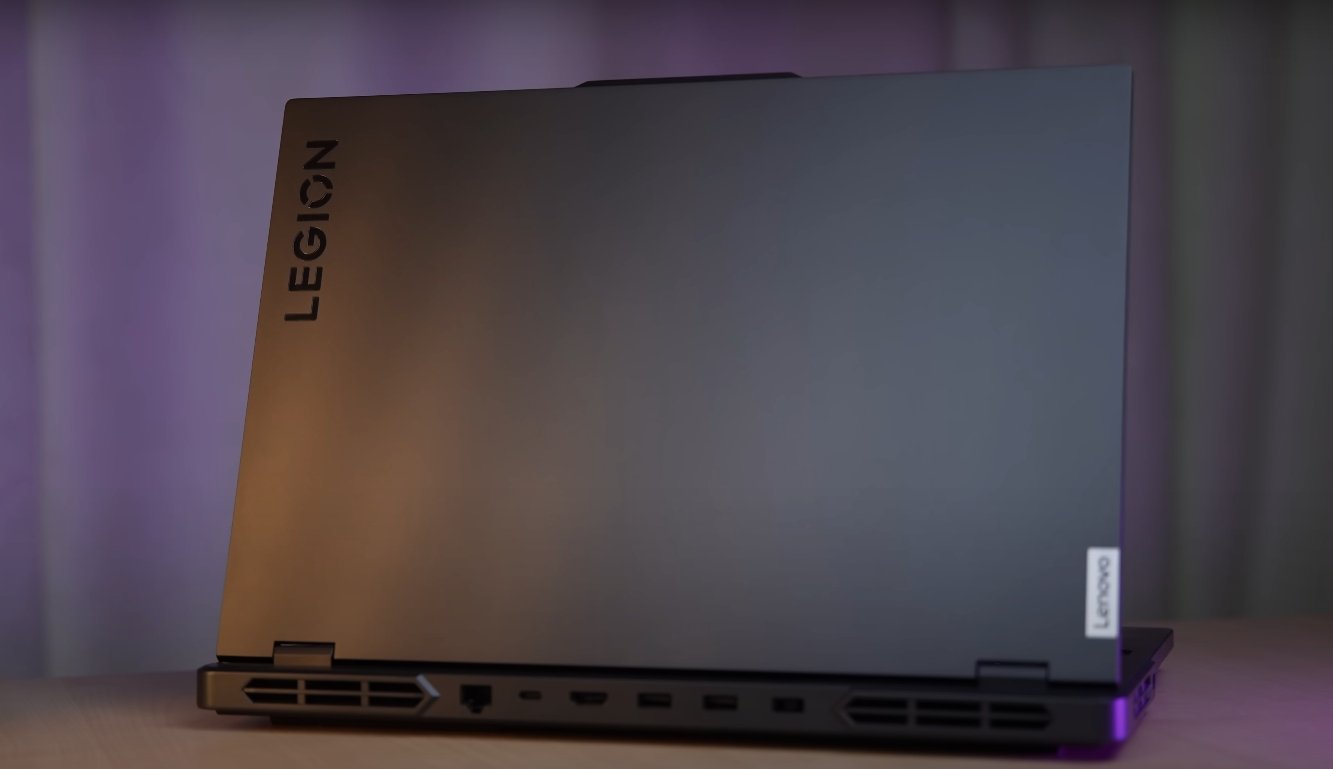
its MUX switch is available in vantage And the 330W battery charges very fast Its battery gets fully charged in 40 to 50 minutes Then there are ports there is no disappointment in that too Here on the right side we will get a combo of headphone mic jack We will get a USB 3.2 gen 1 type of port We will get a physical camera shutter button for privacy if you feel that there is no problem then keep it closed your camera gets completely detached from the motherboard itself.


Then on the left side we get another USB 3.2 gen 1 type of port And this Type C port is thunderbolt 4 there is a thunderbolt 4 port in it And this thunder 4 port supports display output it supports RTX through 4090 only And along with that fast speed data transfer will be possible But there is no support for any power delivery on this port. We checked it with multiple chargers it does not support any PD etc The rest of the ports are available on the back side.


We will get a power input port There are two ports of USB 3.2 GEN 1 Type A 1 is for power off charging if the laptop is off as well if you want to charge something Or take power output.


Also Read: Lenovo Legion Pro 7i Game parformance


Meaning it will charge at a slow speed but it gets done So instead of using the heavy 330w charger You can run it with a smaller charger too But yes you can not do any productive task or gaming etc in it Or else battery will drain Because that charger will not be able to push that much power 330W and 140-100W are very different.


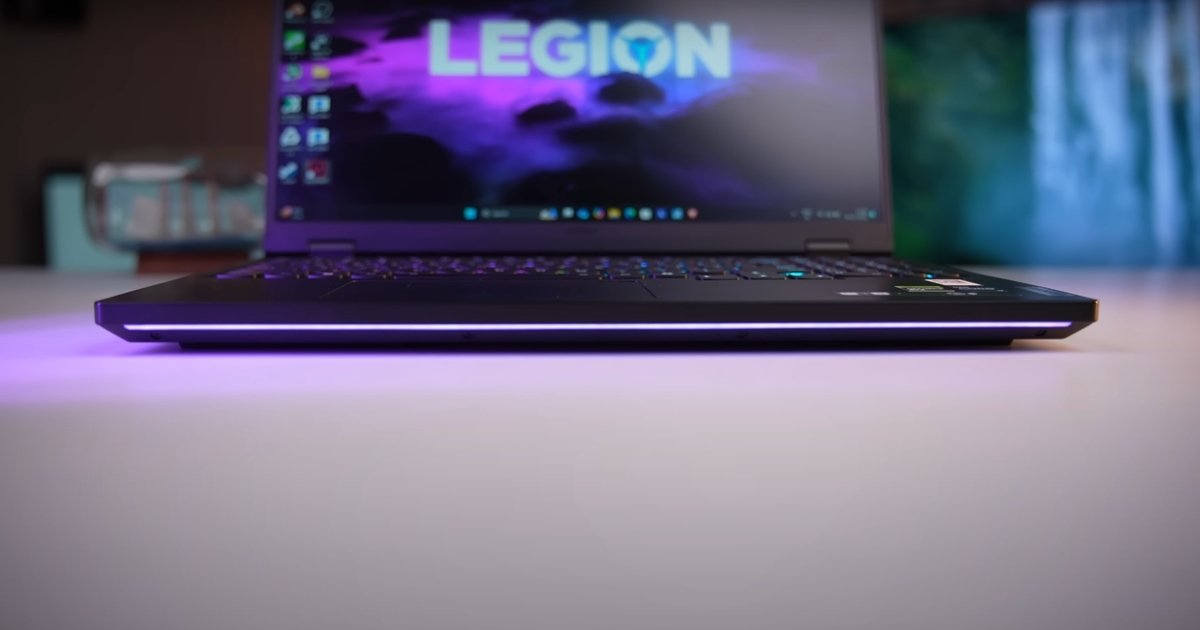
You must know this much and the keyboard is good You get lenovo’s true strike keyboard you get a great experience from the keyboard whether you are gaming or typing And yes per key RGB option is available in the keyboard.


You can take it from here and there is a port of HDMI 2.1 its output is from RTX 4090 If you want to do gaming by connecting a big screen like 4k gaming as i showed you Then on this laptop you will get output from the GPU Type C And HDMI And lastly USB 3.2 Gen 2 Type C port is available. This port supports display output through 4090 there is fast speed data transfer And it supports PD 140W. If you use a PD charger of higher wattage like 100 or 140 it is not like that you have to put 140 in 140 100 is also fine in laptops.


Lenovo Legion Pro 5 16-inch Gaming Laptop Now 42% Off in the UK

Lenovo Legion Pro 5 16-inch gaming laptop with 240Hz QHD display, featuring a sleek aluminium body and stunning colour reproduction, perfect for UK gamers seeking a high-performance device

Unbeatable Gaming Deals in the UK: Lenovo Legion Pro 5 16-inch Laptop

The Lenovo Legion Pro 5 16-inch gaming laptop has received a substantial price cut of 42% at the official Lenovo online store in the UK. This remarkable deal brings the Intel-based Legion Pro 5 Gen 10 with an RTX 5060 closer to the £1,000 mark. The laptop boasts a stunning 240Hz QHD display, perfect for an immersive gaming experience. With its powerful specs and sleek design, this laptop is a must-have for gamers in the UK.

The Lenovo Legion Pro 5 16-inch laptop is designed to deliver exceptional performance, thanks to its Intel Core processor and NVIDIA GeForce RTX 5060 graphics card. The 240Hz QHD display provides a seamless and responsive gaming experience, making it ideal for playing the latest games in the UK. The laptop’s behaviour is further enhanced by its impressive cooling system, which ensures optimal performance during extended gaming sessions.

In terms of colour and design, the Lenovo Legion Pro 5 16-inch laptop exudes a premium feel, with its sleek and sturdy aluminium body. The laptop’s weight and dimensions make it easy to carry around, allowing gamers to enjoy their favourite games anywhere in the UK. With its impressive specs and attractive design, this laptop is an excellent choice for gamers seeking a high-performance device.

To analyse the value of this deal, it’s essential to consider the laptop’s original price and the discount offered. The 42% price drop is a significant reduction, making the Lenovo Legion Pro 5 16-inch laptop an attractive option for gamers in the UK. With its exceptional performance, stunning display, and sleek design, this laptop is a great investment for anyone looking to elevate their gaming experience.

The UK gaming community can take advantage of this incredible deal by visiting the official Lenovo online store. The discounted price brings the laptop closer to the £1,000 mark, making it an excellent opportunity for gamers to own a high-performance device. With its impressive specs and features, the Lenovo Legion Pro 5 16-inch laptop is an ideal choice for gamers seeking a premium gaming experience in the UK.

In conclusion, the Lenovo Legion Pro 5 16-inch gaming laptop is an exceptional device that offers unparalleled performance and a stunning display. The 42% price drop is a remarkable deal that brings the laptop within reach of many gamers in the UK. With its sleek design, impressive specs, and attractive price, this laptop is a must-have for anyone seeking a high-quality gaming experience in the UK.

Lenovo Legion 5i Pro review

Lenovo Legion 5i Pro review

Lenovo Legion 5i Pro Review Complete Analysis


The Lenovo Legion 5i Pro has quickly become a favorite among gamers, content creators, and performance enthusiasts. It stands out for offering premium specs, solid design, and strong thermal control at a price point that remains competitive in its class.


This review takes a complete look at the performance, display quality, gaming experience, build, and real-world usability of the Legion 5i Pro.

Lenovo Legion 5i Pro Review Complete Analysis

Performance Built For Power Users


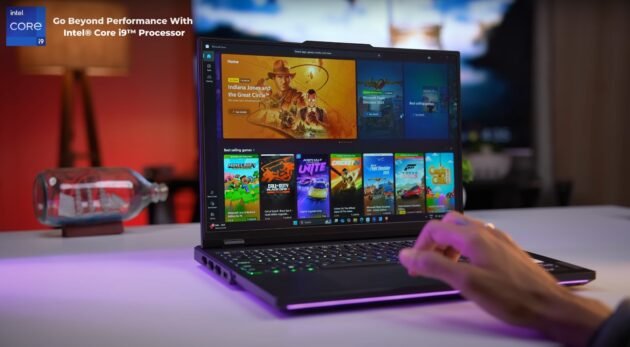
Under the hood, the Lenovo Legion 5i Pro features Intel’s powerful HX series processors, including options like the Intel Core i7 and i9 variants. These chips are designed for high-demand tasks such as 4K video editing, AAA gaming, and multitasking with heavy applications.


Paired with NVIDIA RTX 4060 or RTX 4070 graphics, the laptop can easily handle high-resolution gaming and complex rendering tasks. It delivers smooth performance without stutters, even when running modern games or productivity software side by side.


High Refresh Display For Smooth Visuals


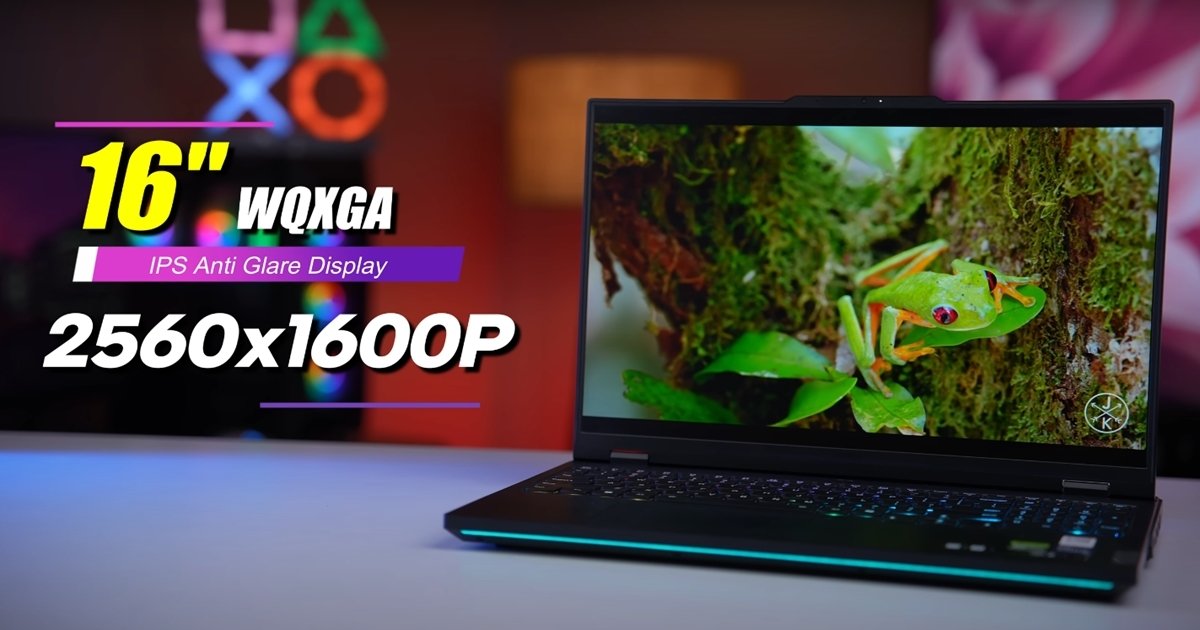
The Legion 5i Pro includes a sharp 16 inch WQXGA display with a refresh rate that goes up to 240Hz. The 2560 by 1600 resolution delivers sharp visuals with vibrant color accuracy, making it ideal for gaming and content creation alike.


Whether you’re watching movies, playing fast-paced shooters, or editing high-res images, the screen provides crisp and fluid visuals. The taller 16 by 10 aspect ratio is also useful for productivity tasks like document editing and coding.


Gaming Experience That Feels Premium


Gaming on the Legion 5i Pro feels responsive and smooth, especially in popular titles like Fortnite, Call of Duty, Elden Ring, and Cyberpunk 2077. With support for high frame rates and ray tracing, the experience is visually immersive and lag-free. In tests, most games run above 90 frames per second at high settings, while ray-traced games maintain 60 fps with DLSS enabled.


The keyboard also helps with gaming, offering per-key RGB lighting, excellent tactile feedback, and a full layout for custom controls.

Gaming Experience That Feels Premium

Intelligent Cooling System Handles Heavy Load


Thermal performance is critical in high-performance laptops, and Lenovo handles it well with the Coldfront Hyper cooling system. This setup includes a vapor chamber, dual fans, and intelligent airflow that keeps temperatures stable during long gaming or rendering sessions.


CPU temperatures hover around 85 degrees Celsius under full load, while the GPU stays cooler, allowing sustained performance without throttling. The fans ramp up when needed but stay quiet during general use.


Battery Life And Portability


Battery life is typical for a gaming laptop. You can expect around 4 to 5 hours of regular use, such as browsing or streaming, but gaming on battery reduces that to 1.5 hours or less. However, Lenovo includes rapid charging, allowing the laptop to regain around 50 percent battery in just 30 minutes.


While not ultra-light, the Legion 5i Pro remains portable enough for travel or LAN events, especially with its sturdy chassis and compact power adapter.

Also Read:  MSI Titan 18HX Ultra 9 benchmark of Cross Mark


Build Quality And Connectivity


The Legion 5i Pro has a professional yet stylish look with a durable metal finish. It includes a good range of ports, such as USB Type C, HDMI, Ethernet, and a full-sized SD card slot. The keyboard is backlit and built for gaming, while the touchpad is responsive enough for everyday use. The overall build feels strong, and the laptop doesn’t flex or creak under pressure. It’s made to handle daily wear, making it suitable for both personal and professional environments.


Final Verdict On Lenovo Legion 5i Pro


The Lenovo Legion 5i Pro offers one of the most balanced experiences in the performance laptop market. It combines speed, visuals, and usability in a way that appeals to both gamers and creators.


With its high refresh display, strong CPU and GPU options, effective thermal control, and premium build, it delivers solid value in every area. While battery life and audio could be better, the overall package makes it a reliable and high-performing laptop for anyone who demands power and stability.

LAVA Agni 4 vs Redmi 15 which is better for gaming

LAVA Agni 4 vs Redmi 15 which is better for gaming

Gaming Performance Comparison for Real Users

The Lava Agni 4 and Redmi 15 target different segments, yet both attract buyers who want smooth gaming without spending flagship money. Their processors, displays and thermal behaviour influence how well they handle modern games. Real-world gaming tests show clear differences in speed, stability and visual quality. This comparison focuses on how each phone performs in demanding titles and longer gaming sessions.

The Agni 4 uses a newer mid-range chipset built on a more efficient 4 nm process, helping deliver higher sustained performance in games. Heavy titles load quickly and maintain stable frame rates when settings are kept at medium to high levels. The improved power efficiency also helps manage heat better during continuous play. This makes the device suitable for long sessions without rapid slowdowns.

LAVA Agni 4 vs Redmi 15 which is better for gaming

Redmi 15, on the other hand, uses a lighter processor aimed at casual use. It handles basic and mid-level games smoothly but begins to show frame dips in more demanding titles. High graphics settings can cause the phone to warm up faster, which affects consistency. For casual players this is not an issue, but those focusing on high-detail gaming will spot performance gaps compared with the Agni 4.

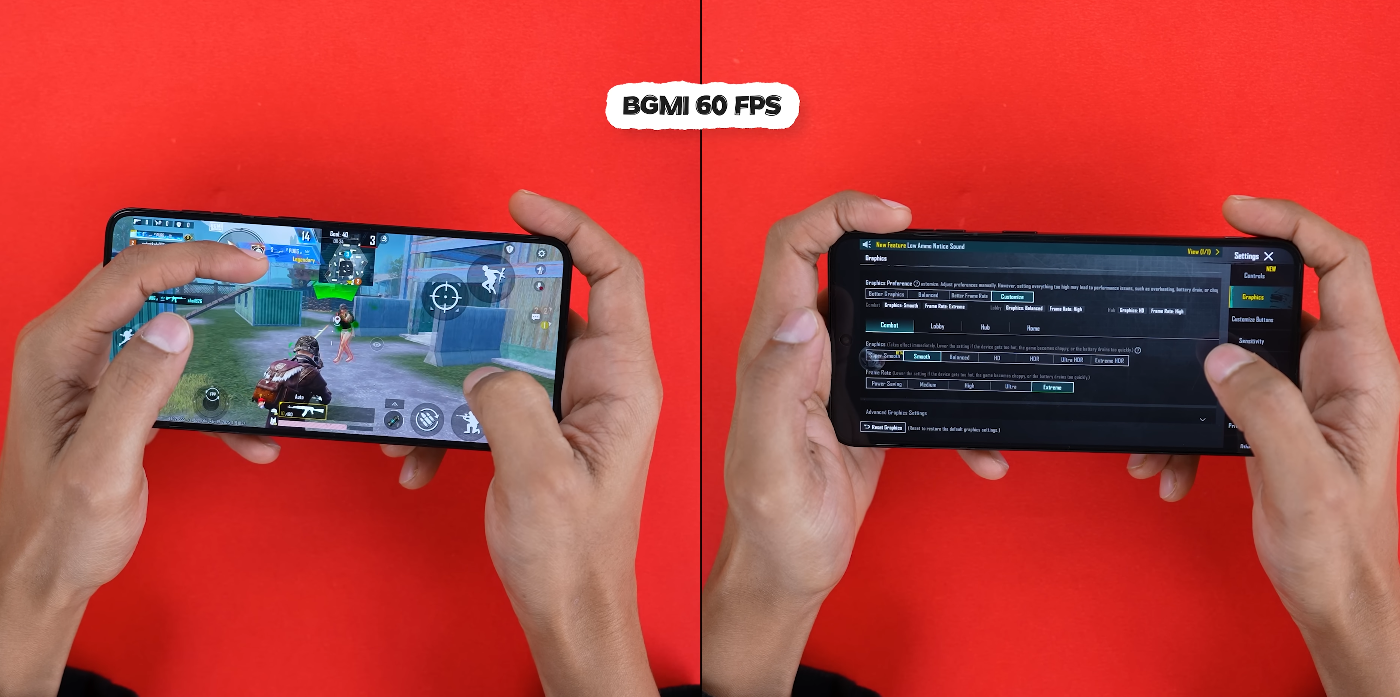
The display plays a major role in gaming feel, and the Agni 4 benefits from an AMOLED panel with 120 Hz refresh rate. The colours appear richer and movement feels smoother, which enhances gameplay in action titles and racing games. Touch response is quick and maintains accuracy even in high-speed scenarios. This helps the user perform well in competitive environments.

Redmi 15 offers a higher refresh rate in certain variants, but the LCD panel cannot match the contrast and vibrancy delivered by AMOLED. Bright scenes look fine, but darker game environments appear flatter. Touch response remains good, yet the overall visual depth does not feel as immersive. For users who value colour quality in games, the difference becomes noticeable.

LAVA Agni 4 vs Redmi 15 which is better for gaming

Thermal performance also separates the two phones. The Agni 4 manages heat better, allowing it to retain stable speeds even after long play sessions. The cooling system distributes heat evenly, preventing sudden throttling. This makes it more reliable for games that involve continuous action, such as shooters or large open-world titles.

Redmi 15 benefits from a larger battery, which extends gaming time before plugging in. However, during very long gaming sessions heat buildup becomes more visible. Once temperatures rise, performance drops slightly to maintain safe levels. This impacts frame delivery and reduces smoothness, especially in high-intensity games that push the processor.

In terms of loading speed and asset handling, the Agni 4’s faster storage offers an advantage. Large game files load quickly and transitions between game menus feel responsive. This helps reduce waiting times when switching maps or restarting levels. Multitasking also remains stable, allowing background apps to stay active without closing unexpectedly.

Redmi 15 performs reliably in lighter tasks and simple games but shows slower loading times with larger titles. Storage and memory performance are adequate for general usage, yet not tuned for heavy game libraries. When switching between multiple games or apps, the system may pause briefly before resuming full speed.

Battery endurance differs in practical usage. The Agni 4 offers good efficiency and can handle long sessions, though it cannot match the larger capacity of the Redmi 15. The Redmi device lasts longer under continuous gameplay, making it useful for users who spend extended hours gaming without breaks. However, the Agni 4 compensates by offering faster charging to recover power quickly.

Overall, the Lava Agni 4 provides better gaming performance for users who prioritise speed, stability and graphics quality. It handles demanding titles more effectively and maintains smoother gameplay over longer periods. The Redmi 15 suits casual gamers who value longer battery life and basic smoothness but does not deliver the same level of control or visual experience.

For users looking for strong gaming performance and reliable long-term stability, the Agni 4 stands out as the better option.

Also Read:  OnePlus 15 vs Samsung Galaxy S25 — UK buyers: which one should you pick?

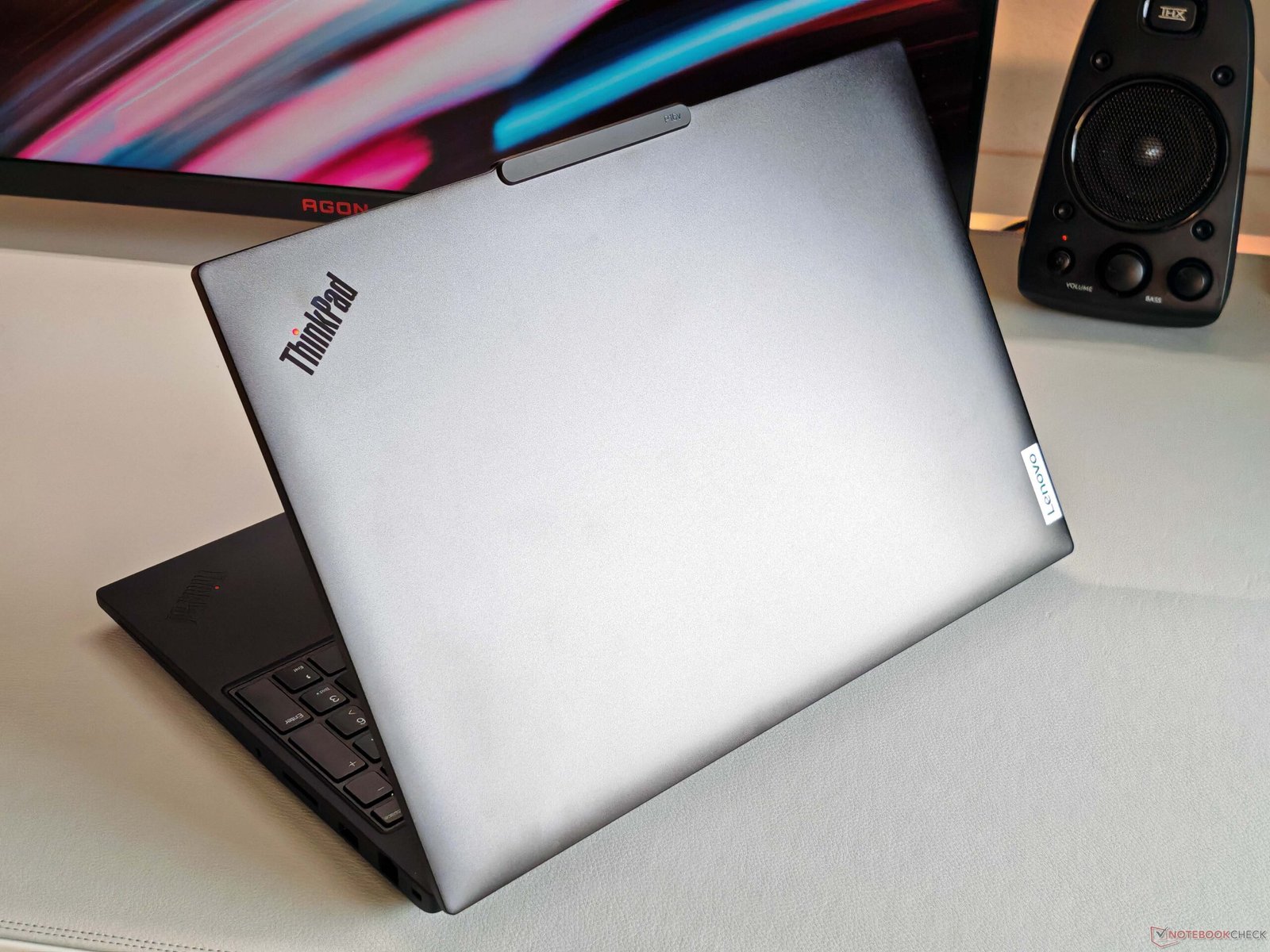
Lenovo’s ThinkPad P16v Gen 3 Mobile Workstation: A Cost-Cutting Conundrum – Is the Price-Performance Ratio Worth the Compromise?

The Lenovo ThinkPad P16v Gen 3 mobile workstation, featuring a 16-inch display and a compact, lightweight design, although the chassis stability and keyboard quality have been compromised to cut costs, the primary keyword being mobile workstation

Lenovo’s ThinkPad P16v Gen 3 Mobile Workstation: A Cost-Cutting Conundrum

Lenovo’s ThinkPad P16v Gen 3 is a mobile workstation that aims to impress with its competitive price-performance ratio. However, to maintain an affordable price point, the manufacturer has made some compromises on the chassis stability, hinges, and keyboard.

Typically, the ThinkPad series is renowned for its robust construction and exceptional keyboard quality. Nevertheless, the ThinkPad P16v Gen 3 falls short in these areas, which may raise concerns about its overall durability.

The ThinkPad P16v Gen 3’s chassis stability is somewhat lacking, and the hinges, although functional, do not exude the same level of sturdiness as its predecessors. Furthermore, the keyboard, usually a highlight of the ThinkPad series, has been compromised in terms of quality and overall typing experience.

Despite these drawbacks, the ThinkPad P16v Gen 3 still boasts an impressive array of features, including a powerful processor, ample storage, and a high-quality display. However, the question remains whether the cost-cutting measures are justified by the device’s overall performance and value proposition.

To analyse the situation, it is essential to weigh the pros and cons of the ThinkPad P16v Gen 3. On one hand, the device offers a compelling price-performance ratio, making it an attractive option for professionals and businesses seeking a mobile workstation without breaking the bank.

On the other hand, the compromises on chassis stability, hinges, and keyboard quality may lead to a shorter lifespan and a less satisfying user experience. Ultimately, the decision to purchase the ThinkPad P16v Gen 3 depends on individual priorities and requirements.

In conclusion, while the ThinkPad P16v Gen 3 is an intriguing option for those seeking a mobile workstation, its cost-cutting measures may not be the most prudent decision. As users, we must consider the long-term implications of these compromises and decide whether the device’s benefits outweigh its drawbacks.

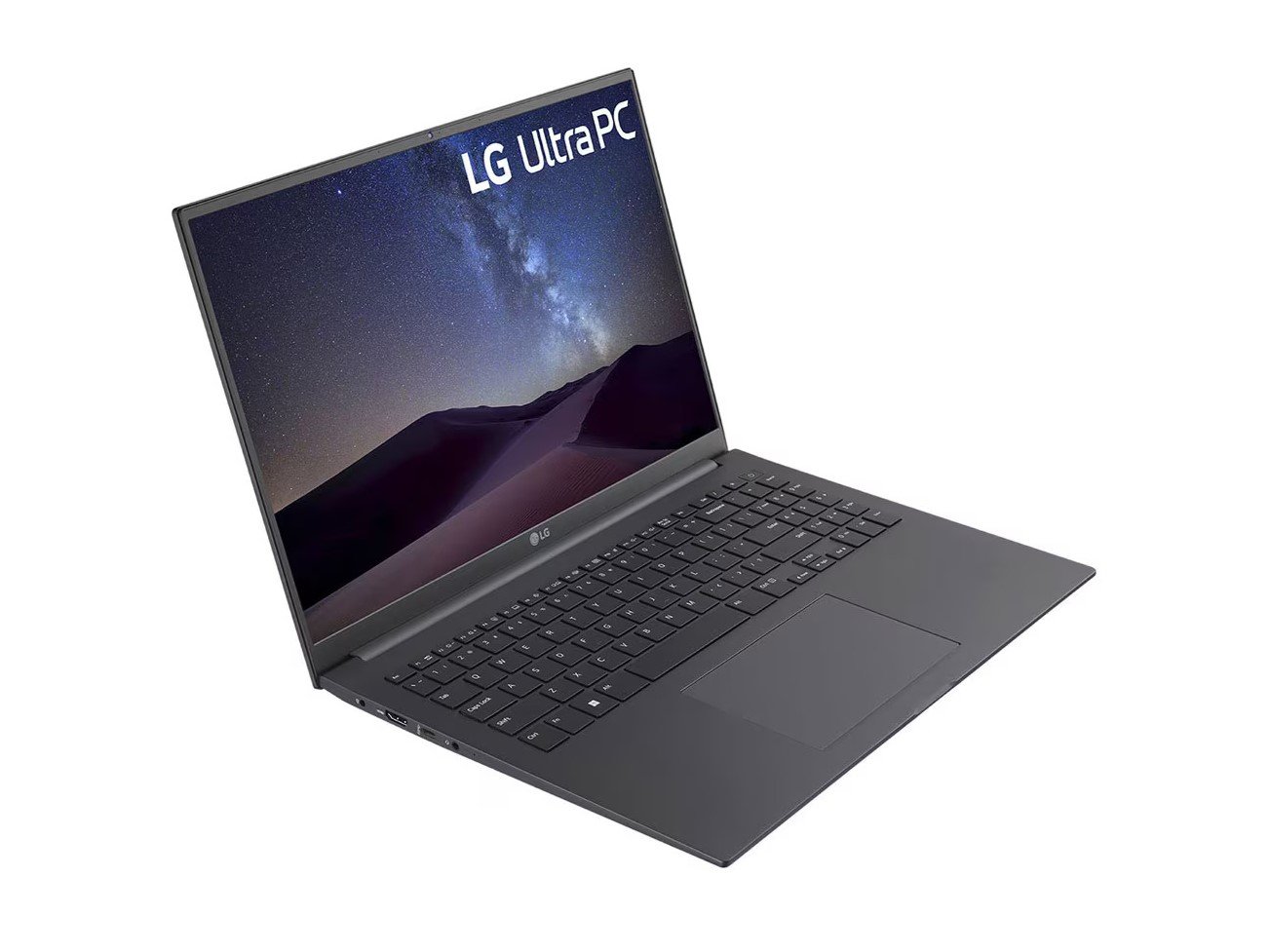
LG UltraPC 16: A Budget-Friendly Alternative to MacBook Neo in the UK

The LG UltraPC 16 laptop, featuring a stunning 16-inch display, 16 GB of RAM, and 512 GB of storage, all at an affordable price, making it a top choice for those seeking a budget-friendly laptop in the UK

Unbeatable Value: LG UltraPC 16 vs MacBook Neo

The LG UltraPC 16 is now available at a significantly lower price than the MacBook Neo, making it an attractive option for those in the UK seeking a budget-friendly laptop. With 16 GB of RAM and 512 GB of storage, it surpasses the MacBook Neo’s specs. This remarkable deal is available at Staples, offering tremendous value for money.

In comparison to the MacBook Neo, the LG UltraPC 16 boasts double the RAM and storage capacity, despite being priced under $500. This substantial difference in specifications makes the LG UltraPC 16 an appealing choice for individuals who require a reliable laptop without breaking the bank.

For those in the UK, the LG UltraPC 16 presents a compelling alternative to the MacBook Neo, particularly considering its extended battery life. This feature is essential for individuals who frequently use their laptops on the go, as it eliminates the need for constant recharging.

The LG UltraPC 16’s impressive specs and affordable price make it an excellent option for students, professionals, and anyone seeking a high-quality laptop without the hefty price tag. Its superior RAM and storage capacity ensure seamless performance, allowing users to multitask with ease and efficiency.

In conclusion, the LG UltraPC 16 is a budget-friendly laptop that offers exceptional value for money, making it an attractive choice for those in the UK. With its enhanced specs and lower price point, it is undoubtedly a superior alternative to the MacBook Neo.

Linux 7.1 Kernel Update: Enhanced UK Support and Improved Performance

The Linux 7.1 kernel update brings enhanced support for UK users, with improved performance and cutting-edge features for AMD and Intel hardware, including the enablement of Intel FRED and expanded AMD GPU defaults, making it a must-have for anyone looking to upgrade their Linux experience in the UK

Unlocking the Potential of Linux 7.1 Kernel

The latest Linux 7.1 kernel update is set to revolutionise the way we interact with our devices, bringing enhanced support for UK users and improved performance across the board. With a focus on modern architectures, this update promises to be a game-changer. The Linux 7.1 kernel is poised to deliver significant improvements, including the enablement of Intel FRED and expanded AMD GPU defaults.

As the merge window for Linux Kernel 7.1 opens, developers are working tirelessly to bring cutting-edge features to the forefront. The new kernel is expected to bring substantial updates for desktop and server users, cementing Linux’s position as a leading operating system. With the Linux 7.0 release still fresh in our minds, the next merge window is already generating buzz.

One of the most notable aspects of the Linux 7.1 kernel update is the improved support for AMD and Intel hardware. The patches reveal a major cleanup and modern CPU enablement, ensuring that users can enjoy seamless performance and optimal functionality. The update also brings driver improvements for NVIDIA hardware, further solidifying Linux’s reputation as a powerhouse operating system.

As we delve deeper into the Linux 7.1 kernel update, it becomes clear that the focus is on improving and optimizing modern architectures. The enablement of Intel FRED is a significant step forward, and the expanded AMD GPU defaults will undoubtedly delight gamers and graphics enthusiasts. With the dropping of Intel 486 CPU support, it’s evident that the Linux community is committed to pushing the boundaries of innovation.

The Linux 7.1 kernel update is a testament to the power of community-driven development. As UK users, we can expect enhanced support and improved performance, making this update a must-have for anyone looking to take their Linux experience to the next level. With its impressive array of features and improvements, the Linux 7.1 kernel is poised to revolutionise the way we interact with our devices.

In conclusion, the Linux 7.1 kernel update is an exciting development that promises to deliver significant improvements and enhanced support for UK users. With its focus on modern architectures and improved performance, this update is a must-have for anyone looking to stay at the forefront of innovation. As we look to the future, it’s clear that the Linux community will continue to push the boundaries of what’s possible.

The Linux 7.1 kernel update is a significant milestone in the world of operating systems, and its impact will be felt for years to come. As we explore the features and improvements of this update, it’s evident that the Linux community is committed to delivering exceptional performance and support. With the Linux 7.1 kernel, UK users can expect a seamless and optimal experience, making it an essential update for anyone looking to upgrade their Linux experience.

As the Linux 7.1 kernel continues to evolve, we can expect even more exciting developments and innovations. The update’s focus on modern architectures and improved performance is a testament to the community’s dedication to delivering exceptional results. With the Linux 7.1 kernel, the future of operating systems looks brighter than ever, and we can’t wait to see what’s in store.

In the world of Linux, the 7.1 kernel update is a major event that promises to deliver significant improvements and enhanced support. As UK users, we can expect a range of benefits, from improved performance to enhanced functionality. With the Linux 7.1 kernel, the possibilities are endless, and we’re excited to see what the future holds.

The Linux 7.1 kernel update is a powerful tool that’s set to revolutionise the way we interact with our devices. With its impressive array of features and improvements, this update is a must-have for anyone looking to stay at the forefront of innovation. As we look to the future, it’s clear that the Linux community will continue to push the boundaries of what’s possible, delivering exceptional performance and support to UK users.

In conclusion, the Linux 7.1 kernel update is an exciting development that promises to deliver significant improvements and enhanced support for UK users. With its focus on modern architectures and improved performance, this update is a must-have for anyone looking to upgrade their Linux experience. As we explore the features and improvements of this update, it’s evident that the Linux community is committed to delivering exceptional results.

Lenovo Legion 5i Pro For Gamers

Lenovo Legion 5i Pro For Gamers

Lenovo Legion 5i Pro For Gamers Full Gaming Laptop Review


The Lenovo Legion 5i Pro is designed with gamers in mind. From its powerful specs to its stunning visuals and robust cooling, this laptop is built to deliver top-tier performance in every gaming session.


Whether you’re into fast-paced competitive shooters or immersive open-world adventures, the Legion 5i Pro offers the performance, speed, and visuals that serious gamers demand.

Lenovo Legion 5i Pro Gamers keybord

Gaming Power With Latest Intel And NVIDIA Combo


At the heart of the Legion 5i Pro lies the power of Intel’s latest HX series processors. Paired with NVIDIA’s RTX 4060, RTX 4070, or even the RTX 5070 Ti in newer models, the laptop handles modern games with ease.


This combination delivers high frame rates at ultra settings in popular titles like Call of Duty, Cyberpunk 2077, and Far Cry 6. For gamers who stream or multitask while playing, the CPU’s multiple cores and high clock speeds ensure nothing slows you down.


Smooth Frame Rates In Competitive Games


For esports players, frame rate and responsiveness are everything. The Legion 5i Pro can push frame rates well beyond 120 fps in titles like Valorant, Fortnite, Overwatch 2, and CS2.


With the option of a 240Hz refresh rate display, gameplay feels fluid and instant, reducing input lag and giving players the edge they need in fast-paced matches. It is a true performance machine for competitive gaming, offering consistency and low latency every time.


Advanced Cooling Keeps Performance Stable


Gaming laptops generate heat, but the Legion 5i Pro is equipped to handle it. Lenovo’s Coldfront Hyper cooling system includes large heat pipes, a vapor chamber, and efficient airflow design to manage high thermal loads.


Lenovo Legion 5i Pro Gamers laptop

Even during long gaming sessions, the laptop maintains stable performance without overheating. Fans may get loud under full load, but the temperature stays in control, protecting the hardware and maintaining a steady gaming experience.


Immersive Visuals With High Refresh Display


The Legion 5i Pro features a 16 inch WQXGA screen with a 16 by 10 aspect ratio and up to 240Hz refresh rate. The display provides sharp resolution and fast visuals, perfect for gaming and watching high-quality content. Color accuracy and brightness are impressive, adding depth and detail to every scene.


Whether you are exploring large game worlds or focusing on tiny details in a first-person shooter, the screen keeps up with every move.


Customizable RGB Keyboard And Gamer Friendly Build


The keyboard on the Legion 5i Pro is built for gaming. It offers deep key travel, fast response, and full RGB backlighting. Gamers can customize lighting patterns, create macros, and use the full number pad for in-game controls. The overall design is clean yet aggressive, with a premium finish that looks professional and stylish. The chassis feels solid and durable, making it ready for regular transport to tournaments or LAN parties.

Also Read;  MSI Titan 18HX Ultra 9 285HX Must Guide


Ready For Streaming And Content Creation


Many gamers today are also streamers and content creators. The Legion 5i Pro supports this lifestyle with fast RAM, high-speed SSDs, and multiple ports for connecting webcams, microphones, and external monitors.


It handles video editing and live streaming software with ease, thanks to its powerful processor and graphics capabilities. Whether you’re broadcasting gameplay or editing highlight reels, this laptop is up to the task.


Game Anywhere With Portability And Fast Charging


While performance is the focus, the Legion 5i Pro also offers decent portability. It’s not ultra-light, but it’s compact enough for travel. The battery life during gaming is limited, as expected, but it supports rapid charging.


Within just 30 minutes, it can reach more than half charge, making it convenient for gaming sessions on the go. It is ideal for gamers who attend events or need a powerful setup outside of home.


Final Verdict For Gamers


The Lenovo Legion 5i Pro is one of the most gamer-friendly laptops available today. With top-tier processing power, excellent graphics performance, advanced cooling, and a display made for fast action, it checks all the boxes for gaming enthusiasts. Whether you are climbing the competitive ranks or enjoying single-player adventures, this laptop enhances your experience and gives you the tools to play at your best.