Sky Stream and Sky Glass Get Free Cloud Recording, Smart Voice and UI Refresh
Live TV Recording Returns
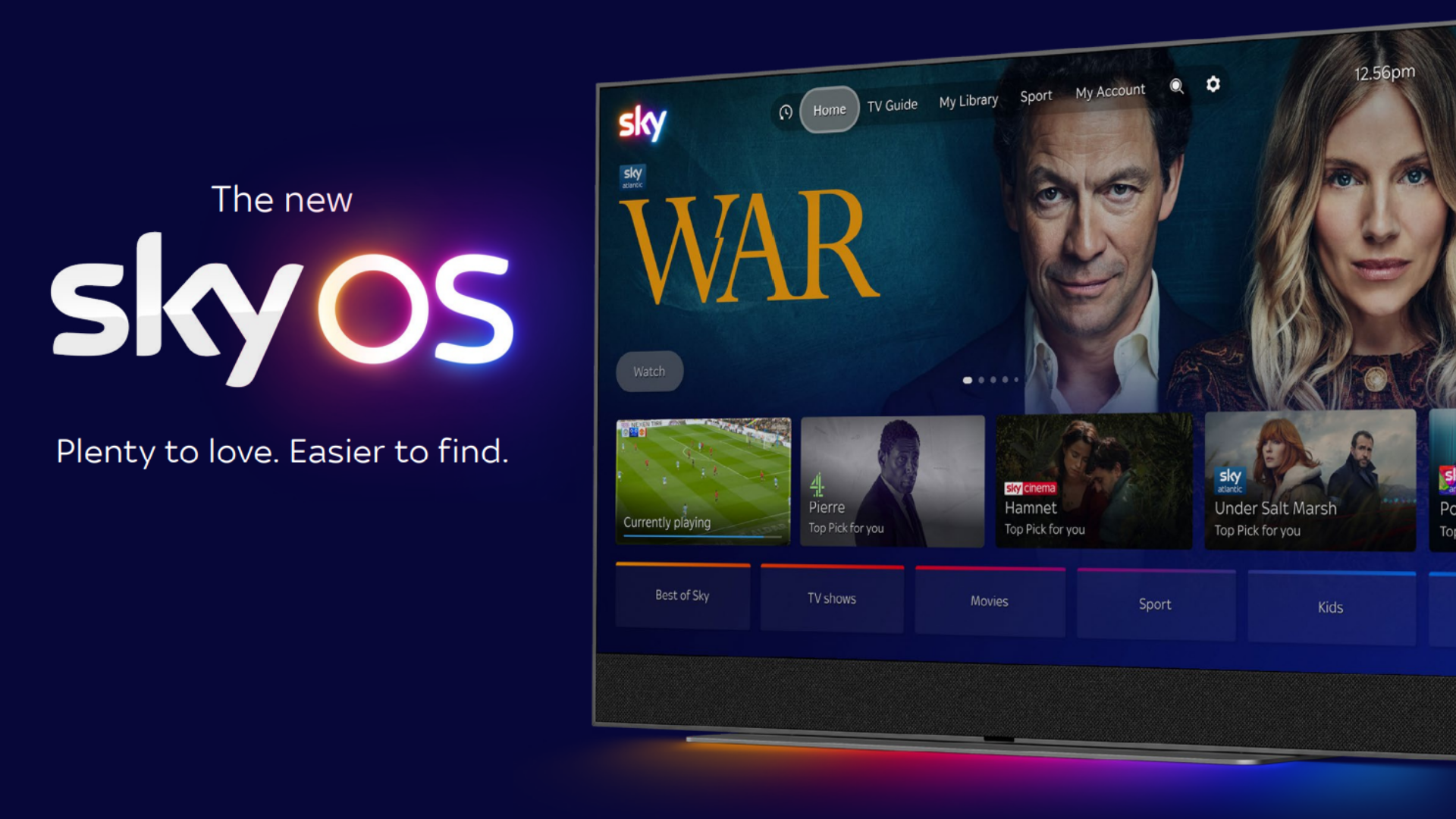
Sky has announced a major overhaul of Sky OS, the software that powers Sky Stream and Sky Glass televisions. The headline feature is the return of live TV recording, a capability that disappeared after the Sky Q box was retired. Because the new devices lack internal storage, recordings are stored in the cloud. Users receive enough cloud space to hold up to one thousand hours of content, which is more than enough for binge‑watchers and sports fans alike.
The ability to capture live sporting events is a game‑changer. Previously fans could only watch a match as it happened or wait for a delayed on‑demand version. With cloud recording, a user can simply press a button on the remote, store the match in the cloud and watch it later on the same TV, a tablet or even a smartphone.
Smart Voice Gets Smarter
Alongside recordings, Sky has rolled out a new voice control suite called Smart Voice. The system now understands conversational queries rather than rigid command phrases. For example, you can ask for a film starring Tom Hanks stranded on an island and Smart Voice will locate the title without needing the exact name. While Sky has not confirmed the use of artificial intelligence, the contextual awareness resembles the capabilities of large language models.
Smart Voice works across the Sky ecosystem, including the Sky app on devices such as Samsung Galaxy S25, Apple Watch Series 10 and iPad Air M2. This means you can start a search on your wrist, refine it on a tablet and finish watching on your Sky Glass TV.
UI Overhaul and Sport Tab
The visual redesign of Sky OS introduces a navigation bar at the top of the screen. The bar provides instant access to the TV guide, your personal library and a dedicated Sport tab. The Sport tab cuts through the clutter, delivering live scores, upcoming fixtures and quick links to recorded matches. The TV guide itself has been refreshed with larger thumbnails and clearer programme timings.
A Mini Guide now appears as a small overlay while a programme is playing. It lets you change subtitles, view programme details or jump to the next episode without pausing the content. The overall experience feels faster and more intuitive, especially for users who switch between live TV and on‑demand services.
How to Access Cloud Recording
To start using cloud recording, open the Settings menu on your Sky Stream or Sky Glass device and enable the Cloud Recording option. The system will allocate a portion of the free cloud storage automatically. Recorded programmes appear in a new Recorded section of the library, where you can sort by date, channel or sport. Recordings are synced to your Sky account, so you can stream them on any compatible device, including the Sky app on Samsung Galaxy S25, Apple Watch Series 10 or iPad Air M2.
This update is rolling out gradually to all Sky Stream and Sky Glass owners at no extra cost. Existing users will see a notification prompting them to restart their device to apply the changes. Once the update is installed, the new features are ready to use immediately.