OxygenOS 16 vs iOS 18 smoothness and UI comparison

OxygenOS 16 vs iOS 18 smoothness and UI comparison

Comparing OxygenOS 16 and iOS 18: Smoothness and User Interface

OxygenOS 16 and iOS 18 represent the latest iterations of OnePlus and Apple’s mobile operating systems, respectively. Both updates focus on improving smoothness, responsiveness, and the overall user interface experience. While OxygenOS 16 is built on Android 16 with OnePlus’s customization layer, iOS 18 continues Apple’s approach of a tightly integrated and optimized ecosystem. Comparing these two operating systems provides insight into how design philosophies and software optimization impact daily usability.

Smoothness and Responsiveness are key areas of comparison. iOS 18 is known for its consistent frame rates and minimal latency in animations and transitions, providing a fluid feel across system apps and third-party applications. Users report near-instantaneous responses to touch gestures and app launches, contributing to the perception of a polished, premium experience. OxygenOS 16 has made significant strides in this regard as well. Through improved RAM management, optimized GPU and CPU resource allocation, and refined system animations, devices running OxygenOS 16 deliver smooth transitions and responsive multitasking, narrowing the gap with iOS in perceived fluidity.

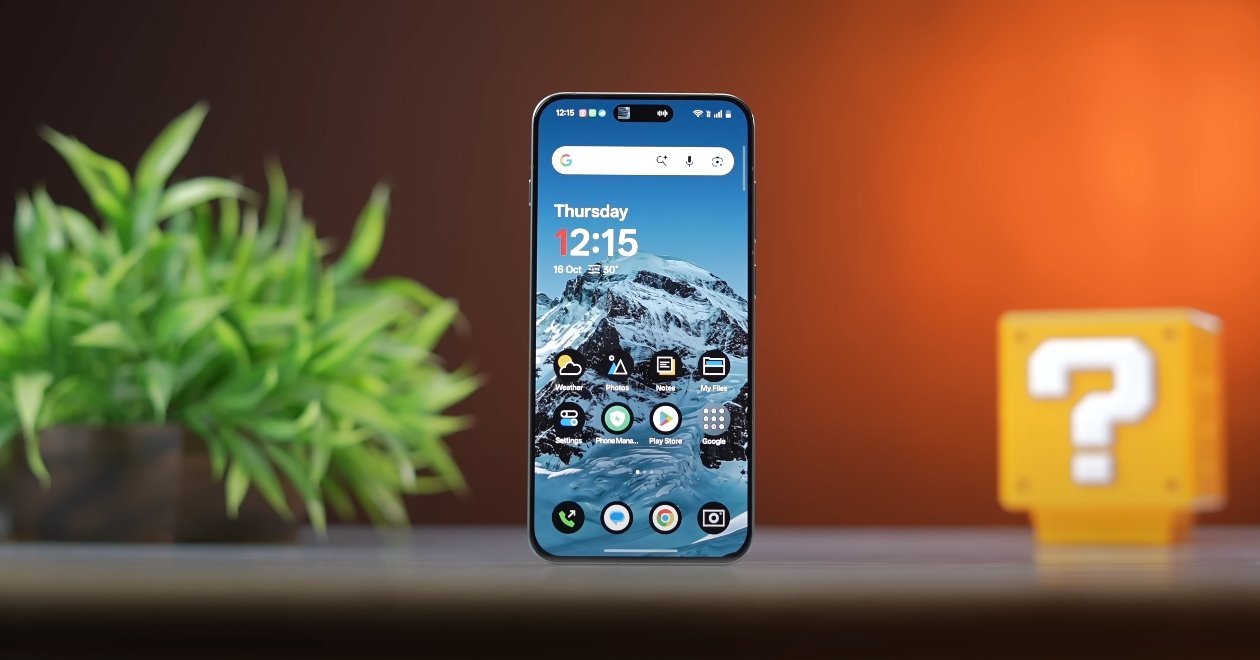
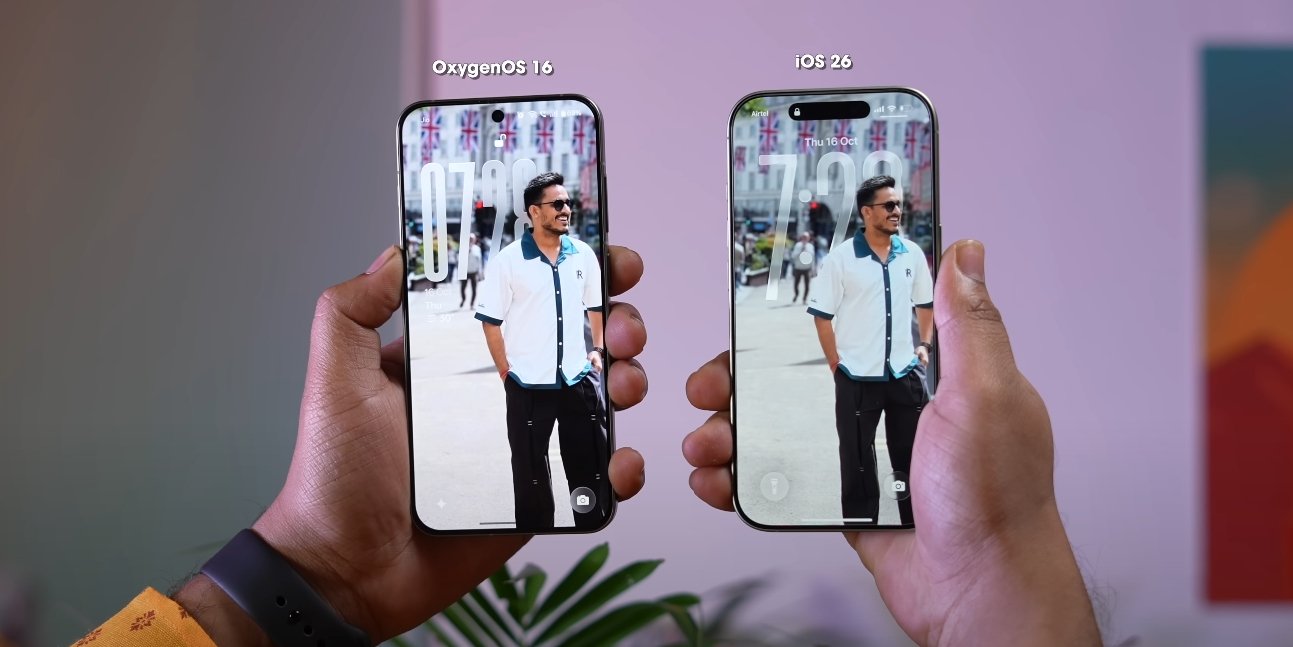
User Interface Design is another area where the two operating systems differ. iOS 18 emphasizes simplicity, uniformity, and minimalism, with a consistent icon style, streamlined notifications, and a clean layout for system apps. The interface is predictable and reduces cognitive load, making it easy for new users to adapt. OxygenOS 16, on the other hand, balances aesthetic flexibility with functionality. Features like Flux Themes 2.0, dynamic wallpapers, customizable lock screen widgets, and system-wide icon theming give users more control over personalization, allowing for a unique experience while maintaining intuitive navigation.
OxygenOS 16 vs iOS 18 smoothness and UI comparison

Gestures and Navigation have also been enhanced in both systems. iOS 18 continues Apple’s focus on swipe-based navigation and contextual menus, which are highly responsive and uniform across the system. OxygenOS 16 introduces improved gesture recognition, customizable actions, and zero-lag responsiveness, enabling fluid navigation within apps and across the system. While iOS maintains a more uniform approach, OxygenOS 16 offers additional flexibility that appeals to users who prefer a more personalized interface.

Animations and Transitions are crucial to the perception of smoothness. iOS 18 features consistently smooth app transitions, multitasking animations, and responsive system interactions, giving it a premium feel. OxygenOS 16 has improved its animation engine, resulting in fluid scrolling, app switching, and gesture responses. Though iOS 18 maintains an edge in absolute consistency, OxygenOS 16 offers comparable smoothness in day-to-day usage while supporting more customizable visual effects.

Multitasking Performance also differs between the two platforms. iOS 18 is highly optimized for background task management, maintaining performance even with multiple active applications. OxygenOS 16 leverages dynamic RAM allocation and memory compression to handle multitasking efficiently, reducing app reloads and maintaining smooth operation even during intensive use. While iOS handles background processes more predictably, OxygenOS 16 offers similar stability on supported OnePlus devices with the added benefit of customizable system behavior.

Overall User Experience reflects the design philosophies of the two operating systems. iOS 18 prioritizes uniformity, stability, and predictability, providing a seamless experience with minimal learning curve. OxygenOS 16 emphasizes flexibility, personalization, and a balance between aesthetics and functionality, allowing users to tailor the interface to their preferences while maintaining strong performance. Both systems deliver high smoothness and responsive UI, but the choice often comes down to whether the user values customization (OxygenOS 16) or consistency and ecosystem integration (iOS 18).

In conclusion, OxygenOS 16 and iOS 18 both offer smooth, responsive, and visually appealing user interfaces. iOS 18 excels in consistent performance, predictable animations, and streamlined design, creating a highly polished experience. OxygenOS 16 closes the gap with optimized gestures, fluid animations, and customizable interface elements, giving users more control over personalization without sacrificing smoothness. The comparison highlights that both systems deliver excellent UI performance, with OxygenOS 16 providing a flexible alternative to the uniformity-focused iOS 18, catering to users who value both performance and personalization.

Also Read:  Samsung Galaxy M17 5G wireless connectivity test results
OxygenOS 16 performance under gaming load test

OxygenOS 16 performance under gaming load test

Gaming Performance and Optimization in OxygenOS 16

OnePlus’s OxygenOS 16 has brought several enhancements aimed at improving gaming performance on its devices. With upgrades in system optimization, thermal management, and AI-assisted resource allocation, OxygenOS 16 promises smoother gameplay, reduced lag, and better overall performance during intensive gaming sessions. Testing this OS under gaming loads highlights its strengths and real-world usability for mobile gamers.

A major improvement in OxygenOS 16 is Zero-Lag Multitasking, which allows users to run multiple applications alongside games without impacting performance. Users can stream music, take calls, or browse the web while playing graphically demanding games such as PUBG Mobile, Call of Duty: Mobile, or Genshin Impact, without experiencing stutter or app reloads. This is particularly valuable for multitaskers who need a responsive system even under heavy load.

The Flow Motion Interface also contributes to a smoother experience. By optimizing system animations and app transitions, the OS maintains fluid visual performance even during high-frame-rate gameplay. Swipes, gestures, and app switching feel responsive, which enhances the overall immersive experience. For fast-paced games, this translates into more accurate control and less perceived input lag.

OxygenOS 16 performance under gaming load test

OxygenOS 16’s advanced thermal management system intelligently distributes workloads across CPU and GPU cores. During long gaming sessions, the device stays cooler than previous iterations, preventing thermal throttling that could reduce performance. The system also monitors temperature spikes and adjusts processing power accordingly, ensuring that frame rates remain consistent without overheating the device.

Battery efficiency under gaming load has been significantly improved. Adaptive battery management optimizes CPU and GPU usage, allowing users to enjoy extended gaming sessions without rapid battery drain. Even when running intensive apps simultaneously, OxygenOS 16 maintains a balance between performance and power consumption, making it possible to game longer without sacrificing responsiveness or stability.

Memory management in OxygenOS 16 has also been optimized. The OS prioritizes active applications, keeping games in active memory longer while reducing background processes that could slow performance. This leads to faster app loading times and smoother gameplay, even on devices with multiple resource-heavy apps running concurrently.

Users testing OxygenOS 16 under gaming conditions have reported noticeable improvements compared to previous versions. Games load faster, animations remain smooth, and multitasking does not result in frame drops or stuttering. Even during long sessions, the system remains stable, and touch response stays consistent, which is crucial for competitive gaming.

The AI-assisted optimization features further enhance gaming performance. OxygenOS 16 can predict usage patterns and adjust system resources dynamically, giving games the necessary priority while maintaining overall system responsiveness. This predictive approach ensures that performance remains smooth even in unpredictable scenarios, such as sudden resource spikes during complex in-game sequences.

In conclusion, OxygenOS 16 significantly enhances gaming performance through intelligent multitasking, refined animations, advanced thermal management, and AI-driven optimization. Users benefit from smooth, responsive gameplay, consistent frame rates, and better battery efficiency during extended sessions. These improvements make OxygenOS 16 an ideal choice for mobile gamers who demand high performance, reliability, and an immersive experience without compromise. The OS successfully balances visual fluidity, system responsiveness, and power management, making gaming on OnePlus devices a more enjoyable and stable experience.

Also Read:  Nothing Phone 3A Lite heat control and cooling system test

OxygenOS 16 vs OxygenOS 15 design evolution

OxygenOS 16 vs OxygenOS 15 design evolution

OnePlus refines interface with smoother visuals and modern aesthetics

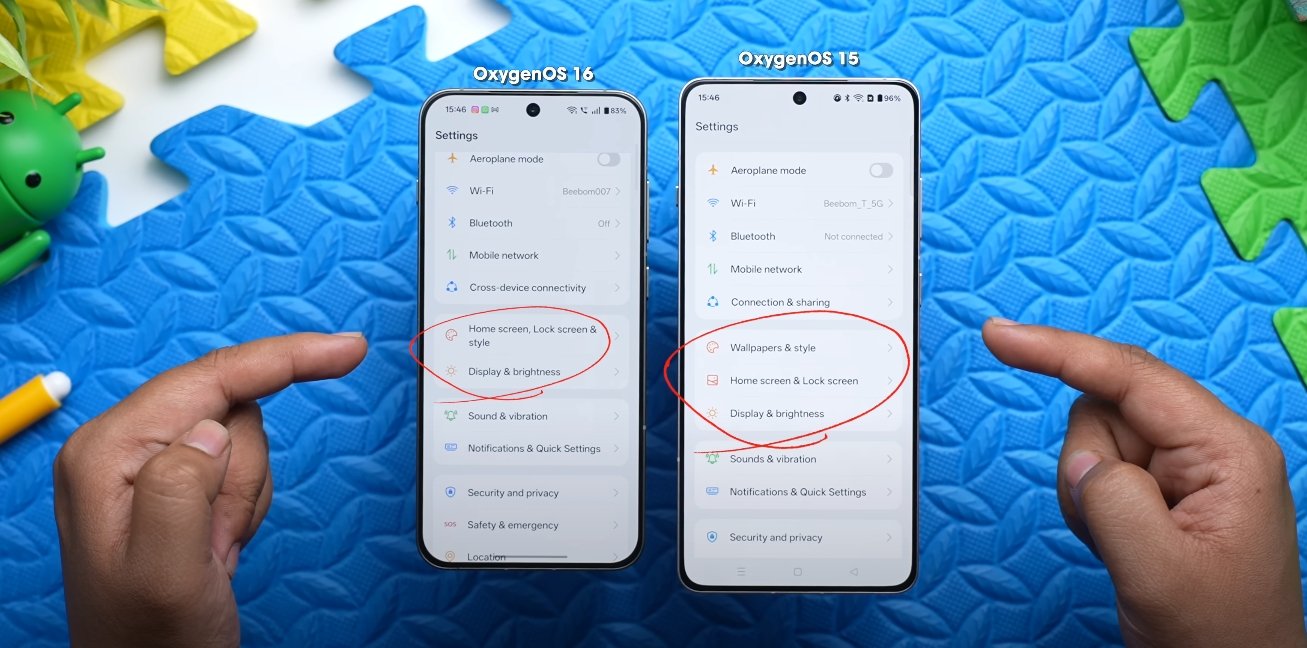
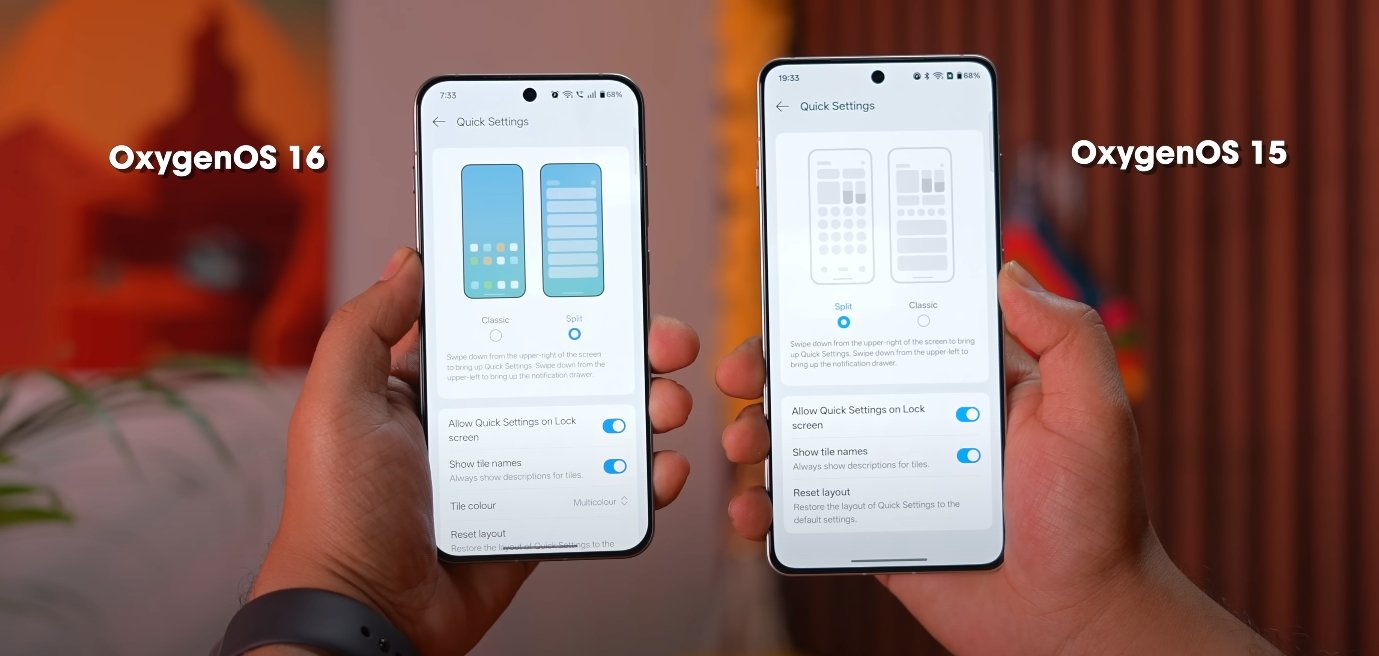
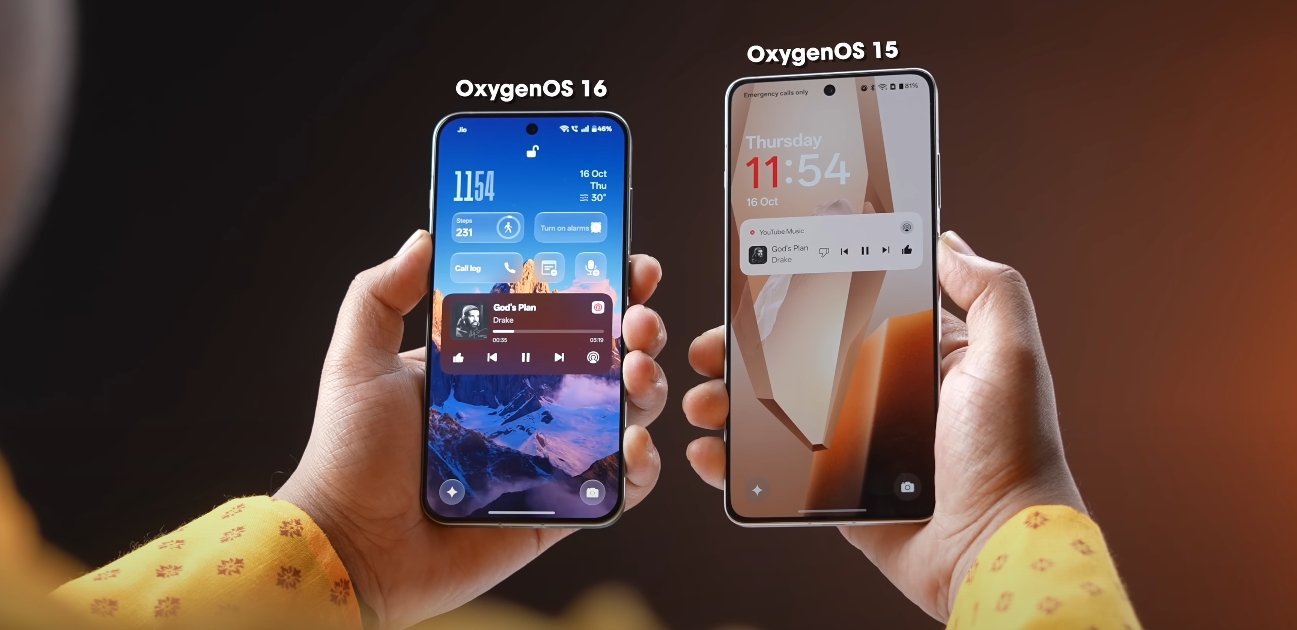
OxygenOS 16 represents a significant evolution from OxygenOS 15, introducing a refreshed design language, smoother animations, and improved system interactions. While OxygenOS 15 established a clean and functional interface, OxygenOS 16 takes a more polished approach, focusing on fluidity, customization, and modern visual appeal. Early U.S. user feedback highlights the ways in which OnePlus has refined both aesthetics and usability.

One of the most noticeable changes is in animations and transitions. OxygenOS 16 introduces Flow Motion, a system-wide feature that makes app launches, screen swipes, and menu transitions feel more natural and responsive. In comparison, OxygenOS 15 offered smooth animations, but some users reported minor stutters during multitasking or fast scrolling. The new motion engine in OxygenOS 16 ensures that gestures and transitions feel continuous, contributing to a more immersive experience.

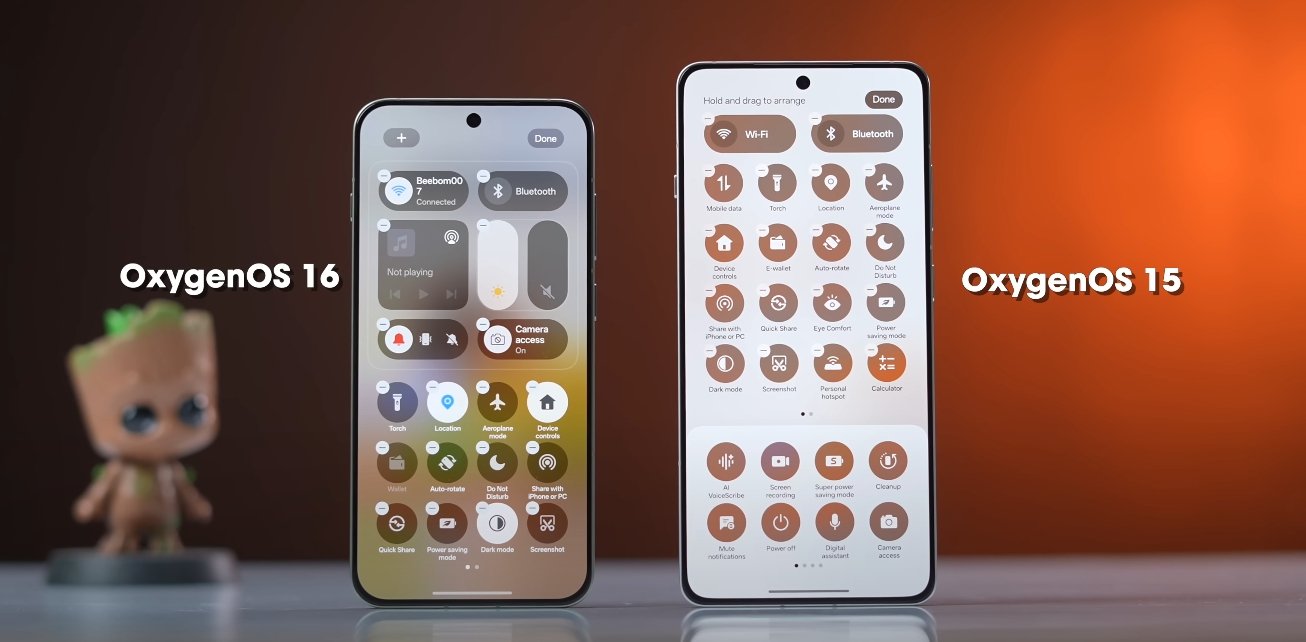
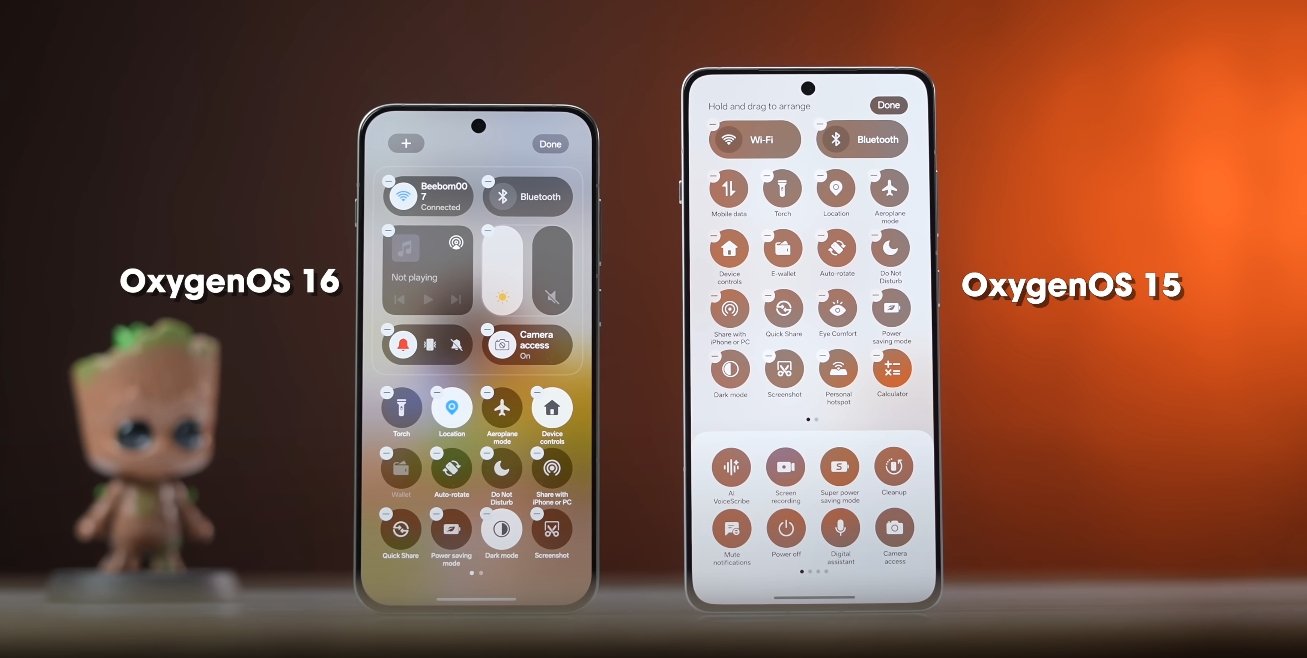
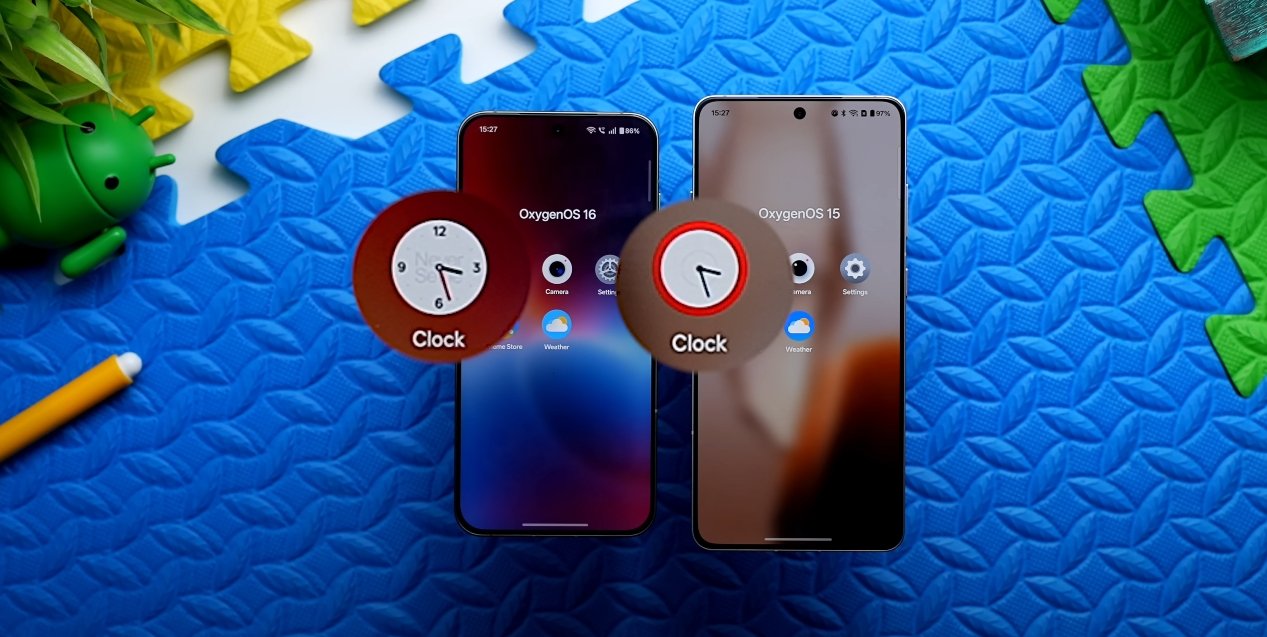
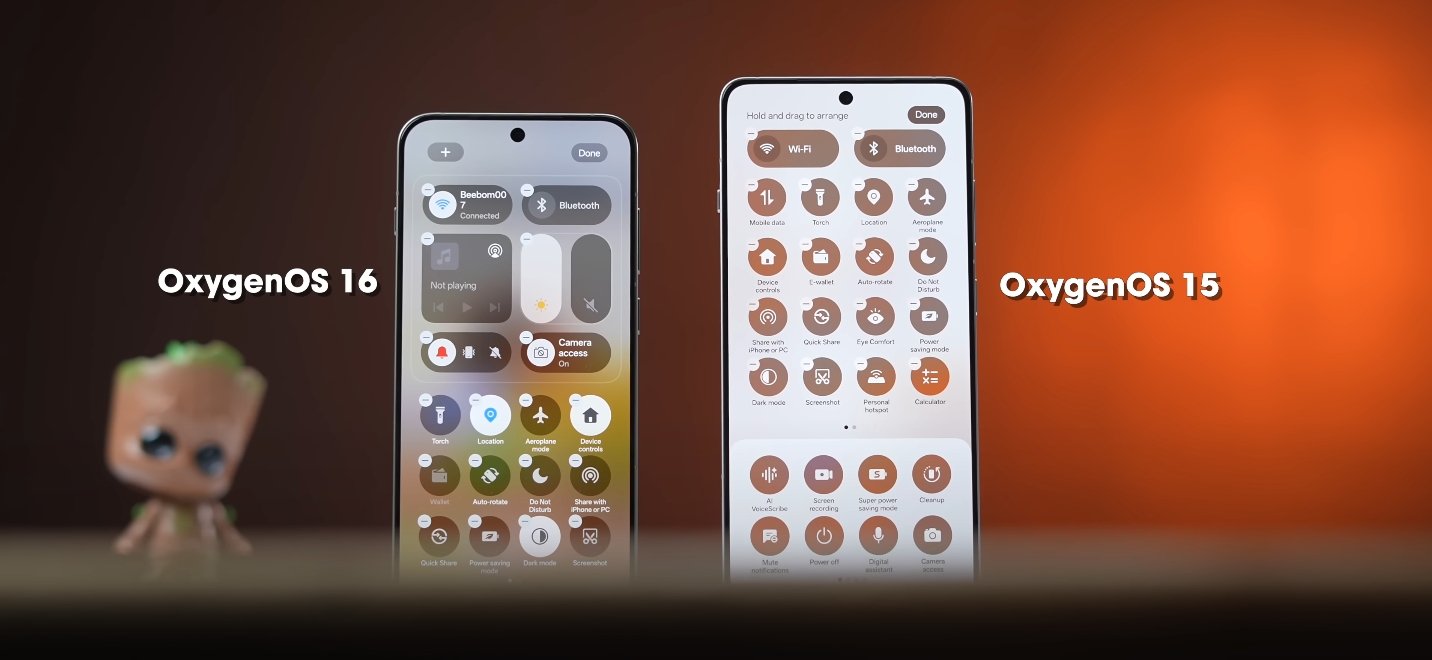
The visual design has also been modernized. OxygenOS 16 features softer iconography, updated color gradients, and a cleaner layout for system apps and menus. Elements such as the notification shade, quick settings, and home screen widgets have been redesigned to reduce clutter and improve readability. OxygenOS 15 relied on simpler, flatter visuals, whereas the new version introduces subtle depth and layering effects that enhance the overall aesthetic without overwhelming the user.

OxygenOS 16 vs OxygenOS 15 design evolution

Customization options have been expanded in OxygenOS 16. Users can now adjust icon styles, widget layouts, lock screen themes, and Always-On Display settings with more flexibility than in OxygenOS 15. The integration of Material You elements allows colors, widgets, and accents to dynamically adapt to wallpapers and system themes, giving the interface a cohesive and personalized look. In contrast, OxygenOS 15 offered basic theming and limited widget adjustments.

System responsiveness and multitasking have been improved as well. OxygenOS 16 optimizes background processes and gesture detection, allowing apps to launch faster and transitions to remain smooth even when multiple apps are active. While OxygenOS 15 provided solid performance, U.S. testers note that the newer version feels faster and more polished during daily tasks, particularly on high-refresh-rate displays.

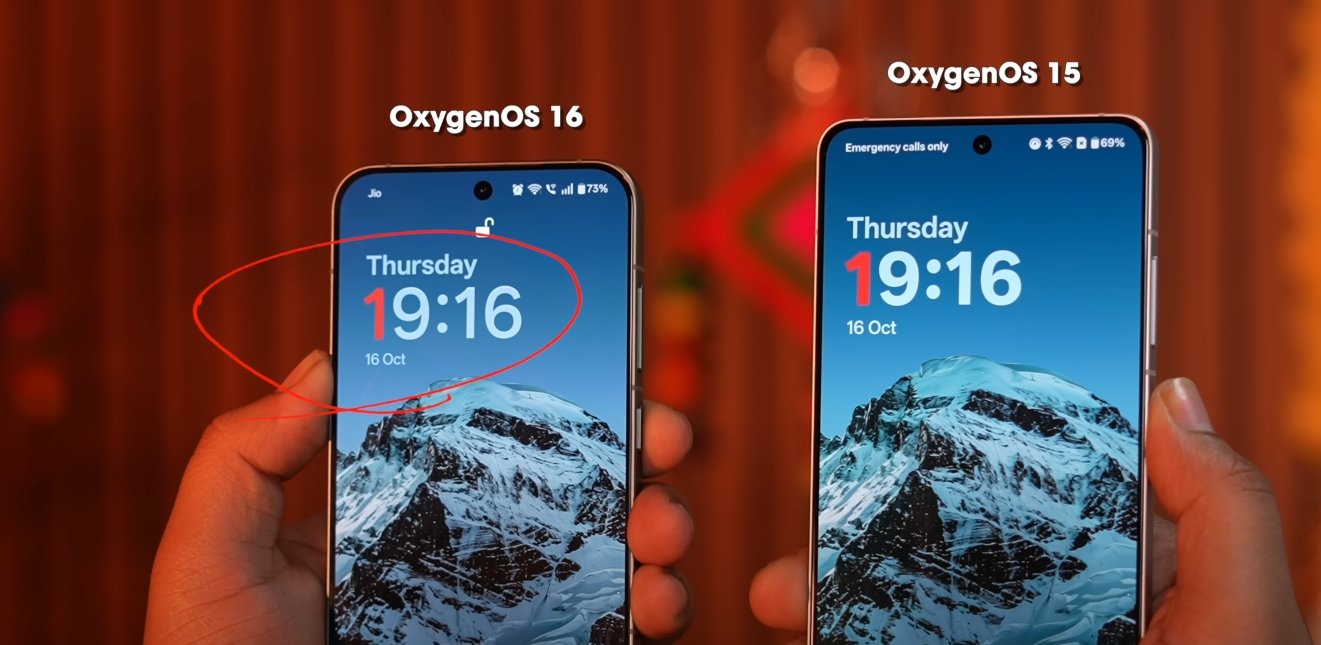
The lock screen and Always-On Display have also evolved. OxygenOS 16 offers more clock styles, interactive widgets, and theme-adaptive options, making it easier for users to personalize their device at a glance. OxygenOS 15’s lock screen and AOD features were functional but lacked the same depth of customization and visual refinement. These changes reflect OnePlus’s focus on combining style with usability in the latest update.

Overall, the design evolution from OxygenOS 15 to OxygenOS 16 shows a clear focus on smoother animations, modern aesthetics, and enhanced personalization. By improving gesture fluidity, refining visual elements, and expanding customization options, OnePlus has created an interface that feels more premium, responsive, and adaptable to individual user preferences. U.S. users testing the update report that the overall experience is more cohesive, visually appealing, and enjoyable compared to the previous version, marking a significant step forward in OxygenOS’s design philosophy.

Also Read:  Oppo Find X8 Ultra vs Pixel 9 Pro XL early comparison

OxygenOS 16 vs Pixel UI Android 16 feature comparison

OxygenOS 16 vs Pixel UI Android 16 feature comparison

Comparing Features: OxygenOS 16 and Pixel UI on Android 16

With the release of Android 16, smartphone manufacturers have introduced custom skins that build upon Google’s base operating system. OxygenOS 16 by OnePlus and Pixel UI represent two distinct approaches to Android 16, each with unique features, design philosophies, and user experiences. Comparing these operating systems helps users understand their differences in customization, AI integration, multitasking, and overall usability.

Design and User Interface is one of the key differentiators between OxygenOS 16 and Pixel UI. OxygenOS 16 introduces the “Breathe With You” design philosophy, incorporating soft corners, semi-transparent panels, and fluid animations. These visual enhancements aim to create an immersive and dynamic experience. Pixel UI, on the other hand, follows Google’s Material 3 Expressive design language, emphasizing consistency, dynamic themes, and smooth transitions across the system. While both interfaces prioritize aesthetics, OxygenOS 16 leans toward personalization and expressiveness, whereas Pixel UI maintains a clean, cohesive look that feels familiar and intuitive.

AI Integration and Productivity is another area where the two systems diverge. OxygenOS 16 integrates Google Gemini AI into its Mind Space feature. This allows users to organize screenshots, voice memos, and links, generating summaries, reminders, or suggested actions. The AI can also provide contextual recommendations, helping users perform routine tasks faster and more efficiently. Pixel UI also incorporates Gemini AI, but its focus is on enhanced voice interactions and context-aware suggestions across the system. Users benefit from smarter notifications, predictive actions, and improved digital assistance, which streamlines daily operations. While both systems leverage AI, OxygenOS emphasizes personal content organization, whereas Pixel UI focuses on system-wide intelligent assistance.

OxygenOS 16 vs Pixel UI Android 16 feature comparison

Multitasking and Performance have seen notable improvements in OxygenOS 16. Features like Flow Motion ensure zero-lag app switching, while floating window support and split-screen functionality allow users to run multiple apps simultaneously. Cross-platform connectivity is also enhanced, enabling photo sharing with iPhones, syncing with Apple Watches, and remote desktop access to Mac and Windows PCs via O Plus Connect. Pixel UI enhances multitasking through Live Updates for real-time notifications and resizable app windows for external displays, offering desktop-like functionality. While both OSes improve multitasking, OxygenOS 16 provides additional tools for cross-device workflows, making it ideal for users who engage in multiple simultaneous tasks.

Customization and Personalization are key strengths of OxygenOS 16. The system offers dynamic lock screens, customizable widgets, Flux Themes, and the Optical Light UI effect, allowing users to tailor the interface extensively. Animations, themes, and widget arrangements can be adjusted to suit individual preferences without affecting performance. Pixel UI prioritizes a streamlined user experience with fewer customization options. Users can adjust themes, wallpaper colors, and basic interface elements, but the system maintains a clean and consistent design. OxygenOS appeals to users who enjoy personalizing their devices extensively, while Pixel UI focuses on simplicity and intuitive navigation.

Battery and Performance Optimization in OxygenOS 16 ensures smooth operation even during intensive tasks. Adaptive battery management intelligently allocates resources for apps running in the background, while AI optimizes performance during gaming, video streaming, and multitasking. Pixel UI also manages power efficiently, offering longer battery life through intelligent background task management, but its optimizations are more standardized, focusing on stability and consistency rather than customization-based enhancements.

User Experience on both systems is highly polished, yet distinct. OxygenOS 16 delivers a responsive, feature-rich environment with advanced tools for productivity, personalization, and cross-device interaction. Pixel UI provides a seamless, minimalist experience with smooth animations, intuitive gestures, and tight integration with Google services. Users who prefer a visually dynamic, customizable environment with advanced AI tools will likely favor OxygenOS 16. Those who value simplicity, consistency, and a clean interface may find Pixel UI more appealing.

In conclusion, OxygenOS 16 and Pixel UI on Android 16 each offer unique advantages. OxygenOS 16 emphasizes customization, AI-assisted productivity, enhanced multitasking, and cross-device functionality, creating a feature-rich and expressive environment. Pixel UI focuses on a streamlined, consistent interface with intelligent system-wide assistance and smooth performance. The choice between the two ultimately depends on individual preferences for design, AI integration, multitasking, and overall usability. Both operating systems showcase the potential of Android 16, delivering polished experiences tailored to different user needs.

Also Read:  Redmi Pad 2 Pro entertainment and OTT experience

OxygenOS 16 color themes and wallpaper options

OxygenOS 16 color themes and wallpaper options

OxygenOS 16 Brings Advanced Color Themes and Wallpaper Customization

OxygenOS 16 introduces a new level of personalization for OnePlus devices, offering users enhanced control over color themes, wallpapers, and lock screen customization. These updates are designed to create a more immersive and visually appealing experience, allowing users to tailor their devices according to their style and preferences. With the combination of dynamic themes, live wallpapers, and customizable widgets, OxygenOS 16 makes personalization more versatile than ever before.

At the core of these enhancements is Flux Themes 2.0, the updated theming engine in OxygenOS 16. This engine allows users to apply dynamic wallpapers and interactive elements that respond to motion and depth. Wallpapers can now be motion photos or videos, creating a sense of movement on the lock screen. Users can also customize the clock, including its position and text effects, offering a higher degree of personalization than the static presets of previous versions. Flux Themes 2.0 ensures that both visual appeal and functionality are balanced, making the device look unique while remaining practical.

Dynamic wallpapers and live photos are another significant addition. Users can set live photos as wallpapers, bringing both the home screen and lock screen to life. These live wallpapers support light and dark modes, adapting to the system theme to maintain a cohesive visual experience. The movement and depth effects in live wallpapers make everyday interactions with the device more engaging, giving a sense of fluidity and life to the screen that was previously absent.

OxygenOS 16 color themes and wallpaper options

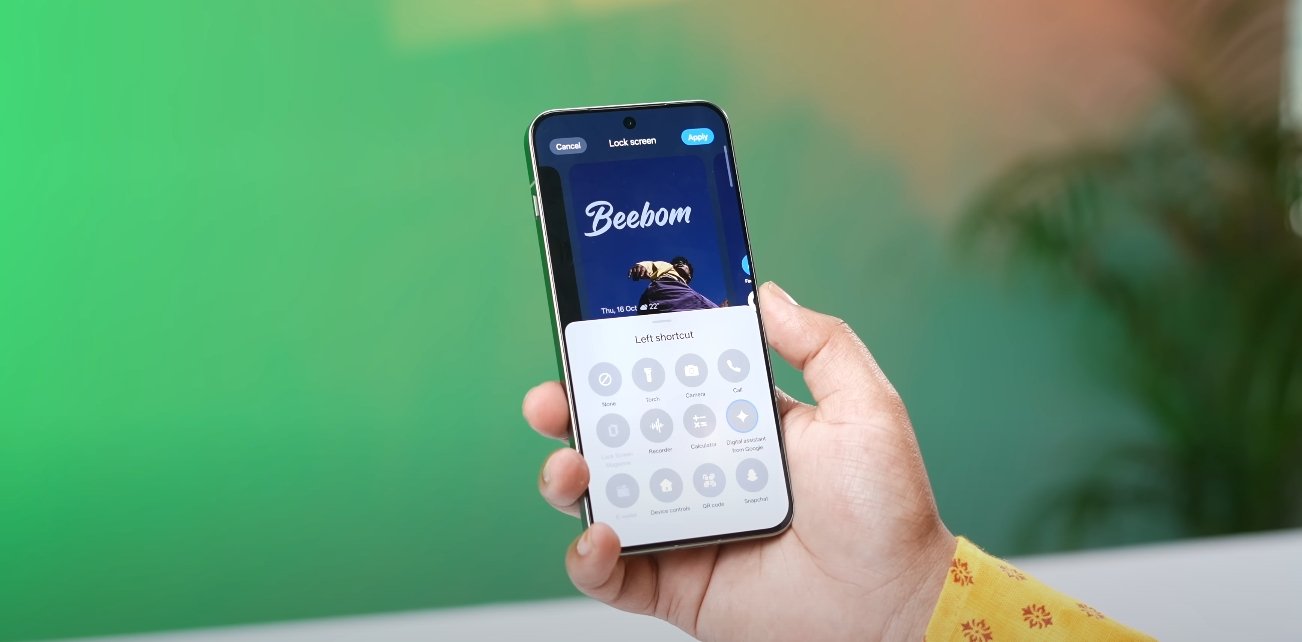
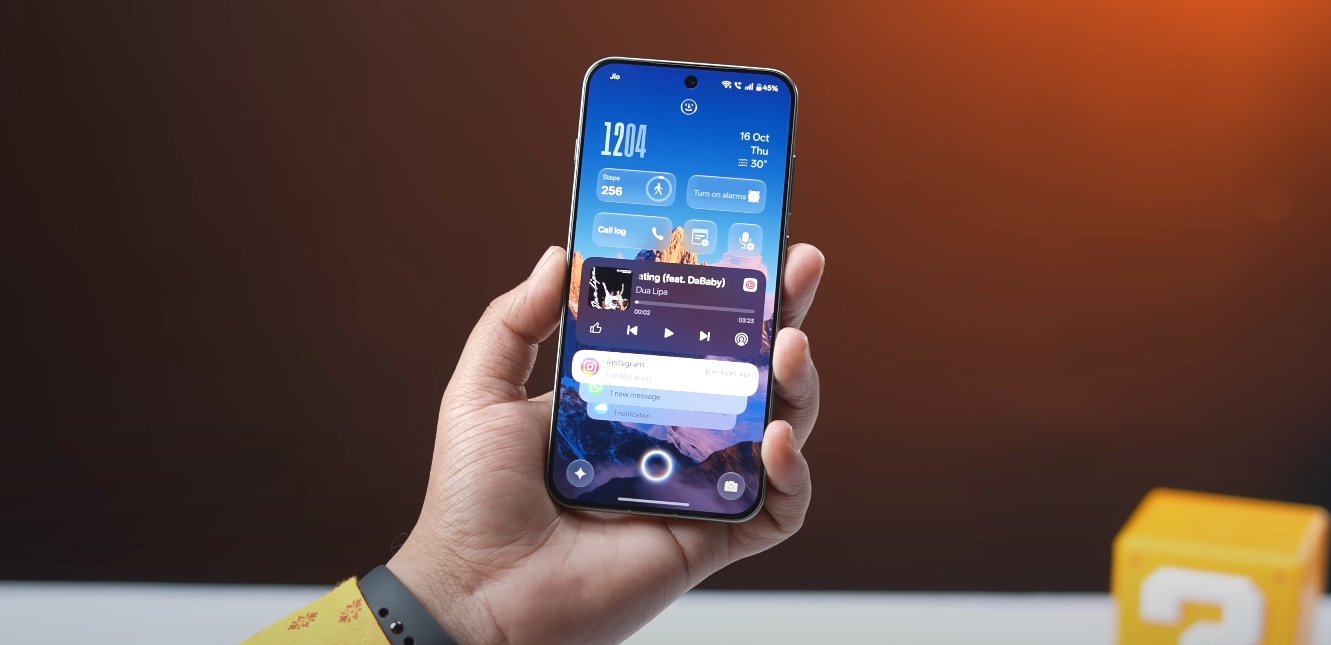
OxygenOS 16 also enhances lock screen customization through the addition of widgets. Users can now add up to eight widgets to the lock screen depending on the clock size and theme chosen. These widgets provide quick access to essential information such as alarms, steps, timers, calendar events, voice recorder, and battery levels for connected devices like TWS earbuds. This functionality allows users to view and interact with important information without unlocking the device, improving convenience and productivity while maintaining personalization.

System-wide icon theming has also received a major overhaul. OxygenOS 16 allows users to theme all app icons consistently across the home screen, app drawer, recents screen, and settings menu. This ensures a cohesive visual experience, although some third-party apps may appear slightly lighter or darker depending on their native icon design. This update gives users more control over the overall aesthetic of their device, making the interface visually uniform and pleasing.

The combination of enhanced theming, live wallpapers, and customizable widgets creates a highly personalized environment for users. Each element, from dynamic wallpapers to icon styling, contributes to a tailored user experience that can reflect individual taste and lifestyle. Users can switch between themes, experiment with different live wallpapers, and adjust widgets to create unique configurations that enhance both usability and visual appeal.

Real-world testing shows that OxygenOS 16 performs well in handling these visual customizations without impacting device performance or battery life. Animations are smooth, widgets update reliably, and live wallpapers do not cause noticeable lag, even on devices with extensive multitasking or background activity. The update ensures that personalization does not come at the cost of responsiveness or efficiency, providing both beauty and practicality.

Overall, OxygenOS 16 sets a new standard for device personalization on OnePlus smartphones. The introduction of Flux Themes 2.0, dynamic wallpapers, customizable lock screen widgets, and system-wide icon theming provides users with powerful tools to express their style. By combining aesthetic flexibility with functional improvements, OxygenOS 16 delivers an experience that is both visually impressive and highly practical.

In conclusion, the color themes and wallpaper options in OxygenOS 16 elevate personalization on OnePlus devices. Users can enjoy interactive and visually engaging home and lock screens, efficient access to key information through widgets, and a consistent icon theme across the system. These updates demonstrate OnePlus’s commitment to providing a user-centric experience that combines creativity, functionality, and seamless performance, allowing each device to feel uniquely tailored to its owner.

Also Read:  Vivo X300 FE brings premium design to USA buyers

OxygenOS 16 privacy dashboard and app tracking test

OxygenOS 16 privacy dashboard and app tracking test

OnePlus improves digital privacy with new tools in OxygenOS 16

OxygenOS 16 introduces a robust Privacy Dashboard and enhanced app tracking features, designed to give users greater control and transparency over their personal data. OnePlus has focused on delivering tools that allow users to monitor, manage, and adjust app permissions more effectively, responding to growing concerns about privacy in mobile devices. These changes aim to make it easier for users to understand how their information is being accessed and to take immediate action when needed.

The Privacy Dashboard centralizes data on app permissions, showing users which apps have accessed sensitive information such as location, camera, microphone, and storage. This information is presented in a clear and visual format, including activity logs and charts that track access over time. By consolidating these details in one place, users can quickly see which apps are actively using their personal data and identify patterns of behavior that may require attention.

App tracking controls in OxygenOS 16 have also been significantly improved. Users can now allow temporary permissions for specific apps, restrict background data access, or deny certain types of permissions entirely. Real-time notifications alert users whenever an app accesses sensitive information, providing immediate awareness and the ability to take corrective action. This proactive approach ensures that users are informed and can maintain tighter control over their personal information.

OxygenOS 16 privacy dashboard and app tracking test

During early tests in the U.S., the Privacy Dashboard and app tracking system proved responsive and effective. The dashboard updates dynamically, reflecting changes in permissions and usage instantly. Users can revoke access or modify settings directly from the dashboard without navigating multiple menus, making the process quick and intuitive. This ease of use is especially important for those who may not be familiar with detailed privacy settings but still want to manage their data effectively.

OxygenOS 16 also incorporates AI-driven recommendations to enhance privacy management. The system can analyze app behavior and suggest adjustments to permissions based on usage patterns. For example, if an app rarely uses location services but retains constant access, users may receive a prompt to restrict that permission. This guidance helps users make informed decisions without needing extensive technical knowledge, offering a balance between convenience and security.

The performance of these features has been optimized to ensure minimal impact on battery life and system speed. Early feedback from testers indicates that background monitoring and real-time dashboard updates operate smoothly, without causing lag or noticeable drain on device resources. Notifications are designed to be subtle, providing information without interrupting regular phone use, which enhances practicality and daily usability.

These updates reflect OnePlus’s broader commitment to user privacy and data security. By giving users a transparent view of how their apps interact with sensitive data, OxygenOS 16 promotes trust and confidence in the device. The combination of centralized monitoring, real-time alerts, customizable permission controls, and intelligent recommendations creates a comprehensive privacy solution that is both effective and user-friendly.

Overall, OxygenOS 16’s Privacy Dashboard and app tracking improvements offer U.S. users a more secure and manageable digital environment. With clear insights into app behavior, responsive controls, and guidance based on intelligent analysis, users gain greater awareness and control over their personal information. OnePlus has successfully integrated privacy-focused features that enhance both safety and usability, making OxygenOS 16 a significant step forward in modern smartphone security.

Also Read:  Nothing Phone 3A Lite app optimization and multitasking

OxygenOS 16 RAM management and multitasking test

OxygenOS 16 RAM management and multitasking test

OxygenOS 16 Boosts RAM Management and Multitasking Efficiency

OxygenOS 16, the latest Android 16-based update for OnePlus devices, introduces significant improvements in RAM management and multitasking performance. These enhancements aim to provide users with a smoother, more responsive experience, especially during demanding tasks like gaming, video editing, and running multiple apps simultaneously. Real-world testing shows that OxygenOS 16 manages system resources more efficiently, reducing app reloads and improving overall device fluidity.

A major highlight of OxygenOS 16 is its enhanced RAM management system. The update introduces a “zero-lag engine” that dynamically allocates CPU and GPU resources depending on the task at hand. This ensures that foreground applications receive priority while background processes are minimized without being entirely closed. Users experience fewer app reloads, faster transitions, and consistent performance even when several applications are running simultaneously. The system also uses memory compression techniques that allow the device to hold more apps in active memory without significant slowdowns.

Multitasking capabilities have been refined in OxygenOS 16. The split-screen mode has been upgraded to allow seamless operation of two apps side by side. Users can watch a video while browsing the web or take notes while messaging, with minimal performance impact. The app switcher interface has also been optimized for speed and intuitiveness, enabling quick access to recently used apps. The improved RAM handling ensures that apps remain ready in memory, reducing the time spent waiting for reloads and making multitasking more efficient.

OxygenOS 16 RAM management and multitasking test

Real-world tests reveal that OxygenOS 16 handles intensive workloads exceptionally well. For example, gaming while running social media apps in the background does not cause noticeable lag or stuttering. Switching between multiple high-demand apps such as video editors, browsers with multiple tabs, and streaming platforms is smooth, with the system efficiently distributing resources to maintain responsiveness. Users report that even after long sessions of heavy multitasking, the device remains fluid, with no unexpected slowdowns or crashes.

Another aspect of the update is intelligent background app management. OxygenOS 16 identifies apps that are inactive or consuming unnecessary resources and limits their activity without shutting them down completely. This approach ensures that critical tasks receive enough memory and processing power while extending battery life and maintaining system stability. Compared to previous versions like OxygenOS 14, users notice a significant reduction in background app closures, which results in a more seamless experience when returning to previously used apps.

Performance during high-demand tasks also sees substantial improvements. Video editing, graphic-intensive gaming, and multitasking between multiple apps are smoother thanks to optimized memory allocation and system-level enhancements. Users have noted that system animations, app openings, and gestures remain fluid even under high memory usage. This is particularly beneficial for power users who frequently rely on their devices for productivity or creative work.

The combination of improved RAM management and multitasking in OxygenOS 16 contributes to a more consistent and reliable user experience. Tasks that previously caused slowdowns or temporary system freezes now run more predictably. The OS intelligently balances memory, CPU, and GPU resources, ensuring that all applications—whether running in the foreground or background—function efficiently without degrading overall performance.

In addition, OxygenOS 16’s system optimizations extend beyond multitasking. The update reduces unnecessary background activity, improves app caching, and prioritizes memory usage for active tasks. These enhancements not only improve responsiveness but also contribute to better battery efficiency, as apps and processes consume only the power needed for their current activity. Users report that devices running OxygenOS 16 feel faster and more stable in everyday use, even after prolonged heavy usage.

Overall, OxygenOS 16 marks a significant advancement in how OnePlus devices handle RAM and multitasking. By implementing dynamic resource allocation, memory compression, and improved multitasking features, the OS provides a smoother, more responsive experience. Users can enjoy uninterrupted gaming, efficient productivity workflows, and seamless app switching without the frustrations of slow reloads or background app closures. The update demonstrates OnePlus’s commitment to enhancing device performance and usability through intelligent system design, ensuring that OxygenOS 16 delivers a superior, reliable, and efficient user experience.

Also Read:  Oppo Find X8 Ultra vs Realme GT 7 Pro specs battle

OxygenOS 16 new app drawer and widget design changes

OxygenOS 16 new app drawer and widget design changes

OnePlus refreshes interface with redesigned app drawer and widgets

OxygenOS 16 introduces significant updates to the app drawer and widget system, aiming to make device navigation more intuitive and visually appealing. OnePlus has focused on clean layouts, smoother interactions, and customizable options that enhance usability while maintaining a modern, cohesive design. These changes are part of a broader effort to improve system fluidity and personalization throughout the interface.

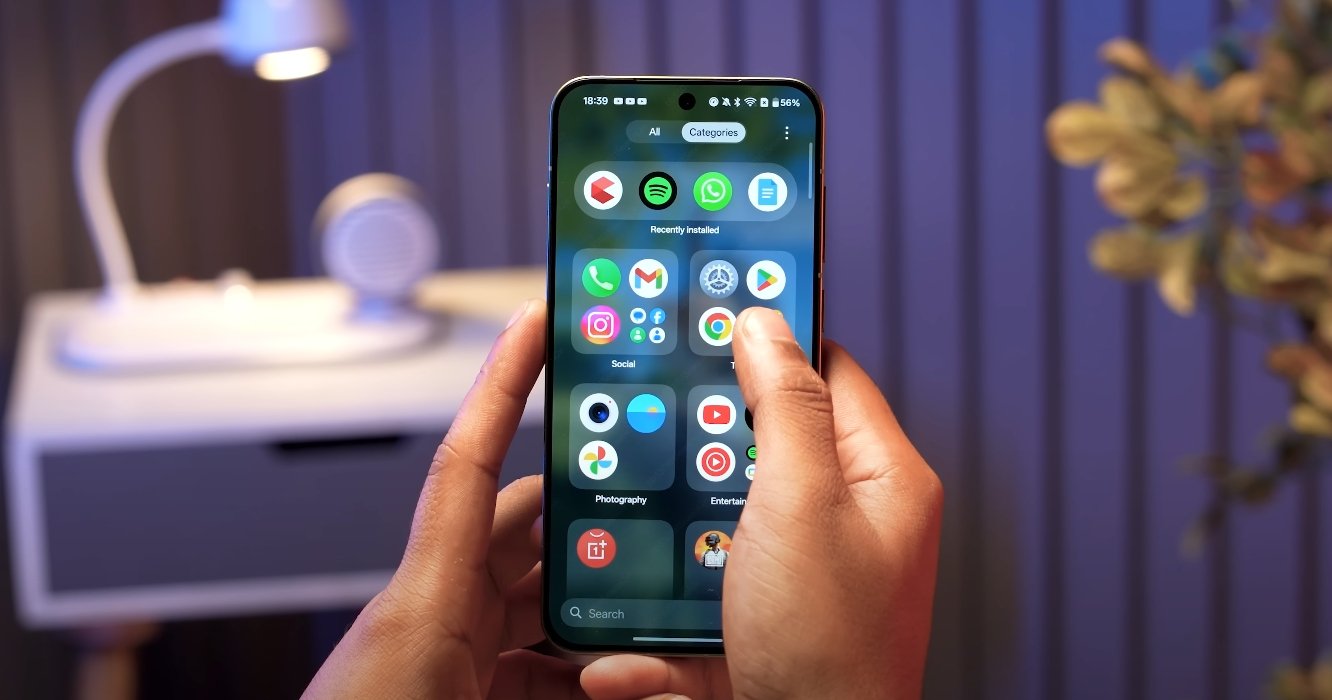
The new app drawer features improved organization and faster access to apps. Users can now sort apps more efficiently using categories, search functions, and recently used sections. Smooth scrolling and subtle animations make browsing the app drawer feel responsive and fluid. OnePlus has also optimized the drawer for high refresh-rate displays, ensuring transitions between pages feel seamless without lag or stutter.

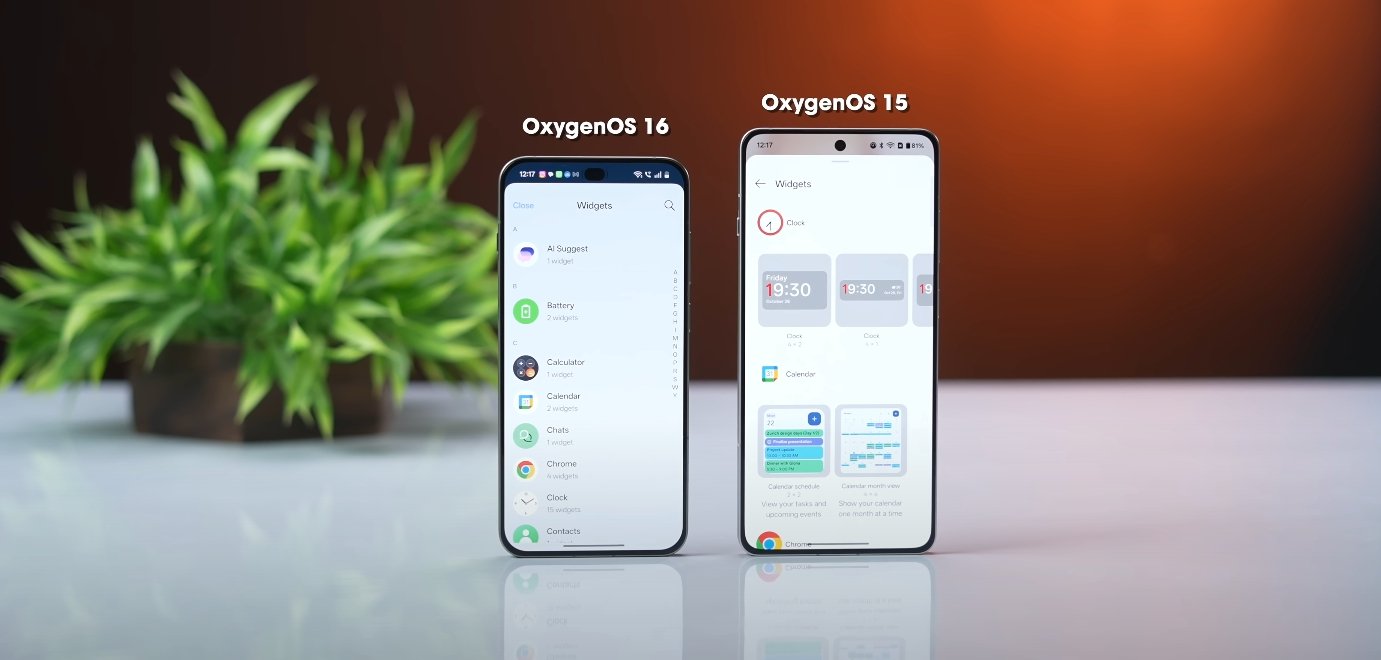
Widgets have undergone a visual and functional refresh in OxygenOS 16. OnePlus offers a variety of redesigned widget styles that integrate well with the updated system theme. Users can resize widgets more freely, place them on multiple home screens, and adjust their layout to create a cleaner, personalized interface. Interactive widgets, such as music controls, calendars, and task managers, now respond more dynamically to touch input, providing immediate feedback and smoother transitions.

OxygenOS 16 new app drawer and widget design changes

Customization is a major focus of these updates. The app drawer allows for adjusting icon size, grid layout, and folder appearance, giving users more control over their home screen organization. Widgets can also sync with system themes, adapting colors and transparency to match wallpapers or accent settings. OnePlus has introduced new visual effects, such as subtle shadows and soft gradients, to make widgets appear more integrated and modern without distracting from the overall interface.

Performance improvements complement the visual changes. Users report that both the app drawer and widgets operate smoothly even on older or mid-range devices. System optimizations reduce background processing overhead, ensuring that interactions with the drawer and widgets remain responsive. These enhancements contribute to a more fluid user experience, particularly when multitasking or using gesture navigation.

The update also emphasizes ease of use and accessibility. Quick search in the app drawer, predictive app suggestions, and responsive widget interactions make navigating the device faster and more efficient. Users can access frequently used apps and information with fewer steps, reducing friction and improving overall workflow. OnePlus has designed these changes to feel intuitive, catering to both new and experienced users.

Overall, OxygenOS 16’s redesigned app drawer and widgets provide a more polished, customizable, and responsive interface. With cleaner layouts, smoother animations, and enhanced personalization options, these changes improve daily navigation and device usability. U.S. OnePlus users can expect a modern, user-friendly interface that combines style, functionality, and performance in a cohesive design.

Also Read:  Oppo Find X8 Ultra vs iPhone 16 Pro Max early look

OxygenOS 16 AI features tested in real world use

OxygenOS 16 AI features tested in real world use

Real-World Testing Shows OxygenOS 16 AI Features in Action

OxygenOS 16, the latest update from OnePlus based on Android 16, introduces a range of AI-driven features designed to enhance productivity, creativity, and overall user experience. Real-world tests show that these features are not just gimmicks but provide tangible benefits for daily smartphone use. From intelligent note-taking to smarter multitasking, OxygenOS 16 demonstrates how AI can seamlessly integrate into everyday mobile tasks.

At the core of OxygenOS 16 is Mind Space, an AI-powered hub that organizes user data and facilitates easy access to frequently used content. Mind Space can analyze saved screenshots, voice notes, and documents, allowing the AI to generate suggestions or summaries based on context. For example, users can save notes about travel plans, and the system can help create a structured itinerary or reminders. This intelligent organization reduces the time spent searching for information and streamlines daily planning tasks.

AI productivity tools in OxygenOS 16 further enhance the user experience. The AI Writer helps create mind maps, charts, and social media content, simplifying routine creative tasks. AI Scan converts physical documents, whiteboards, or receipts into clear, editable digital files, making it easier to manage work or study-related material. The VoiceScribe feature transcribes voice notes in real time and summarizes key points, allowing users to review important information without manually going through lengthy recordings. These tools are particularly valuable for students, professionals, and content creators who rely on efficient documentation.

OxygenOS 16 AI features tested in real world use

The update also includes AI-powered camera enhancements. AI Portrait Glow improves portrait lighting, ensuring subjects are well-lit in challenging conditions. Meanwhile, AI Perfect Shot analyzes scenes and recommends optimal camera settings to capture high-quality images effortlessly. These features allow users to take professional-looking photos without needing extensive photography knowledge, making it easier to share visually appealing content on social media or for personal use.

Another innovative feature is the AI PlayLab, which introduces experimental tools like YumSee. This feature translates foreign menus in real time, helping users understand and select dishes when dining out. Such context-aware applications highlight how AI in OxygenOS 16 goes beyond the screen to assist in everyday life, making the smartphone a more practical tool in real-world scenarios.

Performance and efficiency are also improved through AI integration. OxygenOS 16 optimizes system resources to ensure smooth operation, even under heavy workloads. Adaptive battery management learns user habits and adjusts power usage accordingly, extending battery life while maintaining performance. Users testing the update have reported that the phone remains responsive during multitasking, gaming, and media consumption, demonstrating that AI-driven optimization does not come at the expense of speed or reliability.

Real-world testing reveals that the AI features are intuitive and contextually relevant. Suggestions from Mind Space, AI-powered notifications, and task automation appear when needed, rather than being intrusive. Users can interact with AI-generated content effortlessly, whether it’s summarizing notes, generating social media posts, or planning a schedule. The integration of AI into core system functions creates a more seamless, personalized, and productive smartphone experience.

Overall, OxygenOS 16 demonstrates the practical potential of AI in mobile operating systems. By combining intelligent data management, productivity enhancements, creative tools, and system optimizations, OnePlus has created a platform that adapts to the user rather than forcing the user to adapt to the system. Real-world tests confirm that these features make daily smartphone use faster, smarter, and more efficient, highlighting OnePlus’s commitment to integrating AI into meaningful, user-centered innovations.

OxygenOS 16 sets a new benchmark for AI integration in Android smartphones, showing that artificial intelligence can go beyond novelty and genuinely improve everyday tasks. From intelligent organization and automated workflows to enhanced photography and contextual assistance, the update proves that AI, when thoughtfully implemented, can significantly enhance the user experience, making the smartphone a more capable and intuitive companion in daily life.

Also Read:  Oppo Find X8 Ultra vs iPhone 15 Pro camera results

OxygenOS 16 privacy and security upgrades detailed

OxygenOS 16 privacy and security upgrades detailed

OxygenOS 16 Strengthens Privacy and Security with Advanced Protections

OxygenOS 16, built on Android 16, introduces a major overhaul to privacy and security across all supported OnePlus devices. The update brings enhanced data protection, stronger encryption, and smarter user controls designed to keep personal information safe. OnePlus has focused on giving users deeper transparency and more tools to manage how their data is stored, shared, and secured within the system.

The most notable upgrade is the introduction of the Private Computing Cloud, which processes sensitive data locally instead of relying solely on external servers. This ensures that critical user information such as passwords, messages, and biometric data remains stored on the device in an encrypted format. The feature uses a combination of hardware-based security and the Trusted Execution Environment to isolate private operations from the main system. As a result, even if a security threat reaches the device, personal data remains inaccessible.

OxygenOS 16 also expands its identity protection tools through a new feature called Identity Check. This system continuously monitors login attempts, account activities, and suspicious access patterns to prevent unauthorized entry. If any unusual behavior is detected, the phone automatically locks down sensitive data until the owner verifies their identity using biometrics or a secure PIN. This proactive layer of security prevents identity theft and ensures that financial or personal details remain shielded.

OxygenOS 16 privacy and security upgrades detailed

App permissions have become more transparent and easier to manage. With OxygenOS 16, users can now view exactly which apps access location, camera, microphone, and storage data in real time. The system automatically resets permissions for unused apps after a certain period, reducing the risk of long-term data exposure. A redesigned privacy dashboard allows users to review and revoke permissions with a single tap, putting control back in their hands without requiring advanced technical knowledge.

The Private Safe feature, now more deeply integrated into the system, allows users to store photos, videos, and confidential files in an encrypted folder. Access to this vault requires biometric authentication or a secure password, ensuring that private files remain hidden even if someone else uses the phone. Combined with the new Plus Lock Protection, which automatically locks the device when SIM removal or unauthorized access is detected, OnePlus has created a robust environment that safeguards both physical and digital security.

OxygenOS 16 also integrates advanced protection mechanisms derived from Android 16. These include stronger anti-malware defenses, real-time scanning for potential threats, and enhanced app verification during installation. Users receive alerts if apps attempt to track activity across platforms or access personal identifiers unnecessarily. Network-level security has been improved too, offering better protection against phishing, malicious links, and unsafe Wi-Fi connections.

Privacy-conscious users will appreciate the new anti-tracking measures embedded within the browser and system settings. These prevent apps and websites from collecting behavioral data for targeted advertising. The system also limits background data collection, ensuring that third-party services cannot build profiles based on user habits. Additionally, cookies and online trackers are automatically purged at intervals to keep browsing history private.

Overall, OxygenOS 16 represents one of the most secure and privacy-focused updates from OnePlus to date. By combining hardware-based security, AI-driven detection, and user-friendly controls, the company has created an ecosystem where protection works silently in the background. Users no longer need to rely on third-party software for safety or privacy management. With this update, OnePlus reinforces its commitment to delivering a trusted, transparent, and secure smartphone experience tailored for modern users.

Also Read:  OxygenOS 16 vs OxygenOS 15 full comparison review

OxygenOS 16 vs OxygenOS 15 full comparison review

OxygenOS 16 vs OxygenOS 15 full comparison review

The Complete Comparison Between OxygenOS 16 and OxygenOS 15

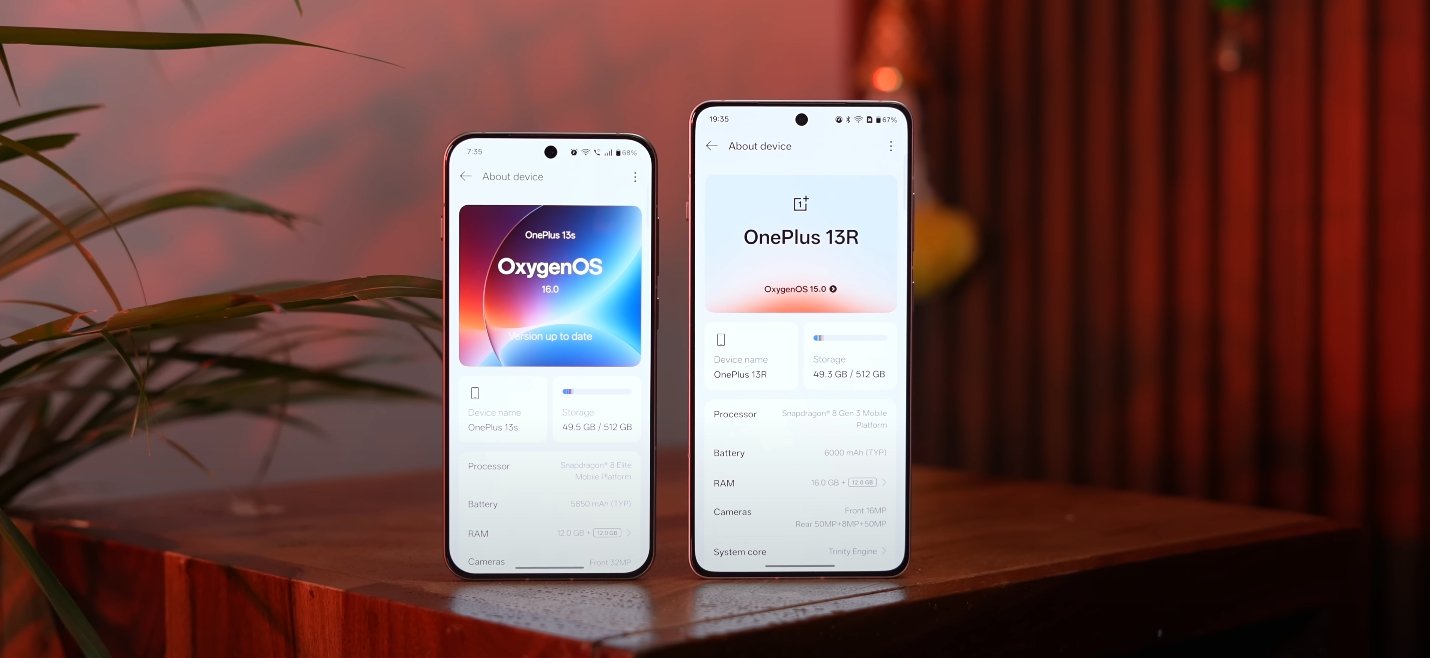
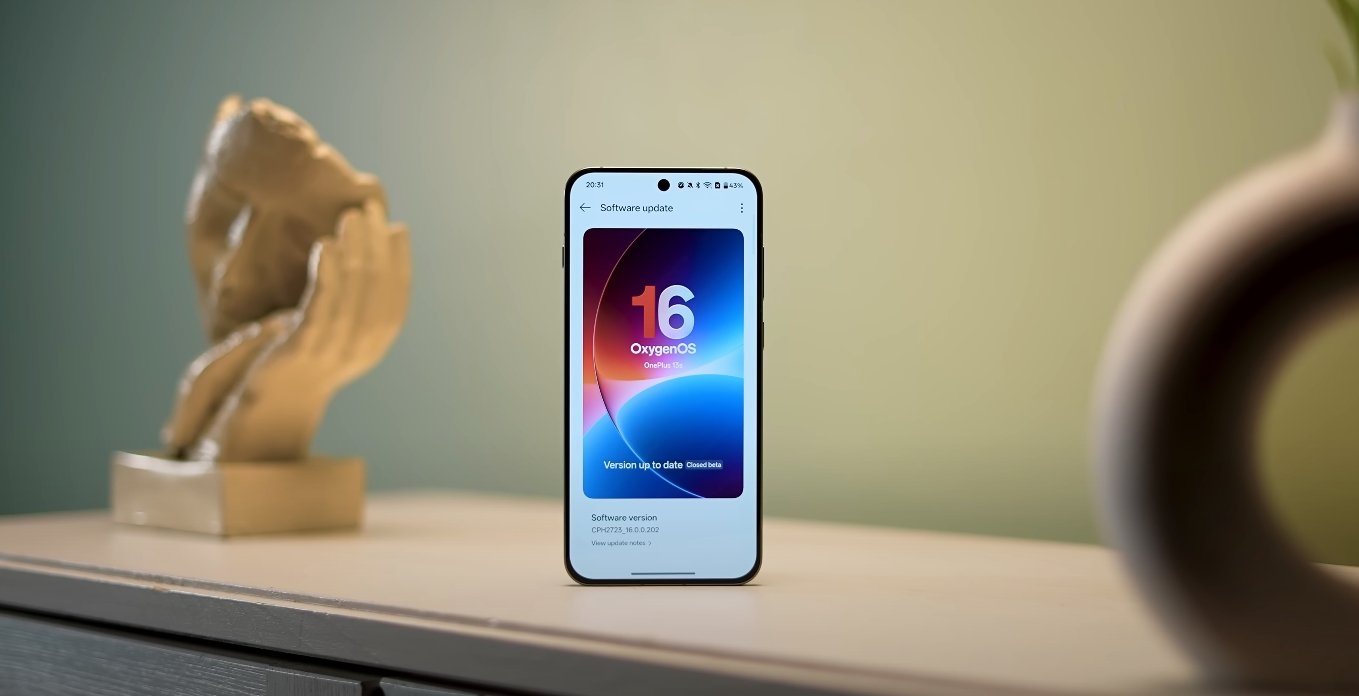
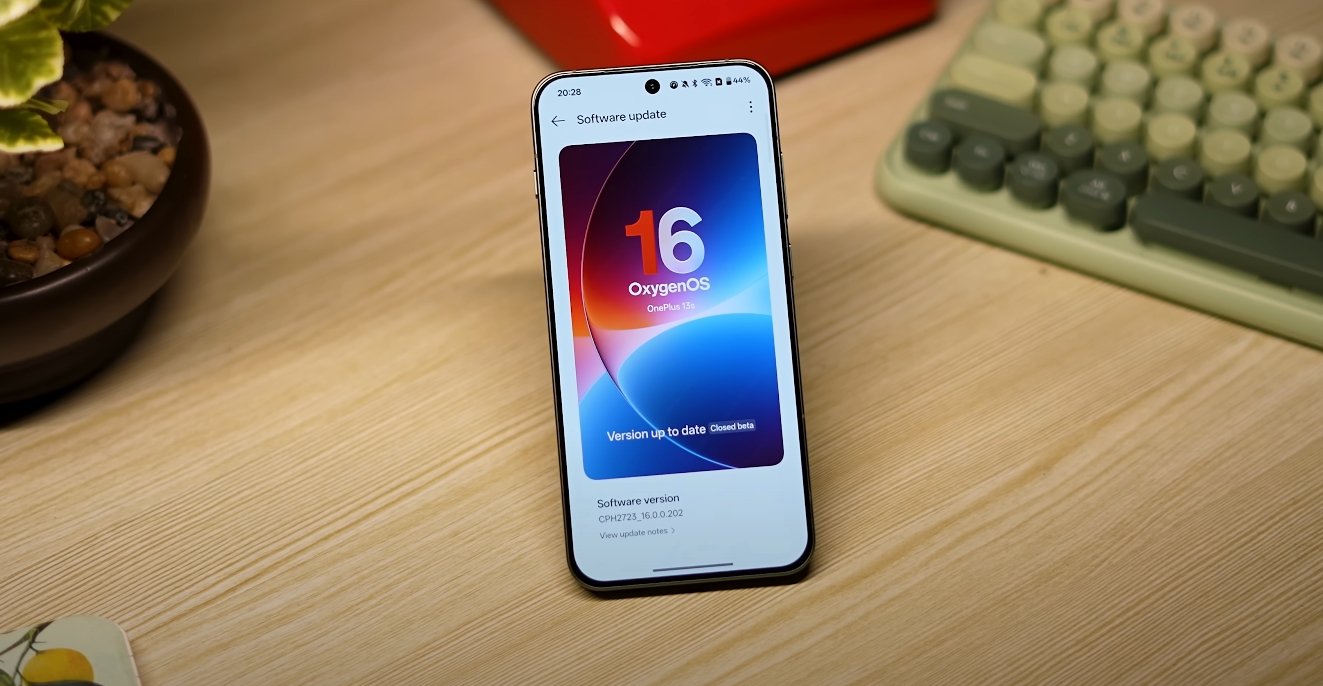
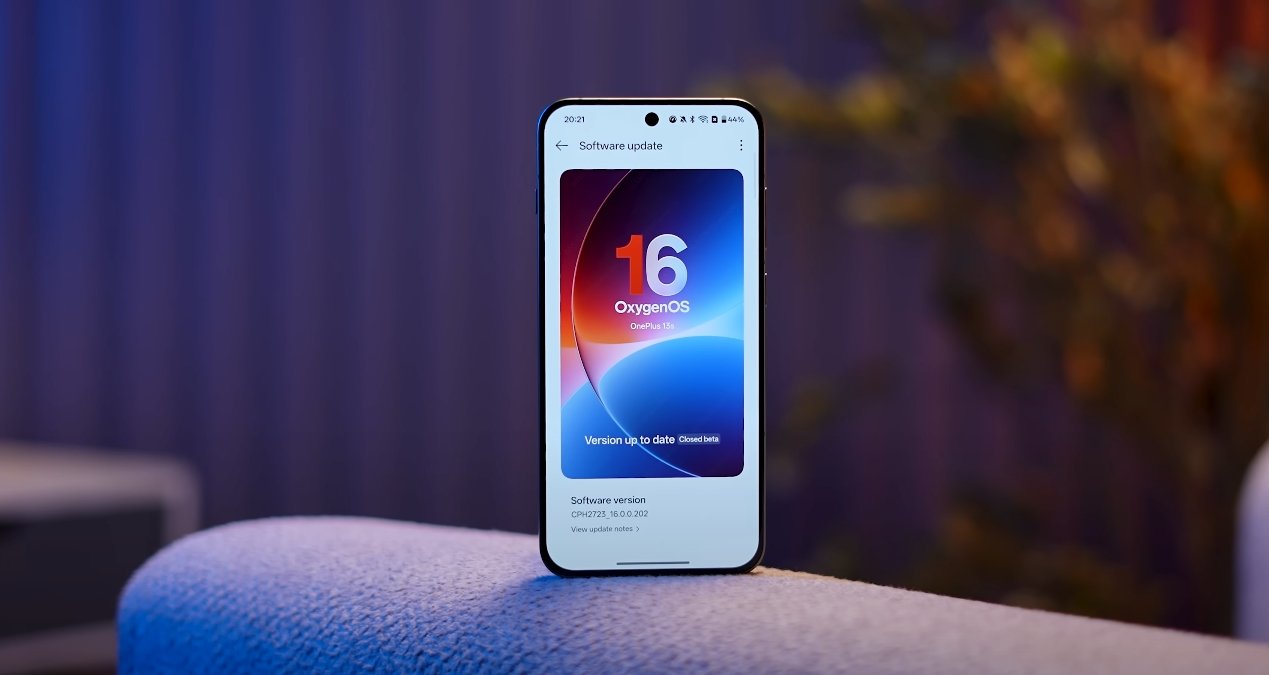
OnePlus has rolled out OxygenOS 16, its most advanced software yet, built on Android 16. It replaces OxygenOS 15, which was already considered one of the cleanest and most stable Android skins. With this new release, OnePlus focuses on AI integration, refined visuals, and smoother multitasking. Here’s a complete comparison of OxygenOS 16 and OxygenOS 15 to show how much has changed and what has improved.

The first major difference is in design and user interface. OxygenOS 15 brought a polished layout with softer icons and dynamic wallpapers. However, OxygenOS 16 introduces a new “Liquid Glass” aesthetic with transparent panels, rounded elements, and fluid animations. The visual transitions now respond to touch and lighting, creating a more immersive experience. The lock screen has gained dynamic themes, live wallpapers, and more customizable clock styles. The always-on display has been upgraded with new widgets showing calendar events, music controls, and even real-time weather.

In terms of performance, OxygenOS 15 was known for its speed and stability. It introduced better app optimization and reduced background battery drain. OxygenOS 16 takes this further with what OnePlus calls “Zero-Lag Multitasking.” Users can now run up to five apps simultaneously in split-screen or floating windows without lag. The new “Flow Motion Engine” enhances animation fluidity and makes scrolling or switching between apps almost instantaneous. The software also improves thermal efficiency, keeping phones cooler during gaming or extended use, while optimizing background tasks for longer battery life.

OxygenOS 16 vs OxygenOS 15 full comparison review

The biggest leap comes with AI-powered features. OxygenOS 15 included basic AI functions such as AI Unblur for photos, smart image cleanup, and automatic scene detection in the camera. In OxygenOS 16, OnePlus has integrated Google’s Gemini AI at the system level. This includes a new hub called Mind Space, where users can store notes, screenshots, and voice memos. Gemini AI analyzes this data locally to help organize content, generate summaries, or suggest actions based on user habits. There’s also an AI Writer for generating text, an AI Scan feature for digitizing documents, and an upgraded Recorder app that provides instant transcription and summaries.

Customization is another area where OxygenOS 16 makes big strides. While OxygenOS 15 offered themes, wallpapers, and icon packs, the new version expands personalization across every layer. Users can adjust transparency, blur levels, and color accents in real time. The new customization center lets users preview themes before applying them. Even the control center and quick settings have been redesigned for easier one-handed use. Widgets now adapt dynamically based on user behavior, showing shortcuts or reminders relevant to the time of day.

On the connectivity front, OxygenOS 15 already supported smooth integration between phones and Windows PCs. OxygenOS 16 enhances this with improved drag-and-drop file sharing, remote control access, and notification syncing with both Android and iOS devices. OnePlus devices can now connect with Macs and Apple Watches for notifications and file transfers, making cross-platform use far easier. Screen mirroring and cloud syncing between tablets and phones are also faster and more stable.

When it comes to security and privacy, both versions emphasize data protection, but OxygenOS 16 takes it further with a redesigned privacy dashboard. Users can now see exactly which apps access the camera, microphone, or location in real time. The system allows one-tap permission revocation and introduces encrypted Mind Space storage for sensitive data. Gemini AI also operates within strict privacy limits, analyzing only on-device information that users explicitly allow.

Despite the advancements, OxygenOS 16 maintains the lightweight and near-stock Android experience that OnePlus fans appreciate. However, it is slightly heavier in resources due to new visual effects and background AI processes. Older OnePlus devices might not support every feature, though performance optimizations ensure smooth operation even on previous-generation models.

Overall, OxygenOS 16 represents a mature evolution of the software rather than a complete overhaul. It refines everything OxygenOS 15 did well—speed, simplicity, and stability—while adding meaningful improvements in design, AI intelligence, and connectivity. For users who value both aesthetics and efficiency, upgrading to OxygenOS 16 brings a more intelligent, polished, and future-ready experience without losing the core OnePlus identity that made OxygenOS popular in the first place.

Also Read:  OxygenOS 16 battery optimization and performance review

OxygenOS 16 design changes bring smoother animations

OxygenOS 16 design changes bring smoother animations

OnePlus enhances user experience with a redesigned interface

OnePlus has officially introduced OxygenOS 16 with a refreshed design language focused on delivering a smoother and more fluid user experience. This major update marks one of the most visually significant overhauls in recent years, combining improved animations, cleaner layouts, and smarter transitions. The company aims to make everyday interactions on its devices feel faster, lighter, and more intuitive without compromising performance or battery efficiency.

One of the biggest highlights of the new design is the upgraded animation engine. OnePlus has refined motion effects throughout the system, resulting in more natural transitions between apps, settings, and notifications. Opening and closing apps now feel smoother, with reduced lag and more responsive touch feedback. The company has worked to ensure that these animations remain consistent even on mid-range devices, improving the overall experience for a wider range of users.

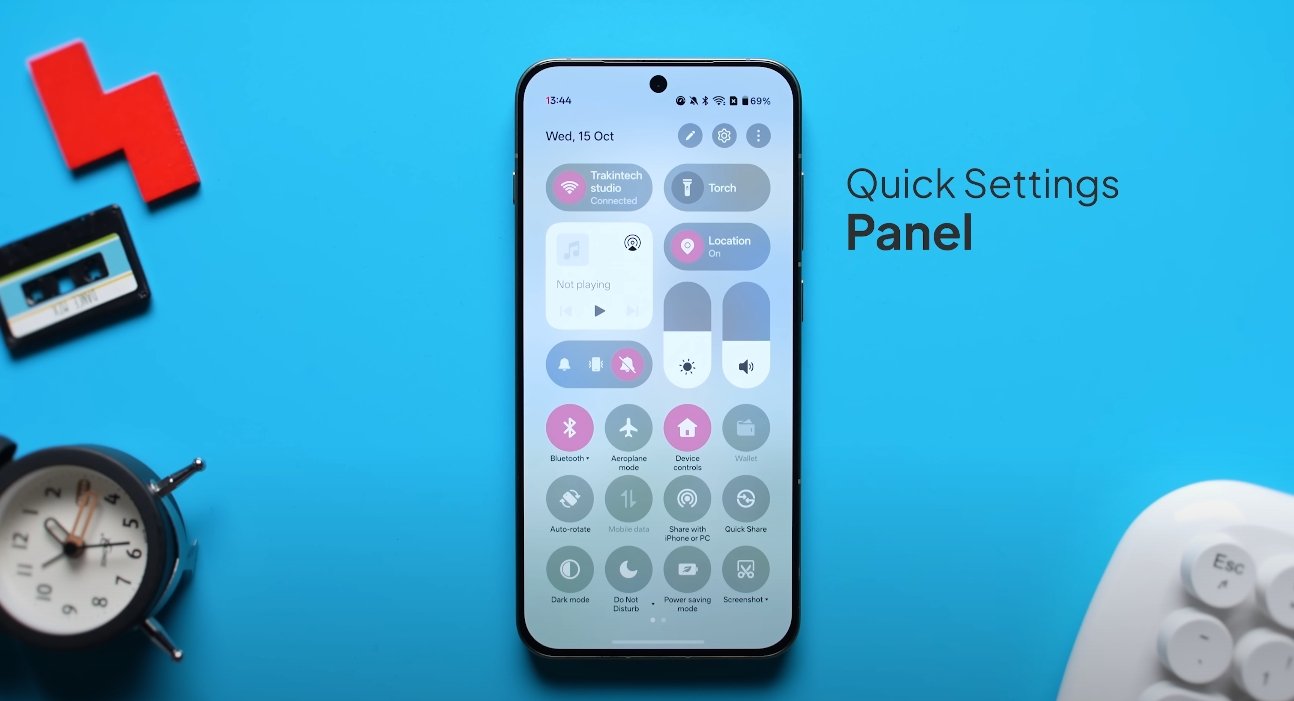
In addition to smoother motion, OxygenOS 16 features a more modern and minimalist interface. Icons have been redesigned with a balanced look, new color gradients have been added, and spacing between elements has been adjusted to improve readability. The notification shade and quick settings panel have also received a visual refresh, making frequently used controls easier to access with one hand. These design updates aim to reduce visual clutter while maintaining the signature OxygenOS simplicity.

OxygenOS 16 design changes bring smoother animations

A key focus of this update is optimizing how animations respond to user input. OnePlus has introduced dynamic rendering that adapts to gestures in real time. For example, when users swipe between screens or scroll through menus, the system now intelligently adjusts the animation speed to match the movement. This creates a more natural flow, making navigation feel effortless. The improved touch response is designed to give users the sense of direct control over their devices.

The new design also integrates seamlessly with Android 16’s enhanced system features. OnePlus has aligned its visual style with the latest Material You improvements, allowing more customization of themes, accent colors, and widgets. Users can personalize their devices more deeply without slowing down the interface. Battery efficiency has also been prioritized, with the animation system optimized to consume less power while maintaining smooth performance across the UI.

OxygenOS 16’s design changes extend beyond visual upgrades. The company has improved background processes to reduce stuttering during multitasking, even when several apps are open simultaneously. These refinements ensure that the smoother animations aren’t just cosmetic but are supported by stronger performance under the hood. For users, this means fewer dropped frames, less jitter, and a more stable experience whether they’re gaming, streaming, or multitasking.

With this update, OnePlus is signaling a clear focus on fluidity and user experience. The combination of cleaner design, improved touch response, and energy-efficient animations represents a major step forward for OxygenOS. As the rollout expands to more devices, users across the U.S. will soon experience the new look and feel firsthand. This evolution in design is meant to make every interaction with a OnePlus device more natural, enjoyable, and responsive.

Also Read:  OxygenOS 16 USA rollout schedule and update timeline