OxygenOS 16 AI powered voice recorder new features

OxygenOS 16 AI powered voice recorder new features

OxygenOS 16 Brings AI Enhancements to Voice Recorder

OxygenOS 16 introduces a major upgrade to the voice recording experience on OnePlus devices, incorporating advanced AI features to make recording, transcribing, and managing audio easier than ever. The AI-powered Voice Recorder is designed for productivity, offering tools for real-time transcription, speaker identification, AI-generated summaries, background noise reduction, and easy sharing. These improvements transform the app into a versatile tool suitable for students, professionals, and content creators.

One of the most significant additions is real-time transcription. Users can now capture spoken content and see it converted to text instantly. This feature simplifies note-taking during lectures, meetings, or interviews, allowing users to focus on the conversation without worrying about missing details. The transcription is designed to be highly accurate, accommodating natural speech patterns and different accents. This functionality alone makes the Voice Recorder a powerful tool for professionals who need accurate records of discussions or brainstorming sessions.

Speaker identification further enhances the app’s usability. The system can differentiate between multiple voices in a recording, attributing each segment to the correct speaker. This is particularly useful in meetings, interviews, or group discussions, where it can be challenging to keep track of who said what. By separating voices, users can quickly reference individual contributions without manually reviewing the entire recording. This feature saves time and increases the clarity of meeting notes or content for later review.
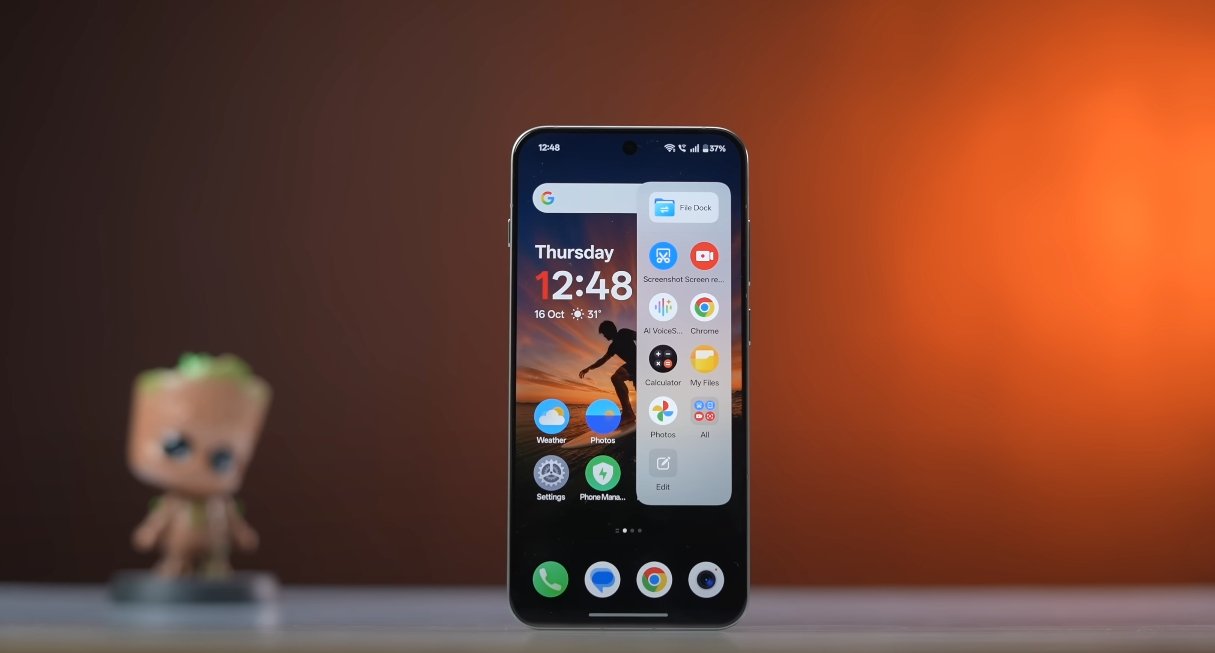
OxygenOS 16 AI powered voice recorder new features

Another key enhancement is AI-generated summaries. After a recording, the AI can produce concise summaries highlighting the main points and essential information. Users no longer need to sift through long recordings or transcripts to extract the most important details. This functionality is particularly beneficial for professionals who attend multiple meetings daily, students reviewing lectures, or journalists summarizing interviews. It streamlines workflow and allows users to act on the information quickly.

Background noise reduction is another significant improvement. The AI intelligently filters out ambient noise, ensuring clearer recordings even in challenging environments. Users can record in public spaces, busy offices, or outdoor locations without compromising audio quality. This makes the Voice Recorder practical for fieldwork, content creation, and casual recording, where noise would otherwise reduce clarity and require manual editing.

The app also introduces shareable links for recordings. Users can easily generate a link to their audio file, which can be shared with colleagues, classmates, or collaborators. This feature makes collaboration simpler, allowing multiple people to access and review recordings without having to send large files directly. It is particularly useful for remote teams, students working on group projects, or professionals collaborating across locations.

Integration with Mind Space and Google Gemini AI further expands the capabilities of the Voice Recorder. Users can save voice memos directly to Mind Space, where Gemini AI can analyze the content to organize notes, generate summaries, or suggest actionable tasks. This integration creates a seamless workflow from recording to productivity, allowing users to maximize the value of every voice memo. AI-powered suggestions also help users categorize and prioritize their recordings, making the app not only a recording tool but also a productivity assistant.

Real-world testing of OxygenOS 16’s AI-powered Voice Recorder shows that these features work reliably across various scenarios. Students find it easier to take notes during lectures, professionals can document meetings accurately, and content creators can produce scripts and outlines quickly. The combination of transcription, summaries, speaker separation, and noise reduction ensures recordings are useful immediately after capture, reducing the need for additional editing or manual note-taking.

In conclusion, the AI-powered Voice Recorder in OxygenOS 16 represents a major step forward in mobile recording technology. By combining real-time transcription, speaker identification, AI-generated summaries, background noise reduction, and shareable links, OnePlus has created a tool that enhances productivity and collaboration. Integration with Mind Space and Google Gemini AI ensures that recordings are not only captured efficiently but also leveraged effectively for actionable insights. For anyone seeking a comprehensive, intelligent, and user-friendly voice recording solution, OxygenOS 16 delivers a transformative experience that makes managing audio easier and more productive than ever before.

Also Read:  Budget Smartphone POCO M7 Gaming Experience

Overwatch Launches on Nintendo Switch in the UK Tomorrow

Overwatch heroes assembled, with a Nintendo Switch console in the background, showcasing the game's launch on the new platform in the UK, with a focus on the hero shooter genre

Get Ready for Overwatch on Nintendo Switch

Overwatch is set to arrive on the Nintendo Switch in the UK tomorrow, bringing the popular hero shooter to a new platform. This launch coincides with the start of Reign of Talon Season 2, promising exciting updates for fans. The game’s transition to the Switch is a significant move, expanding its reach to a broader audience.

Blizzard’s decision to drop the ‘2’ from Overwatch 2 and revert to the original title reflects a strategic shift. The company aims to unify the player base and provide a seamless gaming experience across different platforms. This change is expected to enhance the overall gameplay and community engagement.

The upcoming Season 2 of Reign of Talon introduces a new Hero, among other updates. Blizzard has outlined the details in a comprehensive blog post, highlighting what players can expect from the new season. The addition of fresh content is likely to reignite interest in the game and attract new players.

The Nintendo Switch offers a unique gaming experience, with its portability and versatility making it an attractive option for Overwatch fans. The UK gaming community is eagerly anticipating the launch, and the game’s availability on the Switch is expected to boost its popularity. As the gaming landscape continues to evolve, Overwatch’s expansion to new platforms is a significant step forward.

The Reign of Talon Season 2 update will bring various improvements and new features to the game. Players can look forward to an enhanced gaming experience, with the new Hero and other updates adding depth to the gameplay. Blizzard’s commitment to supporting Overwatch with regular updates and new content ensures that the game remains engaging and challenging for players.

In the UK, gamers are excited about the prospect of playing Overwatch on the Nintendo Switch. The game’s launch tomorrow marks a new chapter in its history, and fans are eager to experience the game on a new platform. With its engaging gameplay and regular updates, Overwatch is poised to remain a popular choice among UK gamers.

As the gaming community in the UK prepares for the launch of Overwatch on the Nintendo Switch, there is a sense of anticipation and excitement. The game’s arrival on the Switch is a significant event, and fans are looking forward to enjoying the game on a new platform. With its rich gameplay and regular updates, Overwatch is set to continue its success in the UK gaming market.

Owlcat Games Leverages GenAI in The Expanse: Osiris Reborn Development, Ensuring 100% Human-Made Final Product in the UK

The Expanse: Osiris Reborn gameplay screenshot, showcasing a spaceship exploring a distant planet, with a diverse cast of companions and a richly detailed game world, highlighting the use of GenAI in game development

The Expanse: Osiris Reborn – A Sci-Fi RPG with a Human Touch

Owlcat Games, the renowned studio behind Pathfinder: Kingmaker and Warhammer 40,000: Rogue Trader, is currently developing The Expanse: Osiris Reborn, a highly anticipated sci-fi action RPG. The game was recently showcased at the Xbox Partner Preview, giving fans a glimpse into its engaging storyline and immersive gameplay.

A recent report by Eurogamer has shed light on the game’s development process, revealing that Owlcat Games is utilising Generative AI (GenAI) tools to iterate faster and streamline certain aspects of the game’s creation. However, the studio has reassured fans that the final version of The Expanse: Osiris Reborn will be 100% human-made, ensuring a unique and authentic gaming experience.

The use of GenAI in game development is becoming increasingly common, with many studios leveraging its capabilities to analyse and improve various aspects of their games. In the case of The Expanse: Osiris Reborn, Owlcat Games is using GenAI to accelerate the development process, allowing the team to focus on refining the game’s core mechanics and overall player experience.

The Expanse: Osiris Reborn promises to deliver a captivating narrative, complete with a diverse cast of companions and a richly detailed game world. With its unique blend of exploration, combat, and character customisation, this sci-fi RPG is set to captivate audiences in the UK and beyond.

As the gaming industry continues to evolve, the integration of GenAI and human creativity is likely to play a significant role in shaping the future of game development. With The Expanse: Osiris Reborn, Owlcat Games is poised to deliver a truly exceptional gaming experience, one that showcases the perfect balance between technological innovation and human ingenuity.

The game’s development process is a testament to the studio’s commitment to creating a high-quality, engaging, and immersive gaming experience. By leveraging the power of GenAI and human creativity, Owlcat Games is pushing the boundaries of what is possible in the world of sci-fi RPGs.

In conclusion, The Expanse: Osiris Reborn is shaping up to be an unforgettable gaming experience, with its rich narrative, engaging gameplay, and stunning visuals. With the studio’s reassurance that the final product will be 100% human-made, fans can look forward to a unique and authentic gaming experience that is sure to leave a lasting impression.

Owlcat Games’ use of GenAI in The Expanse: Osiris Reborn is a prime example of how technology can be leveraged to enhance the game development process. By streamlining certain aspects of development, the studio can focus on what truly matters – creating a exceptional gaming experience that will captivate audiences in the UK and beyond.

The Expanse: Osiris Reborn is set to release in the near future, and fans are eagerly anticipating its arrival. With its unique blend of sci-fi elements, engaging gameplay, and human-made touches, this RPG is sure to be a hit among gamers in the UK.

In the world of gaming, the use of GenAI is becoming increasingly prevalent. However, Owlcat Games’ commitment to delivering a 100% human-made final product is a testament to the studio’s dedication to creating a unique and authentic gaming experience.

The Expanse: Osiris Reborn is a game that promises to deliver a captivating narrative, complete with a diverse cast of companions and a richly detailed game world. With its unique blend of exploration, combat, and character customisation, this sci-fi RPG is set to captivate audiences in the UK and beyond.

Overwatch Creator Jeff Kaplan Reveals Truth Behind Blizzard Exit in UK

Jeff Kaplan, creator of Overwatch, reveals the truth behind his painful separation from Blizzard, as he announces his new game, The Legend of California, a multiplayer FPS set to take the UK gaming scene by storm

Jeff Kaplan Opens Up About His Departure from Blizzard

After years of silence, Jeff Kaplan has finally spoken out about his exit from Blizzard, the company behind iconic games like World of Warcraft and Overwatch. In a recent interview with Lex Fridman, Kaplan discussed his new game, The Legend of California, and the circumstances surrounding his departure from Blizzard. Kaplan described the separation as very painful, stating that it broke him.

Kaplan’s journey with Blizzard began 19 years ago, when he worked as a tester on Warcraft III: Reign of Chaos. He later became the Game Director on World of Warcraft, before moving on to create Overwatch. His experience and dedication to the company make his departure all the more significant.

The UK gaming community has been eagerly awaiting Kaplan’s next move, and the announcement of The Legend of California has generated significant buzz. As an action survival multiplayer FPS, the game promises to deliver intense gameplay and immersive graphics. Kaplan’s involvement in the project has sparked excitement among fans, who are eager to see what he has in store for them.

Kaplan’s decision to leave Blizzard was likely not an easy one, given his long history with the company. However, his departure has paved the way for new opportunities and challenges. As he embarks on this new chapter in his career, fans and fellow gamers in the UK will be watching with interest to see what the future holds for this talented game creator.

The gaming industry in the UK is known for its vibrant community and diverse range of games. Kaplan’s experience and expertise will undoubtedly be an asset in this landscape, and his new game is likely to resonate with UK gamers. With its unique blend of action and survival elements, The Legend of California is set to make a significant impact on the UK gaming scene.

Kaplan’s story serves as a reminder that even in the face of challenge and adversity, there is always the potential for growth and renewal. His departure from Blizzard may have been painful, but it has also given him the opportunity to pursue new passions and create something truly innovative. As the UK gaming community continues to evolve and expand, Kaplan’s contribution will undoubtedly be a significant one.

The UK has a thriving gaming culture, with numerous events and conferences taking place throughout the year. Kaplan’s involvement in the industry will likely see him attending some of these events, where he will have the opportunity to connect with fans and share his vision for The Legend of California. With its rich gaming heritage and enthusiastic community, the UK is the perfect place for Kaplan to showcase his new game.

In conclusion, Jeff Kaplan’s departure from Blizzard has been a significant event in the gaming industry, and his new game, The Legend of California, is set to make a lasting impact on the UK gaming scene. With its unique gameplay and immersive graphics, the game promises to deliver an unforgettable experience for players. As Kaplan continues to share his story and showcase his new game, the UK gaming community will be watching with interest to see what the future holds for this talented game creator.

Origin OS wins positive buzz across UK social media

Origin OS wins positive buzz across UK social media

Vivo’s Software Update Gains Momentum Among Online Communities

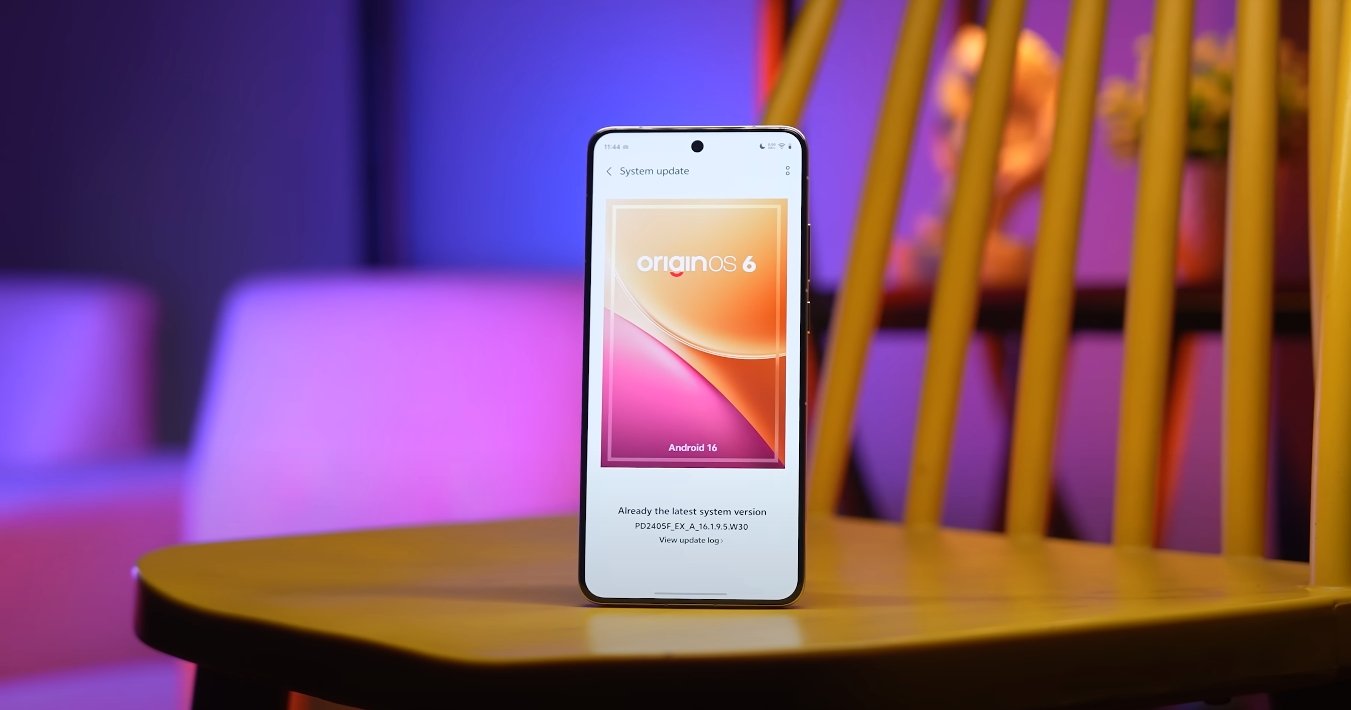
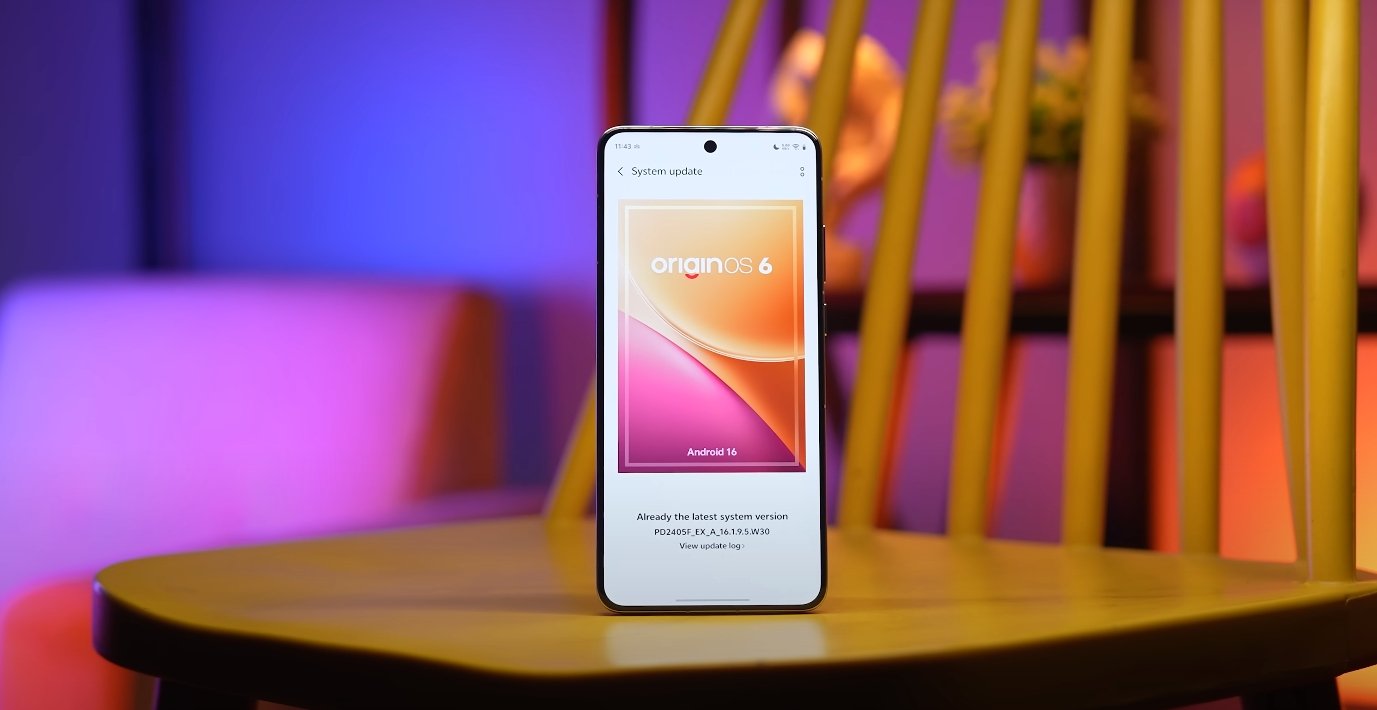
Origin OS has been receiving strong positive buzz across UK social media platforms, where users are sharing their experiences with the software’s refined performance, smoother interface, and expanded customization features. The reaction marks a shift in how Vivo’s smartphones are being perceived in the British market, as the company continues to refine its software identity for global users. The supportive discussions appearing on platforms like TikTok, Instagram, and community forums show that the system is resonating particularly well with younger audiences who value both design and daily usability.

One of the main reasons for the rising buzz is the smoother user interface introduced in the latest Origin OS updates. UK users who upgraded from earlier versions of Vivo’s software describe the experience as more refined, especially when scrolling, opening apps, or switching between tasks. The animation engine has been carefully tuned to make actions feel more fluid and predictable. This change has become a frequent talking point in short-form social posts, where users showcase how quickly the system responds to gestures and commands. The result is a perception of increased premium quality, even on mid-range devices.

Customization has also become a major factor in the popularity of Origin OS within UK social media spaces. Teenagers and young adults are sharing screenshots and screen recordings of themed home screens, icon packs, widget setups, and wallpaper combinations. The ability to shape the phone’s design without losing visual consistency makes the experience appealing to people who enjoy personal expression. Influencers and content creators have joined the conversation by reviewing theme packs and promoting unique layout ideas, helping the trend spread further. This has given Origin OS a cultural presence beyond simply being a system update.

Origin OS wins positive buzz across UK social media

Another reason users are recommending Origin OS is the improved multitasking performance. British users who frequently switch between messaging apps, video calls, editing tools, and social media platforms say the software remains smooth and responsive throughout. Features like floating windows and split-screen modes are being highlighted for their practicality in everyday life. Social media posts often show how easy it is to reply to messages or manage work tasks while still watching videos or browsing content. This has made the software especially appealing to students, remote workers, and creators who rely on their phones for productivity.

Battery efficiency improvements are also contributing to the positive reception. Many UK users share posts demonstrating longer battery life after updating to Origin OS, especially during travel, workdays, and commutes. The software’s adaptive management system prioritizes active apps while conserving power in background processes. This means the phone runs cooler and lasts longer without requiring manual adjustments. Discussions online reflect relief among users who had concerns about heavy usage draining their battery too quickly. The improved efficiency aligns well with UK lifestyles that often involve long hours away from charging points.

Security and privacy controls have received attention too. UK social media users appreciate being able to manage app permissions more clearly and track how apps access data. The transparency tools help build a sense of trust in the system, especially for users who rely heavily on online banking, work communication, and personal organization apps. Posts discussing these features often highlight the benefit of a system that protects user data without overcomplicating daily interactions. This has helped strengthen the reputation of Origin OS as both secure and user-friendly.

Overall, the positive buzz surrounding Origin OS across UK social media indicates that users view it as a meaningful improvement rather than just a visual update. The combination of smooth performance, customization freedom, reliable multitasking, and thoughtful battery and privacy features has made the system feel well-balanced for modern phone use. The strong engagement online suggests that Origin OS is helping Vivo build a more confident and recognizable identity within the UK market. For many users, the software has become more than an upgrade — it has become a reason to consider Vivo devices as competitive choices in a crowded smartphone landscape.

Also Read:  Origin OS earns strong user satisfaction in the UK market

Origin OS wins hearts in the UK with simple UI

Origin OS wins hearts in the UK with simple UI

British users celebrate vivo’s cleaner, calmer interface direction

UK users who have tested recent OriginOS builds say the new simple UI direction is one of the main reasons vivo’s software is earning more attention in Western markets. They explain that older vivo skins sometimes looked visually dense, but the latest OriginOS makes the screen feel calmer and easier to read at a glance. British smartphone fans say simplicity is the real premium feature now, because people in the UK check their phones during tiny moments — between tasks, on trains, in shops, or while walking. If the system looks cleaner, every one of those micro-moments feels easier to manage.

British reviewers also say the new layout structure in OriginOS stays more consistent across screens. Earlier Android builds sometimes changed button placement depending on menus, themes, or sub-layers. UK tech voices say this inconsistency forced users to think too much before tapping. With the new OriginOS, they say controls sit where you expect them to sit, and that predictability lowers mental workload. British users appreciate this because most people multitask rapidly between apps, and they want an interface that behaves like a steady assistant — not a puzzle that needs solving again and again.

Another reason this simple UI is praised in the UK is gesture behaviour. British reviewers say gestures now feel easier to trigger because lateral and vertical swipe zones are more forgiving. That matters in real British usage because a large percentage of interactions happen one-handed. A lot of UK smartphone activity takes place while moving — in crowded pavements, public transport, or queue lines. They say when gestures respond predictably, users stop thinking about the interface and focus more on the content that actually matters in the moment.

Origin OS wins hearts in the UK with simple UI

British users also highlight that the toned-down colour palette in OriginOS supports this simplicity in a more subtle way. Instead of loud highlight blocks and aggressive background elements, the new UI draws less attention to decorative styling. UK reviewers say this makes the OS feel more “Western standard,” because clarity and restraint are usually valued more in British UX culture than flashy design. In simple terms, they say phones look more expensive when the UI is calm — and that simple visual logic helps vivo compete with brands like Samsung and Google in UK retail spaces.

UK commentary also praises simpler notification panels in this new direction. They say alert cards now show more breathing space, so message previews are easier to scan while busy. British users check notifications constantly, but they rarely spend more than one second on each glance. When visual pressure is lower, reading becomes instant. Reviewers say this improvement is not small — it changes the rhythm of daily usage. If a notification block saves a second every time, that second compounds across the day, and the user feels less mentally drained.

British tech writers say quick-settings are also benefiting from the restrained design. They explain that the new OriginOS toggle map behaves more like a “fast utility layer” and less like a dense grid. This helps when users adjust brightness, enable hotspot, or switch network modes on the go. UK users carry strong habits when interacting with this area, and they say the calmer spacing makes actions feel cleaner and faster. Simplicity is not about removing features — it is about making features easier to land with one try.

Reviewers in the UK do add a caution: the simple UI must remain consistent in official UK firmware, not just preview demos. British experts say long-term trust only builds if simplicity survives rollout, carrier validation, UK banking app usage, and daily real-world stress. But the general message from British audiences right now is positive. They say the new OriginOS UI finally behaves like a platform that understands Western comfort standards, instead of trying to impress with decoration. In their words, simplicity is not a downgrade — it is a sign of maturity.

Also Read:  Why UK Android fans are switching to Origin OS this year

Origin OS themes gain popularity among UK teenagers

Origin OS themes gain popularity among UK teenagers

Young Users Embrace Vivo’s Customization Culture

Origin OS themes are rapidly gaining popularity among teenagers in the UK, who are embracing Vivo’s software for its creative freedom and stylish personalization options. The ability to fully customize icons, wallpapers, fonts, and animations has made Origin OS a trending topic among younger smartphone users. For many teens, their Vivo device has become a canvas to reflect their personality and digital identity.

The rise in popularity began soon after the global rollout of Origin OS 6, which introduced a redesigned Theme Store with more localized and youth-oriented designs. UK users now have access to colorful layouts, animated widgets, and dynamic wallpapers inspired by music, gaming, and pop culture. Teenagers are especially drawn to the smooth transitions and motion effects that make the interface feel fun and interactive.

Social media has played a major role in spreading the trend. UK teens frequently share screenshots and short videos of their customized home screens on platforms like TikTok, Instagram, and Snapchat. Popular hashtags such as #OriginOSThemes and #VivoSetupChallenge have become spaces where users exchange ideas and recommend new themes. The visual creativity and sense of individuality these themes offer have helped Origin OS gain cultural traction among the youth.

Origin OS themes gain popularity among UK teenagers

Another factor driving enthusiasm is accessibility. Origin OS allows effortless theme changes through a simple interface, meaning users don’t need technical skills to personalize their devices. The OS also supports mix-and-match customization — combining icons from one theme with fonts or wallpapers from another. UK teens appreciate how this flexibility lets them change the look of their phone as easily as updating an outfit.

Gaming-inspired and minimalist designs are among the most downloaded themes in the UK. Many teenagers prefer bold, neon visuals that match their gaming setups, while others choose softer color palettes that fit modern lifestyle trends. Origin OS’s ability to adapt to these contrasting aesthetics has made it appealing to a wide range of young users.

The growing collection of third-party content is adding to the excitement. Independent designers are creating themes that reflect British culture, from football-inspired layouts to London cityscapes and indie music motifs. Vivo’s openness to community-driven content allows UK creators to participate directly, turning the Theme Store into a collaborative digital marketplace.

Parents and tech reviewers also note that the trend reflects a broader shift among UK teenagers — from using phones purely as communication tools to viewing them as personal design statements. The smooth performance and artistic detail of Origin OS themes make Vivo’s devices stand out in classrooms and social circles alike.

As 2025 continues, the popularity of Origin OS themes shows no signs of slowing down. With each update adding new animations, seasonal designs, and interactive effects, UK teenagers are finding more ways to personalize their phones and express themselves digitally. For many, Origin OS has transformed from just another Android interface into a creative lifestyle choice — one that celebrates individuality, color, and self-expression.

Also Read:  UK analysts discuss the impact of Origin OS on Vivo sales

OriginOS 6 vs Pixel UI stability comparison

OriginOS 6 vs Pixel UI stability comparison

Comparing Stability and Reliability Between OriginOS 6 and Google’s Pixel UI

Vivo’s OriginOS 6 and Google’s Pixel UI both aim to deliver refined, efficient, and visually cohesive Android experiences, but they do so through distinct philosophies. While Google’s Pixel UI focuses on simplicity and reliability, OriginOS 6 emphasizes animation smoothness, adaptive design, and deep system customization. Stability, however, is the foundation of both. Examining how these two perform in real-world conditions reveals their strengths and trade-offs when it comes to system reliability, app consistency, and long-term performance.

Pixel UI, designed directly by Google, is often regarded as the benchmark for Android stability. Built on clean code with minimal visual effects, it maintains high consistency across updates and devices. The lightweight design helps ensure fewer crashes, faster patching, and smoother long-term performance. Pixel UI is tightly integrated with Google’s system architecture and security framework, which minimizes conflicts between system services and third-party applications. Apps load predictably, system animations are steady, and the software rarely stutters—even after months of usage. The key advantage lies in Google’s direct control over both hardware and software, creating an optimized ecosystem that delivers consistent results.

OriginOS 6, by contrast, takes a more ambitious approach. Vivo has focused on design fluidity and animation-rich interaction while working to maintain core system stability. The update introduces the Origin Smooth Engine, an optimization framework that enhances responsiveness and reduces frame drops. This engine dynamically adjusts CPU and GPU workloads depending on user activity, helping maintain performance while minimizing overheating or excessive battery drain. As a result, OriginOS 6 feels fluid and visually engaging without compromising stability in most conditions. However, the system’s complexity—especially with its advanced visual layers and dynamic effects—means it demands slightly more resources than Pixel UI.

OriginOS 6 vs Pixel UI stability comparison

In daily use, Pixel UI tends to remain steady even under heavy multitasking. Google’s optimization ensures that background apps, notifications, and gestures maintain consistency. Crashes are rare, and app compatibility is generally flawless since developers often test their apps on Pixel devices first. Software updates also arrive faster and more reliably, keeping stability intact over the device’s lifespan. This reliability makes Pixel UI a preferred choice for users who value smoothness through simplicity rather than through heavy visual design.

OriginOS 6 delivers a different type of stability—one that focuses on sustained fluidity rather than minimalism. Vivo’s software engineering has matured considerably, reducing bugs that previously affected earlier builds. App switching, split-screen mode, and gesture navigation work consistently without freezing. The system can handle background tasks efficiently, keeping frequently used apps active without forced reloads. That said, occasional hiccups can appear in early software versions or on older hardware, typically during high-load scenarios involving heavy animations or complex widgets. Vivo has been addressing such issues through incremental updates that refine performance and reduce resource overhead.

Another aspect of stability lies in thermal and memory management. Pixel UI’s lightweight structure allows it to maintain stable temperatures and predictable RAM usage, even during gaming or prolonged use. OriginOS 6 balances this through adaptive performance scaling, but because of its visual complexity, it occasionally consumes slightly more memory. Vivo compensates for this with intelligent memory compression and AI-driven resource distribution, which minimizes the impact on smoothness. In practical terms, both systems deliver reliable performance, though Pixel UI feels steadier under extended workloads, while OriginOS 6 feels more dynamic and fluid.

Software update reliability also contributes to long-term stability. Google’s update cycle is punctual and transparent, with monthly security patches and yearly major upgrades. Pixel UI’s consistency in updates ensures that bugs are swiftly addressed. OriginOS 6, while improving, still depends on Vivo’s rollout schedule, which can vary by region and device. Nevertheless, once updates arrive, they generally enhance system balance, battery optimization, and visual performance without disrupting user data or workflow. Vivo has also committed to multi-year software support, aligning closer to industry standards.

In terms of app stability, both systems perform well but differ in scope. Pixel UI’s app management prioritizes efficiency and reliability, keeping background services consistent without aggressive closure. OriginOS 6 uses AI-assisted memory prioritization to achieve a similar result, allowing users to keep more apps open without lag. However, due to its layered design and extra visual effects, the probability of minor animation delays can be slightly higher on lower-end devices.

Ultimately, when comparing stability, Pixel UI maintains an edge in pure reliability and long-term predictability. It’s optimized directly by Google, ensuring clean performance, minimal errors, and flawless app integration. OriginOS 6, on the other hand, brings a refined and fluid experience with greater customization and liveliness while maintaining strong stability levels that have improved substantially over past versions.

In conclusion, Pixel UI delivers the most consistent and steady Android experience, ideal for users who prioritize reliability and straightforward performance. OriginOS 6 offers comparable stability but with a more vibrant, design-forward interface that favors smooth animations and personalization. Both systems perform admirably in daily use, but while Pixel UI represents the peak of functional stability, OriginOS 6 stands out for its balance between performance, aesthetics, and innovation—proving that Vivo’s software now competes confidently with Google’s polished Android experience.

Also Read:  Nothing Phone 3A Lite camera samples reveal true colors

OriginOS 6 vs iOS 18: Multitasking & Gestures Compared

OriginOS 6 vs iOS 18: Multitasking & Gestures Compared

Multitasking and Gesture Navigation: Comparing Vivo’s OriginOS 6 with Apple’s iOS 18

When it comes to multitasking and gesture-based navigation, both OriginOS 6 (from Vivo) and iOS 18 (from Apple) offer significant enhancements that reflect their different priorities. OriginOS 6 emphasizes flexible multitasking, floating windows and customizable gestures, while iOS 18 prioritizes smooth system-wide gesture behavior, cross-device continuity and refined multitasking for large screens. This comparison explores how each handles multitasking tools, gestures and workflow for users in the USA.

OriginOS 6: Multitasking Features
OriginOS 6 introduces a range of multitasking enhancements designed for power users and creative workflows. It supports floating app windows that can overlay other apps, resizable split-screen layouts and multi-window drag-and-drop between applications. The system’s multitasking hub, known as “Origin Island”, acts like a live status bar and quick-action space where users can drag items such as images or links from one app to another seamlessly. These features make it easy for users to run, for example, a video call, document editor and browser side-by-side and move content across them without returning to the home screen.

Gesture support in OriginOS 6 is extensive. The system offers multiple edge-swipe functions for navigation, split-screen activation, and floating-window invocation. Users can assign custom gestures to specific functions—such as a swipe up from a corner to open a floating window, or a two-finger swipe to trigger split-screen. OriginOS 6 documentation mentions support for as many as 26 gesture combinations, which gives users significant control over how they navigate and multitask on their device. The system is designed so that transitions between apps and windows are smooth, helping maintain workflow momentum.

OriginOS 6 vs iOS 18: Multitasking & Gestures Compared

iOS 18: Multitasking Features
iOS 18 continues Apple’s focus on delivering refined multitasking on iPhones and iPads. While multitasking on the iPhone remains more constrained compared to tablets, iOS 18 includes enhancements for split-screen, improved stage management on larger screens and smarter app switching supported by Apple Intelligence. On compatible iPads (via iPadOS 18), users can use Stage Manager to group multiple apps in a windowed layout, switch between stacks and invoke multitasking gestures like pinches or swipes of multiple fingers. The system caters to users who move between iPhone and iPad environments and want continuity across devices.

Gestures in iOS 18 are streamlined and intuitive: for example, swiping up from the bottom returns to the home screen, swiping up and holding brings up the App Switcher, and swiping from the top-right corner opens the Control Center with multiple pages of controls. While not as deeply customizable as some Android skins, these gestures are consistent and integrated into the overall Apple ecosystem, helping users transition smoothly between device types.

Key Differences

  • Flexibility vs Simplicity: OriginOS 6 gives users more control and customization over how multitasking and gestures behave, enabling floating windows, drag-and-drop multitasking and custom gesture assignments. iOS 18 takes a more guided approach, delivering a consistent and polished experience with less customization but tighter integration across devices.

  • Multi-window Support: On OriginOS 6, floating windows and resizable split-screens are part of the experience even on phones, enabling workflows like editing content while watching a video. On iOS 18, full windowed multitasking is stronger on iPads than iPhones; iPhones see improved gestures and smarter app switching but fewer floating windows.

  • Gesture Depth: OriginOS 6 supports a wide variety of gesture combinations (up to 26) and allows user-defined shortcuts, corner swipes and multi-finger gestures for multitasking. iOS 18 uses a more standardized gesture set that works across iPhones and iPads, offering reliability and discoverability rather than breadth of customization.

  • Cross-Device Continuity: iOS 18 benefits from Apple’s ecosystem: gestures and multitasking workflows work consistently across iPhone, iPad and Mac, making tasks like dragging content between devices seamless. OriginOS 6 introduces cross-device features (phone, tablet, PC) but the ecosystem breadth and maturity differ.

  • Learning Curve vs Consistency: Users adopting OriginOS 6 may spend time customizing gestures and workflows to suit their style, which can enhance productivity but requires effort. iOS 18 offers a more plug-and-play experience: gestures and multitasking behavior are consistent and predictable, beneficial for users who prefer simplicity.

Which Experience Fits You?
If you’re someone who uses your phone like a mini workstation—toggling between multiple apps, dragging content between windows, customizing gestures to your workflow—OriginOS 6 provides a rich set of tools for multitasking and navigation customization. It’s especially appealing for users who value control and are comfortable exploring settings and layouts.

If on the other hand, you prioritize smooth, dependable gesture control, strong device continuity (especially if you already use other Apple devices), and prefer an interface that “just works” without needing much setup, iOS 18 delivers a refined multitasking and navigation experience. It thrives in an ecosystem where everything is integrated and consistent.

In summary, both operating systems improve multitasking and gesture navigation in meaningful ways, but they target different user profiles. OriginOS 6 emphasizes customization and flexible multitasking workflows, while iOS 18 emphasizes polished consistency and cross-device cohesion. Knowing your preferred way of interacting with your device and how you multitask will guide which platform aligns better with your needs.

Also Read:  Nothing Phone 3A Lite video recording quality test USA

OriginOS 6 wallpaper and theme store refreshed

OriginOS 6 wallpaper and theme store refreshed

Vivo Introduces a Modernized Wallpaper and Theme Store with OriginOS 6

Vivo has officially rolled out OriginOS 6 with a refreshed approach to personalization, focusing heavily on wallpapers and themes. The new update redefines how users customize their smartphones, making the interface more interactive, visually refined, and efficient. With its redesigned theme store, enhanced dynamic wallpapers, and the new “Light and Shadow” design language, OriginOS 6 represents one of the most significant visual overhauls Vivo has ever implemented.

The first major change users will notice is the updated wallpaper system. OriginOS 6 introduces dynamic wallpapers that adapt to movement, time, and lighting conditions. These new designs use a layered rendering process to simulate realistic depth and reflection. When users tilt their device, subtle changes in color and perspective occur, giving the screen a three-dimensional feel. This system, powered by Vivo’s graphic optimization engine, ensures that the wallpapers remain fluid without draining additional battery power. The collection includes gradient textures, glass-like reflections, and abstract nature-inspired visuals tailored to AMOLED displays for vivid brightness and deep contrast.

The theme store in OriginOS 6 has been completely rebuilt to provide a more seamless browsing and customization experience. It now features curated categories such as minimalist, futuristic, artistic, and seasonal themes. Each theme package not only changes wallpapers and icons but also modifies system sounds, font styles, and animation effects. Vivo’s designers have aligned every element within a theme to maintain consistency across the interface. The store also includes a “Preview Mode,” allowing users to see live previews of themes before applying them. This improvement saves time and helps ensure that personalization choices fit a user’s preferences perfectly.

OriginOS 6 wallpaper and theme store refreshed

Another highlight of the update is the new “Light and Shadow Space” design aesthetic. This design concept brings layered transparency, soft gradients, and animated shadows that respond to user interaction. Vivo has refined every visual transition to appear smoother and more natural. Elements like control panels, notifications, and app widgets now exhibit glass-like translucency, giving the interface a modern and polished look. The combination of depth and motion in OriginOS 6 not only enhances beauty but also improves usability by creating clear visual separation between layers.

Vivo has also introduced advanced customization controls that let users mix and match wallpapers, icon packs, and animation styles. You can now apply a wallpaper set that changes automatically throughout the day—morning, afternoon, and night modes display different tones to match the environment. Users can even adjust the intensity of animation effects or choose static themes for battery conservation. These controls give complete creative freedom while maintaining system stability and responsiveness.

Performance remains a strong focus despite the visual upgrades. OriginOS 6 uses a redesigned rendering engine that distributes graphical resources efficiently. Dynamic wallpapers now consume up to 30% less power than in previous versions, and transitions between screens remain smooth even when using complex themes. This ensures that customization does not compromise battery life or app performance, a balance that many users have demanded from modern smartphone operating systems.

In addition to aesthetics, Vivo has made the theme store more community-driven. Users can submit their own designs or download popular creations from other artists. Weekly highlights showcase trending themes, helping users discover new looks easily. The platform also supports real-time updates, allowing Vivo to release limited-edition themes for special events, holidays, and product launches. This approach keeps the system fresh and encourages users to revisit the store frequently.

Another useful addition is the AI-powered personalization assistant. The assistant can recommend themes based on user behavior, wallpaper history, and even weather conditions. For example, on sunny days, it may suggest bright color palettes, while during nighttime it can automatically switch to darker tones for eye comfort. This smart adaptability makes the experience more intuitive and personalized.

Overall, the refreshed wallpaper and theme store in OriginOS 6 is more than just a cosmetic update—it’s a step toward making smartphone personalization both beautiful and intelligent. Vivo has managed to create a system that blends aesthetics with performance, offering users a visually engaging environment that still runs efficiently.

In conclusion, OriginOS 6’s wallpaper and theme overhaul delivers a perfect balance between artistic freedom and system optimization. Users can now enjoy greater customization, smoother visuals, and a refined interface designed to complement Vivo’s hardware capabilities. For those who value individuality in their smartphone experience, this update marks a major advancement. Vivo’s focus on detail and design consistency ensures that OriginOS 6 stands out as one of the most polished and customizable Android-based interfaces currently available in the USA.

OriginOS 6 vs Samsung One UI multitasking test

OriginOS 6 vs Samsung One UI multitasking test

Comparing multitasking performance and fluidity between two major Android skins

OriginOS 6 and Samsung’s One UI represent two of the most popular Android-based operating systems in the market today. Both are designed to offer smooth, powerful, and efficient user experiences, but they approach multitasking in different ways. With smartphones and tablets increasingly used for work and entertainment, multitasking capabilities have become a major deciding factor for users. The latest updates to both interfaces have introduced key improvements in window management, performance stability, and multitasking gestures, making this comparison more relevant than ever.

OriginOS 6 focuses on maximizing system responsiveness through a redesigned multitasking framework. It emphasizes memory optimization, fast app switching, and maintaining frame rate stability when multiple apps are active. This new structure ensures that apps stay responsive in the background without forced refreshes, which often disrupt the workflow. The multitasking menu on OriginOS 6 has also been restructured to allow quick access to split screen, floating windows, and pinned apps, giving users more control over how they manage tasks simultaneously.

Samsung’s One UI, on the other hand, has a more mature and feature-rich multitasking environment, especially on larger displays like Galaxy tablets and foldables. One UI allows multiple apps to run side by side, supports floating pop-up windows, and integrates gesture shortcuts to make launching multitasking modes easier. Its split-screen functionality has been refined over several years, giving users a stable and familiar interface. Samsung has also optimized background resource allocation, ensuring apps remain active longer, especially on high-end Galaxy devices.

OriginOS 6 vs Samsung One UI multitasking test

One of the most noticeable differences between these two interfaces lies in their window management. OriginOS 6 uses a clean, card-based multitasking view with smooth transitions and subtle animations to make switching between apps feel fluid. The floating window feature can be adjusted in size, and multiple mini windows can be kept on screen for quick reference. One UI builds on a more advanced layout that supports up to three apps at once in a split view on tablets, combined with pop-up windows for extra flexibility. This makes Samsung’s interface particularly well-suited for multitasking on larger screens.

Real-world performance during multitasking reveals how these systems differ in execution. OriginOS 6 delivers impressive speed when switching between apps, and it maintains stable frame rates even when two or three apps are active in the background. Apps like browsers, messaging platforms, and productivity tools stay in memory without noticeable lag. One UI focuses on giving users advanced multitasking tools, especially for tasks like watching videos while working on documents or messaging while browsing. The multi-window feature remains one of its strongest assets, making it ideal for users who rely on productivity features daily.

Animation and fluidity also play an important role in user experience. OriginOS 6 emphasizes natural transitions, reduced latency, and smooth animations throughout the multitasking process. This design approach makes task switching feel fast and uninterrupted. One UI is more focused on practicality, ensuring the multitasking environment remains stable even with several apps open. Although Samsung’s animations are slightly more restrained, they contribute to a consistent and reliable performance profile.

Battery efficiency and heat management are also important factors during multitasking. OriginOS 6 manages resources efficiently, keeping power usage balanced during extended multitasking sessions. It limits unnecessary background refreshes and allocates power dynamically to active apps. One UI benefits from Samsung’s hardware-level optimizations, which help maintain stable temperatures during intensive multitasking, especially on flagship devices. However, Samsung’s broader multitasking capability can sometimes consume more power when multiple apps are running in complex layouts.

In terms of ease of use, both systems offer gesture shortcuts and intuitive controls, but One UI has a slight advantage in advanced multitasking functions. Samsung users can activate split screen with simple gestures, resize windows easily, and use the taskbar on tablets for quick app switching. OriginOS 6 focuses more on simplicity and smoothness, offering enough flexibility for most users but with fewer advanced configurations.

In conclusion, OriginOS 6 and Samsung One UI both deliver strong multitasking performance but target different user needs. OriginOS 6 shines with its fluid animations, efficient memory handling, and responsive switching, making it ideal for users who prioritize speed and smoothness. One UI stands out for its robust multitasking layout, advanced features, and superior large-screen productivity tools. For casual users, OriginOS 6 provides an elegant and efficient experience. For power users, especially on Samsung tablets and foldables, One UI remains the more feature-complete multitasking platform. Ultimately, both systems reflect their brands’ focus—Vivo on performance fluidity and Samsung on multitasking depth.

OriginOS 6 vs Android 14 visual design changes

OriginOS 6 vs Android 14 visual design changes

Comparing Vivo’s new interface with Google’s latest OS

OriginOS 6 and Android 14 offer two distinct approaches to visual design and user experience. While both are built on the latest Android foundation, Vivo’s OriginOS 6 focuses on immersive animations, depth, and dynamic customization, whereas Android 14 emphasizes minimalism, personalization, and streamlined functionality. These differences reflect the companies’ design philosophies and their target user experiences.

OriginOS 6 introduces Vivo’s “Light and Shadow Space” design, which emphasizes depth and motion to create a more tactile interface. Elements like soft-rounded corners, structured card layouts, and layered transparency contribute to a visually rich environment. Animations are smoother and transitions more fluid, providing users with a sense of natural movement. Android 14, on the other hand, builds upon the Material You design language, now called “Material 3 Expressive.” This version focuses on vibrant colors, bold typography, and simplified interface elements, giving users more flexibility to personalize their devices without overwhelming the visual hierarchy.

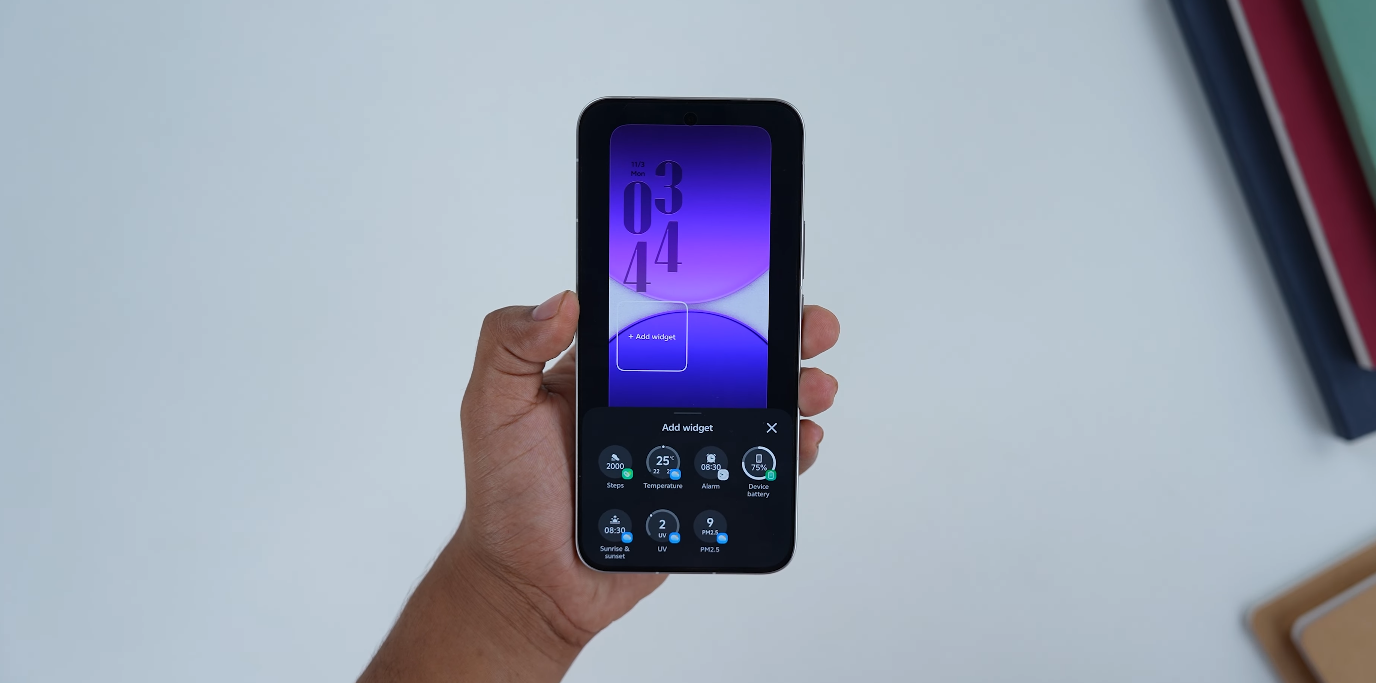
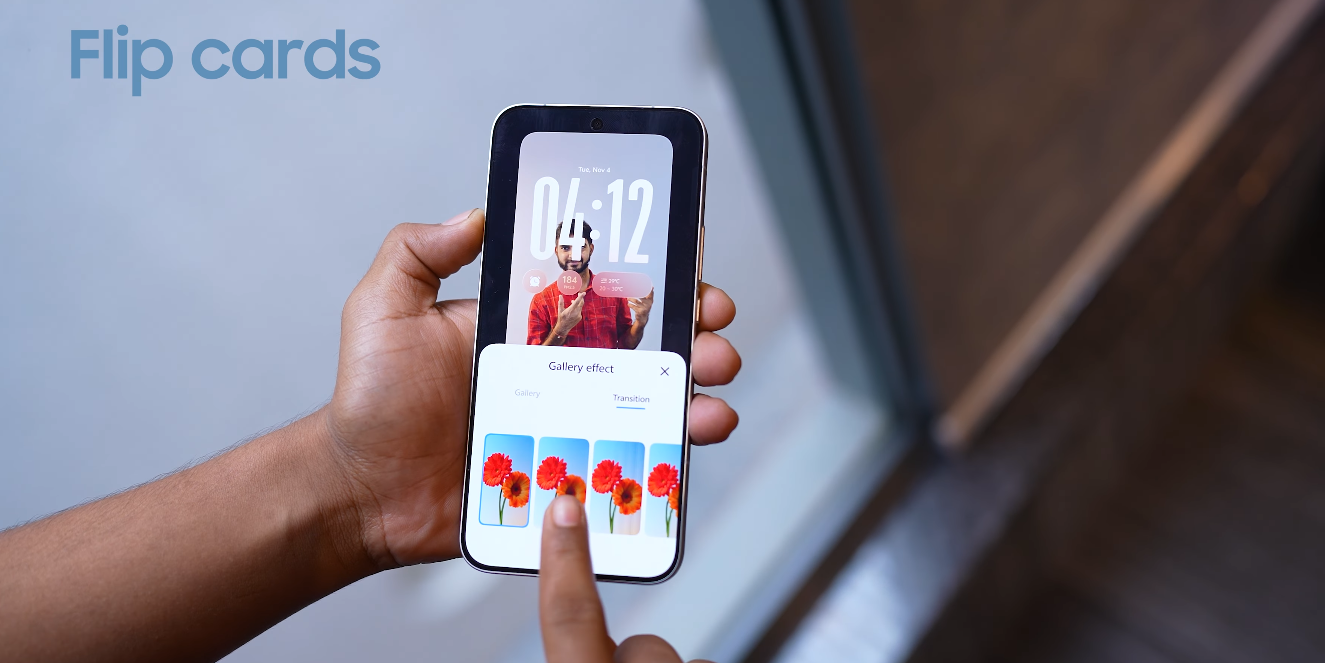
One of the most noticeable changes in OriginOS 6 is the lock screen. The interface now uses dynamic modules that adapt to user activity. Features such as adaptive folders, 4×7 grid layouts, and Flip Cards respond to device orientation, while the “Origin Island” displays real-time notifications and statuses, similar to dynamic interactive widgets. Android 14 enhances lock screen customization by allowing shortcuts, improved at-a-glance information, and simpler wallpaper switching. Both systems aim to give users relevant information at a glance, but OriginOS 6 uses more layered and animated visual cues, while Android 14 prioritizes straightforward readability and accessibility.

OriginOS 6 vs Android 14 visual design changes

Animations and transitions are another area where the two OS versions differ. OriginOS 6 incorporates the “Origin Smooth Engine,” which powers fluid transitions such as Spring Animation, Blur Transition, and Morphing Animation. These effects create a rhythmical flow throughout the interface, enhancing the sense of immersion. Android 14, while also improving animation smoothness, focuses more on subtle transitions and monochromatic modes that reduce visual noise and maintain a consistent, minimalistic experience. The approach in Android 14 prioritizes functionality and clarity over visually striking effects.

Typography and fonts have been updated in both systems to complement their visual strategies. OriginOS 6 introduces Vivo Sans 2, a font designed for consistency, readability, and support across multiple languages. This choice enhances the overall aesthetic by harmonizing text with the dynamic visual environment. Android 14 emphasizes bold and expressive typography as part of its Material 3 Expressive design, allowing for more creative use of text and headings while maintaining legibility and a clean interface. Both systems focus on clarity, but Vivo emphasizes uniformity, while Android 14 encourages personal expression.

Wallpaper and visual depth are also treated differently. OriginOS 6 includes dynamic wallpapers that adapt to lighting and device activity, adding visual interest while maintaining performance efficiency. These wallpapers work in tandem with the layered UI to create a sense of three-dimensional space. Android 14, in contrast, focuses on Material You’s dynamic color theming, which extracts colors from the user’s wallpaper and applies them consistently across system UI elements. This approach ensures a cohesive aesthetic with minimal distraction, emphasizing user choice and system-wide visual consistency.

Customization beyond wallpapers is a highlight of both operating systems. OriginOS 6 allows users to adjust clock styles, icon layouts, and interactive widgets on both the home and lock screens, giving the OS a unique and personal feel. Android 14 continues to expand on Material You personalization, enabling users to modify system colors, shapes, and interface styles across apps and menus. OriginOS 6 prioritizes a visually immersive and dynamic experience, whereas Android 14 emphasizes simplicity and coherence, giving users an interface that feels clean yet flexible.

In conclusion, OriginOS 6 and Android 14 cater to different user preferences when it comes to visual design. OriginOS 6 delivers a dynamic, immersive interface with layered animations, adaptable widgets, and rich visual depth, appealing to users who enjoy expressive and tactile design. Android 14 focuses on minimalist elegance, smooth personalization, and consistent color theming, targeting users who prefer a clean, straightforward interface with subtle customization options. Both operating systems improve the user experience through thoughtful design changes, but the choice ultimately depends on whether the user values immersive visual effects or streamlined minimalism.

Also Read:  OxygenOS 16 lock screen and AOD customization review