Garmin Cirqa Review UK
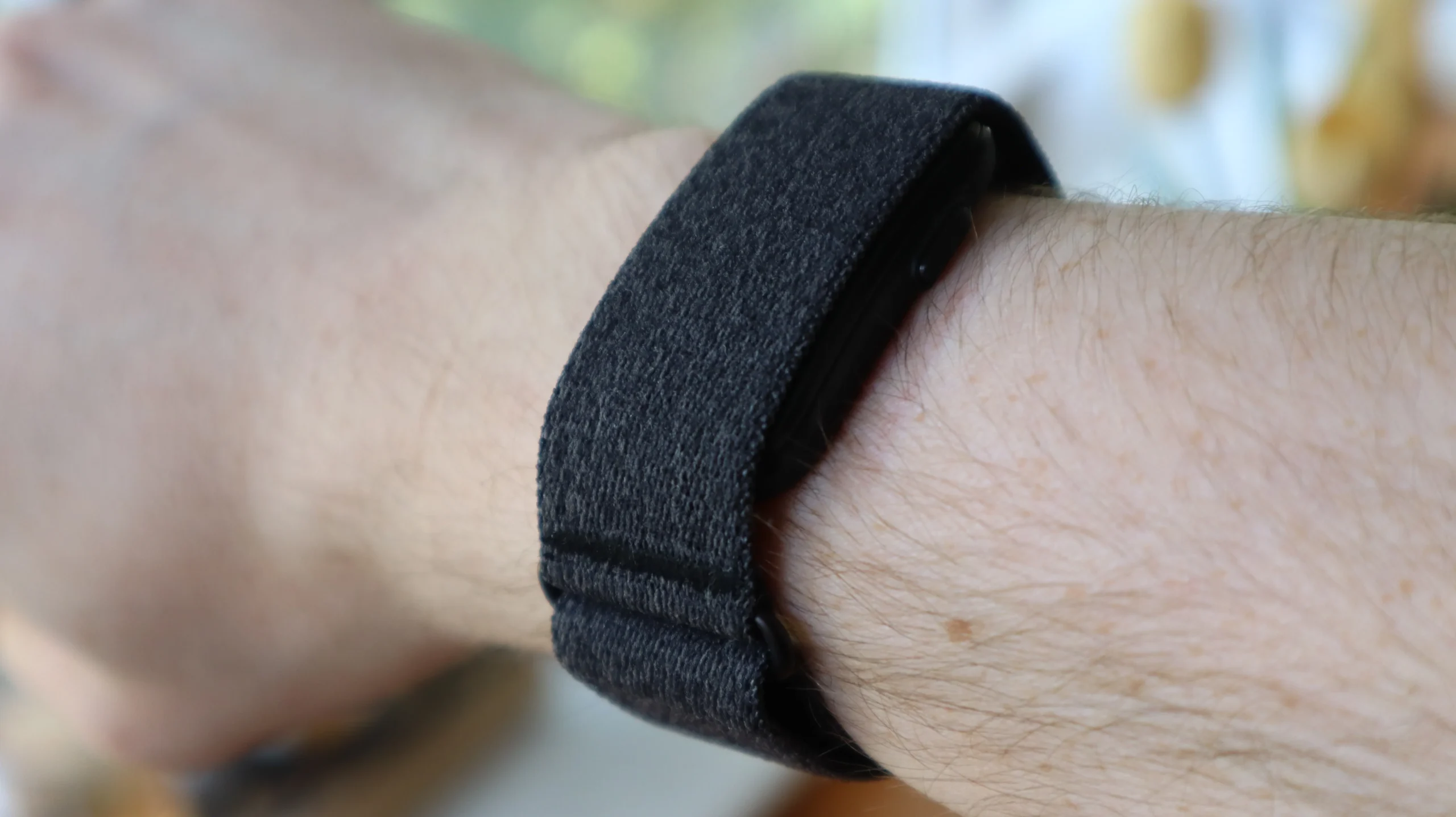
Garmin Cirqa after two weeks: 3 key learnings
I’ve had my hands on the Garmin Cirqa smart band for just over two weeks. It follows the Whoop Strap and Fitbit Air, both of which I’ve used extensively, meaning it has tough competition in the booming screenless fitness tracker market.
Given that both Whoop and Garmin attract the uber-sporty and fitness-focused among us, it was only a matter of time before the latter would try to nudge in on the action and go head to head with a distraction-free device that would allow users to shut out the noise and think solely of the workout ahead of them.
In hindsight, there was a lot of conflicting rumours about the Garmin Cirqa in the run-up to launch, including one that it was going to be five times the cost of the Fitbit Air, which simply wasn’t true in the end (or Garmin at least saw the outrage and reconsidered). Even after the initial launch event, which I attended, I still wasn’t fully sure what the Cirqa had to offer.
Now some proper testing time is under my belt, I have a much more concrete understanding of what it’s all about and whether it’s a worthy rival to the Fitbit Air and other screenless fitness trackers. In that time, while I work on a full review, I’ve learned three key things…
This is the fix to Garmin’s automatic tracking woes
One of the biggest problems Garmin watches have had is their near-complete inability to automatically track workouts, something that competitors like the Apple Watch Series 11 and the Pixel Watch 4 can do with ease. Thankfully, it’s one area where the Garmin Cirqa doesn’t seem to struggle.
I regularly take walks into my local town centre either to pick up some shopping or head for the nearest cafe to do some work, but those jaunts have previously gone unrecorded by my Garmin Venu X1, despite its high-end price.
With the Cirqa in tow, however, the Garmin Connect app now recognises those walks, which aren’t insignificant as they feature quite a few hills.
I also find it helpful on days when I don’t have time to get down to the gym and those walks are the only exercise I get, as it makes it feel less like I’ve just been sat around at my desk all day when I look back at my results. In other words, I’ll take the win.
More comfortable than it looks
One thing that has surprised me quite a bit is how divisive the Garmin Cirqa’s size has turned out to be. When putting out a quick video of me wearing the device to social media, I was flooded with comments asking about the size of my wrist, and others lamenting that the Cirqa looks massive.
Granted, the Cirqa is a bit bigger than the Fitbit Air (see above), but as someone who wore a Whoop Strap for years, I find the two to be mostly indistinguishable. I have the slightly larger L-XL strap too, but I’ve never found the Cirqa to sit uncomfortably.
I love the button (with one caveat)
Easily one of the best features of the Cirqa is its physical button, which allows you to either start or stop a workout instantly. This is something distinctly missing from rivals like the Fitbit Air.
For when I’m strapped for time and just want to get straight into the action, it’s brilliant. The problem I’ve discovered is that the process isn’t quite so seamless if you want to record the right information.
Because I jump between several types of workouts through the week, I haven’t changed the default mode wherein the Cirqa tracks a ‘Timed Activity’, but as a result, this means that Garmin’s smart band hasn’t tracked the distance I’ve covered, either on a run or when swimming at our local pool.
In order to make sure that the right information is assessed, you need to pre-select the workout you’re about to do in the Garmin Connect app. It’s a definite caveat to the push button as it means the process isn’t as instantaneous as you’d hope.
Still, there’s a lot to like about the Garmin Cirqa and I’ll bring you my full thoughts and a score in a full review soon.