Samsung Galaxy Tab S12 Ultra Review: Laptop Replacement Falls Short of Expectations
First Impressions
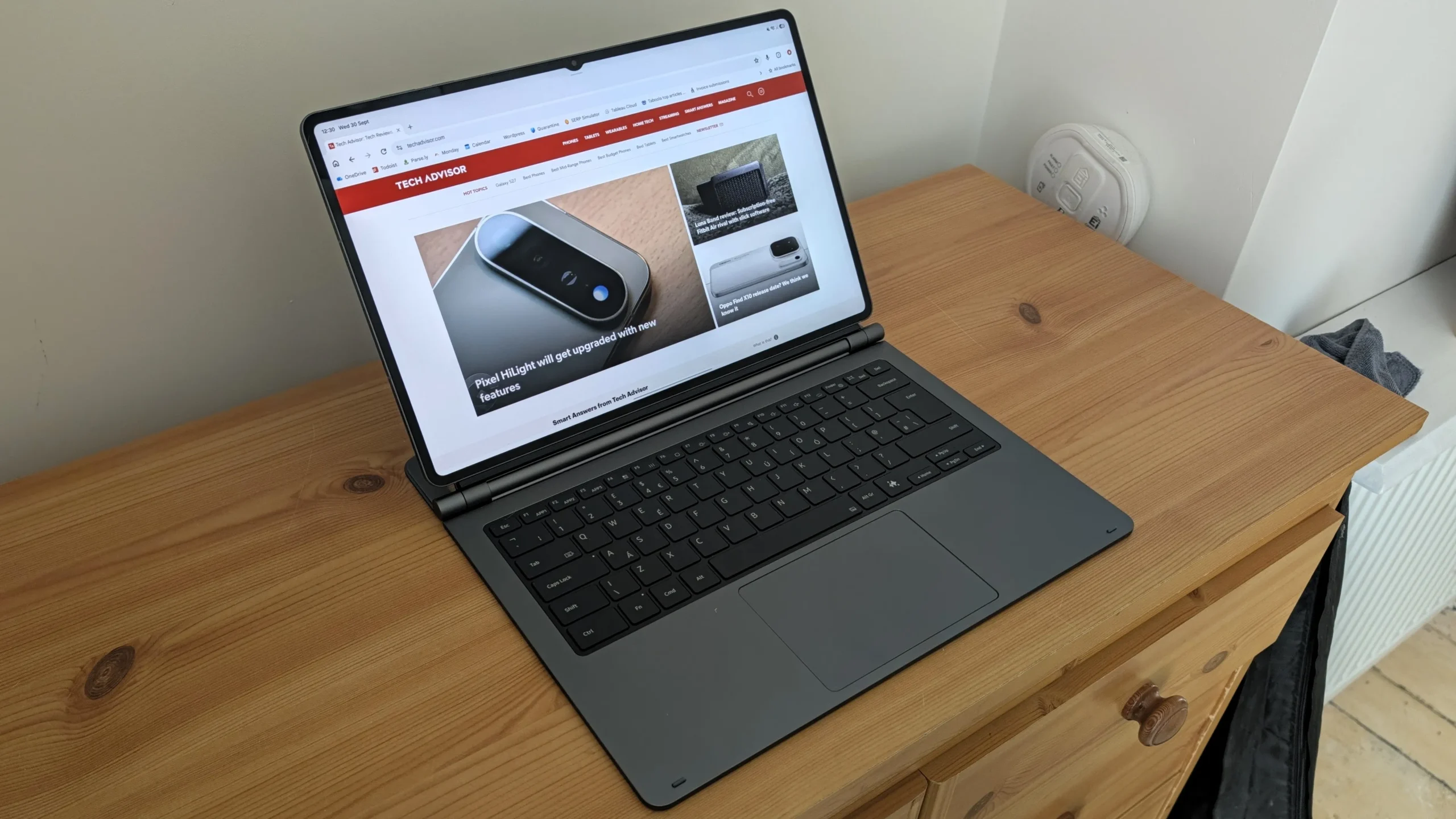
When the Samsung Galaxy Tab S12 Ultra arrived I expected a quick hands‑on, but the included keyboard cover turned the device into a laptop look‑alike. The 14.6‑inch 120Hz AMOLED screen is larger than most Windows notebooks, and the MediaTek Dimensity 9500 chipset promises desktop‑class performance.
Software Experience
In practice the tablet feels more like a giant phone. Slack opened in its mobile layout, filling the whole display when I tapped a conversation. The lack of a dedicated desktop app meant I was forced to use the web version in Chrome, which added extra steps to manage notifications.
Microsoft Outlook behaved similarly. The app rearranged menus and removed the pinned section I rely on, making email management clumsy. Only the Outlook web portal offered a familiar experience, but it sacrificed push notifications.
WordPress worked better because it is built for desktop browsers, yet adding links and uploading images through Samsung’s Files app was unnecessarily fiddly. Photoshop on Android is limited to a free version that cannot replace the full desktop suite.
Multitasking and DeX
Samsung DeX promises a laptop‑like interface, but it still runs mobile‑optimised apps. Split‑screen and window switching are smooth with touch, but using a mouse or trackpad feels awkward. The tablet prioritises the screen over the keyboard, creating a steep learning curve for anyone accustomed to a traditional laptop.
Battery and Port Limitations
The 11,600mAh battery sounded impressive, yet after starting the day at roughly 50 per cent I needed to recharge within three hours. Even with 45W fast charging, a full charge takes several hours, and the single USB‑C port sits in an inconvenient spot on the right side of the keyboard.
Because the device lacks USB‑A, I had to reach for a USB‑C hub to connect my wireless mouse receiver. The extra dongle detracts from the sleek design and highlights the compromise of replacing a laptop with a tablet.
What the Tab Does Well
Microsoft Teams shines on the Tab S12 Ultra; the mobile app feels more responsive than its desktop counterpart, even with a trackpad. The 12MP ultrawide front‑facing camera, three microphones and quad stereo speakers deliver video‑call quality that outperforms many built‑in laptop webcams.
The display is a standout – 120Hz AMOLED with vivid colours makes streaming movies or using the iPad Air M2 as a reference screen a pleasure. The S Pen attaches magnetically, though the magnets feel weak compared to the Galaxy Tab S11 Ultra.
Pricing and Verdict
At £1,399 the Samsung Galaxy Tab S12 Ultra is already pricey, and the optional keyboard adds another £399. For under £2,000 you are essentially buying an Android tablet that struggles with basic productivity tasks. Until Samsung refines One UI for desktop use, the Tab remains a premium media device rather than a true laptop replacement.